1. Giriş
The FiiO DISC is a portable HiFi music player designed for high-quality audio playback. It features a slim aluminum body, a circular touchscreen, and advanced audio components to deliver an immersive listening experience. This manual provides essential information for setting up, operating, and maintaining your FiiO DISC.

Figure 1.1: FiiO DISC Portable HiFi Music Player in various colors.
2. Kurulum
2.1. Kutudan Çıkarma ve İlk Şarj
Upon unboxing, ensure all components are present: the FiiO DISC player, a USB-C charging cable, and any included stickers. Before first use, fully charge the device using the provided USB-C cable connected to a compatible power adapter (not included).
2.2. MicroSD Kart Takma
The FiiO DISC supports MicroSD cards up to 2TB for expanded music storage. Locate the MicroSD card slot on the side of the device. Gently insert the MicroSD card until it clicks into place. Ensure the card is inserted correctly to avoid damage.

Figure 2.1: MicroSD card slot for storage expansion up to 2TB.
2.3. Açma/Kapama
Press and hold the power button (usually located on the side or top) for a few seconds to power on or power off the device. A short press will typically turn the screen on/off or lock/unlock the device.
2.4. Initial Language Selection
Upon first power-on, you may be prompted to select your preferred language. Follow the on-screen instructions to navigate and select English or your desired language.
3. Operating the FiiO DISC
3.1. Dokunmatik Ekran Navigasyonu
The FiiO DISC features a circular touchscreen for intuitive control. Swipe across the screen to navigate menus and tap icons to select options. The user interface includes customizable lock screens, screen savers, album art, and lyrics display.

Figure 3.1: Dynamic user interface on the FiiO DISC circular touchscreen.
3.2. Müzik Çalma
- Gözatma: Navigate to the 'Music' or 'Folders' section to browse your audio files.
- Oynat/Duraklat: Tap the play/pause icon on the screen or use the dedicated physical buttons.
- Parçaları Atla: Use the forward/backward icons on the screen or physical buttons to skip tracks.
- Ses Kontrolü: Adjust volume using the dedicated volume buttons on the device.
3.3. Bluetooth Bağlantısı
The FiiO DISC supports Bluetooth 5.4 with LDAC for high-quality wireless audio. To pair with Bluetooth headphones or speakers:
- 'Ayarlar' menüsüne gidin ve 'Bluetooth'u seçin.
- Turn on Bluetooth and put your external device into pairing mode.
- Bağlanmak istediğiniz cihazı, mevcut cihazlar listesinden seçin.

Figure 3.2: FiiO DISC demonstrating Bluetooth 5.4 with LDAC support.
3.4. Wired Headphone Outputs
The device is equipped with both 3.5mm single-ended and 4.4mm balanced headphone outputs. Connect your preferred wired headphones to the corresponding jack for optimal audio quality.

Figure 3.3: The FiiO DISC features both 3.5mm and 4.4mm headphone outputs.
3.5. USB Modes and Other Connectivity
The FiiO DISC supports various connectivity options:
- USB DAC Modu: Connect to a computer to use the FiiO DISC as an external DAC.
- USB Ses Çıkışı: Output audio digitally via USB to compatible devices.
- Coaxial Digital Output: For connecting to home audio systems.
- Hava Oynatımı: Apple cihazlarınızdan kablosuz olarak ses akışı yapın.
4. Temel Özellikler
- Premium Aluminum Alloy Body with Circular Touchscreen: The ultra-slim aluminum alloy body provides a refined, lightweight feel. The round touchscreen offers a rich UI with customizable lock screens, screen savers, album art, and lyrics display.
- Dual DAC Design with Dual Headphone Outputs: Equipped with dual CS43131 DACs and a balanced audio architecture, it delivers up to 280mW of output power through both 3.5mm single-ended and 4.4mm balanced headphone outputs.
- Bluetooth 5.4 with LDAC Support: Ensures fast, stable, and low-latency wireless connections with support for high-quality audio codecs like LDAC and SBC.
- Pure Music OS with Up to 2TB Storage Expansion: Powered by a dual-core X2000 controller and FiiO’s self-developed Linux-based pure music system, offering smooth operation and support for up to 2TB MicroSD card expansion.
- 12 saate kadar pil ömrü: The built-in 1450mAh battery provides up to 12 hours of continuous playback.
- Çok Yönlü Bağlantı: Supports USB DAC mode, USB Audio output, coaxial digital output, and AirPlay for seamless integration with various audio setups.
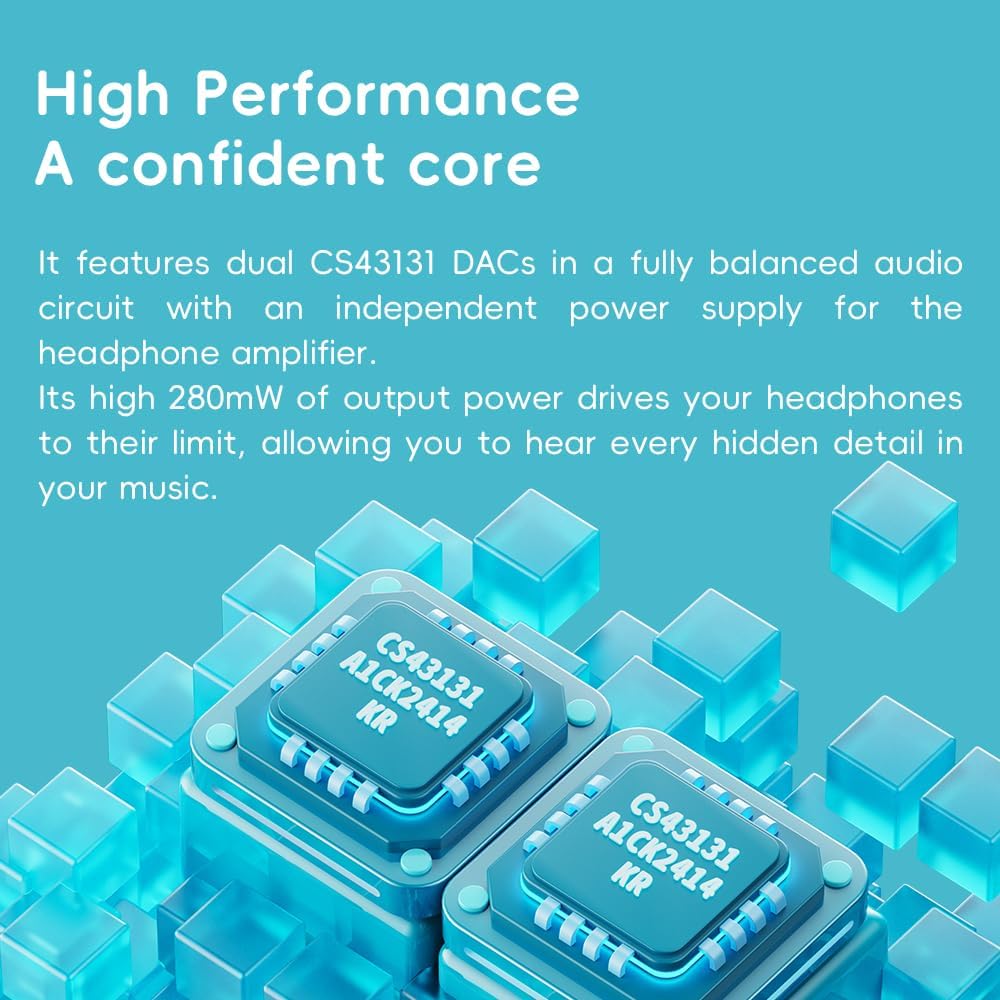
Figure 4.1: The FiiO DISC utilizes dual CS43131 DACs for high-fidelity audio.

Figure 4.2: The Ingenic X2000 dual-core chip powers the FiiO DISC's pure music OS.

Figure 4.3: The FiiO DISC offers up to 12 hours of battery life.
5. Bakım
- Temizlik: Cihazı temizlemek için yumuşak ve kuru bir bez kullanın. Sert kimyasallar veya aşındırıcı malzemeler kullanmaktan kaçının.
- Depolamak: Store the FiiO DISC in a cool, dry place away from direct sunlight and extreme temperatures.
- Pil Bakım: Pil ömrünü uzatmak için cihazınızı sık sık tamamen boşaltmaktan kaçının. Uzun süre kullanmasanız bile düzenli olarak şarj edin.
6. Sorun Giderme
6.1. Cihaz Açılmıyor
- Cihazın tamamen şarj olduğundan emin olun. Cihazı bir güç kaynağına bağlayın ve tekrar açmayı denemeden önce birkaç dakika bekleyin.
- Try holding the power button for a longer duration (e.g., 10-15 seconds) to perform a hard reset.
6.2. Ses Çıkışı Yok
- Check the volume level on the device and your connected headphones/speakers.
- Ensure headphones are properly connected to the correct output jack (3.5mm or 4.4mm).
- If using Bluetooth, verify that the device is correctly paired and connected to your audio output.
- Test with different headphones or speakers to rule out an issue with the audio output device.
6.3. Müzik Files Not Appearing
- Ensure the MicroSD card is properly inserted.
- müzik olduğunu doğrulayın. files desteklenen bir formattadır.
- Perform a music library scan through the device's settings.
6.4. Bluetooth Eşleştirme Sorunları
- Ensure both the FiiO DISC and the target Bluetooth device are in pairing mode.
- Cihazların menzil içinde olduklarından emin olmak için onları birbirine daha yakın konumlandırın.
- Forget previous pairings on both devices and attempt to pair again.
7. Özellikler
| Özellik | Detay |
|---|---|
| Marka | Fiio |
| Model Adı | DİSK |
| Ürün Model Numarası | F5381D |
| Bağlantı Teknolojisi | Aux, Bluetooth |
| Özel Özellik | Yüksek Çözünürlüklü Ses |
| Renk | Blue (other variants available) |
| Ekran Boyutu | 1.8 inç |
| Uyumlu Cihazlar | Kulaklıklar |
| Pil | 1450mAh (12 saate kadar oynatma süresi) |
| Depolama Genişletmesi | Up to 2TB MicroSD card |
| DAC'ler | Çift CS43131 |
| Çıkış Gücü | 280 mW'a kadar |
| İşletim Sistemi | Linux-based pure music system |
| Ürün Ağırlığı | 5.9 ons |
| Paket Boyutları | 11.46 x 4.06 x 1.22 inç |
8. Garanti ve Destek
Garanti bilgileri ve teknik destek için lütfen resmi FiiO web sitesine başvurun. webSiteyi ziyaret edin veya müşteri hizmetleriyle iletişime geçin. Satın alma belgenizi garanti talepleriniz için saklayın.
Visit the official FiiO Store for more information: FiiO Mağazası


