giriiş
Thank you for choosing the FiiO EH11 Retro On-Ear Bluetooth Headphones. These headphones combine classic design with modern wireless technology, offering high-resolution audio and versatile connectivity. This manual provides essential information for the proper use, setup, and maintenance of your EH11 headphones.
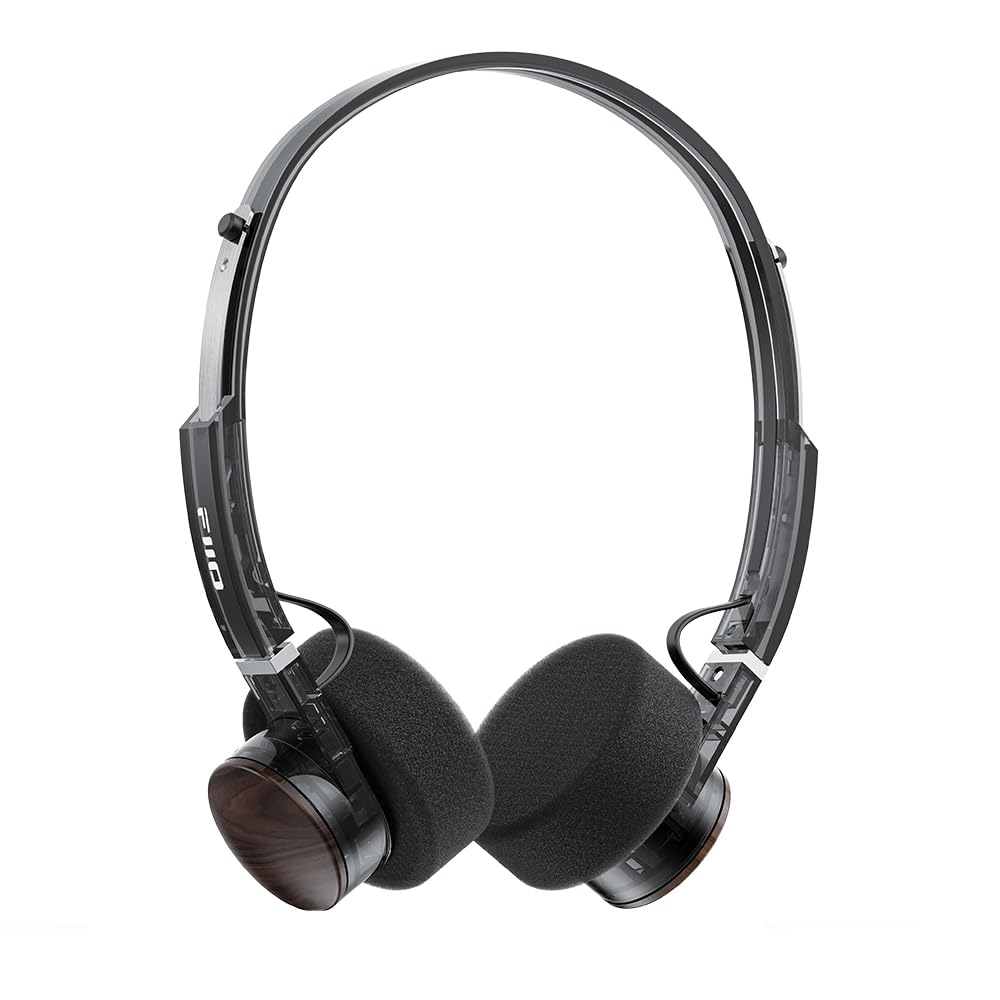
Image: FiiO EH11 Retro On-Ear Bluetooth Headphones, Transparent Black variant. This image displays the overall design of the headphones, highlighting the on-ear form factor and retro aesthetic.
Güvenlik Bilgileri
- Kulaklıkları aşırı sıcaklıklara, neme veya aşındırıcı ortamlara maruz bırakmayın.
- İşitme hasarını önlemek için uzun süre yüksek ses seviyesinde dinlemekten kaçının.
- Cihazı kendiniz sökmeyin, tamir etmeyin veya üzerinde değişiklik yapmayın. Yardım için yetkili servis personeliyle iletişime geçin.
- Cihazı çocuklardan ve evcil hayvanlardan uzak tutunuz.
- Ürünü ve pilini yerel yönetmeliklere uygun şekilde sorumlu bir şekilde atın.
Paket İçeriği
Lütfen paketinizde tüm öğelerin mevcut olduğundan emin olun:
- FiiO EH11 Retro On-Ear Bluetooth Headphones
- Foam earpads (2 pairs)
- USB A to Type-C charging cable (1)
- Quick guide (1)
Ürün Bittiview
Familiarize yourself with the main components and controls of your FiiO EH11 headphones.
Kontroller ve Bağlantı Noktaları
- Güç/Çok Fonksiyonlu Düğme: Used for power on/off, play/pause, answering/ending calls.
- Ses Düğmesi: Rotatable knob for volume adjustment and track control.
- USB Tip-C Bağlantı Noktası: Kulaklıkları şarj etmek için.
- Mikrofon: Arama ve sesli komutlar için entegre edilmiştir.
- LED Göstergesi: Güç, şarj ve Bluetooth durumunu gösterir.
Note: Specific button functions and LED indicator behaviors are detailed in the 'Operating' section.
Kurmak
1. Kulaklıkları Şarj Etme
- USB Type-C şarj kablosunu kulaklıktaki şarj portuna bağlayın.
- Kablonun diğer ucunu bir USB güç adaptörüne (dahil değildir) veya bir bilgisayarın USB portuna bağlayın.
- LED göstergesi şarj durumunu gösterecektir (örneğin, şarj olurken kırmızı, tamamen şarj olduğunda kapalı).
- Tam şarj yaklaşık 1.5 saat sürer ve 30 saate kadar oynatma süresi sağlar.
Description: Connect the provided USB-C cable to the headphone's charging port and a power source to charge the internal battery.
2. Açma/Kapama
- Güç Açık: Press and hold the Power/Multi-function button for approximately 3 seconds until the LED indicator lights up and you hear a power-on prompt.
- Kapat: Press and hold the Power/Multi-function button for approximately 5 seconds until the LED indicator turns off and you hear a power-off prompt.
3. Bluetooth Eşleştirme
- Kulaklıkların kapalı olduğundan emin olun.
- Güç/Çok Fonksiyonlu düğmesine yaklaşık 5-7 saniye basılı tutun; LED göstergesi dönüşümlü olarak kırmızı ve mavi yanıp sönmeye başlayacak, bu da eşleştirme modunu gösterir.
- Cihazınızda (akıllı telefon, tablet, bilgisayar) Bluetooth'u etkinleştirin ve kullanılabilir cihazları arayın.
- Select "FiiO EH11" from the list of found devices.
- Once connected, the LED indicator will flash blue periodically, and you will hear a connection prompt.
4. Çift Cihaz Bağlantısı
The EH11 supports simultaneous connection to two Bluetooth devices.
- Kulaklıkları yukarıda açıklandığı gibi ilk cihazla eşleştirin.
- İlk cihazda Bluetooth'u devre dışı bırakın. Kulaklıklar tekrar eşleştirme moduna girecektir.
- Kulaklıkları ikinci cihazla eşleştirin.
- İlk cihazda Bluetooth'u yeniden etkinleştirin. Kulaklıklar her iki cihaza da otomatik olarak bağlanmalıdır.
- You can now seamlessly switch between audio sources from the two connected devices.
5. FiiO Control App
Download the FiiO Control App from your device's app store to unlock additional features and customization options, including EQ presets and gaming mode settings.
- Arama "FiiO Control" in the App Store (iOS) or Google Play Store (Android).
- Install the app and ensure your EH11 headphones are connected via Bluetooth.
- Open the app to access settings such as EQ, gaming mode, and firmware updates.
Kullanım Talimatları
Müzik Çalma
- Oynat/Duraklat: Güç/Çok Fonksiyonlu düğmesine kısa süre basın.
- Sesi aç: Rotate the Volume knob clockwise.
- Sesi kıs: Rotate the Volume knob counter-clockwise.
- Sonraki Parça: Double-click the Volume knob.
- Önceki parça: Triple-click the Volume knob.
Yönetim Çağrı
- Çağrıyı Cevapla/Sonlandır: Güç/Çok Fonksiyonlu düğmesine kısa süre basın.
- Çağrıyı Reddet: Güç/Çok Fonksiyonlu düğmesine 2 saniye boyunca basılı tutun.
Oyun Modu
Activate Gaming Mode via the FiiO Control App to enhance in-game audio cues like footsteps and gunshots for a more immersive experience. This mode also optimizes latency.
LDAC High-Resolution Audio
The FiiO EH11 supports LDAC codec for high-resolution wireless audio. Ensure your source device also supports LDAC and that it is enabled in your device's Bluetooth settings for the best audio quality.
Bakım
Temizlik
- Kulaklığınızı yumuşak, kuru ve tiftiksiz bir bezle silin.
- Sert kimyasallar, temizleme solventleri veya güçlü deterjanlar kullanmayın.
- Herhangi bir açıklıktan içeriye nem girmesini önleyin.
Kulak Yastığı Değişimi
The foam ear pads are detachable for easy cleaning and replacement. Gently pull the ear pads off the earcups to remove them. Align the new ear pads with the earcups and press them firmly into place until they are securely attached.
Two pairs of different-colored official ear pads are included in the package for customization.
Depolamak
When not in use, store the headphones in a cool, dry place, away from direct sunlight and extreme temperatures. Avoid placing heavy objects on the headphones.
Sorun giderme
- Güç Yok:
- Kulaklığın tam şarjlı olduğundan emin olun.
- Try connecting to a different charging cable or power source.
- Cihazla Eşleşemiyor:
- Kulaklıkların eşleştirme modunda olduğundan emin olun (LED kırmızı ve mavi yanıp sönüyor).
- Cihazınızda Bluetooth'un etkin olduğundan emin olun.
- Kulaklığınızı cihazınıza yaklaştırın.
- Hem kulaklığınızı hem de cihazınızı yeniden başlatmayı deneyin.
- Cihazınızdaki önceki Bluetooth bağlantılarını temizleyin.
- Ses Yok veya Ses Düşük:
- Hem kulaklığınızın hem de bağlı cihazınızın ses seviyesini kontrol edin.
- Kulaklığın cihazınıza düzgün şekilde bağlandığından emin olun.
- Farklı bir uygulamadan veya kaynaktan ses çalmayı deneyin.
- Kötü Ses Kalitesi:
- Kulaklık ile cihazınız arasında herhangi bir engel olmadığından emin olun.
- Girişim kaynaklarından (örneğin Wi-Fi yönlendiricileri, diğer Bluetooth cihazları) uzaklaşın.
- If using LDAC, ensure your source device supports it and it is enabled.
Özellikler
| Özellik | Şartname |
|---|---|
| Model Adı | EH11 |
| Bağlantı Teknolojisi | Bluetooth |
| Kablosuz İletişim Teknolojisi | Bluetooth |
| Ses Sürücüsü Türü | Dinamik Sürücü (40 mm) |
| Kulaklık Şekli | Kulak üstü |
| Pil Ömrü | 30 Saate Kadar |
| Şarj Süresi | Yaklaşık 1.5 Saat |
| Ağırlık | Yaklaşık. 92 gr (3.25 ons) |
| Özel Özellik | LDAC High-Resolution Bluetooth Audio, Dual Device Connection, FiiO Control App Support, Gaming Mode |
| Dahil Bileşenler | Foam earpads*2, Quick guide*1, USB A to Type-C charging cable*1 |
Garanti ve Destek
FiiO products come with a limited warranty. For detailed warranty information, technical support, or service inquiries, please refer to the official FiiO websiteyi ziyaret edin veya yerel distribütörünüzle iletişime geçin.
Daha fazla bilgi ve iletişim bilgilerini şu adreste bulabilirsiniz: FiiO Official Store.