giriiş
The LOFREE Pudding Dual Mode Wireless Mouse (Model OE929) is designed for versatile use across various operating systems and devices. It offers both Bluetooth and 2.4G wireless connectivity, adjustable DPI settings, and a comfortable, ergonomic design. This manual provides instructions for setup, operation, maintenance, and troubleshooting to ensure optimal performance of your device.
Paket İçeriği
- LOFREE Pudding Dual Mode Wireless Mouse
- USB Alıcı (2.4G)
- Charging Cable (USB-C to USB-A, typically)
- Kullanıcı Kılavuzu
Ürün Bittiview
The LOFREE Pudding mouse features a unique transparent texture and an ergonomic design for comfortable use. It includes an adjustable ambient light feature and a scroll wheel with integrated button functionality.

Resim: The LOFREE Pudding mouse showcasing its high transparency texture and sleek design.

Resim: A hand holding the LOFREE Pudding mouse, illustrating its comfortable, skin-like touch and ergonomic grip.
Kurmak
1. Fareyi Şarj Etme
Before first use, ensure the mouse is fully charged. Connect the provided charging cable to the mouse's charging port and to a USB power source. The ambient light may indicate charging status (e.g., breathing light while charging, solid when full).

Resim: The LOFREE Pudding mouse, highlighting its approximately 100 hours of battery life on a single charge.
2. Dual-Mode Connection
The mouse supports two wireless connection methods: 2.4G via USB receiver and Bluetooth.
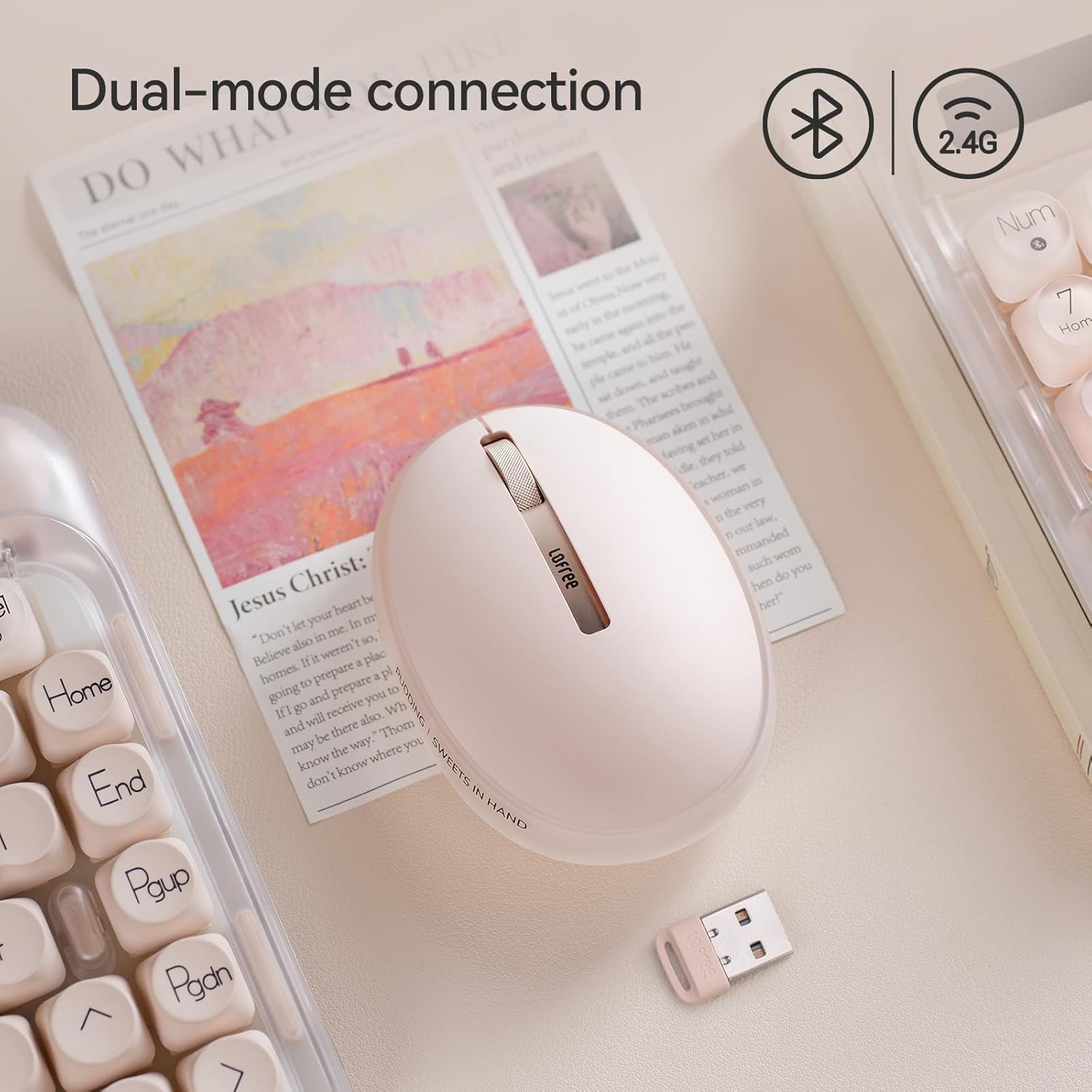
Resim: The LOFREE Pudding mouse demonstrating its dual-mode connection capability, supporting both Bluetooth and 2.4G wireless technologies.
2.1. 2.4G Kablosuz Bağlantı
- Locate the USB receiver, typically stored in a compartment on the mouse or in the packaging.
- USB alıcısını bilgisayarınızdaki uygun bir USB bağlantı noktasına takın.
- Turn on the mouse. The computer should automatically detect and install the necessary drivers.
- Not: For systems below Windows 7, the 2.4G connection is recommended as Bluetooth mode may not be supported.
2.2. Bluetooth Bağlantısı
- Cihazınızın Bluetooth özelliğinin etkin olduğundan emin olun.
- Switch the mouse to Bluetooth mode (refer to the mouse's bottom switch or button for mode selection).
- On your device, search for Bluetooth devices. The mouse should appear as "LOFREE Pudding Mouse" or similar.
- Eşleştirmek istediğiniz fareyi seçin. Eşleştirme işlemini tamamlamak için ekrandaki yönergeleri izleyin.
3. Uyumluluk
The LOFREE Pudding mouse is compatible with a wide range of operating systems and devices, including:
- Windows (Windows 7 and above for Bluetooth)
- macOS
- iOS
- Android
- PC, Mac, Laptop, and other compatible devices.
Kullanım Talimatları
1. Adjusting DPI Levels
The mouse features 5 adjustable DPI levels to suit different tasks and preferences. You can cycle through these settings by pressing the DPI button, usually located near the scroll wheel or on the bottom of the mouse.
- Available DPI settings: 600, 800, 1200, 1600, 3600.
- Press the DPI button to switch between levels. The mouse cursor speed will change accordingly.

Resim: A hand demonstrating the adjustment of DPI levels on the LOFREE Pudding mouse, with available settings of 600, 800, 1200, 1600, and 3600.
2. Ambient Light Modes
The mouse is equipped with an adjustable ambient light feature, offering two modes:
- Constant Always On: The light remains steadily illuminated.
- Nefes Alma Modu: Işık yavaşça yanıp sönüyor.
To switch between these modes, refer to the dedicated light control button or combination of buttons on the mouse. In dormant state, the ambient light will turn off and can be reactivated by clicking any button on the mouse.

Resim: The LOFREE Pudding mouse displaying its adjustable ambient light feature, with options for "Always On" or "Breathing" modes.
3. Güç Yönetimi
The mouse is designed to conserve battery life. It will enter a dormant state after a period of inactivity, turning off the ambient light. To wake the mouse, simply click any button.
Bakım
1. Temizlik
- Use a soft, dry, lint-free cloth to clean the mouse surface.
- İnatçı kirler için hafifçeampBezi suyla veya yumuşak, aşındırıcı olmayan bir temizleyiciyle silin.
- Avoid using harsh chemicals, solvents, or abrasive materials, as these can damage the mouse's finish.
- Farenin iç bileşenlerine sıvı girmemesine dikkat edin.
2. Pil Bakımı
- Pil ömrünü korumak için fareyi düzenli olarak şarj edin.
- Pilin sık sık tamamen boşaltılmasından kaçının.
- If storing the mouse for an extended period, charge it to approximately 50% to prevent deep discharge.
Sorun giderme
Mouse Not Responding / Disconnecting
- Pili Kontrol Edin: Ensure the mouse is charged. Connect it to a power source.
- 2.4G Bağlantısı:
- USB alıcısının çalışan bir USB portuna güvenli bir şekilde takıldığından emin olun.
- Farklı bir USB portu deneyin.
- Farenin 2.4G moduna alındığından emin olun.
- Bluetooth Bağlantısı:
- Cihazınızda Bluetooth'un etkin olduğundan emin olun.
- Ensure the mouse is switched to Bluetooth mode.
- Unpair and re-pair the mouse from your device's Bluetooth settings.
- Ensure your device's operating system supports Bluetooth for mice (e.g., Windows versions below 7 may have limited support).
- Parazit yapmak: Move the mouse closer to the receiver/device. Avoid using it near other wireless devices that might cause interference.
DPI Değişmiyor
- Doğru DPI ayar düğmesine bastığınızdan emin olun.
- If the mouse is unresponsive, try restarting it (turn off and on).
Ambient Light Not Working
- Check if the mouse is in a dormant state; click a button to wake it.
- Pilin yeterince şarj edildiğinden emin olun.
- Verify you are using the correct button or combination to cycle through light modes.
Özellikler
| Özellik | Detay |
|---|---|
| Model Numarası | OE929 |
| Bağlantı Teknolojisi | Bluetooth, 2.4G Radio Frequency |
| Hareket Algılama Teknolojisi | Optik |
| DPI Seviyeleri | 600, 800, 1200, 1600, 3600 (Ayarlanabilir) |
| Pil Kapasitesi | 500mAh |
| Pil Ömrü | Yaklaşık 100 saat |
| Özel Özellikler | LED Lights (Ambient), Lightweight, Rechargeable, Wireless |
| Uyumluluk | Windows, macOS, iOS, Android (PC, Mac, Laptop) |
| Ürün Ağırlığı | 8.9 ons |
| Paket Boyutları | 5.2 x 4.13 x 2.4 inç |
Garanti ve Destek
LOFREE products are manufactured to high-quality standards. For warranty information, technical support, or service inquiries, please refer to the official LOFREE webSite üzerinden satın alabilir veya doğrudan müşteri hizmetleriyle iletişime geçebilirsiniz. Garanti talepleriniz için satın alma fişinizi saklayın.
Daha fazla bilgi için şu adresi ziyaret edin: LOFREE Mağazası Amazon'da.


