1. Giriş
Thank you for choosing the DUMOS Office Desk Chair. This manual provides detailed instructions for assembly, operation, maintenance, and troubleshooting to ensure optimal use and longevity of your chair. Please read this manual thoroughly before assembly and use.
2. Ürün Özellikleri
The DUMOS Office Desk Chair is designed for comfort and functionality, featuring:
- Ergonomic Mid-Back Design: Contoured to fit the natural curve of your spine, providing lumbar support to alleviate back and waist discomfort.
- Nefes alabilen file sırt kısmı: Promotes air circulation to keep you cool and comfortable during extended use.
- High-Resilience Foam Seat Cushion: Offers cloud-like comfort and maintains its shape over time.
- Sallanma Modu: Features a 90°-120° tilt mechanism with an adjustable tension knob for personalized recline resistance.
- Yükseklik ayarlanabilir: Seat height can be adjusted from 14.7 inches to 17.7 inches to suit various body types.
- Sabit Kolçaklar: Provide stable support and enhance the chair's durability.
- Sağlam ve Sessiz Çalışma: Reinforced metal base and smooth-rolling silent casters ensure stable and quiet movement without scratching floors.
- 360° Dönme: Allows for easy rotation and movement.
- Entegre Depolama: Convenient storage space at the back of the chair for small items like books or tablets.

Image: Ergonomic design highlighting back and lumbar support.

Image: Cross-section of the elastic and thick seat cushion.
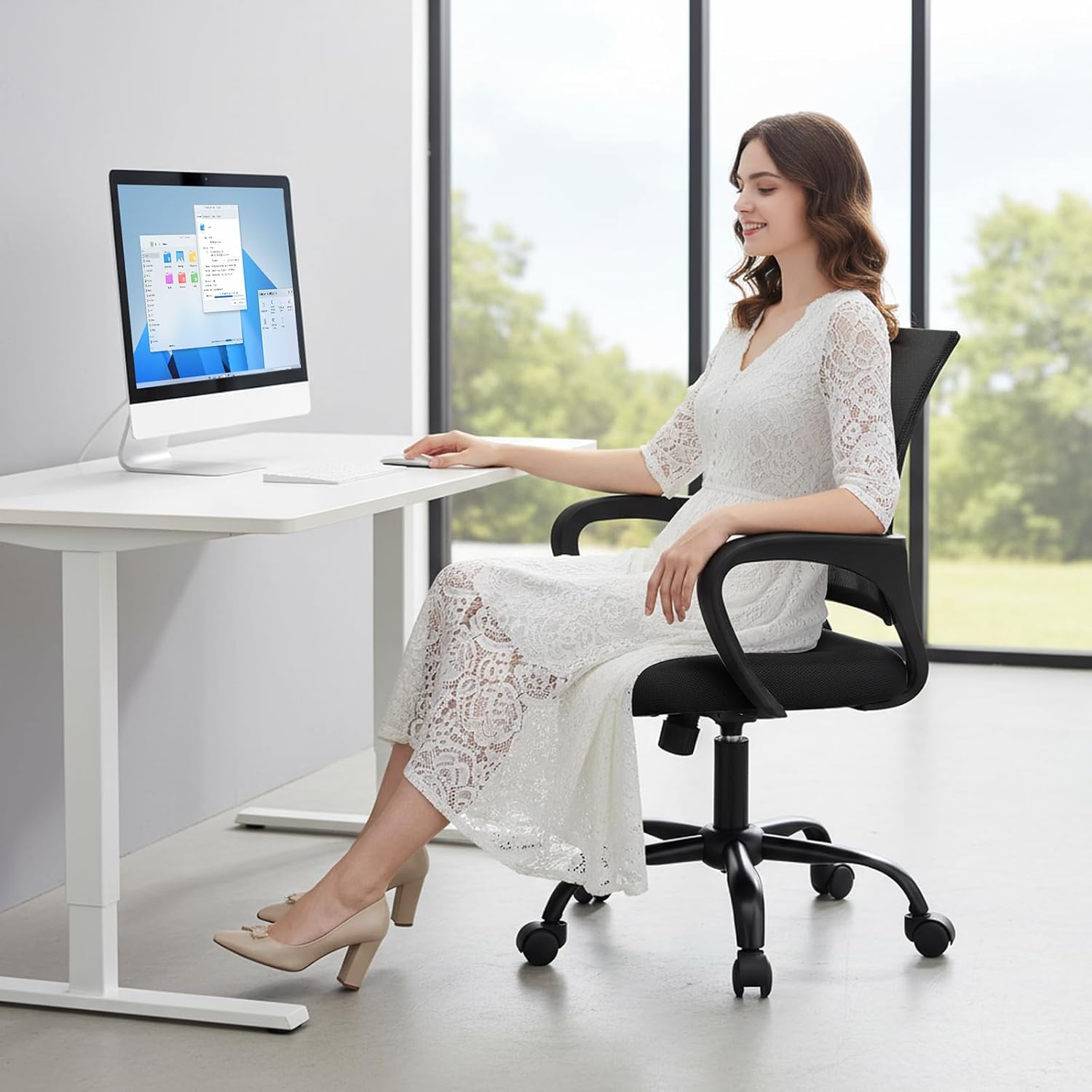
Image: Detail of the breathable mesh backrest.
3. Parça Listesi
Montaja başlamadan önce tüm parçaların eksiksiz ve hasarsız olduğundan emin olun. Tanımlama için aşağıdaki şemaya bakın.

Image: All components of the DUMOS Office Desk Chair laid out for assembly.
Paket şunları içermelidir:
- Backrest with mesh
- Koltuk minderi
- Kolçaklar (2)
- Base with 5 legs
- Tekerlekler (5)
- Gaz kaldırma silindiri
- Mekanizma plakası
- Vidalar ve Allen anahtarı
4. Montaj Talimatları
Follow these steps to assemble your DUMOS Office Desk Chair. An assembly video is also provided for visual guidance.
- Tekerlekleri Tabana Takın: Beş tekerleği, sandalyenin tabanındaki her ayağın ucundaki deliklere yerleştirin. Yerlerine oturana kadar sıkıca bastırın.
- Gazlı Asansörü Takın: Place the gas lift cylinder into the central hole of the chair base.
- Kolçakları Sırtlığa Takın: Align the armrests with the pre-drilled holes on the backrest. Secure them using the provided screws and Allen wrench.
- Attach Armrests to Seat Cushion: Align the other end of the armrests with the pre-drilled holes on the underside of the seat cushion. Secure them using the provided screws and Allen wrench.
- Install Mechanism Plate: Attach the mechanism plate to the underside of the seat cushion, ensuring the front of the plate faces the front of the seat. Secure with screws.
- Koltuğu Gazlı Kaldırma Mekanizmasına Bağlayın: Birleştirilmiş koltuğu ve sırtlığı dikkatlice gazlı kaldırma silindirinin üzerine yerleştirin, ortalanmış ve sabit olduğundan emin olun.
Video: Step-by-step guide on how to install the DUMOS Office Desk Chair.
5. Kullanım Talimatları
Your DUMOS Office Desk Chair offers several adjustable features for personalized comfort:
- Yükseklik Ayarı: To adjust the seat height, pull the lever located under the right side of the seat upwards. While holding the lever, stand up to raise the chair or sit down to lower it. Release the lever to lock the height.
- Sallanma Modu: To activate the rocking function, pull the same lever outwards. To lock the chair in an upright position, push the lever inwards.
- Eğim Gerilim Ayarı: The round knob under the center of the seat controls the tension of the rocking mechanism. Turn clockwise to increase tension (making it harder to recline) or counter-clockwise to decrease tension (making it easier to recline).
- 360° Dönme: The chair's base allows for full 360-degree rotation for easy movement and access.

Image: Controls for rocking mode and height adjustment.
6. Bakım
Proper care will extend the life of your DUMOS Office Desk Chair:
- Temizlik: Reklamla temizleyinamp Kumaş. Fileye veya kumaşa zarar verebilecek sert kimyasallardan veya aşındırıcı temizleyicilerden kaçının.
- Düzenli Kontroller: Tüm vida ve cıvataların sıkılığını düzenli olarak kontrol edin. Gerekirse tekrar sıkın.
- Caster Bakımı: Tekerleklerin düzgün bir şekilde hareket etmesini sağlamak için tekerlekleri saç ve döküntülerden uzak tutun.
7. Sorun Giderme
If you encounter any issues with your chair, refer to these common solutions:
- Sandalye Gıcırdıyor: Check and tighten all assembly screws. A small amount of silicone lubricant can be applied to moving parts if the squeaking persists.
- Yüksekliği ayarlamakta zorluk: Gaz kaldırma kolunun tamamen takılı veya çıkarılmış olduğundan emin olun. Sorun devam ederse, gaz kaldırma silindirinin değiştirilmesi gerekebilir.
- Sandalye düzgün bir şekilde hareket etmiyor: Check casters for trapped debris (hair, lint) and clean them. Ensure casters are securely inserted into the base.
- Sandalye Dengesiz Hissediyor: Verify that all screws are tightened and the base is properly assembled. Ensure the chair is on a flat, even surface.
8. Özellikler
| Özellik | Detay |
|---|---|
| Marka | DUMOS |
| Model Adı | DUMOS Office Desk Chair |
| Ürün Model Numarası | 1411BK2-H3-2P |
| Renk | Black Fixed Arm |
| Malzeme | Ağ |
| Ürün Boyutları | 23.62"D x 22.6"G x 37.4"Y |
| Ürün Ağırlığı | 19.4 pound |
| Ağırlık Kapasitesi | 250 pound'a kadar |
| Özel Özellikler | Adjustable Height, Arm Rest, Back Support, Ergonomic, Rolling |
| Ürün Bakım Talimatları | Temiz Silmek |

Resim: Ürün boyutları diyagramı.
9. Garanti ve Destek
DUMOS stands behind the quality of its products. For specific warranty information, please refer to the warranty card included in your product packaging or visit the official DUMOS website. If you require assistance with assembly, operation, or troubleshooting, please contact DUMOS customer support through the contact information provided with your purchase or on the DUMOS brand store page on Amazon.
DUMOS Store: Visit the DUMOS Store on Amazon


