1. Giriş
The Geekee CG6N 2K Wireless Outdoor Security Camera provides advanced surveillance for your home. This camera features 355° horizontal pan rotation, 2K UHD clarity with dual-mode night vision (color and infrared), PIR motion detection with real-time alerts, two-way audio communication, and IP65 weather protection. Designed for easy, 100% wireless installation, it operates on a long-lasting rechargeable battery and supports both Micro SD card and cloud storage options. Control and monitor your camera conveniently via the VicoHome App on your smartphone or tablet.
Video: Bittiview of the Geekee CG6N Security Camera features and functionality.
2. Kurulum
2.1 Paket İçeriği
- Geekee CG6N 2K Wireless Outdoor Security Camera (2 units)
- Montaj Braketleri
- Vidalar ve Dübeller
- USB Şarj Kablosu
- Kullanıcı Kılavuzu
2.2 Kamerayı Şarj Etme
Before initial use, fully charge the camera's built-in rechargeable battery using the provided USB cable. A full charge can last up to 6 months under typical usage conditions (20 x 10-second video recordings per day). Actual battery life may vary based on environmental factors and usage frequency.
2.3 Uygulama İndirme ve Yükleme
- İndir VicoHome Uygulaması App Store'dan (iOS) veya Google Play Store'dan (Android).
- Yeni bir hesap için kaydolun veya zaten bir hesabınız varsa giriş yapın.
2.4 Wi-Fi'ye Bağlanma
- Wi-Fi ağınızın güvenli olduğundan emin olun 2.4 GHzKamera 5GHz Wi-Fi'yi desteklemiyor.
- Kameranızı eklemek için uygulama içi talimatları izleyin. Bu genellikle telefonunuzda görüntülenen bir QR kodunu kamera merceğiyle taramayı içerir.
- Place the camera within range of your 2.4GHz Wi-Fi router for stable connectivity.
2.5 Kamerayı Monte Etme
The camera is 100% wireless, allowing flexible placement without power or network cables. Choose a suitable location, such as a front door, garage, or yard. Use the provided mounting bracket, screws, and wall plugs to securely install the camera. Ensure the camera has a clear line of sight to the area you wish to monitor.

Image: The Geekee CG6N camera mounted on an exterior wall, showcasing its compact design and wireless installation.
3. Kullanım Talimatları
3.1 355° Horizontal Pan Rotation
The camera supports 355° horizontal rotation, which can be adjusted directly through the VicoHome App. This allows for wider viewing coverage and helps eliminate blind spots. Not: The camera does not support vertical up-down rotation.
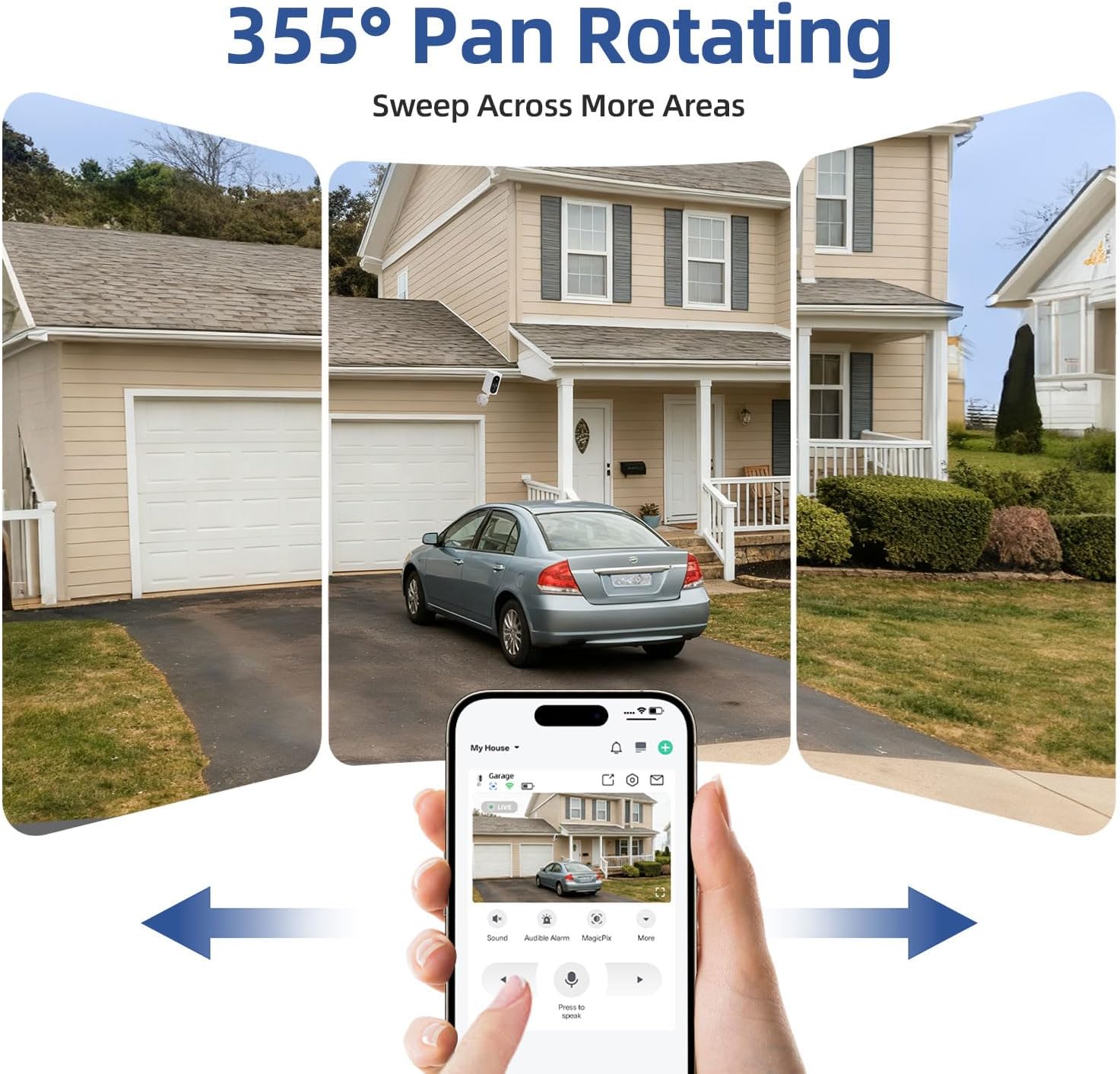
Image: A smartphone displaying the VicoHome App interface, demonstrating how to control the camera's 355° horizontal pan rotation to view different areas of a property.
3.2 2K UHD Clarity and Dual-Mode Night Vision
The camera provides sharp 2K resolution for clear images and video. It features upgraded night vision technology with built-in spotlights, offering two modes:
- Tam Renkli Gece Görüşü: Captures vibrant, full-color live views and recordings in low-light conditions.
- Kızılötesi Gece Görüşü: Provides clear black-and-white images in complete darkness.
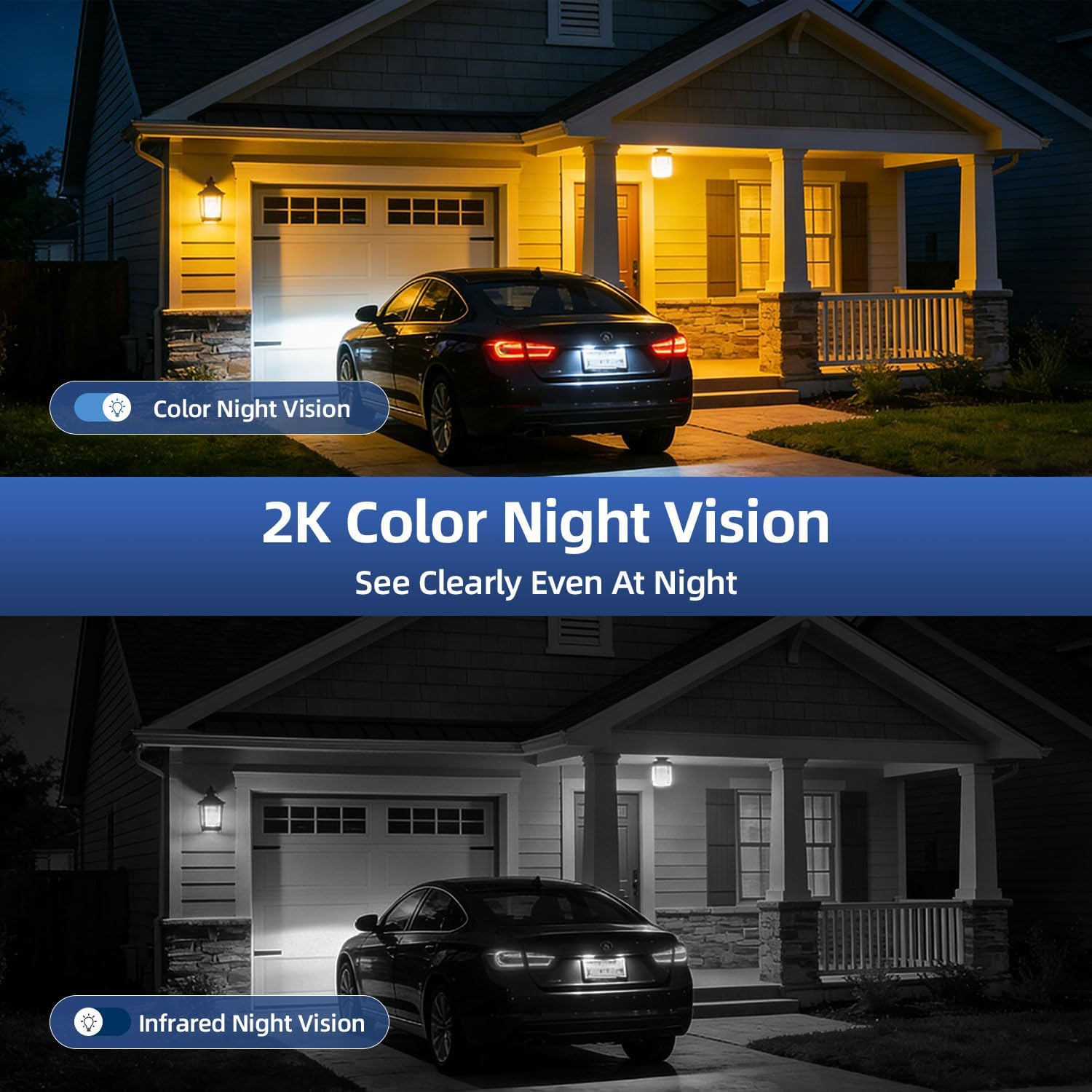
Image: A split image demonstrating the difference between 2K color night vision and infrared night vision, showing how the camera captures clear details even at night.
3.3 PIR Motion Detection & Real-Time Alerts
Equipped with an advanced PIR sensor, the camera detects suspicious activity and triggers instant alerts. These alerts include bright flashing spotlights and a blaring alarm siren. You will receive immediate notifications on your phone via the VicoHome App. Not: This camera does not support auto-tracking.
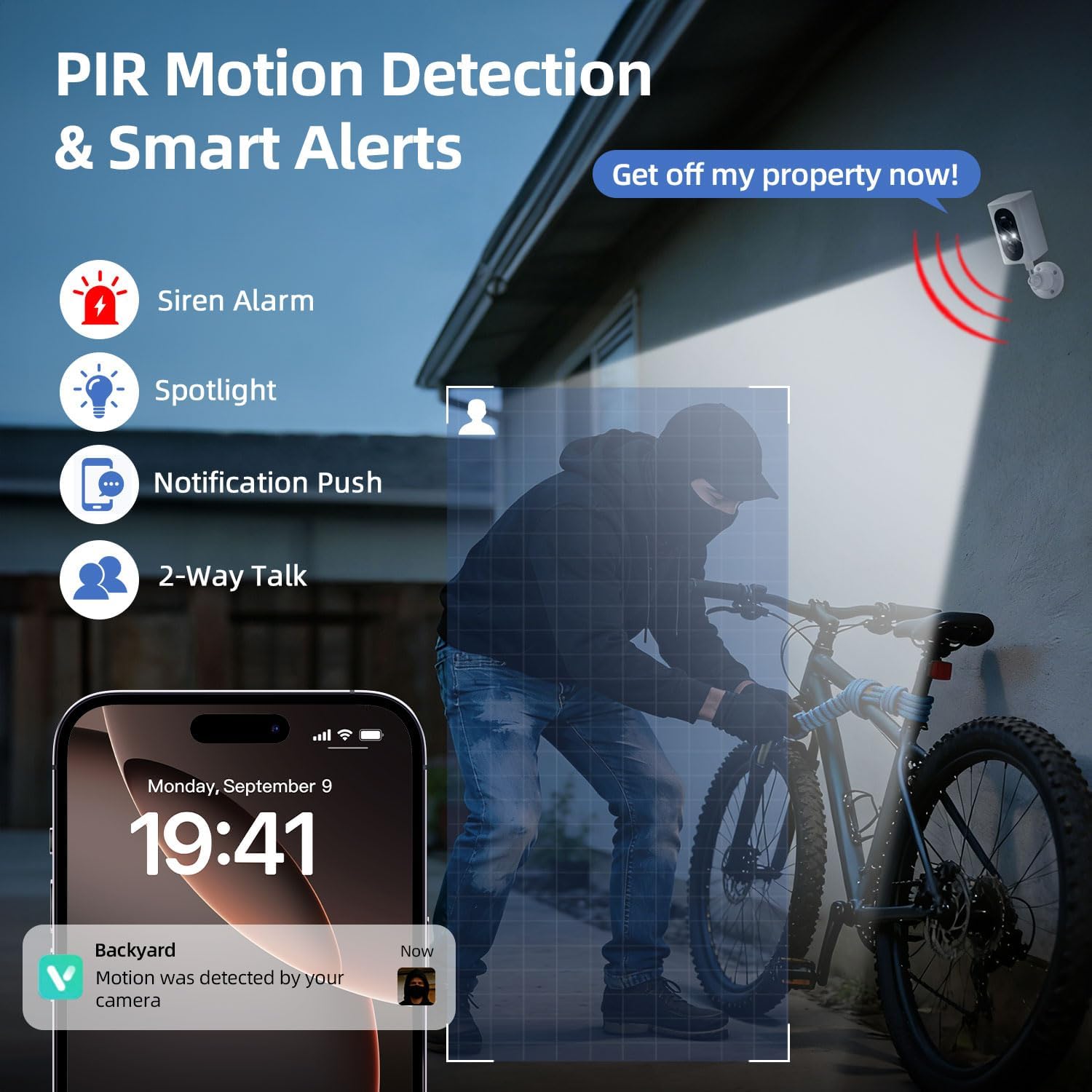
Image: An illustration showing the camera detecting a person, triggering a spotlight, siren, and sending a notification to a smartphone, highlighting the PIR motion detection and smart alert features.
3.4 İki Yönlü Ses İletişimi
Utilize the camera's built-in microphone and speaker for real-time two-way audio. This allows you to speak to visitors, delivery personnel, or deter potential intruders directly through the VicoHome App.
3.5 Dual Storage Modes & Video Playback
The camera offers flexible storage options for your recordings:
- Mikro SD kart: Supports up to 128GB (card not included).
- Bulut Depolama: A 7-day free trial is available, with optional subscription plans thereafter.
Canlı erişim views ve yenidenview recorded video playback directly through the VicoHome App.

Image: A smartphone displaying the VicoHome App's video playback interface, showing options for cloud and SD card storage, with a visual representation of recorded events.
3.6 Çoklu Kullanıcı Paylaşımı
Share access to your camera's live feed and features with family and friends through the VicoHome App, allowing multiple users to monitor the property simultaneously.
4. Bakım
4.1 Pil Yönetimi
- Monitor battery levels regularly via the VicoHome App.
- Recharge the camera using the provided USB cable when the battery is low.
- Battery life is affected by ambient temperature, Wi-Fi signal quality, and motion detection frequency.
4.2 Temizlik
Kameranın lensini ve gövdesini yumuşak bir bezle silin.amp cloth as needed to remove dust and dirt. Avoid using harsh chemicals or abrasive materials that could damage the camera.
4.3 Hava Koruması
The camera has an IP65 weatherproof rating, ensuring reliable performance in rain, snow, and dust. While designed for outdoor use, avoid submerging the camera in water.

Image: The Geekee CG6N camera shown in various weather conditions (rain, snow), emphasizing its IP65 waterproof and dustproof capabilities for year-round outdoor use.
5. Sorun Giderme
5.1 Bağlantı Sorunları
- Kamera Wi-Fi'ye bağlanmıyor: Ensure your router is broadcasting a 2.4GHz signal. The camera is not compatible with 5GHz networks. Move the camera closer to the router if the signal is weak.
- Sık sık bağlantı kesintileri: Check your Wi-Fi signal strength in the camera's location using the app. Reduce interference from other electronic devices.
5.2 Hareket Algılama Sorunları
- Hareket uyarısı yok: Verify that motion detection is enabled in the VicoHome App settings. Check the camera's battery level.
- Çok fazla yanlış alarm: Adjust the motion detection sensitivity in the app. Ensure the camera is not pointed at areas with constant movement (e.g., busy roads, swaying trees) if not desired.
5.3 Uygulamayla İlgili Sorunlar
- Uygulama yanıt vermiyor: Close and restart the VicoHome App. Ensure your smartphone or tablet's operating system is up to date.
- Cannot access camera via computer: The VicoHome App is only compatible with Android and iOS mobile devices (smartphones and tablets). It does not support access via computers or third-party applications.
6. Özellikler
| Özellik | Detay |
|---|---|
| Model Adı | CG6N |
| Video Yakalama Çözünürlüğü | 2K |
| Bağlantı Teknolojisi | Kablosuz (yalnızca 2.4GHz Wi-Fi) |
| Güç Kaynağı | Pil ile Çalışır (5000 mAh Lityum İyon) |
| İç/Dış Mekan Kullanımı | İç mekan, dış mekan |
| Hava Direnci | IP65 Su Geçirmez |
| ViewAçı | 355° Yatay Pan |
| Gece Görüş Aralığı | 33 Ayak |
| Depolama Seçenekleri | Mikro SD (128 GB'a kadar), Bulut Depolama |
| Özel Özellikler | 2-Way Audio, HD Resolution, Motion Sensor, Night Vision, Portable |
| Uyumlu Cihazlar | Akıllı telefon, Tablet (Android, iOS) |
| Boyutlar (U x G x Y) | 2.48 x 3.27 x 6.81 inç |
| Ürün Ağırlığı | 1.9 pound |
7. Garanti ve Destek
7.1 Garanti Bilgileri
Please refer to the product packaging or the official Geekee webAyrıntılı garanti bilgileri için lütfen siteyi ziyaret edin. Garanti talepleri için satın alma fişinizi saklayın.
7.2 Müşteri Desteği
For technical assistance, troubleshooting, or any questions regarding your Geekee CG6N security camera, please contact Geekee customer support. Contact details can typically be found on the product packaging or the official brand webalan.


