1. Giriş
The Fairphone Fairbuds XL are over-ear wireless headphones designed for high-quality audio and durability. They feature Active Noise Cancelling (ANC), aptX-HD 24-bit audio, a long-lasting battery, and an IP54 weather-resistant rating. A key aspect of the Fairbuds XL is their modular design, allowing for easy repair and replacement of parts.
This manual provides essential information for setting up, operating, maintaining, and troubleshooting your Fairbuds XL headphones.
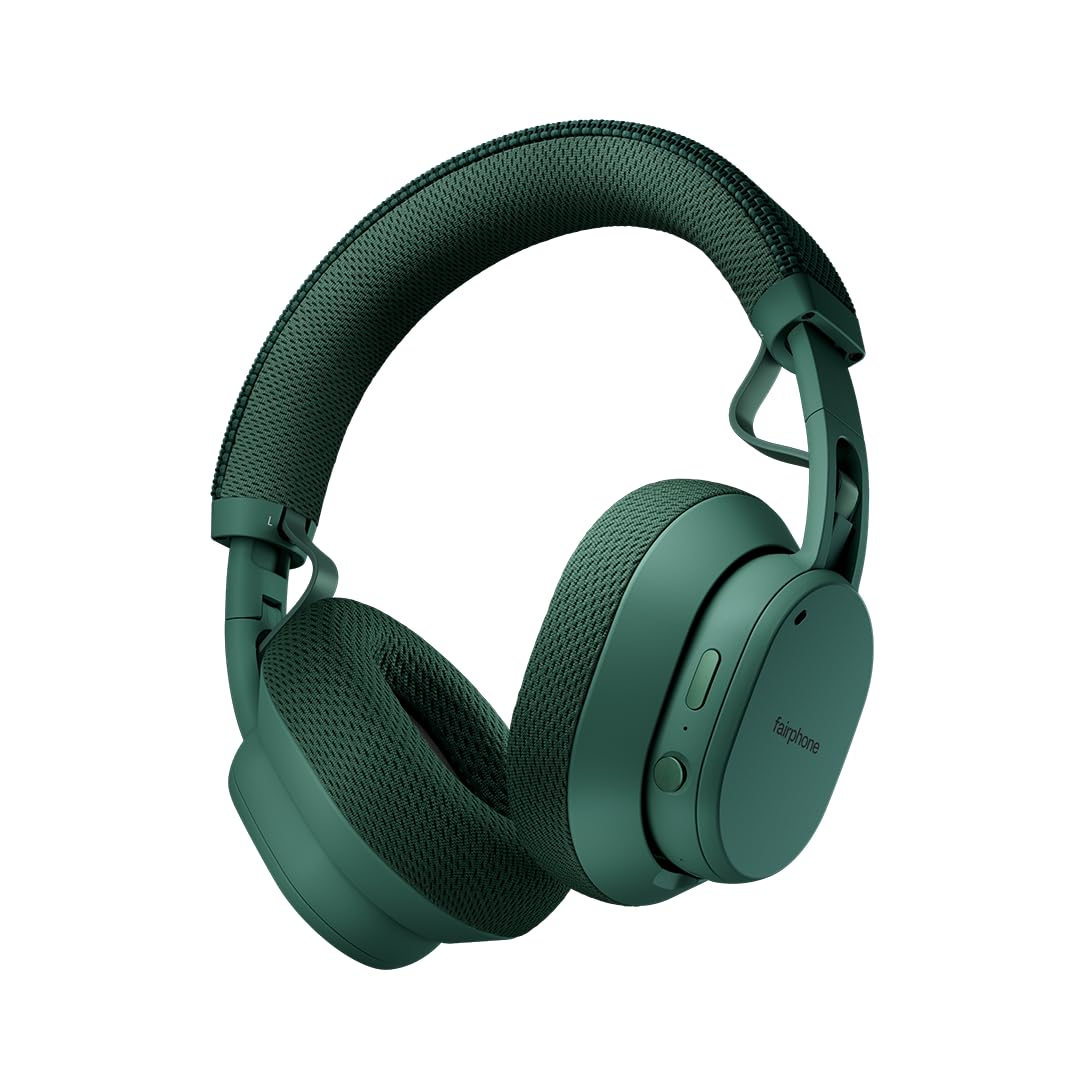
Image: Fairphone Fairbuds XL headphones in Forest Green, showcasinşık tasarımlarıyla dikkat çekiyor.
Video: Bir fazlaview of the Fairbuds XL headphones, highlighting their main features and design.
2. Kurulum
2.1. Kutuda Neler Var?
Upon unboxing your Fairbuds XL, you should find the following items:
- Fairphone Fairbuds XL Wireless Headphones
- Koruyucu Kılıf
- Kullanım Kılavuzu (bu belge)
- USB-C Şarj Kablosu (açıkça belirtilmemiş ancak şarj için olduğu ima ediliyor)
2.2. Kulaklıkları Şarj Etme
Before first use, fully charge your Fairbuds XL. Connect the provided USB-C cable to the charging port on the headphones and to a compatible USB power source. The LED indicator will show charging status. A full charge provides up to 30 hours of battery life (26 hours with ANC active).
2.3. Açma/Kapama
- Açmak İçin: LED göstergesi yanana kadar Güç düğmesini basılı tutun.
- Kapatmak İçin: LED göstergesi sönene kadar Güç düğmesini basılı tutun.
2.4. Bluetooth Eşleştirme
To pair your Fairbuds XL with a device:
- Kulaklıkların kapalı olduğundan emin olun.
- Güç düğmesini yaklaşık 5 saniye basılı tutun; LED göstergesi mavi ve kırmızı yanıp sönmeye başlayacak ve eşleştirme moduna geçecektir.
- Cihazınızda (akıllı telefon, dizüstü bilgisayar vb.) Bluetooth'u etkinleştirin ve kullanılabilir cihazları arayın.
- Select "Fairbuds XL" from the list of found devices.
- Once connected, the LED indicator will show a steady blue light.
2.5. Dual Point Connectivity
The Fairbuds XL support seamless dual point connectivity, allowing you to connect to two devices simultaneously. For example, you can connect to both your laptop and smartphone. To switch between devices, simply play audio on the desired device, and the headphones will automatically switch.
3. Kulaklıkların Kullanımı

Resim: Yakın çekim view of the control buttons on the Fairbuds XL ear cup, including the power button and a toggle switch.
3.1. Kontroller Üzeriview
The Fairbuds XL feature physical buttons for intuitive control. Refer to the diagram below for button placement (if available in the physical manual) or the image above for a visual reference.
- Güç Düğmesi: Powers on/off, initiates Bluetooth pairing.
- Toggle Switch/Button: Controls Active Noise Cancelling (ANC) and Ambient Mode.
- Sesi Aç/Kapat: Ses seviyesini ayarlar.
- Çok Fonksiyonlu Düğme: Play/pause, skip tracks, answer/end calls.
3.2. Active Noise Cancelling (ANC) and Ambient Mode
The Fairbuds XL offer advanced noise cancellation features:
- Aktif Gürültü Önleme (ANC): Reduces external noise for an immersive listening experience. Toggle this mode using the dedicated switch/button.
- Ortam Modu: Allows you to hear your surroundings while still enjoying your audio. Toggle this mode using the dedicated switch/button.
3.3. Ses Çalma
- Oynat/Duraklat: Çok işlevli düğmeye bir kez basın.
- Sonraki Parça: Çok işlevli düğmeye iki kez basın.
- Önceki parça: Çok işlevli düğmeye üç kez basın.
- Ses Ayarı: Sesi Açma/Kapatma tuşlarını kullanın.
3.4. Fonksiyonları Çağır
- Çağrıyı Cevapla/Sonlandır: Çok işlevli düğmeye bir kez basın.
- Çağrıyı Reddet: Çok işlevli düğmeyi basılı tutun.
3.5. Kablolu Bağlantı
For a wired audio experience or when the battery is depleted, connect the Fairbuds XL to your device using a USB-C to USB-C cable (not included, but compatible with the charging port). This allows for charge-free listening.
4. Bakım
The Fairbuds XL are designed for longevity with easily replaceable parts. Regular cleaning and proper care will extend their lifespan.
4.1. Temizlik
Kulaklıkları yumuşak, kuru bir bezle silin. İnatçı kirler için, biraz daha kuru bir bez kullanın.amp cloth can be used. Avoid using harsh chemicals or abrasive materials. The IP54 rating provides protection against dust and light splashes, but the headphones are not waterproof.
4.2. Pil Değişimi
The 800mAh battery in your Fairbuds XL is designed to be user-replaceable. When the battery's performance degrades after approximately 500 charging cycles, you can replace it with a new one. This process typically involves removing a cover and a few screws.

Resim: Patlamış bir view of the Fairbuds XL headphones, showing individual components like the headband, ear cups, speakers, and battery, emphasizing its modular design.
Video: A short demonstration on how to replace the battery in the Fairbuds XL headphones.
4.3. Replacing Other Modular Parts
Beyond the battery, various other components of the Fairbuds XL, such as the individual speakers, ear cups, headband, and speaker-to-speaker cable, can be replaced. These parts are designed for easy removal and installation, often requiring only a single screwdriver. Consult the official Fairphone support website for detailed guides and spare parts availability.
5. Sorun Giderme
If you encounter issues with your Fairbuds XL, refer to the following common problems and solutions:
| Sorun | Olası Neden | Çözüm |
|---|---|---|
| Kulaklık açılmıyor. | Pil zayıf. | Kulaklıkları USB-C kablosu kullanarak şarj edin. |
| Bluetooth üzerinden eşleştirme yapılamıyor. | Kulaklıklar eşleştirme modunda değil; cihazın Bluetooth'u kapalı; parazitlenme. | Ensure headphones are in pairing mode (flashing blue/red LED). Check device Bluetooth settings. Move closer to the device. |
| Ses yok veya ses kalitesi düşük. | Volume too low; incorrect audio source; loose connection (wired); out of Bluetooth range. | Increase volume. Verify audio output on your device. Reconnect wired cable. Move closer to the Bluetooth device. |
| ANC etkili bir şekilde çalışmıyor. | ANC modu etkinleştirilmemiş; yanlış montaj. | Ensure ANC is toggled on. Adjust headphones for a snug fit over your ears. |
If the issue persists, please refer to the official Fairphone support resources.
6. Özellikler
| Özellik | Detay |
|---|---|
| Model Adı | Fairbuds XL |
| Ürün Model Numarası | HEAD-2 |
| Bağlantı Teknolojisi | Kablosuz (Bluetooth 5.1) |
| Ses Sürücüsü Türü | Dinamik Sürücü (40 mm) |
| Gürültü Kontrolü | Aktif Gürültü Önleme, Şeffaflık Modu |
| Pil Ömrü | Up to 30 Hours (26 Hours with ANC) |
| Pil Türü | 1 Lithium Ion battery (included, replaceable) |
| Su Direnç Seviyesi | IP54 (Suya Dayanıklı) |
| Ürün Ağırlığı | 324 Gram (11.4 ons) |
| Ürün Boyutları | 7.68 x 6.89 x 3.07 inç |
| Malzeme | Plastik |
| Renk | Orman Yeşili |
| UPC | 850077419072 |
7. Garanti ve Destek
Fairphone is committed to product longevity. The Fairbuds XL are designed with repairability in mind, and spare parts are available. The EU Spare Part Availability Duration is 3 Years.
For detailed warranty information, spare parts, and further support, please visit the official Fairphone websitesine gidin veya müşteri hizmetleriyle iletişime geçin.
Daha fazla bilgi ve destek için şu adresi ziyaret edebilirsiniz: Fairphone Store on Amazon.


