1. Giriş
The GEOID CC700 Pro is an advanced GPS bike computer designed to enhance your cycling experience with smart navigation, comprehensive data tracking, and robust connectivity. Featuring a 2.8-inch color touchscreen, it provides clear visuals and intuitive control for all your rides.
2. Kutuda Neler Var?
- Bisiklet Bilgisayarı
- Tip-C Kablo
- Temperli Cam Ekran Koruyucu
- Bike Computer Stem Mount
- Replacement Stem Mount for Bike Computer

Image: A visual representation of all items included in the GEOID CC700 Pro package, neatly arranged on a blue background. This includes the bike computer, various mounts, cables, and screen protector.
3. Kurulum ve Yükleme
3.1. Bisiklet Bilgisayarının Montajı
The GEOID CC700 Pro comes with both a standard bike computer stem mount and a replacement stem mount for flexible installation on your bicycle handlebars.

Image: A close-up of the GEOID bike computer mount, showing its design and the included hex wrenches for installation.
3.2. Initial Device Configuration & App Pairing
To begin using your CC700 Pro, you need to pair it with the designated mobile application. This process involves installing the app, logging in, and scanning a QR code displayed on the bike computer.
Video: This video demonstrates the initial setup process, including downloading the OneLapFit app, logging in, and pairing the GEOID CC700 Pro bike computer by scanning a QR code.
3.3. Dil Ayarları
The CC700 Pro supports 11 languages. You can change the device language through the settings menu on the bike computer.
- Supported Languages: English, Italian, Japanese, Spanish, Korean, Portuguese, German, French, Polish, Traditional Chinese, and Russian.
4. Cihazı Çalıştırma
4.1. Temel İşlem
The device features a touchscreen and 3 physical buttons for quick and safe operation during your ride. You can start, pause, and end rides, as well as navigate through data pages.
Video: This video provides a detailed guide on the basic operation of the GEOID CC700 Pro, including starting and stopping rides, navigating menus, and adjusting settings.
4.2. Display & Customization
The 2.8-inch color touchscreen offers clear navigation and data display. You can customize data screens to show metrics important to you.

Image: The GEOID CC700 Pro displaying a vibrant color screen with various cycling data, highlighting its 2.8-inch size and touchscreen capabilities.
4.3. Navigasyon Özellikleri
The CC700 Pro supports global offline map downloads with 8GB storage. It features color-coded maps, turn prompts, street names, map zoom, and dual-perspective views (North-Up and Head-Up).
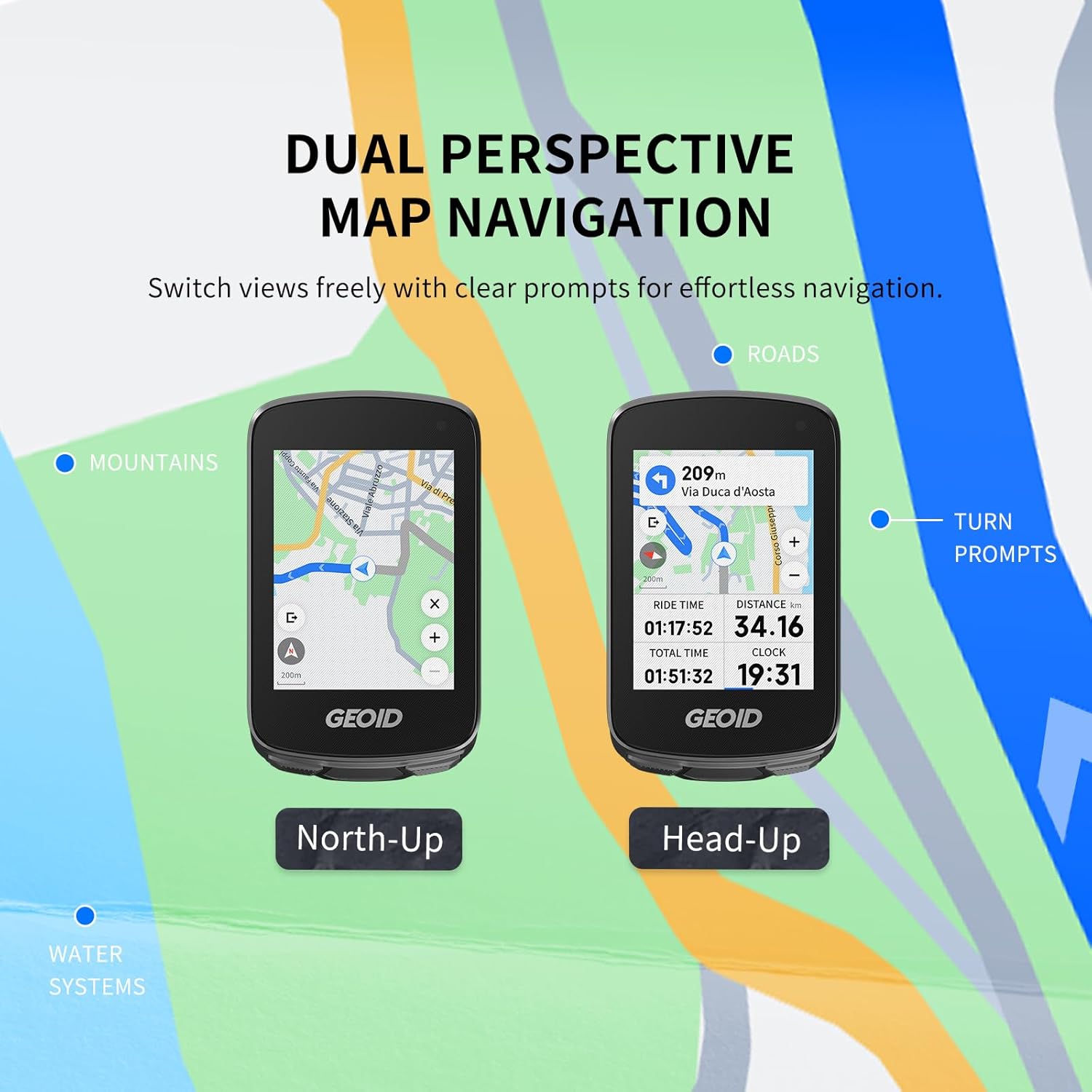
Resim: İki views of the GEOID CC700 Pro screen showing dual perspective map navigation (North-Up and Head-Up) with turn prompts and road details.
Re-Route Planning: If you go off-route, the device instantly recalculates your path to guide you back. This feature requires the bike computer to be connected to the designated app.

Image: The GEOID CC700 Pro screen displaying a re-routing message and updated map, indicating its ability to recalculate routes when a rider deviates from the planned path.
4.4. GPS & Positioning
The device supports 5 satellite systems (GPS, BEIDOU, GLONASS, QZSS, and GALILEO) and AGNSS for rapid 5-second location acquisition. AGNSS data is valid for 14 days and should be synced via WiFi in an open area.

Image: A cyclist on a road with the GEOID CC700 Pro screen showing satellite and AGNSS connectivity for fast positioning.
4.5. Bağlantı
The CC700 Pro features both WiFi and Bluetooth for seamless data transmission. WiFi enables automatic AGNSS and riding record synchronization, as well as direct firmware updates on the device.
- Sensör Bağlantısı: Supports ANT+ and Bluetooth standard protocols for connecting various sensors like speed, cadence, heart rate, power meters, smart trainers, radar tail lights, and electronic shifting.

Image: A cyclist with the GEOID CC700 Pro, illustrating its universal compatibility with various ANT+ and Bluetooth sensors for speed, cadence, heart rate, power, smart trainers, electronic shifting, radar, bike lights, and cameras.
4.6. Kapalı Alan Antrenmanı
The CC700 Pro supports indoor training with smart trainers, allowing you to customize power targets, resistance levels, and gradients. This helps in focusing on performance improvement without external factors.
4.7. Mesaj Bildirimleri
Receive detailed mobile phone message notifications directly on your bike computer, keeping you informed without needing to check your phone. This feature can be enabled or disabled.

Image: The GEOID CC700 Pro screen displaying an incoming call notification, demonstrating its message notification feature while cycling.
4.8. DJI Action Camera Integration
When connected to a DJI action camera (compatible with DJI Action 4 and Action 5 Pro), the cycling page automatically adds a control dial UI. This allows you to switch modes and start/stop recording directly from the bike computer.
5. Veri Yönetimi
Easily export and share FIT files via the specified app. The CC700 Pro is compatible with STRAVA and TrainingPeaks for auto-sync of cycling data after account binding.

Image: The GEOID CC700 Pro displaying data analysis on a smartphone app, with logos for Strava and TrainingPeaks, indicating compatibility for data sharing.
The device has 8GB of storage capacity, holding plenty of country maps and cycling data. Once the memory is full, new ride data will overwrite the oldest records. Always upload your data to the OneLapFit app after each ride to avoid loss.
6. Özellikler
| Özellik | Detay |
|---|---|
| Ürün Ağırlığı | 7.7 ons |
| Ürün Boyutları | 2.24"U x 0.76"G x 3.78"Y |
| Ekran Boyutu | 2.8 inç |
| Su Geçirmezlik Derecesi | IPX7 |
| Bağlantı Teknolojisi | ANT+, Bluetooth, Wi-Fi |
| Harita türü | Dünya çapında |
| Piller | 1 Lityum İyon pil (dahil) |
| Montaj Tipi | Gidona Montaj |
7. Sorun Giderme
- Cihaz açılmıyor: Ensure the battery is charged. Connect to the Type-C cable and a power source.
- GPS signal acquisition slow: Ensure you are in an open outdoor area away from tall buildings or dense tree cover. Sync AGNSS data via WiFi regularly.
- Sensörler bağlanmıyor: Check if sensors are powered on and within range. Ensure the correct protocol (ANT+ or Bluetooth) is selected in the device settings.
- Uygulama eşleştirme sorunları: Verify Bluetooth is enabled on your phone and the bike computer. Ensure the OneLapFit app is updated to the latest version.
- Data sync failure: Check your WiFi connection. Ensure your OneLapFit app is open and connected to the device.
8. Bakım
- Temizlik: Cihazı yumuşak bir bezle silin.amp Kumaşı sert kimyasallardan veya aşındırıcı malzemelerden uzak tutun.
- Depolamak: Cihazı kullanmadığınız zamanlarda serin ve kuru bir yerde saklayın. Aşırı sıcaklıklardan kaçının.
- Pil Bakım: Cihaz sık kullanılmasa bile, pilin ömrünü uzatmak için pili düzenli olarak şarj edin.
9. Garanti ve Destek
The GEOID CC700 Pro comes with a 1-Year Warranty. For any product inquiries, technical support, or warranty claims, please contact Geoid Fitness customer service.
Müşteri Hizmetleri: Refer to the contact information provided in your product packaging or visit the official GEOID webdestek sitesi.


