giriiş
Satın aldığınız için teşekkür ederizasing the Klipsch ProMedia Lumina 2.1 Computer Gaming Speaker System. This manual provides essential information for setting up, operating, and maintaining your new speaker system to ensure optimal performance and longevity. The ProMedia Lumina system is designed to deliver powerful audio with deep bass and customizable RGB lighting, enhancing your gaming, music, and movie experiences.
Güvenlik Bilgileri
Lütfen bu ürünü kullanmadan önce tüm güvenlik talimatlarını okuyun. Bu kılavuzu ileride başvurmak üzere saklayın.
- Güç Kaynağı: Connect the system only to the type of power source indicated on the marking label.
- Havalandırma: Ensure proper ventilation around the speakers and subwoofer. Do not block any ventilation openings.
- Su ve Nem: Do not expose the system to water, rain, or moisture. Do not place objects filled with liquids on the system.
- Sıcaklık: Keep the system away from heat sources such as radiators, heat registers, stoves, or other apparatus that produce heat.
- Temizlik: Sadece kuru bezle temizleyin.
- Servis: Bu ürüne kendiniz servis vermeye çalışmayın. Tüm servis işlemleri için kalifiye servis personeline başvurun.
Paket İçeriği
Paketinizde tüm öğelerin mevcut olduğundan emin olun:
- 1 x Klipsch ProMedia Lumina Subwoofer
- 2 x Satellite Speakers (Left and Right)
- 1 x Bluetooth Speaker (This is listed as "Included Components" in the product data, but typically refers to the system's Bluetooth capability rather than a separate speaker unit. The system itself has Bluetooth functionality.)
- Güç kablosu
- Speaker Connection Cables
- USB-C Kablosu
- 3.5 mm AUX Kablosu
- Kullanım Kılavuzu (bu belge)
Ürün Bittiview
The Klipsch ProMedia Lumina system consists of a powerful subwoofer and two satellite speakers, designed for a rich 2.1 audio experience. The system features integrated controls and multiple connectivity options.

Şekil 1: The complete Klipsch ProMedia Lumina 2.1 speaker system, showing the central subwoofer unit flanked by two satellite speakers. The speakers are black with silver accents and sit on small stands.
Uydu Hoparlörler
The two satellite speakers feature a re-envisioned cabinet design with tiltable stands for optimal sound projection. They are equipped with Microtractrix horn tweeters for pinpoint clarity.
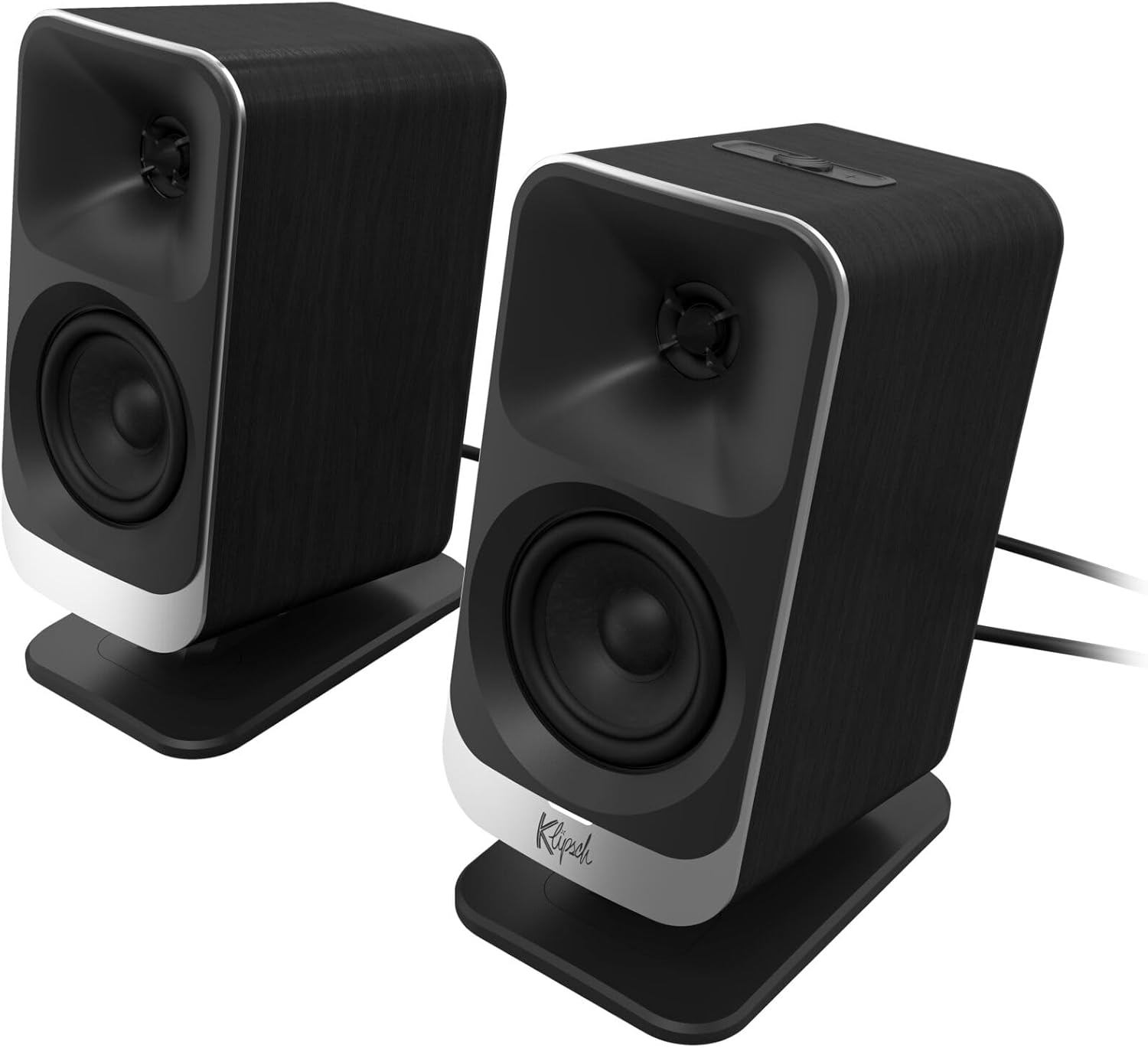
Şekil 2: Önden yakın çekim view of the two Klipsch ProMedia Lumina satellite speakers, highlighting their black finish, silver base, and speaker cones.

Şekil 3: Arka taraf view of the two Klipsch ProMedia Lumina satellite speakers, showing the various ports and controls on their back panels. The left speaker has a settings button and a headphone jack, while the right speaker has a USB-C port and a power/Bluetooth button.
Subwoofer
düşük profesyonelfile subwoofer delivers powerful low-end punch. It features an adjustable gain knob and cable management design for minimal floor space and maximum impact.
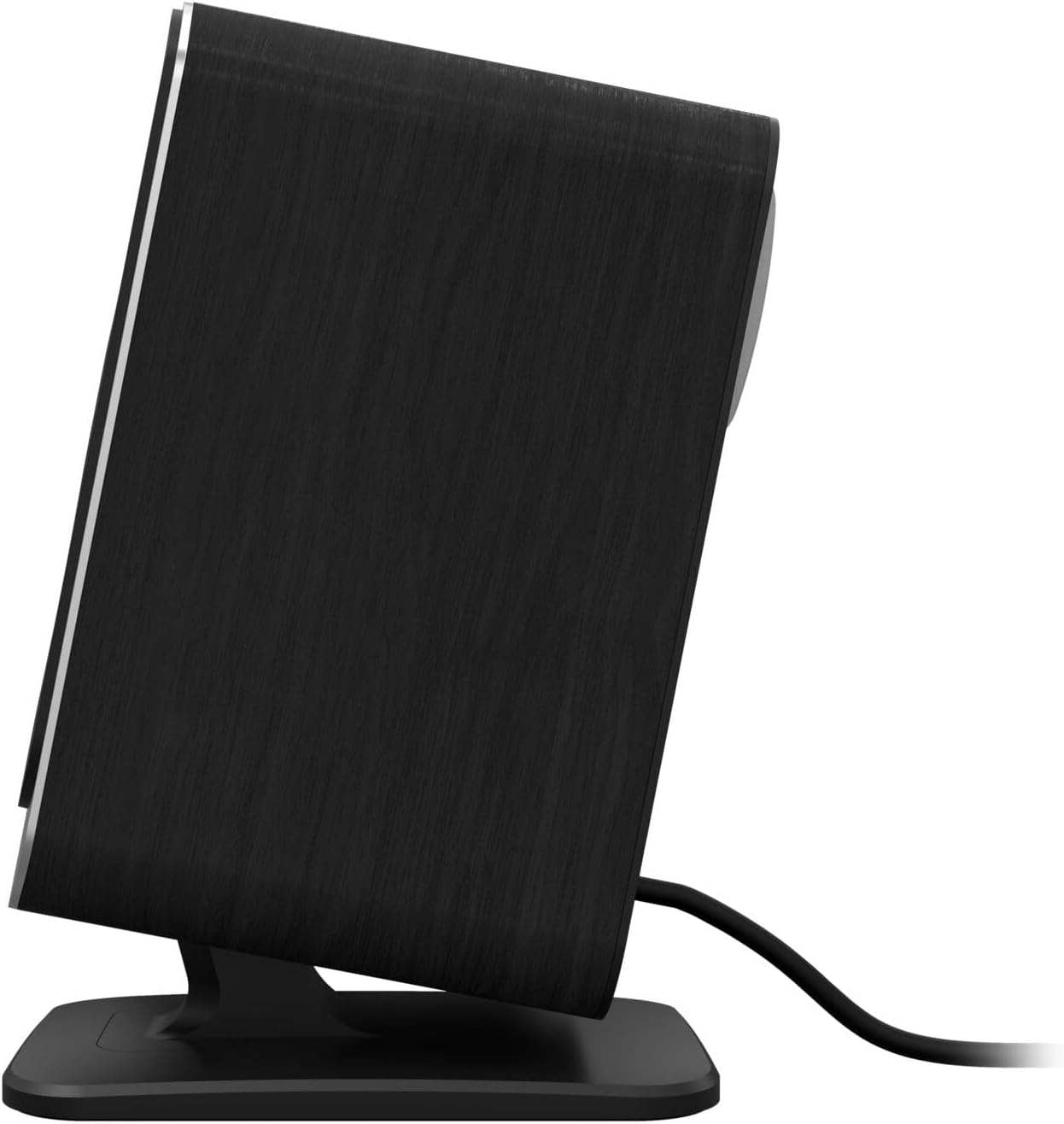
Şekil 4: Bir taraf view of the Klipsch ProMedia Lumina subwoofer, showcasinkompakt tasarımı ve dokulu siyah yüzeyiyle dikkat çekiyor.
Video 1: An official product video from Klipsch showcasing the ProMedia Lumina Computer Speakers with LED Lighting. The video highlights the design and lighting features of the speaker system.
Kurmak
Follow these steps to set up your Klipsch ProMedia Lumina speaker system:
- Atama: Place the subwoofer on the floor or a sturdy surface near your computer. Position the satellite speakers on either side of your monitor, ensuring they are at ear level for the best audio experience.
- Uydu Hoparlörlerini Bağlayın: Connect the left and right satellite speakers to the corresponding outputs on the back of the subwoofer using the provided speaker cables. Ensure a secure connection.
- Ses Kaynağına Bağlan:
- USB C: Connect the USB-C cable from your computer to the USB-C input on the right satellite speaker.
- AUX (3.5 mm): Connect the 3.5mm AUX cable from your audio source (e.g., computer, smartphone) to the AUX input on the left satellite speaker.
- Bluetooth: For wireless connection, ensure Bluetooth is enabled on your device and the speaker system. Press and hold the power/Bluetooth button on the right satellite speaker to enter pairing mode. Select "Klipsch ProMedia Lumina" from your device's Bluetooth settings.
- Güç Bağlantısı: Güç kablosunu subwoofer'a bağlayın ve ardından duvardaki prize takın.
- Güç Açık: Press the power/Bluetooth button on the right satellite speaker to turn on the system.

Şekil 5: The Klipsch ProMedia Lumina speaker system integrated into a gaming desktop setup, showing the satellite speakers flanking a monitor and the subwoofer placed discreetly.
İşletim
Once your system is set up, you can begin enjoying your audio. The main controls are located on the subwoofer and the right satellite speaker.
Temel Kontroller
- Hacim: Use the volume knob on the subwoofer to adjust the overall sound level.
- Tiz/Bas: Adjust the treble and bass knobs on the subwoofer to fine-tune your audio preferences.
- Giriş Seçimi: Use the input button (if available on the subwoofer or remote) to switch between connected sources (USB-C, AUX, Bluetooth).
Klipsch Control App
Enhance your experience with the Klipsch Control desktop app, available on all app stores. The app allows for precision command over various settings:
- EQ Özelleştirme: Adjust equalization settings to match your audio content.
- Aydınlatma Modları: Customize RGB lighting effects, including night mode and music react mode.
- Özellik Kontrolü: Access additional features and settings for personalized audio.

Şekil 6: A laptop screen displaying the Klipsch Control App interface, with a satellite speaker visible next to it, illustrating the app's role in customizing the speaker system.

Şekil 7: The rear of the Klipsch ProMedia Lumina satellite speakers displaying different customizable light patterns, showcasing the RGB lighting effects.
Bakım
To ensure the longevity and optimal performance of your Klipsch ProMedia Lumina system, follow these maintenance guidelines:
- Temizlik: Use a soft, dry cloth to clean the surfaces of the speakers and subwoofer. Avoid using abrasive cleaners, waxes, or solvents.
- Toz alma: Regularly dust the speaker grilles and vents to prevent dust buildup, which can affect sound quality and ventilation.
- Kablo yönetimi: Keep cables organized and untangled to prevent damage and ensure a tidy setup.
- Çevresel Koşullar: Avoid exposing the system to extreme temperatures, high humidity, or direct sunlight.
Sorun giderme
If you encounter any issues with your speaker system, refer to the following common troubleshooting steps:
| Sorun | Çözüm |
|---|---|
| Ses Yok |
|
| Static or Distortion |
|
| Bluetooth Eşleştirme Sorunları |
|
Özellikler
| Özellik | Detay |
|---|---|
| Model Adı | Klipsch ProMedia Lumina |
| Ürün Model Numarası | 1073625 |
| Hoparlör Tipi | Bilgisayar Hoparlörü |
| Ses Çıkışı Modu | Çevrelemek |
| Bağlantı Teknolojisi | Bluetooth (5.3), USB-C, AUX (3.5mm) |
| Özel Özellik | LED Light (Customizable RGB) |
| Hoparlör Maksimum Çıkış Gücü | 10 Watt |
| Frekans Tepkisi | 20 Hz |
| Ürün Boyutları | 6.5"D x 4"G x 9.75"Y |
| Ürün Ağırlığı | 13.1 Pound |
| Renk | Siyah |
Garanti ve Destek
Klipsch products are designed for years of enjoyment. For warranty information and technical support, please refer to the official Klipsch webSiteyi ziyaret edin veya müşteri hizmetleriyle iletişime geçin. Satın alma belgenizi herhangi bir garanti talebi için saklayın.


