1. Giriş
This manual provides essential information for setting up, operating, and maintaining your DOOGEE Note 56 X PRO Android 16 smartphone. Please read this guide thoroughly to ensure proper usage and to maximize the device's capabilities. Keep this manual for future reference.
2. Kutuda Neler Var?
Paketi açtıktan sonra, aşağıda listelenen tüm öğelerin mevcut olup olmadığını kontrol edin:
- 1x DOOGEE NOTE 56 X PRO Cell Phone
- 1x Tip-C USB Kablosu
- 1x Şarj Cihazı
- 1x Telefon Kılıfı
- 1x Garanti Kartı
- 1x Kullanım Kılavuzu (bu belge)
- 1 adet Kart Çıkarma Pimi
- 1 adet Koruyucu Film (Önceden uygulanmış)

Image: Contents of the DOOGEE Note 56 X PRO retail box.
3. Cihaz Bittiview
Familiarize yourself with the physical components of your DOOGEE Note 56 X PRO smartphone.

Resim: Ön ve arka view of the DOOGEE Note 56 X PRO.
Resim: Yan profile of the DOOGEE Note 56 X PRO, demonstrating its slim design.

Görüntü: Üst ve alt view of the DOOGEE Note 56 X PRO, indicating port locations.
4. Kurulum
4.1. Installing SIM and TF Cards
- Telefonun yan tarafında bulunan SIM kart tepsisini bulun.
- Kart çıkarma işlemi için verilen kart çıkarma pimini tepsinin yanındaki küçük deliğe takarak kartı çıkarın.
- Place your Nano-SIM card(s) and/or TF (microSD) card into the tray according to the diagram. The phone supports dual SIM (SIM1 + SIM2) or one SIM card and one TF card for expandable storage up to 2TB.
- Tepsiyi, cihaz gövdesiyle aynı hizaya gelene kadar dikkatlice telefonun içine yeniden yerleştirin.
4.2. İlk Güç Açma ve Şarj Etme
- Yan tarafta bulunan Güç düğmesine, DOOGEE logosu görünene kadar basılı tutun.
- Dil seçimi, Wi-Fi bağlantısı ve Google hesabı kurulumu dahil olmak üzere ilk kurulumu tamamlamak için ekrandaki talimatları izleyin.
- To charge the phone, connect the Type-C USB cable to the phone's charging port and the other end to the provided charger. Plug the charger into a power outlet. The phone supports 10W fast charging.
- Pil ömrünün en iyi şekilde kullanılabilmesi için, ilk kullanımdan önce cihazı tam olarak şarj edin.
5. Telefonunuzu Kullanma
5.1. Android 16 İşletim Sistemi
The DOOGEE Note 56 X PRO runs on the Android 16 operating system, offering an intuitive user experience with enhanced features:
- Oyun Alanı: Optimize gaming performance and manage notifications during gameplay.
- Akıllı Vücut Algılama: Utilize advanced sensor capabilities for various applications.
- Ekran Algısı: Intelligent screen features for improved interaction.
- Video Görüntü İyileştirme: Optimized visual quality for video playback.
- Canlı Altyazılar: Real-time captioning for audio content.
- Özel Alan: Create a secure, isolated environment for sensitive apps and data.
- Çift Sistem Modu: Run two separate system environments for enhanced privacy or work/personal separation.
- Süper Pano: Advanced clipboard functionality for efficient copy-pasting.
- Bölünmüş Ekran: Use two applications simultaneously on the same screen for multitasking.

Resim: Üzeriview Android 16 özelliklerinden bazıları.
5.2. Calls, Messages, and Internet
- Arama Yapma: Telefon simgesine dokunun, numarayı girin ve arama düğmesine dokunun.
- Mesaj Gönderme: Tap the Messages icon, start a new conversation, enter the recipient and message, then send.
- İnternet bağlanabilirliği: Connect to Wi-Fi via Settings > Network & internet > Wi-Fi. Ensure mobile data is enabled via Settings > Network & internet > Mobile network for cellular internet access.
5.3. Kamera Fonksiyonları
The phone features a 13MP main camera and an 8MP front camera, enhanced by Google intelligent camera features.
- Fotoğraf çekmek: Kamera uygulamasını açın, çekiminizi çerçeveleyin ve deklanşöre dokunun.
- Kameraları Değiştirme: Tap the camera switch icon to toggle between the main and front cameras.
- Google Akıllı Kamera: Utilize features like homework analysis, view search, and e-commerce search directly from the camera interface.

Image: Camera specifications and capabilities.
5.4. Güvenlik Özellikleri
- Yüz Tanıma Kilidi: Hızlı ve güvenli kilit açma için yüzünüzü kaydedin.
- Yan Parmak İzi Tanıma: Use the side-mounted fingerprint sensor for convenient access.
5.5. NFC and GPS
- NFC (Yakın Alan İletişimi): Enable NFC in settings to use features like Google Pay for contactless payments.
- KÜRESEL KONUMLAMA SİSTEMİ: The phone supports Beidou, Galileo, Glonass, and GPS navigation systems for accurate location services.
5.6. Google Gemini Yapay Zeka Asistanı
The integrated Google Gemini AI assistant offers advanced functionalities:
- İkizler Canlı: Engage in real-time conversations with the AI.
- Unleash Creativity: Generate ideas and creative content.
- Smarter Insights: Gain deeper understanding from information.
- Language Partner: Assist with language learning and translation.

Image: Key connectivity and security features.
6. Bakım
6.1. Pil Bakımı
The DOOGEE Note 56 X PRO is equipped with a 6150mAh Silicon-Carbon battery.
- Hasarı önlemek için yalnızca verilen şarj cihazını ve kabloyu kullanın.
- Telefonunuzu aşırı sıcaklıklara maruz bırakmaktan kaçının.
- The phone supports OTG reverse charging, allowing it to act as a power bank for other devices.

Görsel: Pil kapasitesi ve kullanım tahminleri.
6.2. Cihazınızı Temizleme
Gently wipe the screen and body with a soft, lint-free cloth. Avoid using harsh chemicals or abrasive materials.
7. Sorun Giderme
Cihazınızda sorunlarla karşılaşırsanız aşağıdaki yaygın çözümleri deneyin:
- Telefon açılmıyor: Pilin şarjlı olduğundan emin olun. Şarj cihazını bağlayın ve tekrar açmayı denemeden önce birkaç dakika bekleyin.
- Uygulamalar çöküyor: Uygulamayı kapatıp yeniden başlatın. Sorun devam ederse, uygulamanın önbelleğini temizleyin veya yeniden yükleyin.
- Zayıf ağ sinyali: SIM kartınızın kurulumunu kontrol edin. Daha iyi şebeke kapsama alanına sahip bir yere geçin.
- Ekran tepkisiz: Restart the phone by holding the power button.
- Pilin çabuk bitmesi: Kullanılmadığı zamanlarda ekran parlaklığını azaltın, kullanılmayan uygulamaları kapatın veya GPS veya Bluetooth gibi gereksiz özellikleri devre dışı bırakın.
Daha karmaşık sorunlar için lütfen resmi DOOGEE destek kaynaklarına başvurun veya müşteri hizmetleriyle iletişime geçin.
8. Özellikler
Key technical specifications for the DOOGEE Note 56 X PRO:
| Özellik | Şartname |
|---|---|
| Model Adı | DOOGEE NOTE 56 X PRO |
| İşletim Sistemi | Android 16 |
| İşlemci | Unisoc T7225 Octa-Core Chipset |
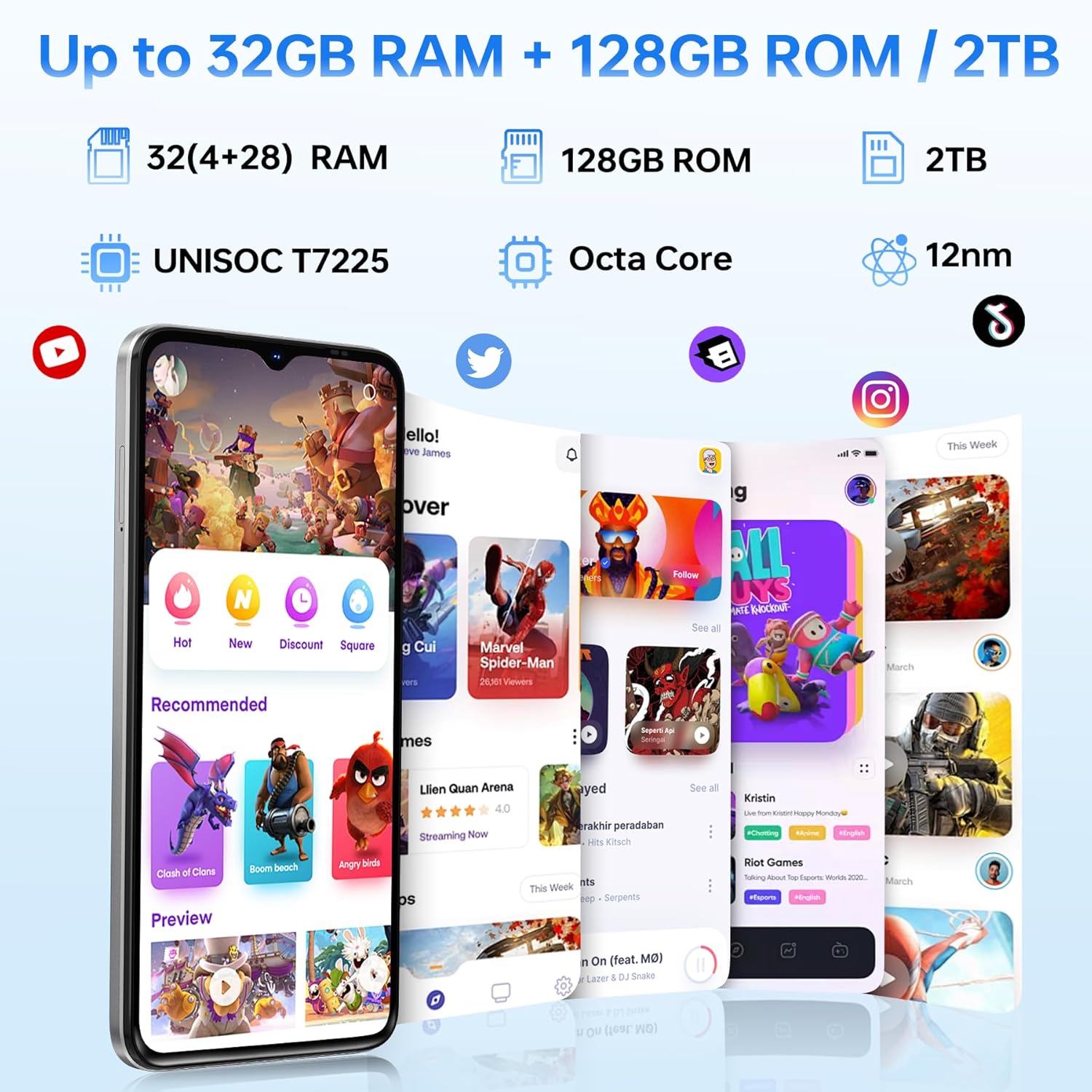
| Veri deposu | 32GB (4GB basic + up to 28GB extended) |
| Dahili Depolama | 128 GB |
| Genişletilebilir Depolama | TF kartı ile 2 TB'a kadar depolama alanı. |
| Ekran Boyutu | 6.56 inç |
| Görüntü Türü | HD+ IPS Damla Ekran |
| Çözünürlük | 720*1612 |
| Yenileme Hızı | 90Hz |
| Ana Kamera | 13 MP |
| Ön Kamera | 8 MP |
| Pil Kapasitesi | 6150mAh Silicon-Carbon |
| Şarj etme | 10W Hızlı Şarj, OTG Ters Şarj |
| Bağlantı | 4G, Bluetooth 5.0, NFC, Wi-Fi 2.4G/5G |
| Navigasyon | GPS, Glonass, Galileo, Beidou |
| Ses Jakı | 3.5 mm |
| Boyutlar | 8.45mm Ultra-Slim |
| Ağırlık | 195 gr |
9. Ürün Bittiview Video
Görsel bir açıklama için bu videoyu izleyinview of the DOOGEE Note 56 X PRO's design and key features.
Video: DOOGEE Note 56 X PRO Android 16 Cell Phone Unlocked - Product Overview.
10. Garanti ve Destek
DOOGEE provides a 30-day no-reason return policy for this product. Additionally, long-term technical support and 24-hour online customer service are available. If you have any questions or require assistance with your DOOGEE Note 56 X PRO, please contact the DOOGEE customer service team.


