giriiş
Thank you for choosing the Klinsmann KRV306 Robotic Vacuum and Mop. This 2-in-1 intelligent cleaning robot is designed to provide efficient and convenient floor cleaning for your home. Please read this manual carefully before use to ensure proper operation, maintenance, and to maximize the lifespan of your device.
Güvenlik Talimatları
To reduce the risk of injury or damage, read and follow all safety precautions when setting up, using, and maintaining your robot. Keep this manual in a safe place for future reference.
- Bu cihaz, güvenli bir şekilde cihazın kullanımı konusunda gözetim veya talimat verilmesi ve içerdiği tehlikelerin anlaşılması halinde 8 yaş ve üzeri çocuklar ve fiziksel, duyusal veya zihinsel yetenekleri azalmış veya deneyim ve bilgi eksikliği olan kişiler tarafından kullanılabilir.
- Çocukların cihazla oynamamalarını sağlamak için gözetim altında tutulmaları gerekir.
- Temizlik ve kullanıcı bakımı gözetimsiz olarak çocuklar tarafından yapılmamalıdır.
- Lütfen yalnızca üretici tarafından sağlanan orijinal güç adaptörünü kullanın.
- Robotu açık alevlerin veya kırılgan nesnelerin bulunduğu alanlarda çalıştırmayın.
- Ensure all cables and small objects are cleared from the floor before operation to prevent entanglement.
- Robotu veya şarj tabanını suya batırmayın.
- Robotu büyük parçaları, sıvıları veya yanan nesneleri toplamak için kullanmayın.
Paket İçeriği
Paketin tüm bileşenlerinin mevcut olduğunu doğrulayın:
- Klinsmann KRV306 Robotic Vacuum and Mop
- Şarj Adaptörü
- Yan Fırçalar (2 çift)
- Çöp kovası
- Bez paspas
- Kullanıcı Kılavuzu
Kurmak
- Robotu Paketinden Çıkarın: Robotu ve tüm aksesuarlarını ambalajından dikkatlice çıkarın.
- Yan Fırçaları Takın: Yan fırçaları, yerine oturana kadar robotun altındaki belirlenmiş yuvalara takın.
- Robotu Şarj Et:
- Connect the charging adapter to a power outlet and to the charging port on the robot.
- Ensure the robot is fully charged before its first use. A full charge takes approximately 3-4 hours. The indicator light will change to signal a full charge.
- Temizlik Alanını Hazırlayın: Remove any obstacles, loose cables, or small items from the floor to prevent the robot from getting stuck or damaging items.
Kullanım Talimatları
Güç Açık/Kapalı
- Açmak İçin: Robotun üzerindeki güç düğmesine gösterge ışığı yanana kadar basılı tutun.
- Kapatmak İçin: Gösterge ışığı sönene kadar güç düğmesini basılı tutun.
Temizleme Modları
The KRV306 offers three cleaning modes:
- Automatic (Zigzag) Mode: Press the power button once to start cleaning in an automatic zigzag pattern. This mode is suitable for general cleaning of open areas.
- Nokta Temizleme Modu: Place the robot in a specific dirty area and press the spot cleaning button (if available, or cycle through modes). The robot will clean in a spiral pattern to concentrate on that area.
- Kenar Temizleme Modu: Activate this mode to have the robot clean along walls and furniture edges.
Paspaslama işlevi
Paspaslama fonksiyonunu kullanmak için:
- Fill the water tank (if separate) or attach the damp mopping cloth to the designated area on the robot.
- Bir temizlik döngüsü başlatın. Robot aynı anda hem süpürecek hem de paspaslayacaktır.
- Remove the mopping cloth and empty the water tank after each use.
Navigasyon ve Sensörler
The KRV306 is equipped with intelligent navigation features:
- Anti-drop Infrared Sensors: These sensors detect stairs and elevated surfaces, preventing the robot from falling.
- Mechanical Bumper: The bumper allows the robot to gently detect and navigate around obstacles like furniture without causing damage.
- Eşik Tırmanışı: The robot can easily slide over thresholds up to 10mm high, ensuring continuous cleaning across different rooms.
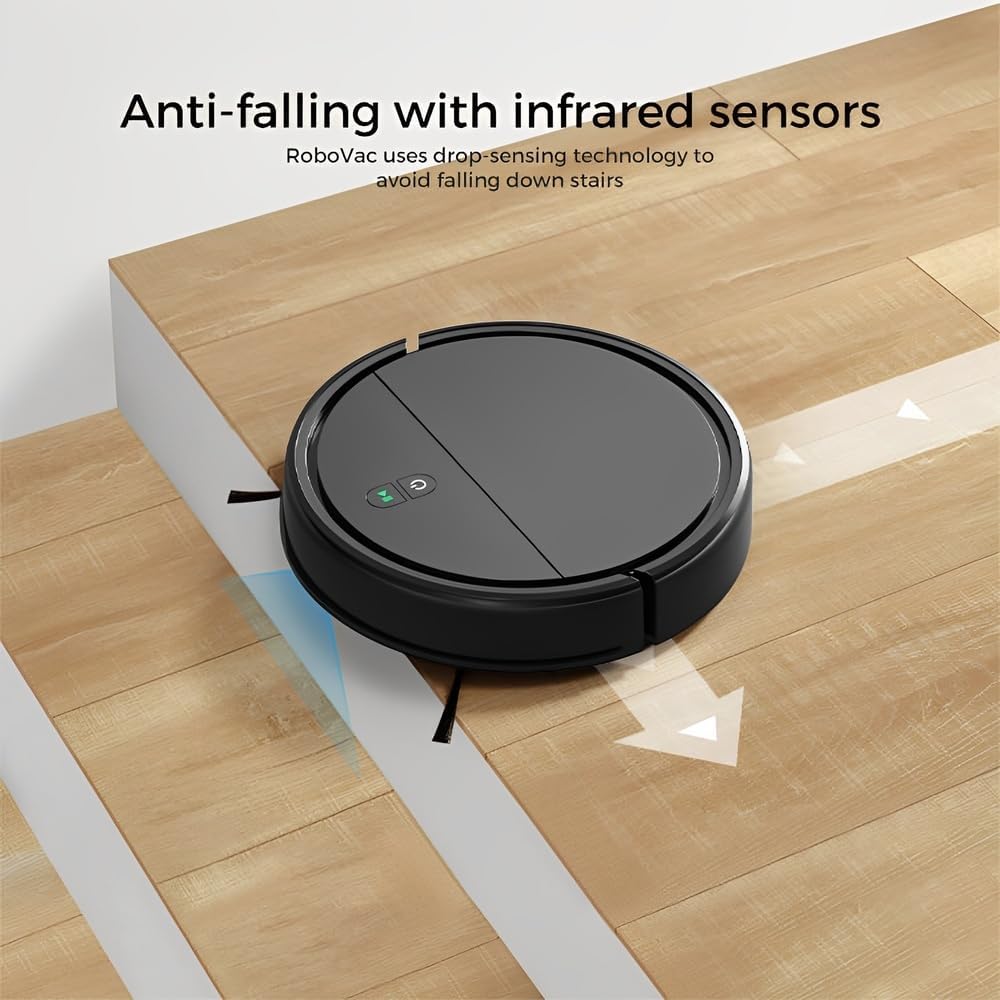
Image: Anti-falling infrared sensors prevent the robot from falling down stairs.

Image: The mechanical bumper allows the robot to navigate around furniture without damage.
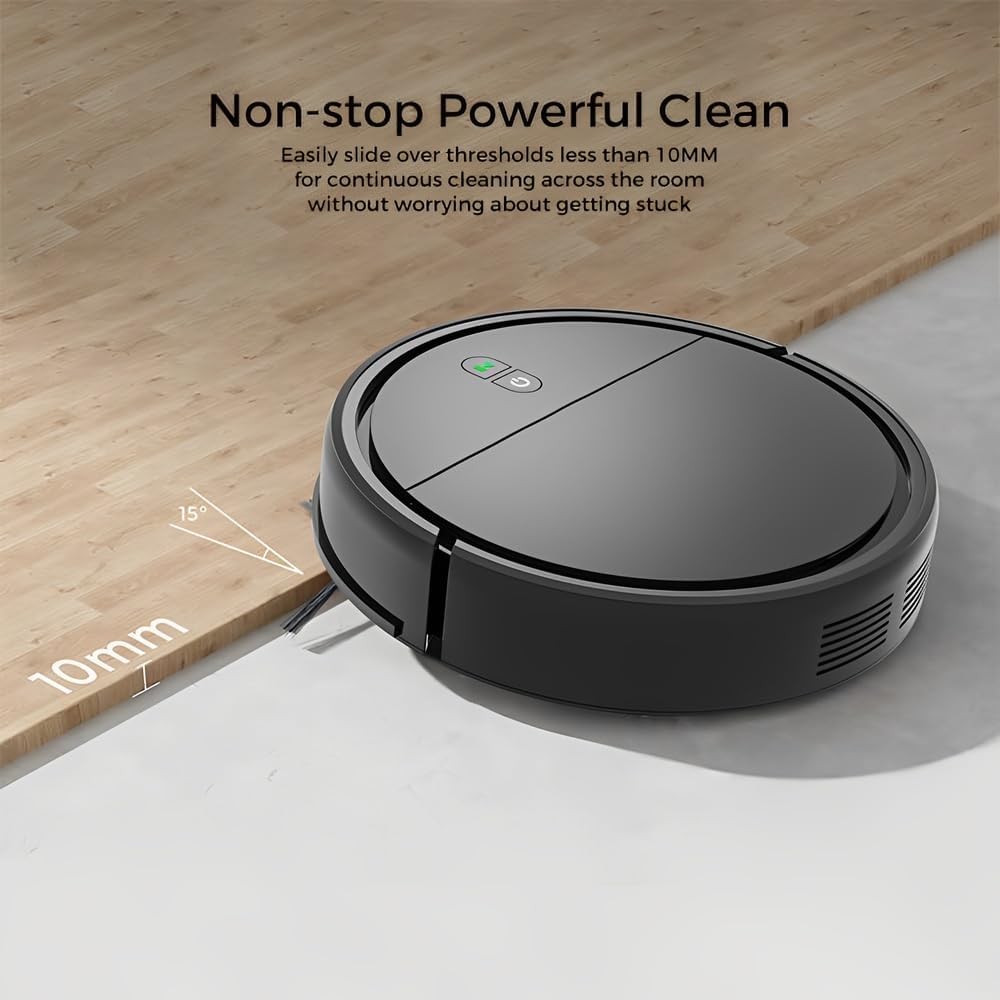
Image: The robot can easily overcome thresholds up to 10mm for continuous cleaning.
Bakım
Regular maintenance ensures optimal performance and extends the life of your robot.
Çöp Kutusunu Boşaltma

Image: The large dustbin collects various types of debris, reducing the frequency of emptying.
- Çöp haznesi çıkarma düğmesine basın ve çöp haznesini dışarı çekin.
- Çöp kutusunun kapağını açın ve içindekileri çöp kutusuna boşaltın.
- Clean the filter inside the dustbin with the provided cleaning tool or a soft brush. Replace the filter if necessary.
- Rinse the dustbin with water if needed, ensuring it is completely dry before reinserting.
Yan Fırçaların Temizlenmesi
- Yan fırçaları düzenli olarak dolaşık saç veya kalıntı olup olmadığını kontrol edin.
- Carefully remove any tangled material. If brushes are worn, replace them with new ones.
Temizleme Sensörleri
- Wipe the anti-drop sensors and charging contacts on the bottom of the robot with a clean, dry cloth.
- Ensure the bumper area is free of debris.
Cleaning Mopping Cloth
- Remove the mopping cloth after each use.
- Wash the cloth by hand or machine. Allow it to air dry completely before reattaching.
Sorun giderme
| Sorun | Olası Neden | Çözüm |
|---|---|---|
| Robot açılmıyor. | Pil zayıf; Güç düğmesine doğru basılmamış. | Charge the robot; Press and hold the power button for a few seconds. |
| Robot sık sık takılıyor. | Obstacles (cables, rugs, small items); Dirty sensors. | Clear the cleaning area; Clean the anti-drop and bumper sensors. |
| Zayıf temizleme performansı. | Çöp haznesi dolu; Filtre tıkalı; Yan fırçalar aşınmış. | Çöp haznesini boşaltın; Filtreyi temizleyin/değiştirin; Yan fırçaları temizleyin/değiştirin. |
| Robot merdivenlerden aşağı düşüyor. | Dirty anti-drop sensors; Sensors obstructed. | Clean the anti-drop sensors thoroughly. |
| Yer silme işlevi etkisizdir. | Mopping cloth is dry or dirty. | Dampen the mopping cloth; Clean or replace the mopping cloth. |
Özellikler
| Örnek | KRV306 |
| Marka | Hayat |
| Fonksiyonlar | Vacuuming, Mopping |
| Pil Türü | 1500mAh Lityum-İyon |
| Çalışma zamanı | 80 dakikaya kadar |
| Şarj Süresi | 3-4 saat |
| Emiş Gücü | 400PA |
| Gürültü Seviyesi | Maksimum 68 dB |
| Çöp Kovası Kapasitesi | Optimized (ample capacity) |
| Boyutlar (Çap x Yükseklik) | 29 cm x 7.2 cm |
| Ağırlık | 2.1 kilo |
| Threshold Climbing Ability | 10 mm'ye kadar |
| Özel Özellikler | Anti-drop Infrared Sensor, Mechanical Bumper, Low Noise, Compact, Rechargeable |
Garanti Bilgileri
The Klinsmann KRV306 Robotic Vacuum and Mop comes with a 90 günlük garanti from the date of purchase, covering manufacturing defects. This warranty does not cover damage caused by misuse, accidents, unauthorized modifications, or normal wear and tear. Please retain your proof of purchase for warranty claims.
Müşteri Desteği
If you encounter any issues or have questions regarding your Klinsmann KRV306, please refer to the troubleshooting section of this manual. For further assistance, contact the retailer or manufacturer's customer service department with your product model and purchase details.


