1. Giriş
Thank you for choosing the OLIGHT Goshawk 1600 Underneath Mounted Rechargeable Bike Light Bundle with Gober 2 Safety Light. This manual provides detailed instructions for the safe and effective use, installation, and maintenance of your new lighting system. Please read this manual thoroughly before operation and retain it for future reference.
The Goshawk 1600 is a powerful bike headlight designed for optimal visibility and safety, featuring both low and high beam options. The Gober 2 is a versatile safety light offering multiple color and mode settings for enhanced visibility from various angles.
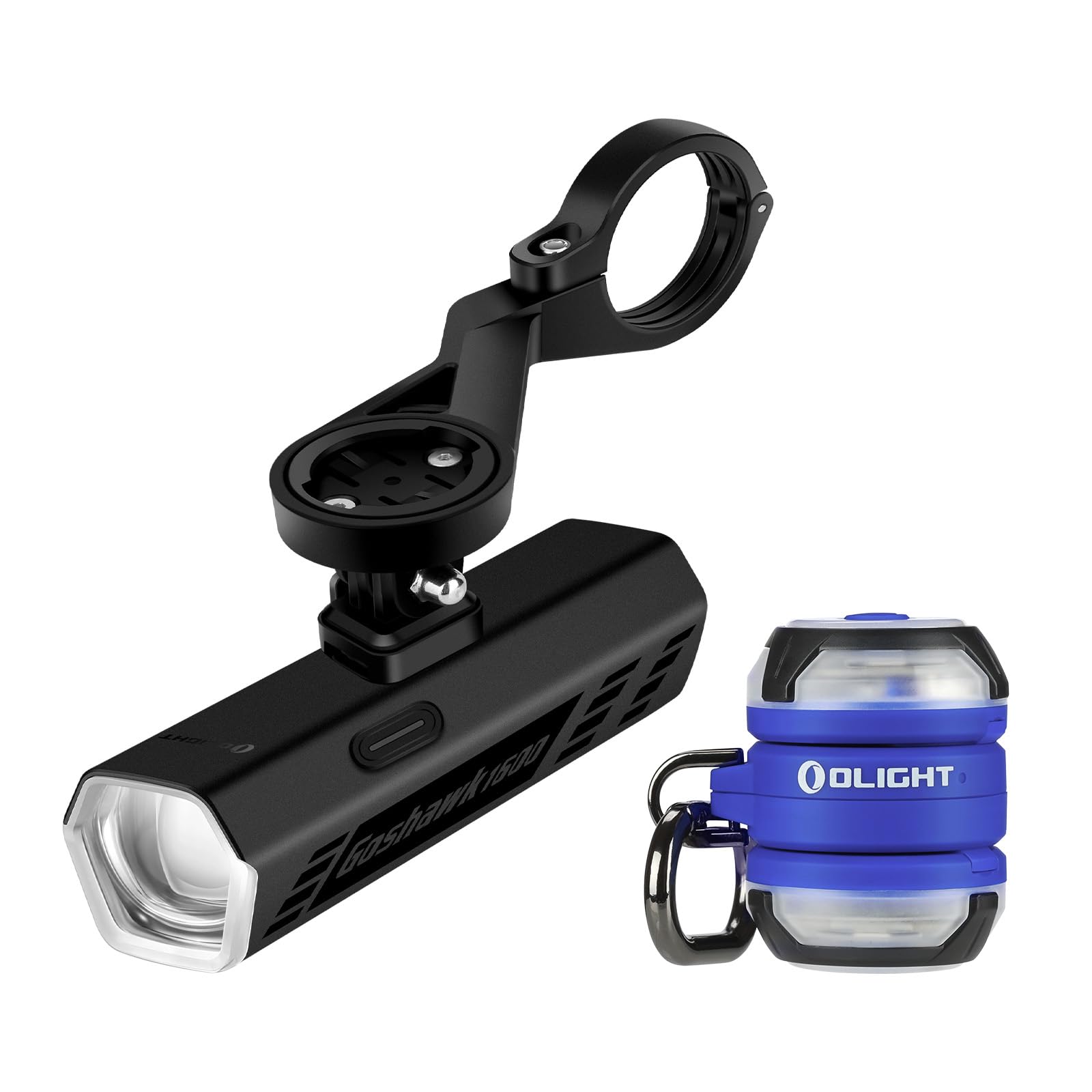
Image 1.1: OLIGHT Goshawk 1600 and Gober 2 components.
2. Paket İçeriği
- Goshawk 1600 Bike Light
- Under-bar Mounting System
- Kablosuz Uzaktan Kumanda
- Gober 2 Güvenlik Lambası (x2)
- USB Şarj Kablosu
- Kullanıcı Kılavuzu
3. Goshawk 1600 Bike Light
3.1. Kurulum
The Goshawk 1600 features a sleek under-bar mounting design to keep your handlebar clear.
- Montajı Yapın: Secure the under-bar mounting system to your bicycle's handlebar. Ensure it is tightened firmly to prevent movement during rides.
- Install the Goshawk 1600: Slide the Goshawk 1600 light onto the quick-release system of the mount until it clicks securely into place.
- Işığı Konumlandırın: Adjust the angle of the light to ensure optimal illumination of your path without causing glare to oncoming traffic.

Image 3.1: Under-bar mounting system for Goshawk 1600.

Image 3.2: Goshawk 1600 mounted on a bicycle.
3.2. Operasyon
The Goshawk 1600 offers powerful illumination and convenient control.
- Güç Açma/Kapatma: Press and hold the main button on the light or the remote control to turn the light on or off.
- Mod Değiştirme: Short press the main button or the mode button on the remote to cycle through different brightness modes.
- Düşük Huzme: Features a sharp cut-off line to prevent glare for oncoming traffic.
- Yüksek ışın: Provides extended coverage and distance for dark paths and fast-paced rides.
- Uzaktan kumanda: Use the remote to instantly activate the brightest mode or change settings. The light remembers your last used setting.

Image 3.3: Goshawk 1600 Low Beam vs. High Beam.
3.3. Şarj Etme
The Goshawk 1600 is rechargeable. Connect the provided USB charging cable to the charging port on the light and a suitable USB power source. The indicator light will show charging status.
4. Gober 2 Safety Light
4.1. Kurulum ve Kullanım
The Gober 2 is designed for versatile attachment to enhance your visibility.
- Manyetik Taban: Securely attach the Gober 2 to any metal surface.
- Sırt Çantası Klipsi: Use the integrated clip for easy mounting on MOLLE gear, straps, or loops on backpacks, clothing, or pet collars.
- Hava Takipçisi Tag Slot: Insert your Air Tracker Tag (not included) to track your gear.

Image 4.1: OLIGHT Gober 2 Safety Light.

Image 4.2: Two Gober 2 lights in use.
4.2. Operasyon
The Gober 2 offers multiple lighting options for various scenarios.
- Güç Açma/Kapatma: Press and hold the single button to turn the light on or off.
- Mod Değiştirme: Short press the button to cycle through 4 modes: constant-on, flash, sync flash, and SOS.
- Renk ayarları: The Gober 2 has 6 color settings: red, green, blue, white, RGB chase, and alert. Refer to the specific product packaging for instructions on changing colors.
- Kablosuz Senkronizasyon: Two Gober 2 lights can synchronize wirelessly. Change the mode or color on one, and the other will follow instantly.

Image 4.3: Gober 2 versatile lighting modes.

Image 4.4: Gober 2 simple control.
4.3. Şarj Etme
The Gober 2 is rechargeable via its USB port. Connect it to a USB power source using the provided cable. A charging indicator will show when the battery is full.
5. Bakım
- Temizlik: Işıkları yumuşak bir bezle silin.amp bezle silin. Aşındırıcı temizleyiciler veya çözücüler kullanmayın.
- Depolamak: Store the lights in a cool, dry place when not in use. For prolonged storage, ensure the batteries are partially charged (around 50%) to maintain battery health.
- Pil Bakım: Recharge the lights regularly, even if not used frequently, to prevent deep discharge and extend battery life.
6. Sorun Giderme
- Işık Açılmıyor: Pilin şarjlı olduğundan emin olun. Bir güç kaynağına bağlayın ve şarj göstergesini kontrol edin.
- Remote Control Not Working (Goshawk 1600): Check if the remote's battery needs replacement. Ensure the remote is paired with the light (refer to specific pairing instructions if provided with the remote).
- Loş Işık Çıkışı: Pil seviyesi düşük olabilir. Işığı şarj edin.
- Aralıklı operasyon: Check for loose connections or debris in the charging port. Ensure the light is securely mounted.
Sorunlar devam ederse lütfen OLIGHT müşteri desteğiyle iletişime geçin.
7. Özellikler
Goshawk 1600 Bike Light
| Özellik | Detay |
|---|---|
| Maksimum Çıktı | 1600 Lümen |
| Kiriş Tipi | Low Beam (cut-off), High Beam |
| Kontrol | Integrated Button, Wireless Remote |
| Montaj | Under-bar Quick-release |
| Şarj edilebilir | Evet |
Gober 2 Safety Light
| Özellik | Detay |
|---|---|
| Renk Ayarları | Red, Green, Blue, White, RGB Chase, Alert |
| Modlar | Constant-on, Flash, Sync Flash, SOS |
| Montaj | Magnetic Base, Backpack Clip |
| Özel Özellikler | Wireless Sync, Air Tracker Tag Yuva |
| Şarj edilebilir | Evet |
8. Garanti ve Destek
OLIGHT products are manufactured with high-quality materials and craftsmanship. This product comes with a Ömür Boyu Garanti, reflecting OLIGHT's commitment to quality and customer satisfaction.
For warranty claims, technical support, or any questions regarding your OLIGHT Goshawk 1600 and Gober 2 system, please visit the official OLIGHT website or contact their customer service department directly. Keep your purchase receipt for warranty validation.
OLIGHT Customer Service: www.olightstore.com/contact-us


