1. Giriş
This manual provides detailed instructions for the installation, operation, and maintenance of your EZAIoT Smart Radiator Thermostat, model EZ-TRV901W. Please read this manual thoroughly before use to ensure proper functionality and safety. Keep this manual for future reference.
2. Güvenlik Bilgileri
- Cihazı kendiniz sökmeye veya onarmaya çalışmayın. Tüm bakım işlemlerini yetkili personele yaptırın.
- Cihazı sudan, nemden ve aşırı sıcaklıklardan uzak tutun.
- Ensure batteries are inserted with correct polarity. Replace all batteries at the same time with new ones of the same type.
- Bu cihaz yalnızca iç mekanda kullanılmak üzere tasarlanmıştır.
- Ambalaj malzemelerini çocukların erişemeyeceği yerlerde saklayın.
3. Paket İçeriği
Paketin içinde tüm öğelerin mevcut olduğundan emin olun:
- Smart Radiator Thermostat (EZ-TRV901W) x 1
- Valve Adapters x 6 (for various valve types)
- AA Batteries x 2 (pre-installed or included)
- User Manual (English) x 1

Image: Contents of the EZAIoT Smart Radiator Thermostat package, showing the main unit, six different valve adapters, and two AA batteries.
4. Ürün Bittiview
The EZAIoT Smart Radiator Thermostat EZ-TRV901W is a compact, WiFi6-enabled device designed to control your radiator heating system efficiently. It features a clear OLED color display and can be controlled via a smartphone application.
Temel Özellikler:
- WiFi6 Connectivity: Ensures stable and low-latency connection for remote control.
- OLED Color Display: Provides clear temperature readings and settings, with a 4-way rotation function for optimal viewaçıları.
- Kompakt Tasarım: With a diameter of 50mm, it fits into narrow spaces.
- PID Precision Control: Optimizes heating for energy efficiency.
- Uygulama Kontrolü: Manage and program schedules via the Tuya Smart Life app.
- Ses Kontrolü Uyumluluğu: Works with Alexa, Google Home, and Home Assistant.
- Güvenlik Özellikleri: Child lock, frost protection, and automatic anti-calc function.

Image: The EZAIoT Smart Radiator Thermostat displaying its current temperature, alongside a smartphone screen showing the corresponding control interface in the app.

Image: A visual breakdown of the thermostat's features, highlighting its internal components, compact dimensions (50mm diameter), OLED color display, and the ability to rotate the display for better viewIng.
5. Kurulum
The EZAIoT Smart Radiator Thermostat is designed for easy DIY installation. Follow these steps to replace your existing radiator valve:
- Radyatörü hazırlayın: Turn off your heating system and allow the radiator to cool down.
- Eski Termostatı Çıkarın: Unscrew your existing thermostatic radiator valve head. No need to drain water from the radiator.
- Bağdaştırıcıyı Seçin: Identify the correct adapter from the included set that matches your radiator valve. The thermostat is compatible with most common radiator valves (e.g., M30 x 1.5).
- Adaptörü takın (gerekirse): If an adapter is required, screw it onto the radiator valve body.
- Termostatı Takın: Place the EZAIoT Smart Radiator Thermostat onto the adapter or directly onto the valve body and tighten it securely.
- Pilleri Takın: Ensure the two AA batteries are correctly inserted into the thermostat.

Image: A hand demonstrating the installation of the smart thermostat onto a radiator. An inset displays different types of valve adapters for compatibility with various radiator valves.
6. App Connection and Configuration
Control your EZAIoT Smart Radiator Thermostat remotely using the Tuya Smart Life application.
- İndir uygulaması: Download the "Tuya Smart Life" app from your smartphone's app store (iOS or Android).
- Kayıt Ol/Giriş Yap: Hesap oluşturun veya mevcut hesabınıza giriş yapın.
- Cihaz Ekle: In the app, tap the "+" icon to add a new device. Select "Radiator Thermostat" or search for the device type.
- Eşleştirme modu: Follow the app's instructions to put the thermostat into pairing mode. This usually involves a long press on a button on the thermostat until a pairing indicator appears on the display.
- WiFi'ye bağlanın: Select your 2.4GHz WiFi network and enter the password. The thermostat will connect directly to your WiFi network without the need for a separate gateway.
- Cihazın Adı: Once connected, you can name your thermostat (e.g., "Living Room Radiator").

Image: An illustration depicting the smart thermostat wirelessly connecting to a home WiFi router, emphasizing that no additional hub is required for its operation.
7. Kullanım Talimatları
7.1 Manuel Kontrol
You can adjust the temperature directly on the thermostat by rotating the main body. The OLED display will show the target temperature. The display can be rotated 0°/90°/180°/270° for optimal readability, especially in hard-to-reach areas.
7.2 Uygulama Kontrolü ve Programlama
Use the Tuya Smart Life app for comprehensive control:
- Sıcaklığı Ayarla: Adjust the target temperature from anywhere.
- 7 Günlük Program: Create custom heating schedules for each day of the week to match your routine and save energy.
- Tatil Modu: Set a specific temperature for an extended period when you are away.
- Çocuk Kilidi: Activate the child lock feature to prevent unauthorized changes to settings on the device.
- Pencere Açık Algılama: The thermostat can detect sudden drops in temperature (e.g., when a window is opened) and temporarily pause heating to prevent energy waste.
- Don Koruması: Boruların donmasını önlemek için otomatik olarak minimum sıcaklığı korur.
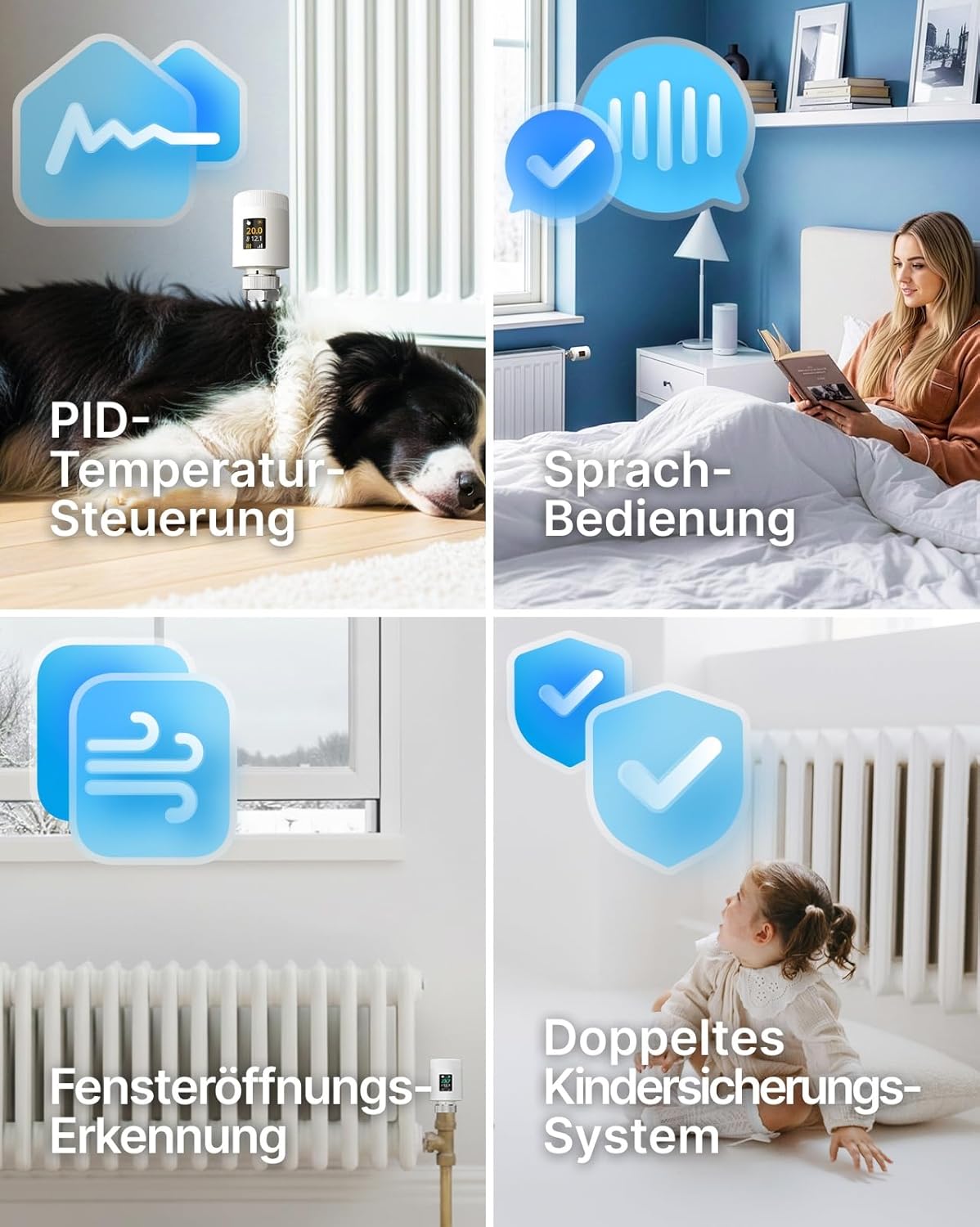
Image: Visual representation of the thermostat's advanced features, including PID temperature control for stable heating, voice control capability, automatic window opening detection, and a robust child lock system.
7.3 Energy Efficiency (PID Control)
The thermostat utilizes precise PID (Proportional-Integral-Derivative) control to minimize temperature fluctuations and optimize heating cycles. This technology, combined with scheduled programming and window open detection, helps reduce heating costs significantly by only heating when necessary.

Image: A graph demonstrating the effectiveness of the PID algorithm in maintaining a stable room temperature, illustrating quick response and precise temperature regulation for energy savings.
7.4 Ses Kontrolü
Integrate your EZAIoT thermostat with popular voice assistants for hands-free control:
- Amazon Alexa: Link your Tuya Smart Life account to Alexa. Use commands like "Alexa, set Living Room to 22 degrees."
- Google Ana Sayfa: Link your Tuya Smart Life account to Google Home. Use commands like "Hey Google, turn up the heat in the bedroom."
- Ev Asistanı: The thermostat is compatible with Home Assistant for advanced smart home setups.

Image: A woman relaxing in bed, using voice commands to control her heating system via a smart speaker, illustrating the convenience of voice operation for the smart thermostat.
8. Bakım
8.1 Pil Değişimi
The thermostat is powered by two AA batteries. When the battery indicator on the OLED display shows low power, replace both batteries promptly. Ensure correct polarity when inserting new batteries.
8.2 Temizlik
Termostatın dış yüzeyini yumuşak, kuru bir bezle temizleyin. Aşındırıcı temizleyiciler, çözücüler kullanmayın veya cihazı suya batırmayın.
9. Sorun Giderme
| Sorun | Olası Neden | Çözüm |
|---|---|---|
| Termostat açılmıyor | Piller bitmiş veya yanlış takılmış. | Pilleri yenileriyle değiştirin, kutupların doğru olmasına dikkat edin. |
| Kablosuz ağa bağlanılamıyor | Incorrect WiFi password, 5GHz network selected, or thermostat too far from router. | Ensure correct 2.4GHz WiFi password. Move thermostat closer to router. Restart router and thermostat. |
| Sıcaklık doğru şekilde düzenlenmiyor. | Thermostat not properly installed on valve, or valve stuck. | Check installation and ensure the thermostat can move the valve pin freely. Manually check if the radiator valve is functioning. |
| Uygulama cihazı çevrimdışı gösteriyor | WiFi connection lost or internet outage. | Check your home WiFi and internet connection. Restart the thermostat. |
10. Özellikler
- Marka: EZAIoT
- Model Numarası: EZ-TRV901W
- Boyutlar: 50 mm (çap) x 82.7 mm (yükseklik)
- Ağırlık: 128 gr
- Malzeme: Akrilonitril Bütadien Stiren (ABS)
- Bağlantı: WiFi6 (2.4GHz)
- Güç Kaynağı: 2 x AA Pil
- Özel Özellikler: Low battery indicator, Temperature indicator, Holiday mode, Programmable, Frost protection
- Denetleyici Tipi: Akıllı Yaşam Uygulaması
- Belirli Kullanımlar: Radyatör ısıtma
11. Garanti ve Destek
For warranty information and technical support, please refer to the documentation provided with your purchase or visit the official EZAIoT webBu kılavuzda yer almayan herhangi bir sorunla karşılaşırsanız, lütfen yardım için müşteri hizmetleriyle iletişime geçin.


