giriiş
Thank you for choosing the ProtoArc KM310 Wireless Mechanical Keyboard and Mouse. This combo offers a responsive typing experience with low-profile linear red switches and versatile multi-device connectivity. The ergonomic mouse is designed for comfort and precision. This manual provides detailed instructions for setup, operation, maintenance, and troubleshooting to ensure optimal performance.
Kutuda Neler Var?

Image: Contents of the ProtoArc KM310 package, including the keyboard, mouse, charging cable, and user manual.
- ProtoArc KM310 Wireless Mechanical Keyboard
- ProtoArc Wireless Mouse
- USB-C Şarj Kablosu
- Kullanıcı Kılavuzu
Ürün Bittiview
Klavye Özellikleri

Resim: Yakın çekim view of the ProtoArc KM310 keyboard, highlighting its low-profile keys and linear red switches.
- Düşük Profesyonelfile Mekanik Tuşlar: Equipped with linear red switches for a smooth, quiet, and responsive typing experience.
- Aluminum Top Case: Provides durability and a sleek, modern aesthetic.
- Ayarlanabilir Eğimli Ayaklar: Ergonomically designed with 2-stage foot mats offering 6° and 9° tilt options for comfortable typing.
- Tam Boyutlu Düzen: A 108-key layout suitable for office and business use.
Fare Özellikleri

Image: The ProtoArc KM310 mouse being held, showcasing its ergonomic design for a natural grip.
- 63G Ultra-Lightweight: Reduces hand fatigue during extended use and enhances portability.
- Ergonomik Tasarım: Contoured shape for a comfortable and natural grip.
- Ayarlanabilir DPI: Three DPI levels (1000/1600/2400) for tailored control and precision.
- Sessiz Tıklama: Sessiz çalışma için tasarlanmıştır.
- İleri/Geri Düğmeleri: Integrated for seamless browsing.
Bağlantı ve Güç
- Çoklu Cihaz Bağlantısı: Connects up to 3 devices via 2.4G USB receiver or Dual Bluetooth (BT1, BT2).
- Şarj edilebilir: Both keyboard and mouse feature Type-C charging. The mouse's USB receiver is stored on its bottom.
- Uzun Pil Ömrü: Up to 150-200 days standby time; 2-3 hours for a full charge.
Kurulum Talimatları
1. Cihazların Şarj Edilmesi

Image: The keyboard and mouse are shown connected to power sources via USB-C cables for charging.
- Connect the provided USB-C charging cable to the charging port on the keyboard (located on the top edge) and the mouse (located on the front edge).
- Kablo ucunu bir USB güç kaynağına takın (örneğin, bilgisayarın USB portuna, USB duvar adaptörüne).
- The indicator lights will show charging status. Allow 2-3 hours for a full charge.
2. Cihazlara Bağlanma

Image: A desk setup showing the ProtoArc KM310 keyboard and mouse connected to a laptop, monitor, and tablet, illustrating multi-device capability.
The KM310 combo supports three connection modes: 2.4G wireless via USB receiver, Bluetooth 1 (BT1), and Bluetooth 2 (BT2).
2.1. 2.4G Kablosuz Bağlantı
- Farenin alt kısmındaki bölmede saklanan USB alıcısını bulun.
- USB alıcısını bilgisayarınızdaki uygun bir USB bağlantı noktasına takın.
- Klavye ve fareyi ilgili güç anahtarlarını kullanarak açın.
- The devices should connect automatically.
2.2. Bluetooth Bağlantısı (BT1 / BT2)
- Klavyeyi ve fareyi açın.
- Klavyede şu tuşlara basın: BT1 or BT2 key (usually located on the number pad, indicated by orange keycaps) to select the desired Bluetooth channel. The indicator light will flash.
- On your device (computer, tablet, etc.), go to Bluetooth settings and search for "ProtoArc KM310 Keyboard" and "ProtoArc KM310 Mouse".
- Select the devices to pair. The indicator light will stop flashing once connected.
- Repeat for a second Bluetooth device using the other BT channel.
2.3. Cihazlar Arasında Geçiş Yapma
To switch between connected devices, simply press the corresponding connection key on the keyboard (2.4G, BT1, or BT2) and the channel switch button on the bottom of the mouse.
Kullanım Talimatları
Klavye Kullanımı
- Yazma: düşük profesyonelfile linear red switches provide a responsive and quiet typing experience.
- İşletim Sistemi Uyumluluğu: The keyboard is compatible with Windows and Mac OS. Keys like 'Win' and 'Alt' also show 'Option' and 'Cmd' for Mac users.
- Eğimi Ayarlama: Use the adjustable tilt legs on the underside of the keyboard to set your preferred typing angle (6° or 9°).
Fare Kullanımı
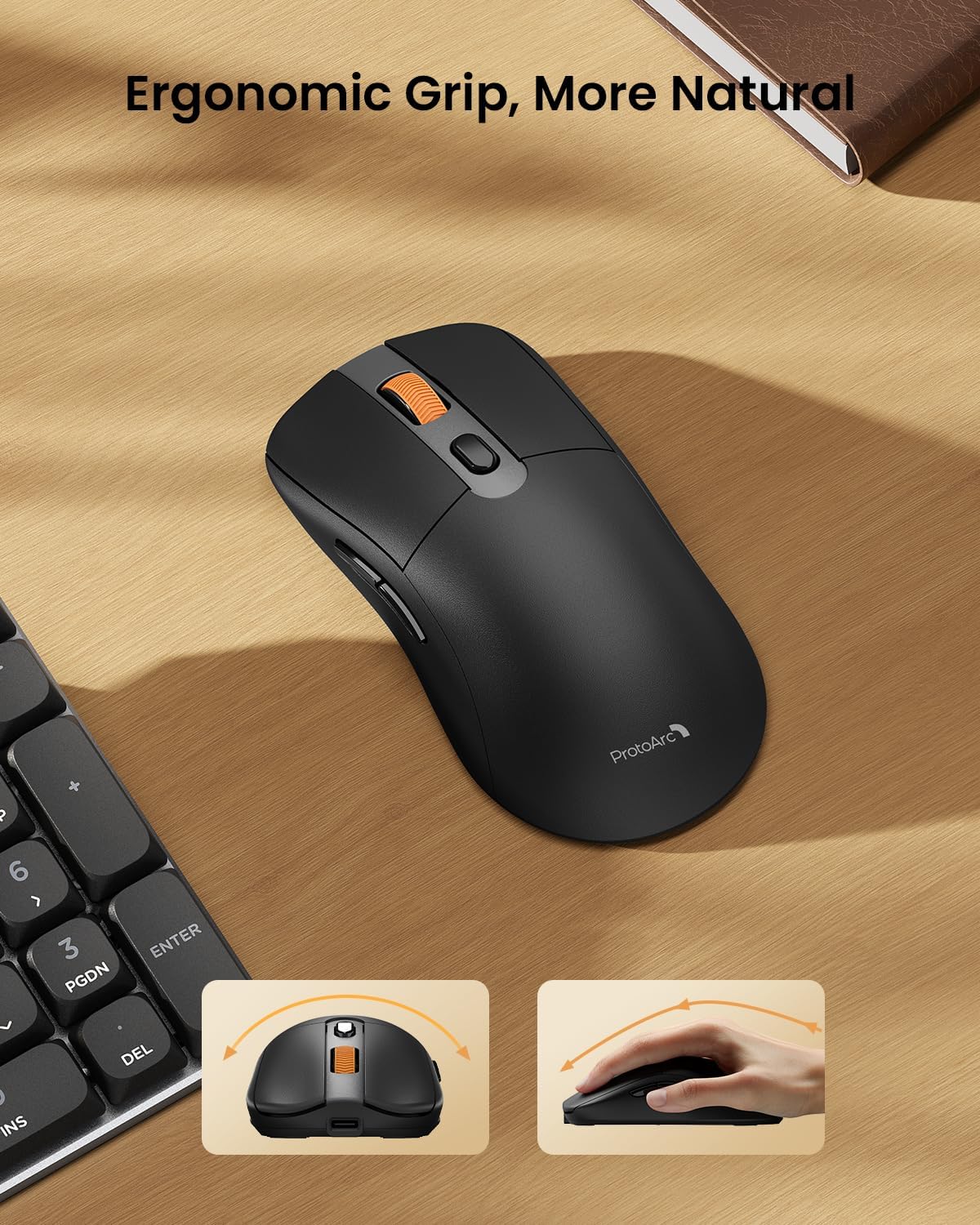
Image: A close-up of the ProtoArc KM310 mouse, illustrating the three adjustable DPI settings (1000, 1600, 2400).
- DPI Ayarı: Press the DPI switch button (usually located near the scroll wheel) to cycle through the 3 DPI levels (1000/1600/2400) to match your preference for cursor speed and precision.
- Yön tuşları: Use the forward and backward buttons on the side of the mouse for quick navigation in web tarayıcılar veya file kaşifler.
- Sessiz Tıklamalar: The mouse features silent click buttons for a quiet working environment.
Bakım
- Temizlik: Klavyeyi ve fareyi silmek için yumuşak, kuru bir bez kullanın. İnatçı kirler için, biraz daha yumuşak bir bez yeterli olacaktır.amp Cihaza sıvı girmemesine dikkat ederek yumuşak sabunlu bir bez kullanılabilir.
- Pil Bakım: Recharge the devices when the battery indicator is low. Avoid prolonged exposure to extreme temperatures.
- Depolamak: When not in use for extended periods, turn off the devices to conserve battery life. Store the USB receiver inside the mouse to prevent loss.
Sorun giderme
Keyboard/Mouse Not Turning On or Stopping Working
- Pili Kontrol Edin: Ensure both the keyboard and mouse are sufficiently charged. Connect them to a power source using the USB-C cable.
- Cihazları yeniden eşleştirin:
- For 2.4G connection, ensure the USB receiver is securely plugged in and the devices are set to 2.4G mode.
- For Bluetooth connection, ensure the devices are set to the correct BT channel (BT1 or BT2) and re-pair them through your device's Bluetooth settings.
- Farklı Bir Kablo Deneyin: If charging issues persist, try using a different USB-C cable to rule out a faulty cable.
- Parazit yapmak: Move the devices closer to your computer or away from other wireless devices that might cause interference.
- Destek Ekibiyle İletişime Geçin: If the issue persists, please contact ProtoArc customer support for further assistance.
Özellikler
| Model Numarası | KM310 |
| Marka | Protoarc |
| Renk | Uzay Grisi |
| Bağlantı Teknolojisi | Bluetooth, USB (2.4G Kablosuz) |
| Özel Özellikler | Düşük Profesyonelfile Keys, Linear Red Switches, Ergonomic Design, Ultra-Light Mouse, Ergonomic Mouse |
| Uyumlu Cihazlar | Laptop, Personal Computer, Tablet (Windows 7/8/10, Mac OS X 10.12, Android 4.3 or higher) |
| Ürün Ağırlığı | 2.31 pound |
| Paket Boyutları | 17.68 x 8.07 x 2.05 inç |
Garanti ve Destek
The ProtoArc KM310 Mechanical Keyboard and Mouse combo comes with a 2 Yıllık Garanti.
For any questions, technical support, or warranty claims, please contact ProtoArc customer service:
- E-posta: destek@protoarc.com
- Telefon: +1 866-287-8188
Resmi Ürün Videosu
Video: Resmi ürün video gösterimiasing the features and design of the ProtoArc KM310 Aluminum Mechanical Keyboard and Mouse.


