1. Giriş
Thank you for choosing the Skechers SR2147 Glenhaven Digital Watch. This watch combines a robust design with essential digital functions, including a chronograph, calendar, 12/24-hour time format, daily alarm with chime, and an EL backlight. This manual will guide you through the setup, operation, and maintenance of your new timepiece.
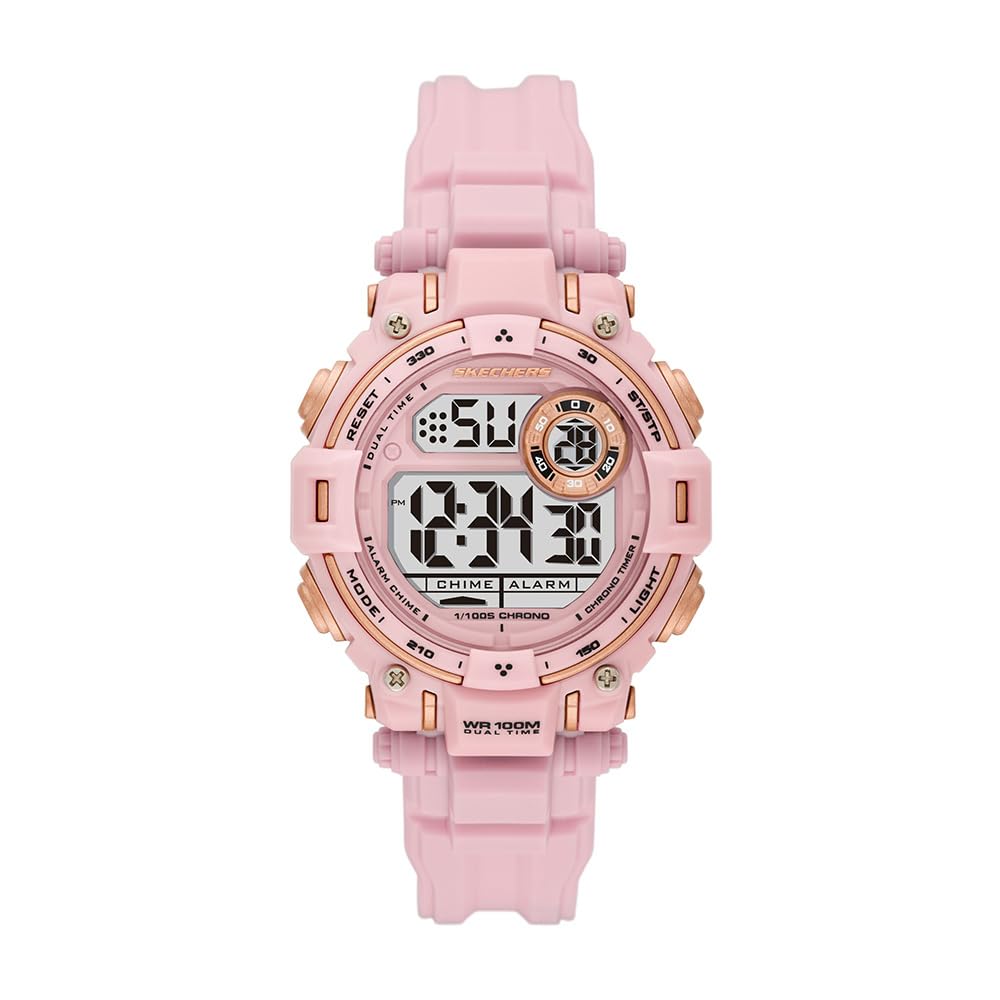
Şekil 1: Ön view of the Skechers SR2147 Glenhaven Digital Watch.
2. Kurulum
2.1 İlk Aktivasyon
Your watch may arrive in a power-saving mode. If the display is blank, press any button to activate it. If a plastic battery tab is present, gently remove it from the side of the watch to allow the battery to make contact.
2.2 Saat ve Tarihin Ayarlanması

Şekil 2: Yan view of the watch, highlighting the MODE and RESET buttons.
- Basın MOD Zaman ayarı modu görüntülenene kadar (genellikle yanıp sönen rakamlarla gösterilir) düğmeye art arda basın.
- Kullanın SIFIRLAMA Ayarlamak istediğiniz rakamı veya ayarı seçmek için düğmeyi kullanın (örneğin, saat, dakika, yıl, ay, gün).
- Kullanın BAŞLAT/DURDUR button (often located on the opposite side or top right) to increase the value. Hold to advance rapidly.
- Tüm ayarlar doğru olduğunda, tuşuna basın MOD Ayar modundan çıkmak ve normal zaman gösterimine dönmek için tekrar düğmesine basın.
2.3 Saati Takmak
Adjust the polyurethane strap to fit comfortably around your wrist. The buckle clasp ensures a secure fit.

Figure 3: The Skechers SR2147 watch comfortably worn on a wrist.
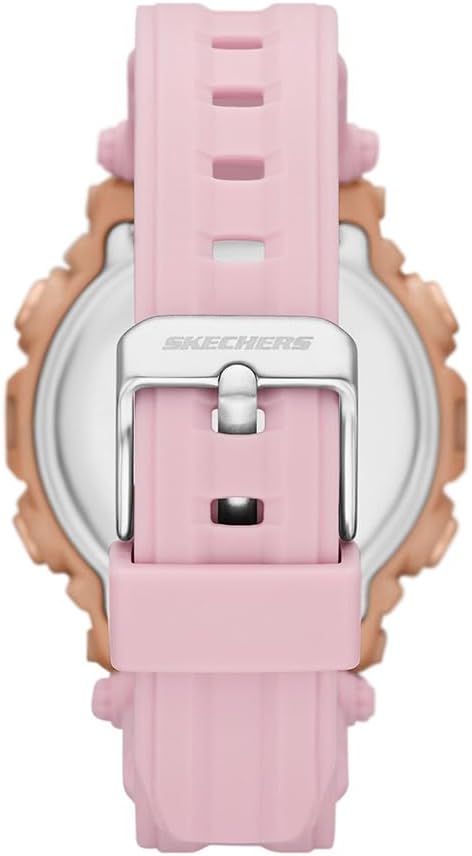
Figure 4: Close-up of the watch's buckle clasp for secure fastening.
3. Kullanım Talimatları
3.1 Mod Navigasyonu
Basın MOD button to cycle through the different functions: Time Display → Chronograph → Alarm → Time Setting.
3.2 Kronograf (Kronometre)
- From the Time Display, press MOD until 'CHRONO' or 'STW' appears.
- Basın BAŞLAT/DURDUR Zamanlamayı başlatmak için düğmeye basın.
- Basmak BAŞLAT/DURDUR duraklatmak için tekrar
- Basmak SIFIRLAMA kronometreyi sıfırlamak için.
3.3 Günlük Alarm
- From the Time Display, press MOD until 'ALARM' or 'ALM' appears.
- Basmak SIFIRLAMA saat veya dakikayı seçmek için.
- Kullanın BAŞLAT/DURDUR Alarm saatini ayarlamak için düğmeye basın.
- Basmak MOD Onaylamak ve çıkmak için.
- Alarmı etkinleştirmek/devre dışı bırakmak için genellikle şu tuşa basın: BAŞLAT/DURDUR Alarm görüntüleme modundayken, bir alarm simgesi görünecek/kaybolacaktır.
3.4 EL Arka Işık
Basın IŞIK button (usually on the top left) to illuminate the display for a few seconds in low-light conditions.
3.5 12/24 Saat Formatı
While in time setting mode, use the SIFIRLAMA or BAŞLAT/DURDUR 12 saatlik (AM/PM göstergeli) ve 24 saatlik formatlar arasında geçiş yapmak için düğme.
4. Bakım
4.1 Temizlik
Saatinizi düzenli olarak yumuşak ve kuru bir bezle silin. İnatçı kirler için hafif nemli bir bez kullanın.amp cloth and mild soap, then rinse with clean water and dry thoroughly. Avoid harsh chemicals.
4.2 Suya Dayanıklılık
This watch is water-resistant up to 100 meters (10 ATM). This means it is suitable for swimming and snorkeling, but not for high-impact water sports or scuba diving. Do not operate buttons underwater.
4.3 Pil Değişimi
Ekran karardığında veya işlevler düzensizleştiğinde, pilin değiştirilmesi gerekebilir. Doğru sızdırmazlığı sağlamak ve su geçirmezliği korumak için pilin yetkili bir saat teknisyeni tarafından değiştirilmesi önerilir.
5. Sorun Giderme
- Ekran boş: Check if the battery tab has been removed. If not, the battery may be depleted. Replace the battery.
- Zaman yanlış: Refer to Section 2.2 to reset the time and date. Ensure the 12/24-hour format is set correctly.
- Alarm çalmıyor: Ensure the alarm is activated (check for the alarm icon on the display). Verify the alarm time is set correctly.
- Düğmeler tepkisiz: The watch may be in a locked mode (unlikely for this model) or the battery is very low. Try replacing the battery. If issues persist, contact customer support.
6. Özellikler
| Özellik | Detay |
|---|---|
| Model Numarası | SR2147 |
| Marka | Skechers |
| Görüntü Türü | Dijital |
| Hareket Türü | Kuvars |
| Güç Kaynağı | Pil |
| Kasa Malzemesi | Polikarbonat |
| Bant Malzemesi | Poliüretan |
| Kristal malzeme | Mineral Cam |
| Kasa Çapı | 40 mm |
| Kasa Kalınlığı | 14 mm |
| Bant Genişliği | 20 mm |
| Bant Uzunluğu | 19 cm |
| Suya Dayanıklılık | 100 Metre (10 ATM) |
| Ağırlık | 50 Gram |
| UPC | 796483670648 |
7. Garanti ve Destek
7.1 Sınırlı Garanti
This Skechers watch is covered by a limited warranty. Please refer to the warranty card included with your purchase for specific terms and conditions. The warranty typically covers manufacturing defects but does not cover normal wear and tear, battery life, or damage caused by improper use or accidents.
7.2 Müşteri Desteği
For further assistance, troubleshooting, or warranty claims, please contact Skechers customer support or the retailer from whom you purchased the watch. Keep your proof of purchase for warranty validation.

Figure 5: The Skechers watch product box, containing the watch and documentation.


