1. Giriş
This manual provides essential information for the safe and efficient use of your artfone G6 Pro 4G LTE Flip Phone. Please read it thoroughly before operating the device to ensure proper functionality and to understand all features.
2. Paket İçeriği
Aşağıda listelenen tüm öğelerin ürün paketinizde bulunduğunu doğrulayın:
- 1x artfone G6 Pro Mobile Phone (Battery not installed)
- 1x 1300mAh Pil
- 1 adet USB Şarj Kablosu
- 1x Kullanım Kılavuzu
- 1 adet Şarj Tabanı/Stand

Image: Package contents of the artfone G6 Pro, showing the phone, battery, USB cable, user manual, and charging dock.
3. Kurulum
3.1. SIM Kart ve Pil Takılması
- Arka Kapağı Çıkarın: Telefonun arka kapağını yavaşça açın.
- SIM Kartı Takın: Locate the Nano SIM card slot. Insert your Nano SIM card with the gold contacts facing down, ensuring it clicks into place.
- Mikro SD kart takın (İsteğe bağlı): If desired, insert a Micro SD card (up to 64GB) into the designated slot for expanded storage.
- Pili Takın: Place the 1300mAh battery into the battery compartment, aligning the gold contacts with the phone's terminals.
- Arka Kapağı Değiştirin: Arka kapağı güvenli bir şekilde tekrar takın.
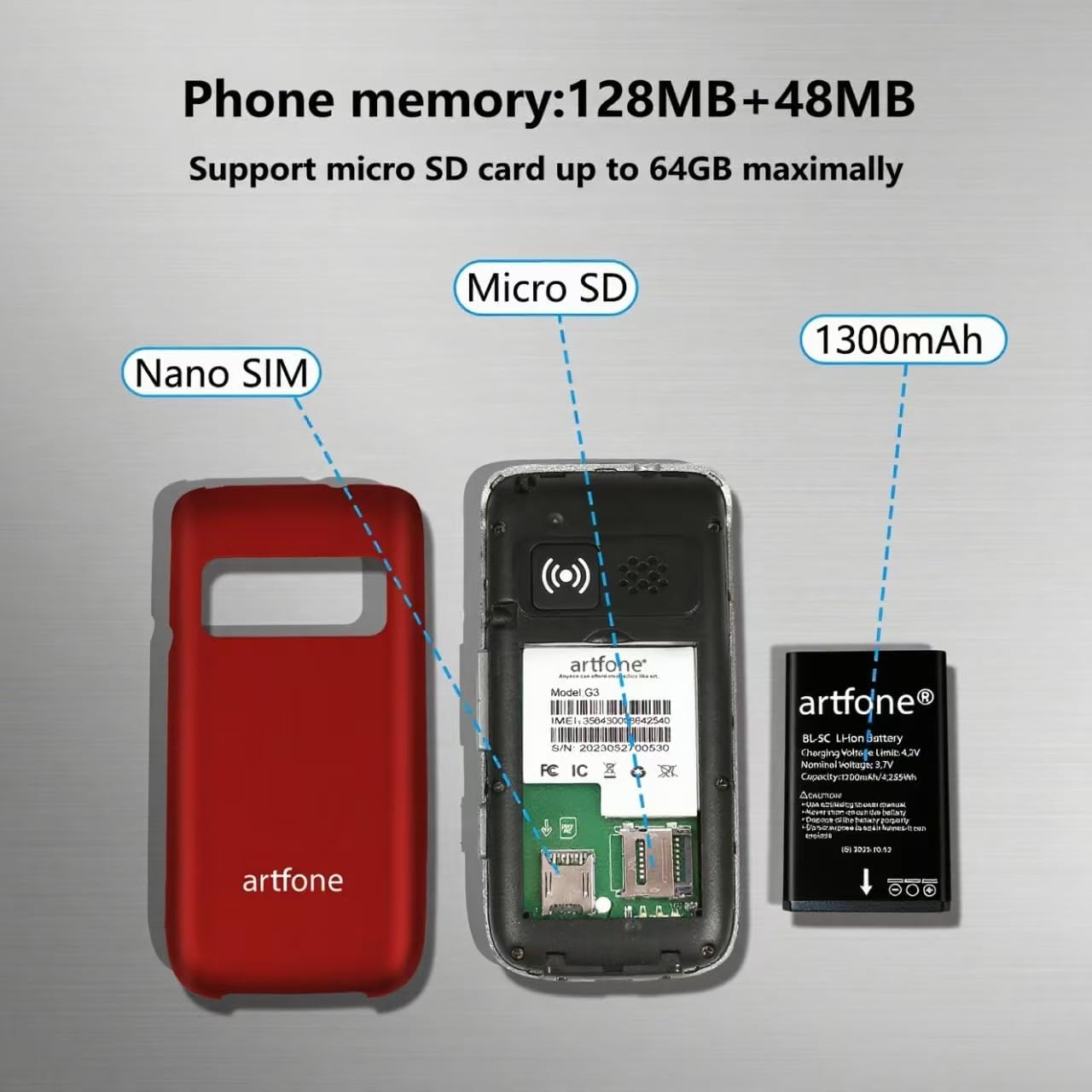
Resim: Dahili view of the artfone G6 Pro, illustrating the Nano SIM slot, Micro SD card slot, and battery placement.
3.2. Telefonu Şarj Etme
Your artfone G6 Pro can be charged using the included USB-C cable or the charging dock.
- Şarj İstasyonunun Kullanımı: Place the phone into the charging dock. Ensure the charging indicator appears on the screen.
- USB-C Kablosunu Kullanma: Connect the USB-C cable directly to the phone's charging port and to a power adapter.

Image: Charging the artfone G6 Pro using either the USB-C cable or the charging dock.
3.3. Güç Açma/Kapatma
To power on or off, press and hold the red 'End Call' button until the phone vibrates or the screen lights up/shuts down.
4. Kullanım Talimatları
4.1. Temel Çağrı Fonksiyonları
- Arama yapmak: Dial the number using the keypad and press the green 'Call' button.
- Bir Aramayı Cevaplama: Open the flip to answer, or press the green 'Call' button.
- Aramayı Bitirme: Close the flip to hang up, or press the red 'End Call' button.
Video: Demonstrates basic call functions, including answering by flipping open the phone and ending calls by closing it.
4.2. Kısa Mesaj Gönderme
Navigate to the 'Message' menu, select 'New Message', enter the recipient's number or select from contacts, type your message using the keypad, and send.
4.3. Kullanıcı Arayüzü Gezintisi
The phone features an intuitive UI with large icons and clear text. Use the navigation keys to scroll through menu options like Contacts, Tools, Message, SOS, Calendar, Settings, Internet, Multimedia, and Call logs.

Resim: Üzeriview of the artfone G6 Pro's user-friendly menu interface.
5. Özellikler Bittiview
5.1. Çift LCD Ekranlar
The phone features a 2.4-inch inner screen and a 1.8-inch outer display. The outer display shows time, caller ID, and notifications without needing to open the phone.

Image: artfone G6 Pro displaying its dual screens, one on the exterior when closed and one on the interior when open.
5.2. SOS Acil Durum Fonksiyonu
The dedicated SOS button on the back of the phone allows you to quickly contact up to five pre-set emergency contacts. Press and hold the button for 3 seconds to activate the SOS function, which will automatically dial and send distress messages until someone answers.

Resim: Arka view of the artfone G6 Pro highlighting the SOS emergency button.
5.3. Speed Dial and Photo Contacts
Assign frequently called numbers to dedicated A/B keys and numbers 2-9 for quick dialing. You can also assign photos to contacts for easier identification of callers.
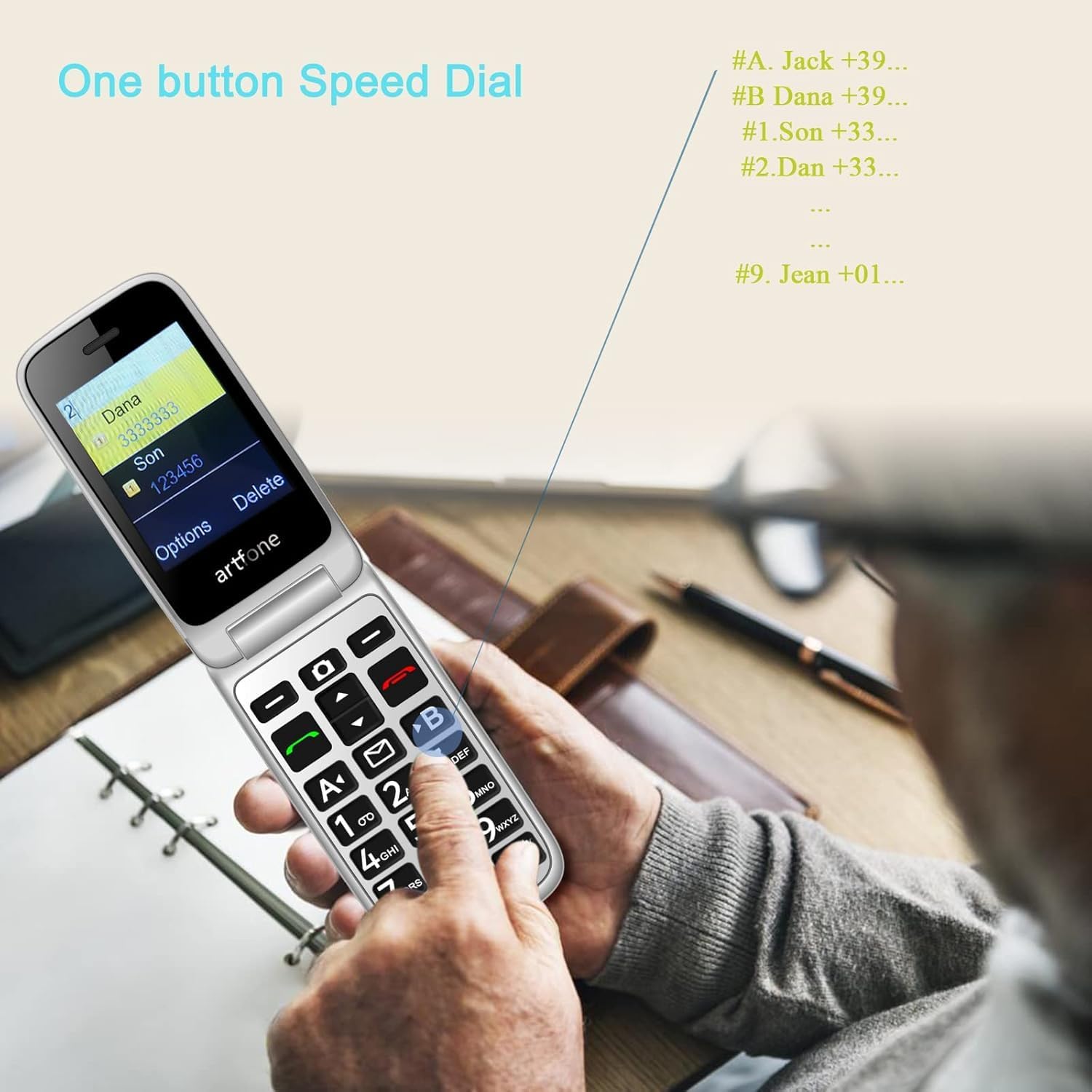
Image: Demonstrating the one-button speed dial feature on the artfone G6 Pro.
5.4. Talking Clock (Time Reporting)
Hold the volume + key for 3 seconds, and the phone will audibly announce the current time.
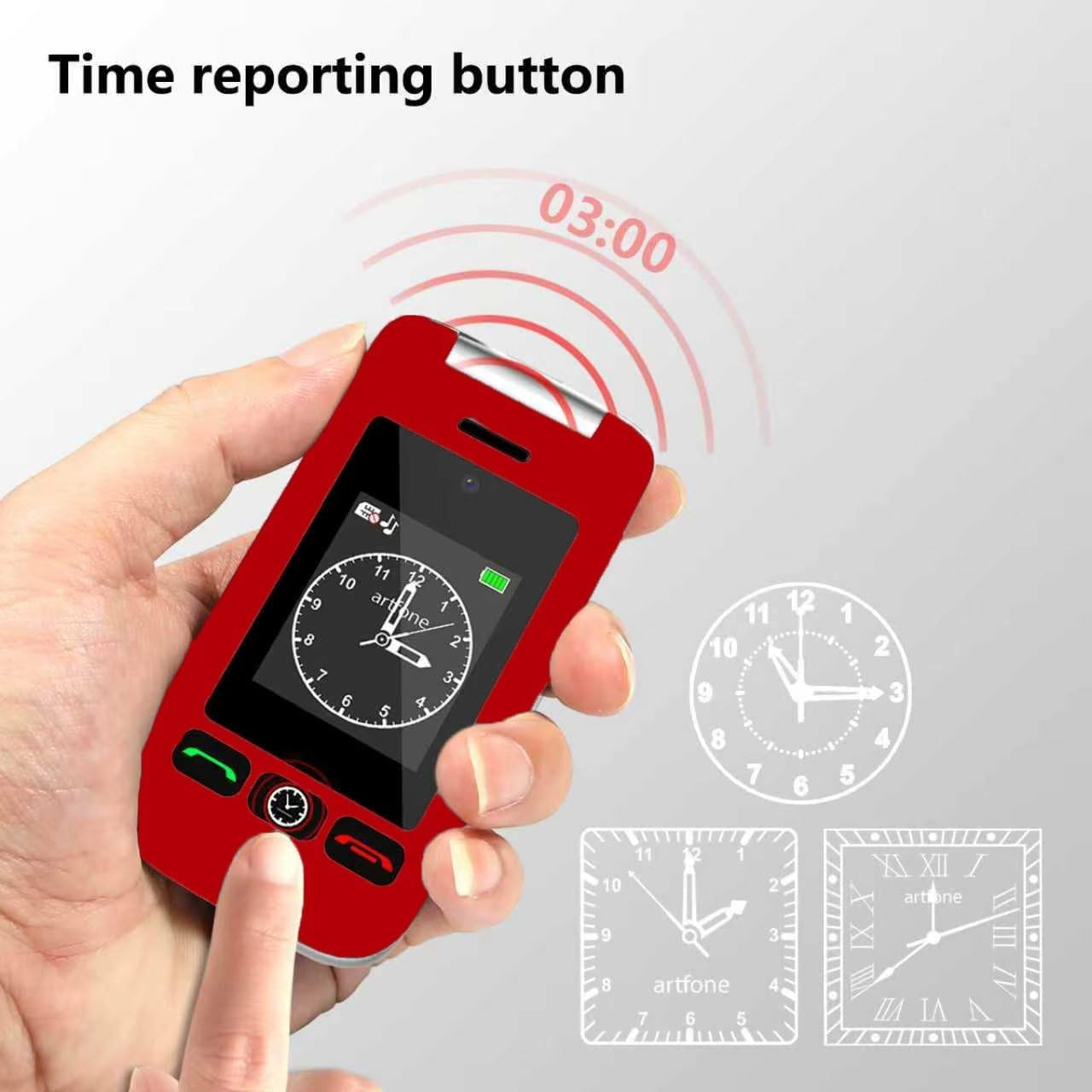
Image: The time reporting button on the artfone G6 Pro, which announces the current time audibly.
5.5. El feneri
A dedicated flashlight button on the side of the phone allows for quick activation. Slide up/down to toggle the flashlight on or off.

Image: The artfone G6 Pro featuring a flashlight, FM radio, and a 3.5mm headphone jack.
5.6. Diğer Özellikler
- Kamera: A basic 0.3MP camera is included for capturing simple moments.
- FM Radyo: Enjoy FM radio on the go.
- Bluetooth: Connect to compatible Bluetooth devices.
- Aletler: Includes a calculator, alarm clock, and calendar. Multiple alarm settings are available for reminders.
- Yüksek Ses: AAC speakers and receivers provide clear and loud audio for calls.
6. Bakım
- Temizlik: Telefonun dış yüzeyini temizlemek için yumuşak, kuru bir bez kullanın. Sıvı temizleyicilerden kaçının.
- Pil Bakım: To prolong battery life, avoid extreme temperatures and do not leave the phone fully discharged for extended periods.
- Depolamak: Telefonu kullanılmadığı zamanlarda serin ve kuru bir yerde saklayın.
- Suya Dayanıklılık: Bu telefon su geçirmez değildir. Sıvılarla temasından kaçının.
7. Sorun Giderme
7.1. No Service / Network Issues
- SIM Kartı Kontrol Edin: Ensure the Nano SIM card is correctly inserted and activated with a compatible carrier (T-Mobile and its virtual operators ONLY; not compatible with AT&T or Verizon).
- Telefonu Yeniden Başlat: Power off and then power on the phone.
- Ağ Kapsamı: Verify you are in an area with adequate 2G, 3G, or 4G LTE network coverage.
7.2. Telefon Şarj Olmuyor
- Bağlantıları Kontrol Edin: Ensure the USB-C cable and/or charging dock are securely connected to the phone and power source.
- Güç Kaynağını Doğrulayın: Farklı bir elektrik prizi veya USB bağlantı noktası deneyin.
- Inspect Cable/Dock: Check for any visible damage to the charging cable or dock.
7.3. Ses Sorunları
- Ses Ayarı: Adjust the call volume during a conversation.
- Speaker/Receiver Obstruction: Ensure the speaker and receiver are not blocked by debris.
- Silent/Vibration Mode: Long-press the # key to toggle silent/vibration modes. Ensure the phone is not in silent mode if you expect audible alerts.
7.4. MMS Not Downloading
- Ağ Ayarları: Ensure your carrier's MMS settings are correctly configured.
- Depolamak: Check if there is sufficient storage space on the phone or Micro SD card.
- Secure Inbox: Some MMS messages may require access through a 'secure inbox'. The default PIN is often 1234, but it is recommended to change this for security.
8. Özellikler
| Özellik | Şartname |
|---|---|
| Model Adı | G6 Pro |
| Marka | sanatfone |
| Hücresel Teknoloji | 4G (Compatible with T-Mobile and virtual operators ONLY) |
| Kablosuz Taşıyıcı | Kilidi Açıldı |
| İşletim Sistemi | artfone Mocor RTOS |
| Ekran Boyutu | 2.4 inç (İç), 1.8 inç (Dış) |
| Çözünürlük | 180x240, 240x180 |
| Kurulu RAM Bellek Boyutu | 48 MB |
| Bellek Depolama Kapasitesi | 0.3 GB (Expandable up to 64GB with Micro SD) |
| Pil Kapasitesi | 1300 Miliamp Saat |
| Telefon Konuşma Süresi | 8 Saat |
| Ürün Ağırlığı | 8.1 ons |
| Bağlantı Teknolojileri | Bluetooth, USB |
| Özel Özellikler | Basic Phone, Expandable Memory, Time Reporting, SOS Button, Charging Dock, Loud Speaker, Camera, Talking Clock, Speed Dial, Hands-free, Caller-ID, Large Fonts |
| Form Faktörü | Çevir |
| Ses Jakı | 3.5 mm |
9. Garanti ve Destek
For warranty information or technical support, please contact artfone customer service. Refer to the contact details provided in your product packaging or visit the official artfone website. Please have your product model (G6 Pro) and purchase details available when contacting support.


