1. Giriş
This manual provides essential information for setting up, operating, maintaining, and troubleshooting your Thunderobot Storm 15 4050 Gaming Laptop. Please read it thoroughly to ensure optimal performance and longevity of your device.
Temel Özellikler:
- İşlemci: Intel Core i7-13620H (10 Cores, up to 4.9 GHz)
- Grafikler: NVIDIA GeForce RTX 4050 Dizüstü Bilgisayar GPU'su
- Hafıza: 32 GB DDR4 RAM (3200 MHz)
- Depolamak: 1TB PCIe M.2 SSD
- Görüntülemek: 15.6-inch Full HD (1920x1080) 165Hz, 100% sRGB, DC Dimming
- İşletim Sistemi: Windows 11 Ev
- Soğutma: Advanced Frost Cooling System with multi-heat-pipe design and high-pressure turbine fan
- Klavye: Full-size backlit keyboard with numeric keypad
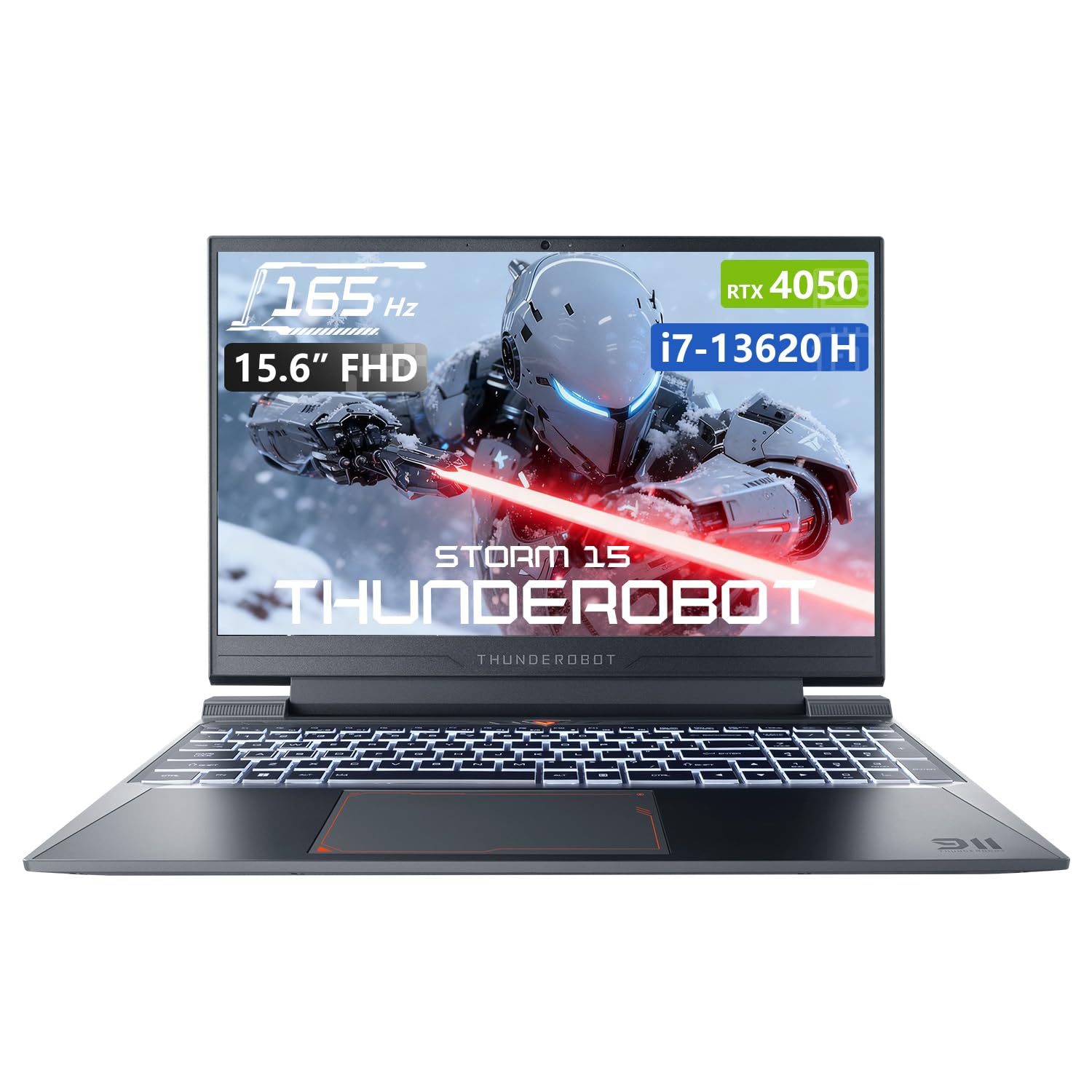
Image: The Thunderobot Storm 15 4050 Gaming Laptop, showcasinŞık tasarımı ve arkadan aydınlatmalı klavyesiyle dikkat çekiyor.
2. Kurulum
2.1 İlk Güç Açma
- Paketi aç: Dizüstü bilgisayarınızı ve tüm aksesuarlarını dikkatlice ambalajından çıkarın.
- Gücü bağlayın: AC adaptörünü dizüstü bilgisayarın güç girişine ve ardından duvardaki prize takın.
- Güç Açık: Dizüstü bilgisayarın kapağını açın ve genellikle klavyenin üstünde veya yan tarafında bulunan güç düğmesine basın.
- İlk kurulum: Dil, bölge, ağ bağlantısı ve kullanıcı hesabı oluşturma dahil olmak üzere Windows 11 Home kurulumunu tamamlamak için ekrandaki talimatları izleyin.
2.2 Çevre Birimlerini Bağlama
Dizüstü bilgisayarınız, harici cihazları bağlamak için çeşitli bağlantı noktalarıyla donatılmıştır.

Image: Diagram illustrating the various ports and slots available on the Thunderobot Storm 15 laptop.
- USB Cihazları: Connect USB mice, keyboards, external drives, or other peripherals to the USB 3.1 Type-A ports or the USB 3.1 Gen 2 Type-C port.
- Harici Ekran: Harici bir monitör veya televizyon bağlamak için HDMI bağlantı noktasını kullanın.
- Ağ: For a stable wired internet connection, plug an Ethernet cable into the RJ-45 port.
- Ses: Connect headphones or external speakers to the 3.5mm Combo Jack.
3. Dizüstü Bilgisayarınızı Çalıştırma
3.1 Ekran Özellikleri
The 15.6-inch Full HD display offers a 165Hz refresh rate for smooth visuals and 100% sRGB color gamut for accurate color reproduction. DC dimming technology helps reduce screen flickering.
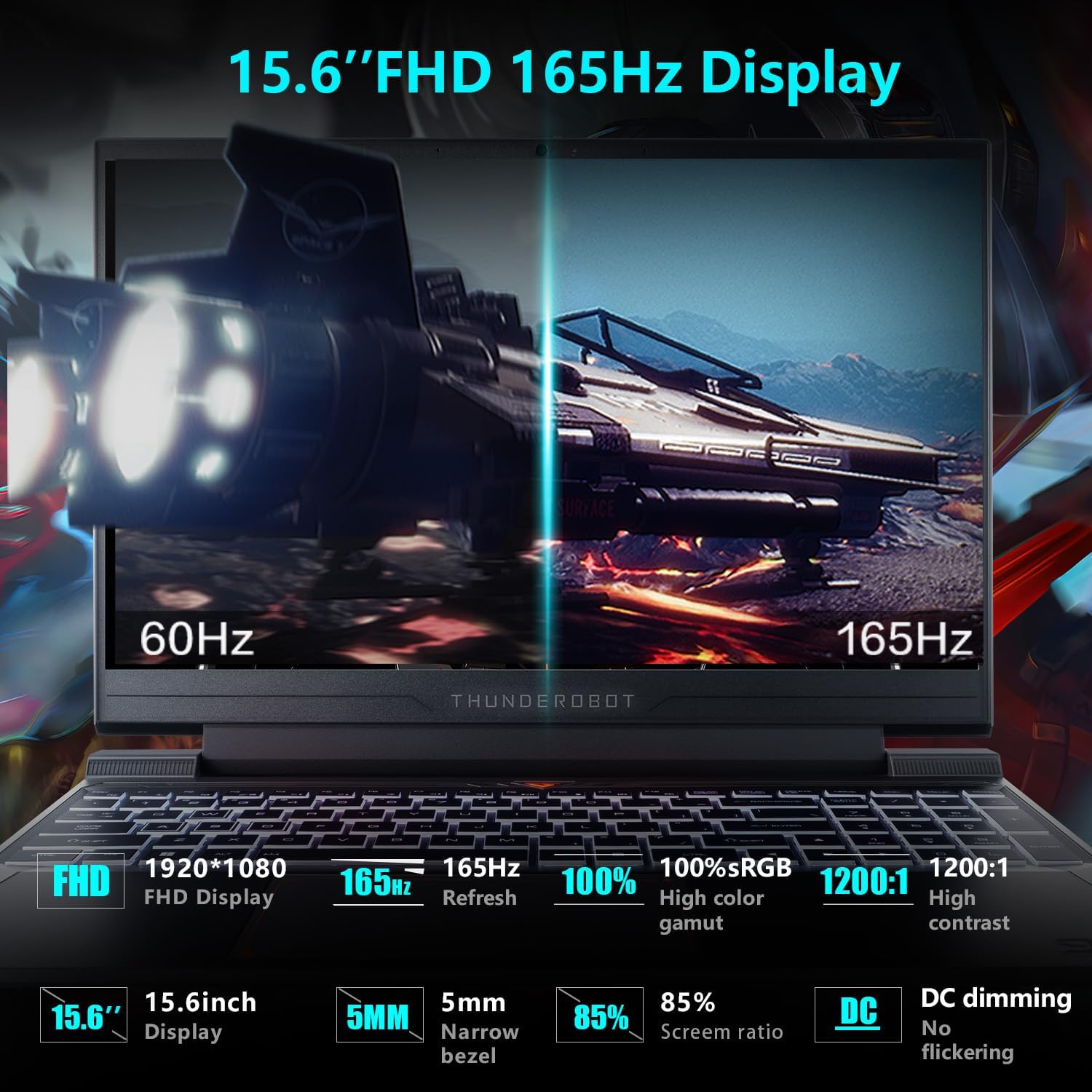
Image: Close-up of the 15.6-inch Full HD 165Hz display, highlighting its smooth motion capabilities.
3.2 Klavye ve Dokunmatik Yüzey
The full-size backlit keyboard includes a numeric keypad for enhanced productivity and gaming. The anti-fingerprint surface helps maintain a clean appearance.
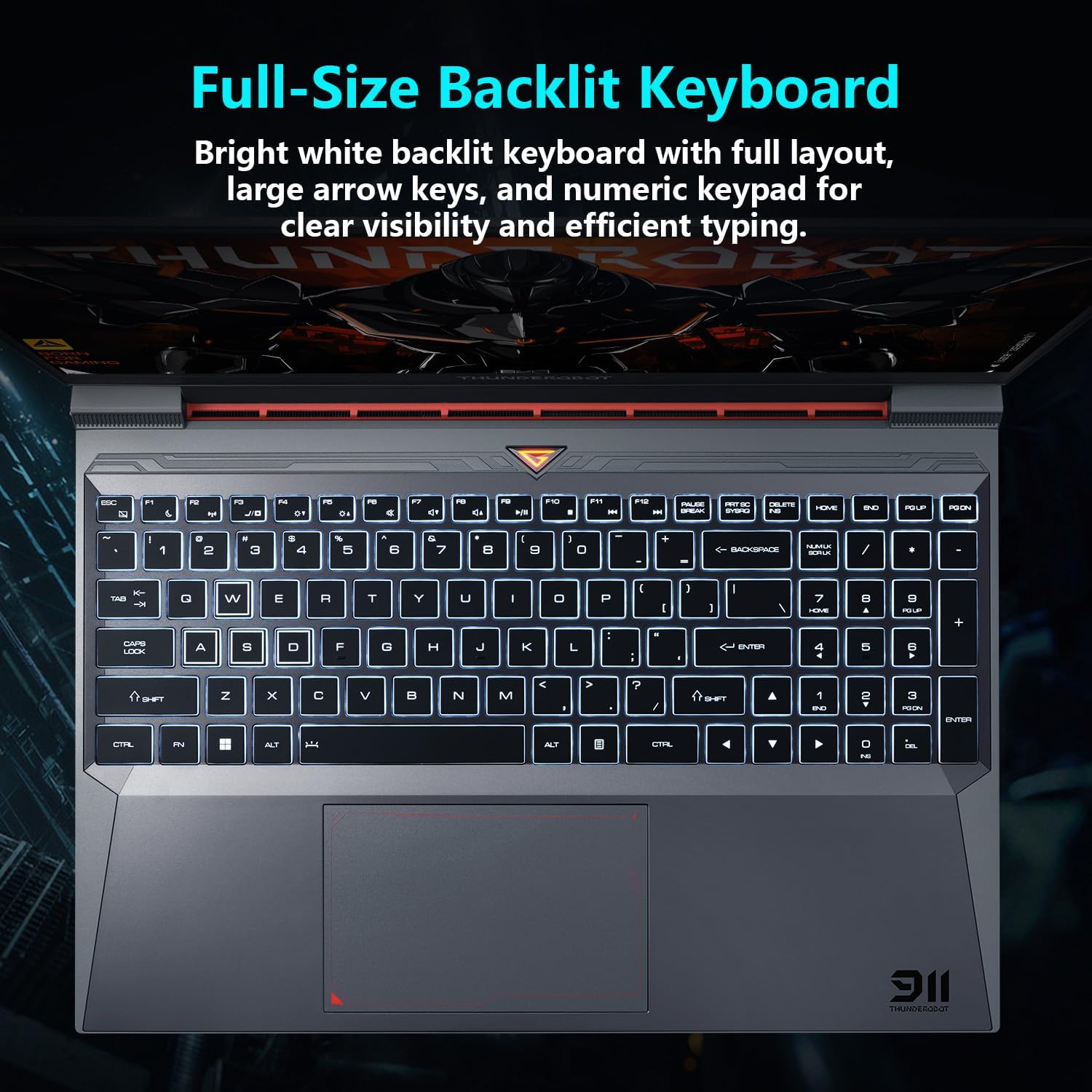
Resim: View of the full-size backlit keyboard with its bright white backlighting and numeric keypad.
3.3 Ses Sistemi
Experience immersive sound with the laptop's professional sound certification and high-specification speaker design.
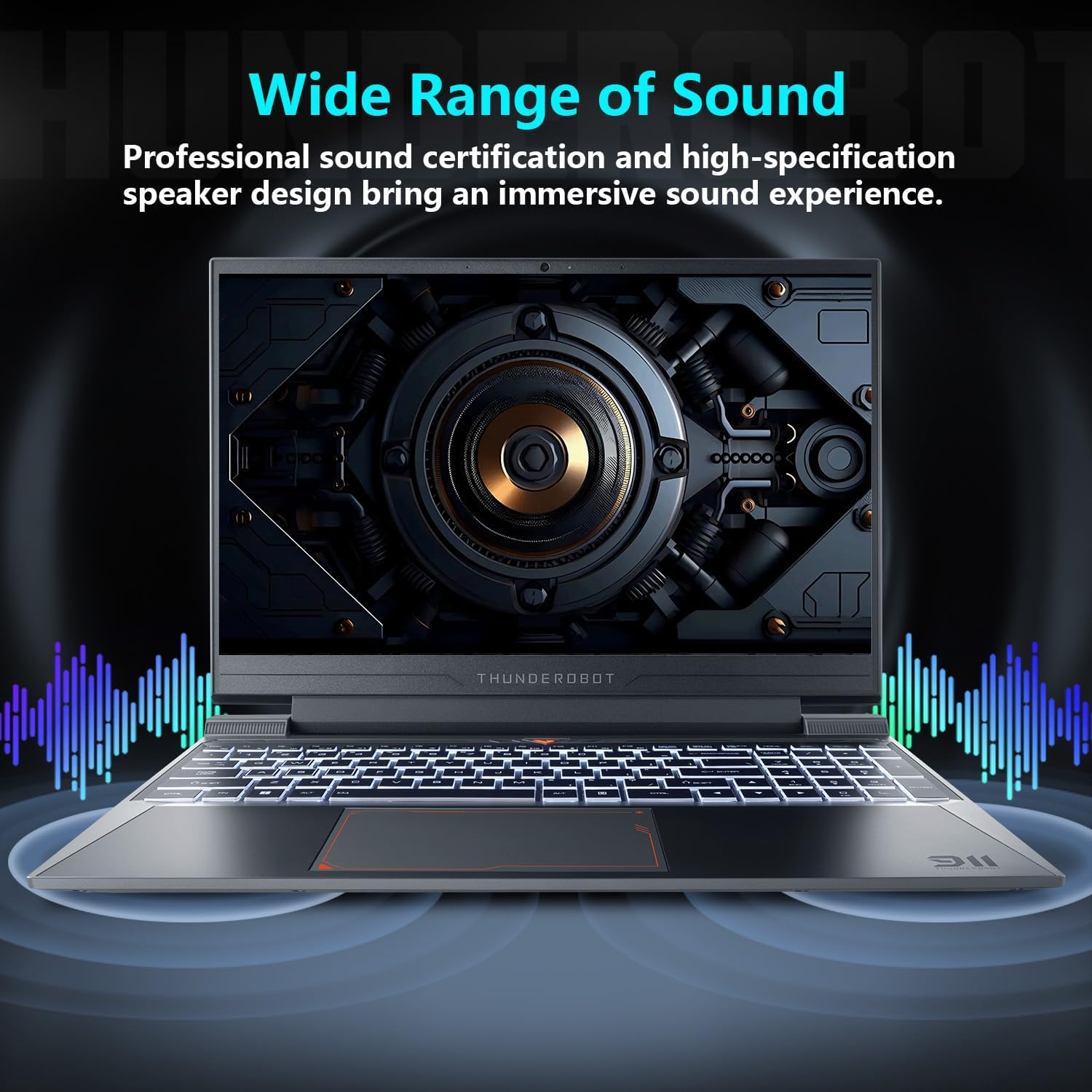
Image: Laptop displaying sound waves, illustrating its wide range of sound capabilities.
3.4 Soğutma Sistemi
The Advanced Frost Cooling System features multi-heat-pipe design (10mm/8mm composite pipes), a high-pressure turbine fan with 80 ultra-thin LCP blades, and 126 dense copper fins (28,000mm²) to ensure efficient heat dissipation. This design keeps critical components cool during intensive use.
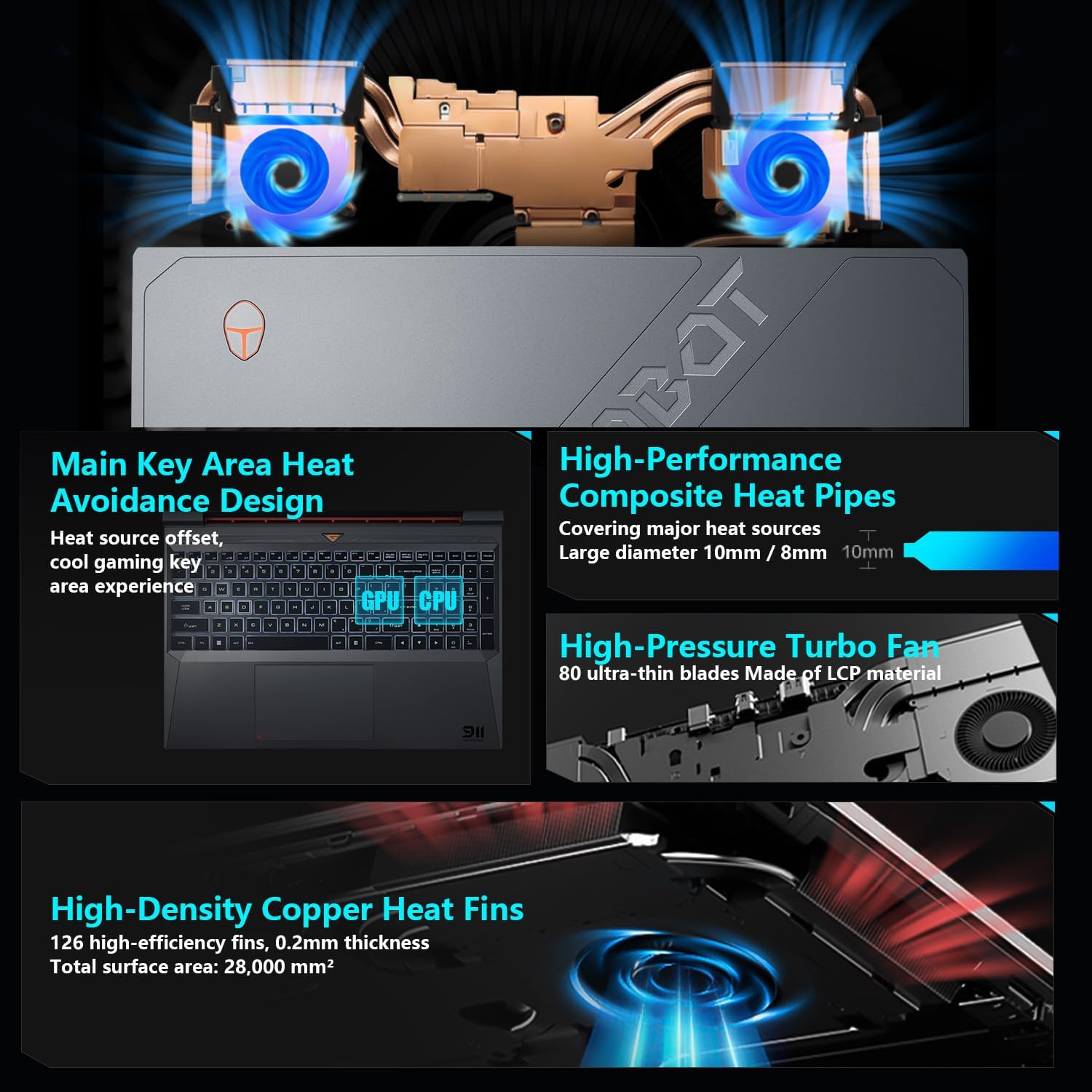
Image: Diagram showing the internal cooling system with heat pipes, fans, and copper fins.
3.5 Control Center Software
The Control Center software allows you to adjust and switch between various performance modes (e.g., Berserk mode, Game mode, Audio and Video Office mode) and customize fan speed and lighting settings. Access it by typing "Control Center" in the Windows search bar or using designated function keys.

Image: Screenshots of the Control Center software interface, showing options for performance modes, fan adjustment, and lighting controls.
4. Bakım
4.1 Temizlik
- Ekran: Yumuşak, tüy bırakmayan bir bez kullanınampSu veya ekran temizleyici ile temizleyin. Sert kimyasallardan kaçının.
- Klavye ve Şasi: Use a soft cloth to wipe surfaces. Compressed air can be used to clear dust from between keys and vents.
- Havalandırmalar: Regularly check and clean the cooling vents to prevent dust buildup, which can hinder airflow and performance.
4.2 Yazılım Güncellemeleri
Keep your operating system and drivers updated to ensure optimal performance and security. Windows Update will handle OS updates, and you can check the Thunderobot support website for the latest driver versions for your specific model.
5. Sorun Giderme
5.1 Ortak Sorunlar
- Dizüstü bilgisayar açılmıyor: Ensure the AC adapter is securely connected to both the laptop and a working power outlet. Check if the power button is functioning correctly.
- Aşırı Isınma: Ensure cooling vents are not blocked. Use the Control Center to adjust fan speeds. Consider using the laptop on a hard, flat surface to improve airflow.
- Görüntüleme sorunları: If the screen is blank, try connecting an external monitor to check if the issue is with the laptop's display or the graphics output. Update graphics drivers.
- Yavaş performans: Check for background applications consuming resources. Ensure sufficient free storage space. Run a malware scan.
- Çevresel bölge tespit edilmedi: Ensure the peripheral is correctly plugged into the appropriate port. Try a different port or restart the laptop. Update relevant drivers.
5.2 Destek Ekibiyle İletişime Geçin
If you encounter issues that cannot be resolved using this guide, please refer to the Thunderobot official support channels for assistance.
6. Özellikler
| Özellik | Detay |
|---|---|
| Ayakta ekran boyutu | 15.6 inç |
| Ekran Çözünürlüğü | 1920 x 1080 piksel |
| Maksimum Ekran Çözünürlüğü | 1920x1080 Piksel |
| İşlemci | Intel Core i7-13620H (4.9 GHz max turbo) |
| Veri deposu | 32 GB DDR4 (3200 MHz) |
| Sabit Sürücü | 1 TB SSD (PCIE x 4) |
| Grafik Eş İşlemcisi | NVIDIA GeForce RTX 4050 Dizüstü Bilgisayar GPU'su |
| Kablosuz Tip | 802.11ax, Bluetooth |
| USB 3.0 Port Sayısı | 3 |
| İşletim Sistemi | Windows 11 Ev |
| Ürün Ağırlığı | 12 pound |
| Ürün Boyutları | 14.12 x 10.14 x 0.94 inç |
| Renk | Siyah |
| Özel Özellik | Arkadan Aydınlatmalı Klavye, Sayısal Tuş Takımı |

Image: Performance benchmarks comparing the RTX 4050 and Intel Core i7-13620H against previous generations.
7. Garanti ve Destek
Her Thunderobot dizüstü bilgisayar şunları içerir: 12 ay garantiUzman desteği, kapsamlı teşhis ve gerekirse onarım için orijinal yedek parçalar sunuyoruz. Ayrıca, 90 günlük garanti Garanti kapsamındaki tüm yedek parçalarda ücretsiz teslimat sağlanarak, sorunsuz onarımlar garanti altına alınır. Tam memnuniyetiniz bizim taahhüdümüzdür.
For further support, please visit the official Thunderobot websitesine gidin veya müşteri hizmetleriyle iletişime geçin.
Video: Bir fazlaview of the Thunderobot Storm 15 Laptop, showcasinÖzellikleri ve tasarımı.


