1. Giriş
Thank you for choosing the DOOGEE BoneBeat Swim Lite Bone Conduction Headphones. These headphones are designed for active lifestyles, offering IP68 waterproofing, dual Bluetooth 5.4 and 32GB MP3 modes, and an open-ear design for comfort and situational awareness during various sports activities, including swimming, running, and fitness.
2. Paket İçeriği
Aşağıda listelenen tüm öğelerin paketinizde mevcut olduğundan emin olun:
- 1 x DOOGEE BoneBeat Swim Lite Headphones
- 1 x Manyetik Şarj Kablosu
- 1 x Adjustable Elastic Strap
- 1 x Pair of Silicone Swimming Earplugs
- 1 x Pair of Foam Swimming Earplugs
- 1 x Saklama Çantası
- 1 x Kullanım Kılavuzu
- 1 x Hizmet Kartı
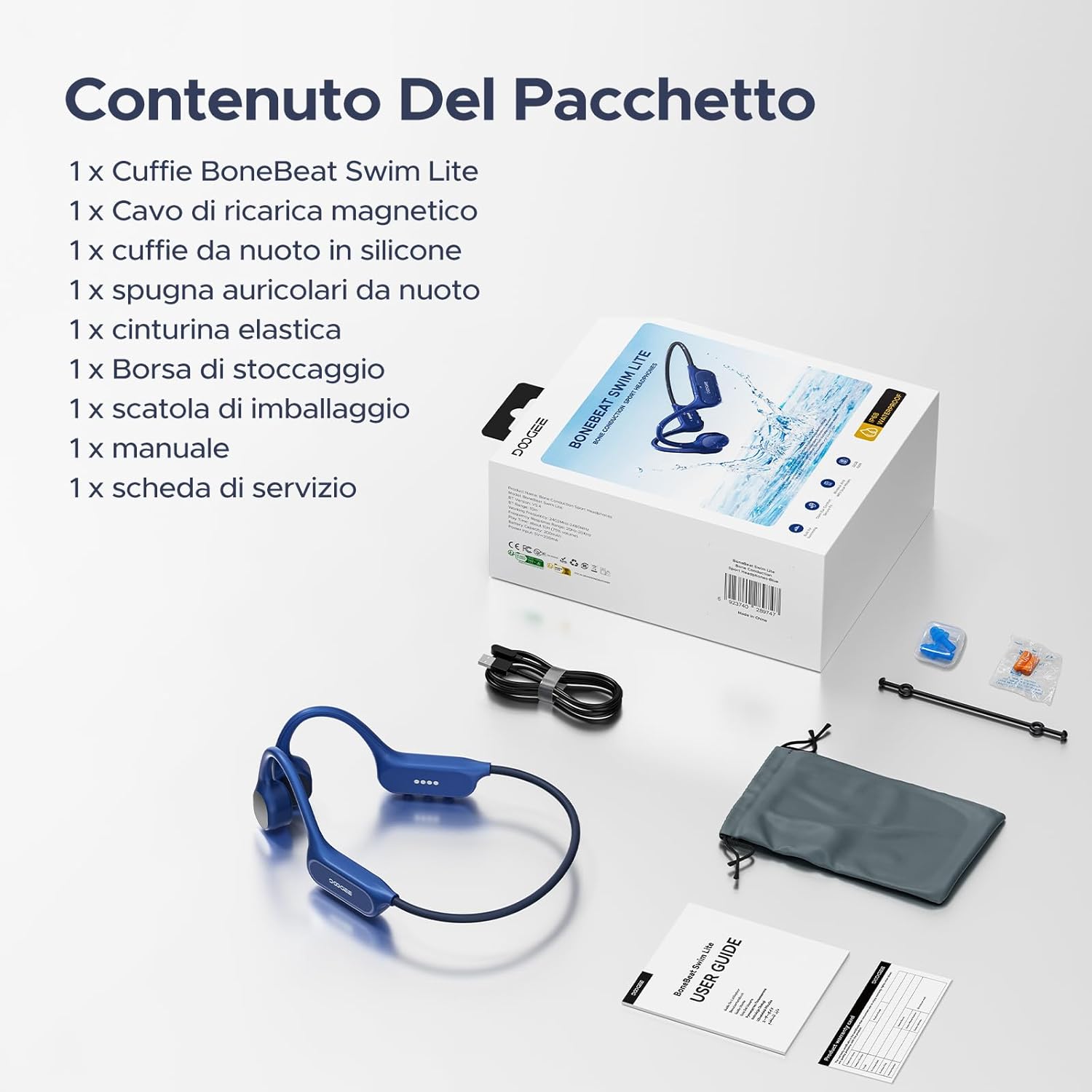
Image: Package contents of the DOOGEE BoneBeat Swim Lite headphones.
3. Kurulum
3.1 Kulaklıkların Şarj Edilmesi
Before first use, fully charge your headphones. Connect the magnetic charging cable to the charging port on the headphones and plug the USB end into a compatible power source (e.g., computer USB port or USB wall adapter). The LED indicator will show charging status. A 10-minute charge provides approximately 2 hours of playback.
3.2 Bluetooth Eşleştirme
- Power on the headphones by pressing and holding the Multi-Function Button (MFB) until the LED indicator flashes.
- Cihazınızda (akıllı telefon, tablet, dizüstü bilgisayar) Bluetooth'u etkinleştirin ve kullanılabilir cihazları arayın.
- Select "DOOGEE BoneBeat Swim Lite" from the list to pair. The LED indicator will show a solid light when successfully connected.
3.3 MP3 Mode and File Aktarım
The headphones feature 32GB of internal storage for MP3 playback, allowing you to store approximately 8,000 standard-quality songs. To transfer music:
- Connect the headphones to your computer using the magnetic charging cable.
- The headphones will appear as a removable disk drive.
- MP3 ses dosyanızı sürükleyip bırakın. fileKulaklıkların saklama klasörüne kaydedin.
- Kabloyu çıkarmadan önce cihazı bilgisayarınızdan güvenli bir şekilde çıkarın.
Note: For underwater use, switch to MP3 mode as Bluetooth signals do not transmit effectively through water.
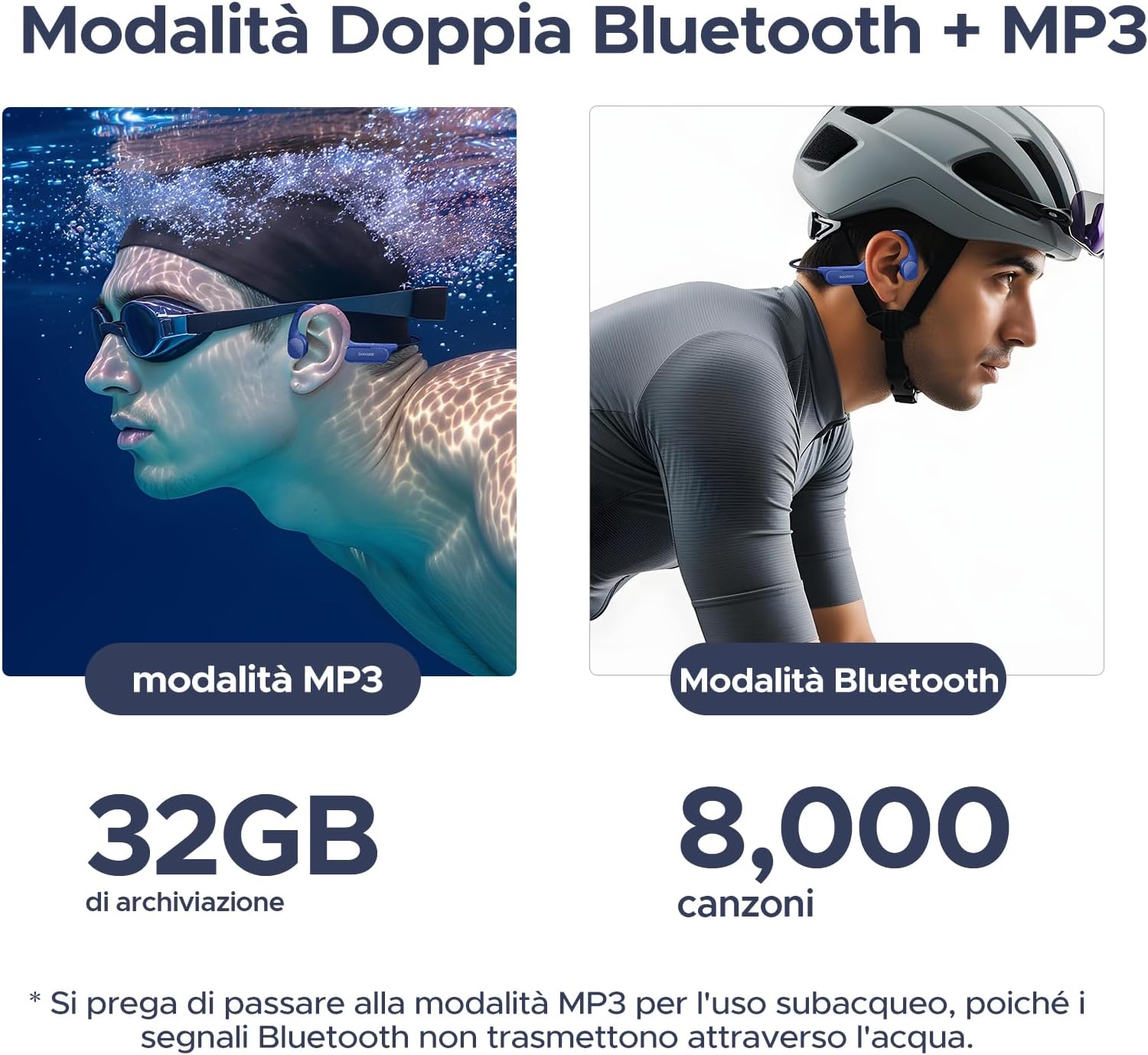
Image: Dual mode functionality for MP3 (swimming) and Bluetooth (cycling).
4. Kullanım Talimatları
4.1 Güç Açma/Kapatma
- Güç Açık: MFB’yi 3 saniye basılı tutun.
- Kapat: MFB’yi 5 saniye basılı tutun.
4.2 Müzik Oynatma
- Oynat/Duraklat: MFB’ye bir kez basın.
- Sonraki Parça: Ses açma (+) düğmesine 2 saniye boyunca basılı tutun.
- Önceki parça: Ses açma (-) düğmesine 2 saniye boyunca basılı tutun.
- Sesi aç: Ses + düğmesine basın.
- Sesi kıs: Ses kısma düğmesine (-) basın.
4.3 Çağrı Yönetimi
- Cevap Çağrısı: MFB’ye bir kez basın.
- Çağrı Sonu: Görüşme sırasında MFB düğmesine bir kez basın.
- Çağrıyı Reddet: MFB’yi 2 saniye basılı tutun.
4.4 Switching Modes (Bluetooth/MP3)
To switch between Bluetooth and MP3 modes, double-press the MFB. A voice prompt will indicate the current mode.

Image: Optimized physical buttons for easy control during sports.
5. Temel Özellikler
- IP68 Su Geçirmezlik Derecesi: Designed for immersion, allowing use in swimming pools, rain, or showers.
- Secure & Stable Fit: Lightweight (25g) and made from flexible titanium alloy, with an ergonomic design and adjustable strap for a secure fit during intense activities.
- Dual Mode (Bluetooth 5.4 & 32GB MP3): Offers stable, low-latency Bluetooth connectivity and 32GB internal storage for smartphone-free music playback. Supports multipoint connection.
- 10 Saatlik Pil Ömrü: Provides up to 10 hours of playback in Bluetooth mode and 6 hours in MP3 mode. Quick charge feature offers 2 hours of music from a 10-minute charge.
- Excellent Audio Quality: Advanced bone conduction technology delivers powerful bass and clear treble. Features a noise-canceling microphone for clear calls.
- Açık Kulak Tasarımı: Ensures situational awareness by keeping your ears open to ambient sounds, enhancing safety during outdoor activities.

Image: DOOGEE BoneBeat Swim Lite headphones in use during swimming, highlighting IP68 waterproofing.
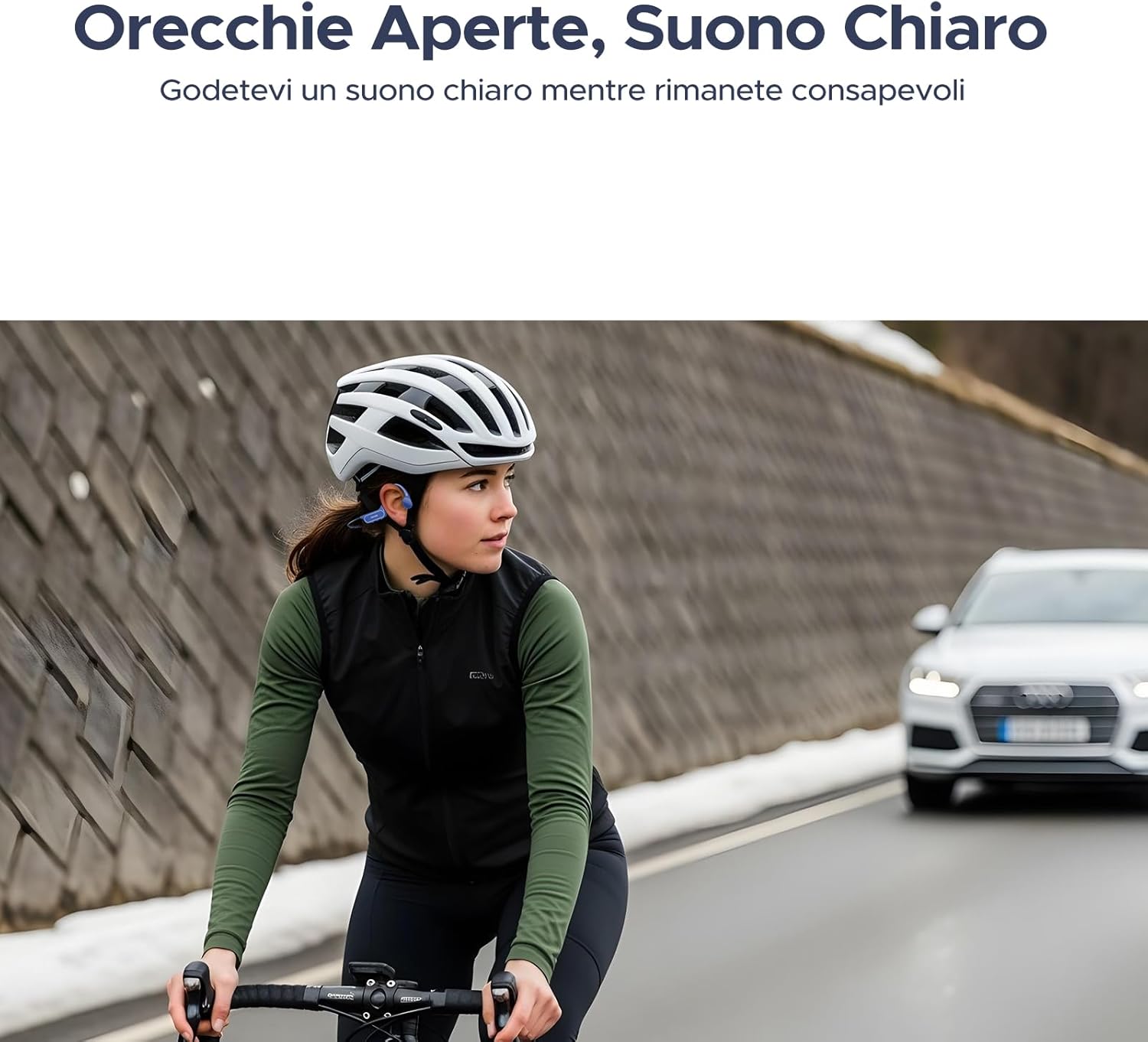
Image: Cyclist wearing DOOGEE BoneBeat Swim Lite headphones, showcasing the open-ear design for safety.

Image: Battery life details for Bluetooth and MP3 modes.

Image: Illustration of advanced bone conduction technology for clear and vibrant sound.
6. Bakım
- Temizlik: Kulaklıkları yumuşak bir bezle silin.amp cloth after each use, especially after swimming or heavy sweating. Do not use abrasive cleaners.
- Kurutma: Hasar oluşmasını önlemek için şarj işlemine başlamadan önce şarj portunun tamamen kuru olduğundan emin olun.
- Depolamak: Store the headphones in the provided storage bag in a cool, dry place away from direct sunlight and extreme temperatures.
- Suya Maruz Kalma: While IP68 rated, it is recommended to rinse the headphones with fresh water immediately after contact with saltwater or chlorinated water to prevent corrosion. Do not wear headphones in hot baths or saunas.
7. Sorun Giderme
- Güç Yok: Kulaklığın tam şarjlı olduğundan emin olun.
- Bluetooth Eşleştirilemiyor: Make sure the headphones are in Bluetooth pairing mode and within range of your device. Try restarting both devices.
- Ses Yok: Check the volume levels on both the headphones and your connected device. Ensure the correct mode (Bluetooth or MP3) is selected.
- Poor Sound Quality in Water: Switch to MP3 mode for optimal sound quality underwater, as Bluetooth signals are significantly weakened by water. Using the provided earplugs can also enhance sound perception while swimming.
- Music Transfer Issues: Ensure the headphones are properly connected to the computer and recognized as a storage device. Check that the audio fileDosyalar uyumlu bir formatta (örneğin, MP3) olmalıdır.
8. Özellikler
| Marka | DOOGEE |
| Örnek | BONEBEATSWIMLITE |
| Malzeme | ABS + Titanium Alloy |
| Ağırlık | 25 Gram |
| Su Direnç Seviyesi | IP68 (Su geçirmez) |
| Bluetooth Sürümü | 5.4 |
| Dahili Depolama | 32GB (approx. 8,000 songs) |
| Pil Ömrü (Bluetooth) | 10 Saate Kadar |
| Battery Life (MP3) | 6 Saate Kadar |
| Şarj Süresi | 10 minutes for 2 hours playback (quick charge) |
| Kontrol Türü | Medya Kontrolü, Uzaktan |
| Uyumlu Cihazlar | Bluetooth-enabled devices (mobile phones, tablets, laptops) |
| Ek Özellikler | Built-in Microphone, Wireless |
9. Garanti ve Destek
DOOGEE products come with a standard manufacturer's warranty. Please refer to the included Service Card for specific warranty terms and conditions. For technical support, troubleshooting assistance, or warranty claims, please contact DOOGEE customer service through their official website veya ürün ambalajınızda yer alan iletişim bilgileri.
Garanti kapsamında satın alma belgenizi satın alma belgeniz olarak saklayın.