1. Giriş
Welcome to the OnePlus 15 user manual. This guide provides essential information for setting up, operating, maintaining, and troubleshooting your new smartphone. The OnePlus 15 is designed for high performance and extended battery life, featuring a Snapdragon 8 Elite Gen 5 processor, a 7300mAh battery, and a triple 50 MP camera system. Please read this manual thoroughly to ensure optimal use of your device.
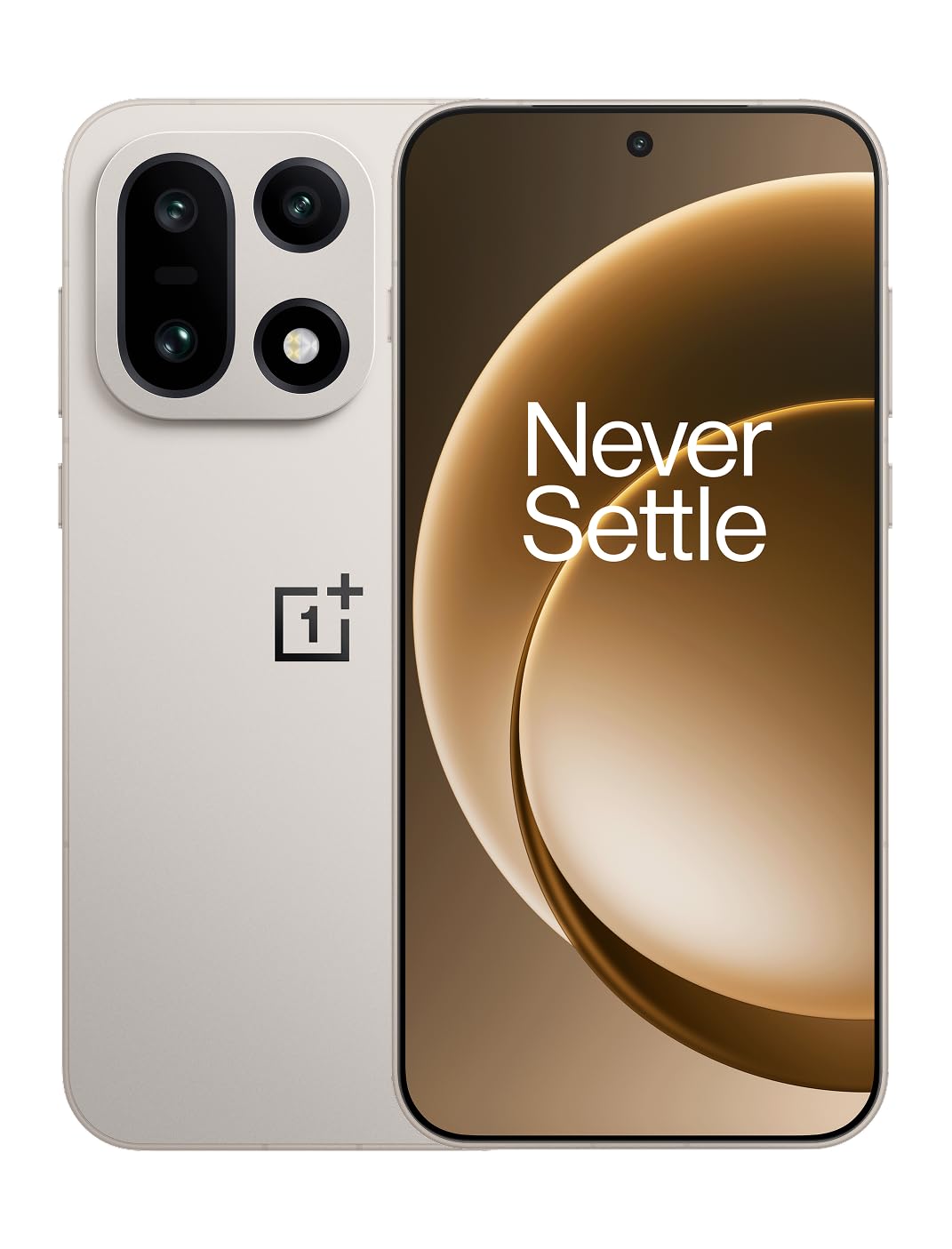
Şekil 1: Ön view of the OnePlus 15 smartphone.
2. Kutuda Neler Var?
Ürün ambalajınızda tüm öğelerin mevcut olduğundan emin olun:
- OnePlus 15 Smartphone (x1)
- Şarj cihazı (x1)
- USB Veri Kablosu (x1)
- SIM Ejector Tool (x1)
- Hızlı Kılavuz (x1)
- Safety Guide (x1)

Figure 2: Included items in the OnePlus 15 package.
3. Kurulum
3.1. SIM Kart Kurulumu
The OnePlus 15 supports Dual-SIM functionality. To install your SIM card(s):
- Cihazın yan tarafında bulunan SIM kart tepsisini bulun.
- SIM kart çıkarma aracını tepsinin yanındaki küçük deliğe yerleştirin ve tepsi dışarı çıkana kadar sıkıca bastırın.
- Nano-SIM kartlarınızı altın renkli kontaklar aşağı bakacak şekilde tepsiye yerleştirin. Doğru şekilde takıldıklarından emin olun.
- SIM kart tepsisini dikkatlice telefona yeniden takın.

Şekil 3: Yan view of the OnePlus 15, highlighting the SIM card tray.
3.2. İlk Güç Açma ve Kurulum
Cihazınızı ilk kez açmak için:
- OnePlus logosu görünene kadar Güç düğmesine (sağ tarafta bulunur) basılı tutun.
- Ekranda beliren yönergeleri izleyerek dil seçimi, Wi-Fi bağlantısı, Google hesabı oturum açma ve güvenlik ayarları da dahil olmak üzere ilk kurulumu tamamlayın.
3.3. Pilin Şarj Edilmesi
The OnePlus 15 is equipped with a 7300mAh battery. To charge your device:
- Kablolu Şarj: Connect the provided USB Data Cable to the Type-C port on the bottom of the phone and the other end to the charger. Plug the charger into a power outlet.
- Kablosuz Şarj: Place the phone on a compatible wireless charging pad. Ensure the phone is centered on the pad for efficient charging.
A full charge provides approximately 68.7 hours of talk time.

Figure 4: Illustration of the 7300mAh battery capacity.
4. Cihazınızın Çalıştırılması
4.1. Ekran
The OnePlus 15 features a 6.78-inch AMOLED display with a 2772x1272 resolution and a 165 Hz refresh rate. This provides smooth visuals and vibrant colors. Adjust display settings such as brightness, color mode, and refresh rate in the device settings menu.
4.2. Performans
Powered by the Snapdragon 8 Elite Gen 5 processor and 16GB of RAM, the OnePlus 15 delivers fast and efficient performance for multitasking, gaming, and demanding applications. The Tri-Chip System, combining the Snapdragon 8 Elite Gen 5 with a dedicated Wi-Fi chip and CPU scheduler, optimizes for speed, connectivity, and power efficiency.
Video 1: Bittiview of the OnePlus 15's performance capabilities and user experience.
4.3. Kamera Sistemi
The device is equipped with a Triple 50 MP camera system, offering wide, ultra-wide, and telephoto lenses for versatile photography. The DetailMax Engine enhances photo quality in various lighting conditions, including day, night, and motion shots. Both front and rear cameras are available for capturing images and videos.

Şekil 5: Arka view OnePlus 15'nin özelliklerini sergiliyor.asing the triple camera system.

Figure 6: DetailMax Engine for stunning photos.
4.4. Bağlantı
The OnePlus 15 supports a range of connectivity options:
- Kablosuz: Wi-Fi, Bluetooth, NFC, Infrared.
- Kablolu: USB Tip-C.
- Navigasyon: Dual-band GPS (L1+L5) and Galileo (E1+E5a).
- SIM: Dual SIM support for managing multiple networks.
4.5. İşletim Sistemi
The device runs on Android 16 with OxygenOS 16, providing a fast and smooth user experience. Regular software updates will be provided to enhance features and security.
5. Bakım
5.1. Dayanıklılık ve Koruma
The OnePlus 15 is built with IP66/IP68/IP69 and IP19K ratings, offering resistance against dust and water. While designed to be durable, avoid exposing the device to extreme conditions or prolonged submersion in water.

Figure 7: OnePlus 15 demonstrating water resistance.
5.2. Cihazınızı Temizleme
Use a soft, lint-free cloth to clean the screen and body of your phone. Avoid using abrasive materials or harsh chemicals, which can damage the display or finish.
5.3. Yazılım Güncellemeleri
Periodically check for software updates in the device settings. Keeping your software up-to-date ensures you have the latest features, security patches, and performance improvements.
6. Sorun Giderme
This section addresses common issues you might encounter with your OnePlus 15.
6.1. Cihaz Açılmıyor
- Pilinin dolu olduğundan emin olun. Telefonu şarj cihazına bağlayın ve tekrar açmayı denemeden önce birkaç dakika bekleyin.
- Yeniden başlatmayı zorlamak için Güç düğmesini en az 10-15 saniye basılı tutun.
6.2. Zayıf Ağ Bağlantısı
- SIM kartınızın doğru takılıp takılmadığını kontrol edin.
- Verify that airplane mode is not enabled.
- Cihazı yeniden başlatın.
- If issues persist, contact your network provider.
6.3. Uygulamaların Çökmesi veya Donması
- Uygulamayı kapatıp yeniden açın.
- Clear the app's cache and data in device settings.
- Uygulamanın en son sürüme güncellendiğinden emin olun.
- If the issue is widespread, consider restarting the phone.
6.4. Pilin Hızlı Bitmesi
- Ekran parlaklığını ve ekran zaman aşımı süresini azaltın.
- Gerek duyulmadığında Wi-Fi, Bluetooth veya GPS gibi kullanılmayan özellikleri devre dışı bırakın.
- Arka planda çalışan ve çok fazla enerji tüketen uygulamaları belirleyin ve kapatın.
- Check for recent software updates, as they often include battery optimizations.
7. Özellikler
Detailed technical specifications for the OnePlus 15 (Model: CPH2749).
| Özellik | Detay |
|---|---|
| Model Adı | OnePlus 15 |
| Ürün Model Numarası | CPH2749 |
| Ürün Boyutları | 6.36 x 3.02 x 0.32 inç |
| Ürün Ağırlığı | 1.28 pound |
| İşletim Sistemi | Android 16 |
| CPU Modeli | Snapdragon 8 Elite Gen 5 |
| CPU Hızı | 4.61 GHz |
| Kurulu RAM Bellek Boyutu | 16 GB |
| Bellek Depolama Kapasitesi | 512 GB |
| Ayakta Ekran Görüntüleme Boyutu | 6.78 inç |
| Çözünürlük | 2772*1272 |
| Yenileme Hızı | 165 Hz |
| Pil Kapasitesi | 7300 Miliamp Saat (7300mAh) |
| Telefon Konuşma Süresi | 68.7 Saat |
| Bağlantı Teknolojileri | Infrared, NFC, USB, Wi-Fi, Bluetooth |
| Küresel Konumlama Sistemi | Dual band: GPS(L1+L5) Galileo(E1+E5a) |
| Özel Özellikler | Dual SIM, Wireless Charging |
| Ses Jakı | Type-C headphones: supported Type-C digital headphones & Type-C analog headphones |
| Diğer Kamera Özellikleri | Front, Rear (Triple 50 MP Camera System) |
| IP Derecelendirmesi | IP66/IP68/IP69 and IP19K rated |
| Renk | Sand Storm |
8. Garanti Bilgileri
Your OnePlus 15 device is covered by a limited manufacturer's warranty. Please refer to the included Safety Guide or visit the official OnePlus website for detailed warranty terms and conditions, including coverage duration and service procedures. Keep your proof of purchase for warranty claims.
9. Destek
For further assistance, technical support, or to access additional resources, please visit the official OnePlus support website or contact customer service. You can find contact details and FAQs on the OnePlus webalan.
Çevrimiçi Kaynaklar: www.oneplus.com/support


