giriiş
Bu kılavuz, EMEET C60E 4K cihazınızın kurulumu, çalıştırılması ve bakımı için ayrıntılı talimatlar içermektedir. Webcam and EMEET HS50 Wired Headset. Please read this manual thoroughly before using the devices to ensure optimal performance and longevity.
Ürün Bittiview
EMEET C60E 4K Webkam
The EMEET C60E is a high-performance 4K webcam designed for clear video communication. It features advanced imaging and audio capabilities for professional and personal use.
- 4K Ultra HD Çözünürlük: Delivers crisp 3840x2160 video at 30 frames per second.
- PDAF Autofocus: Ensures sharp focus even with movement.
- Otomatik Işık Düzeltme: Adjusts to various lighting conditions for optimal image quality.
- Dual Noise-Cancelling Microphones: Captures clear audio up to 8 feet, reducing background noise.
- 73° Alanı View (Görüş açısı): Provides a balanced perspective for individual or small group use.
- USB Plug & Play: No drivers required for installation.
- Gizlilik Kapağı: Integrated cover for enhanced privacy when not in use.

Image: The EMEET C60E 4K Webcam provides superior image quality, as shown by the clear 4K resolution compared to a blurred standard image.
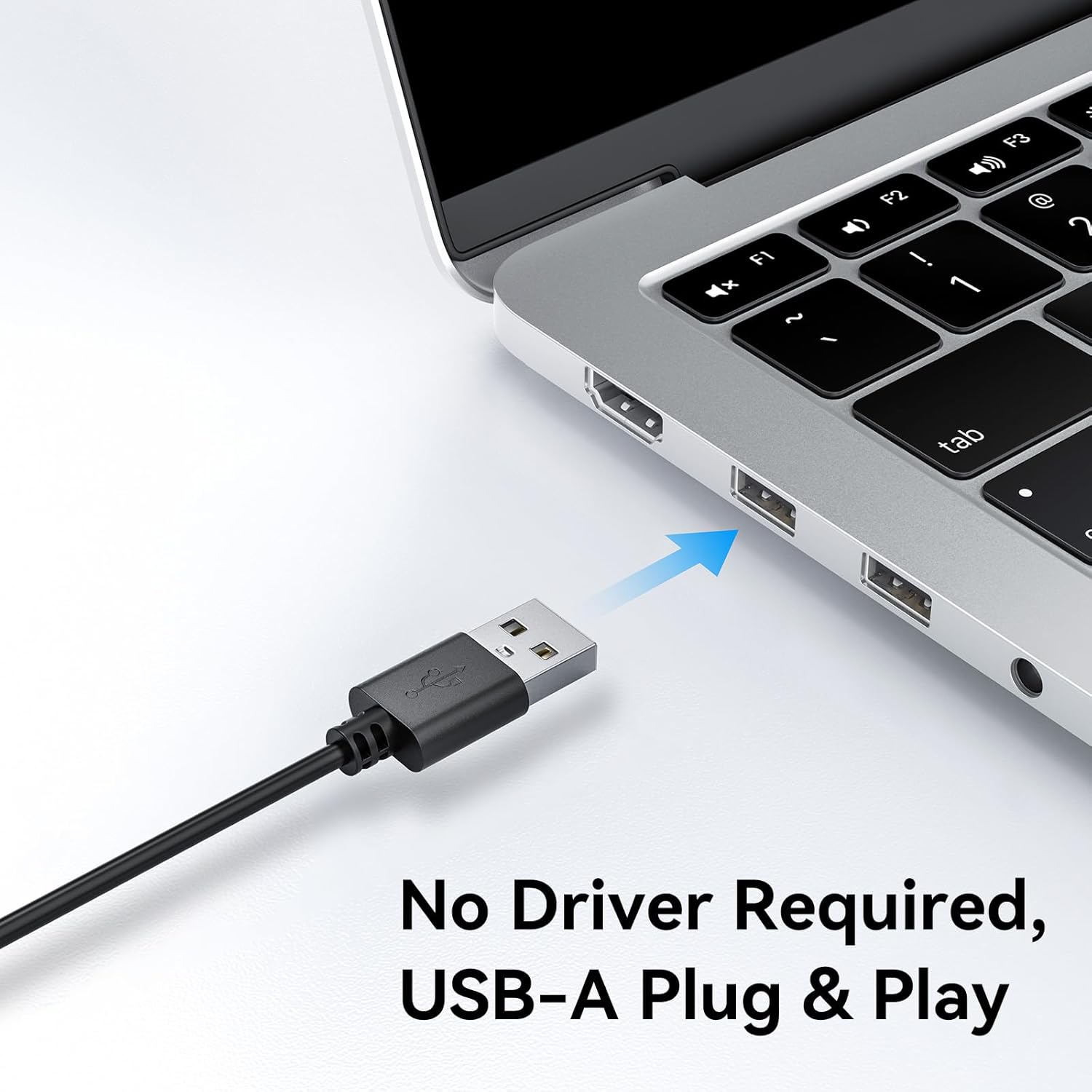
Image: A user on a video call demonstrating the effectiveness of the dual noise-cancelling microphones on the EMEET C60E webcam, showing a waveform before and after noise cancellation.
EMEET HS50 Wired Headset
The EMEET HS50 is a comfortable and versatile wired headset designed for extended use in various communication environments.
- Hafif Tasarım: Weighs approximately 0.27 lb for all-day comfort.
- Adjustable Headband and Earpads: Customizable fit for various head sizes with 10° earpad adjustment.
- 270° Flexible Microphone: Allows for precise positioning and can be rotated out of the way.
- Hat İçi Kontroller: Easy access to volume adjustment, microphone mute, and speaker mute.
- USB Bağlantısı: Simple plug-and-play connection.

Image: The EMEET HS50 Wired Headset, highlighting its lightweight and comfortable design with feather illustrations.

Resim: Ayrıntılı view of the EMEET HS50 headset's adjustable headband and the 10-degree swivel capability of its earpads for a customized fit.

Image: The EMEET HS50 headset's microphone demonstrating its 270-degree flexible rotation for optimal positioning.
Kurulum Kılavuzu
EMEET C60E 4K Webkamera Kurulumu
- Bağlan Webkam: Plug the USB-A cable from the EMEET C60E webkameranızı bilgisayarınızdaki kullanılabilir bir USB bağlantı noktasına bağlayın.
- Otomatik Kurulum: The webcam is plug-and-play. Your operating system (Windows, macOS) will automatically detect and install the necessary drivers. No manual driver installation is typically required.
- Konumlandır Webkam: Binmek webcam securely on top of your monitor or place it on a flat surface. Adjust the angle as needed.
- Bağlantıyı Doğrulayın: Open a video conferencing application (e.g., Zoom, Skype, Google Meet) or your computer's camera application to confirm the webKamera tanındı ve video görüntülüyor.
- Adjust Resolution (Optional): The default video resolution may be 1080P. To switch to 4K, use your built-in camera software or applications like PotPlayer/OBS.

Resim: EMEET C60E webcam's USB-A cable being connected to a laptop, illustrating its plug-and-play functionality.
EMEET HS50 Wired Headset Setup
- Kulaklığı Bağlayın: Plug the USB cable from the EMEET HS50 headset into an available USB port on your computer.
- Otomatik Kurulum: The headset is plug-and-play. Your operating system will automatically detect and configure the audio device.
- Konfor için Ayarlayın:
- Kafa bandını başınıza rahatça uyacak şekilde ayarlayın.
- Rotate the earpads up to 10° to ensure a snug fit over your ears.
- Mikrofonu konumlandırın: Rotate the flexible microphone boom to position the microphone near your mouth for optimal voice pickup. It can rotate 270° to be used on either side or moved out of the way when not needed.
- Ses ayarlarını doğrulayın: In your computer's sound settings or communication application, ensure the EMEET HS50 is selected as the input (microphone) and output (speaker) device.
Kullanım Talimatları
EMEET C60E 4K Webkamera çalışması
- Uygulamalarla Kullanımı: Select the EMEET C60E as your video and audio device within your preferred video conferencing software (e.g., Zoom, Microsoft Teams, Google Meet, Skype).
- EMEETLINK Software: Download and install the EMEETLINK software from the official EMEET website for advanced settings. This software allows you to:
- Adjust brightness, contrast, and saturation.
- Activate backlight compensation for improved visibility in challenging lighting.
- Bellenimi güncelleyin.
- Gizlilik Kapağı: Slide the integrated privacy cover over the lens when the webcam is not in use to ensure your privacy.
EMEET HS50 Wired Headset Operation
The HS50 headset features convenient in-line controls for managing your audio during calls or media playback.
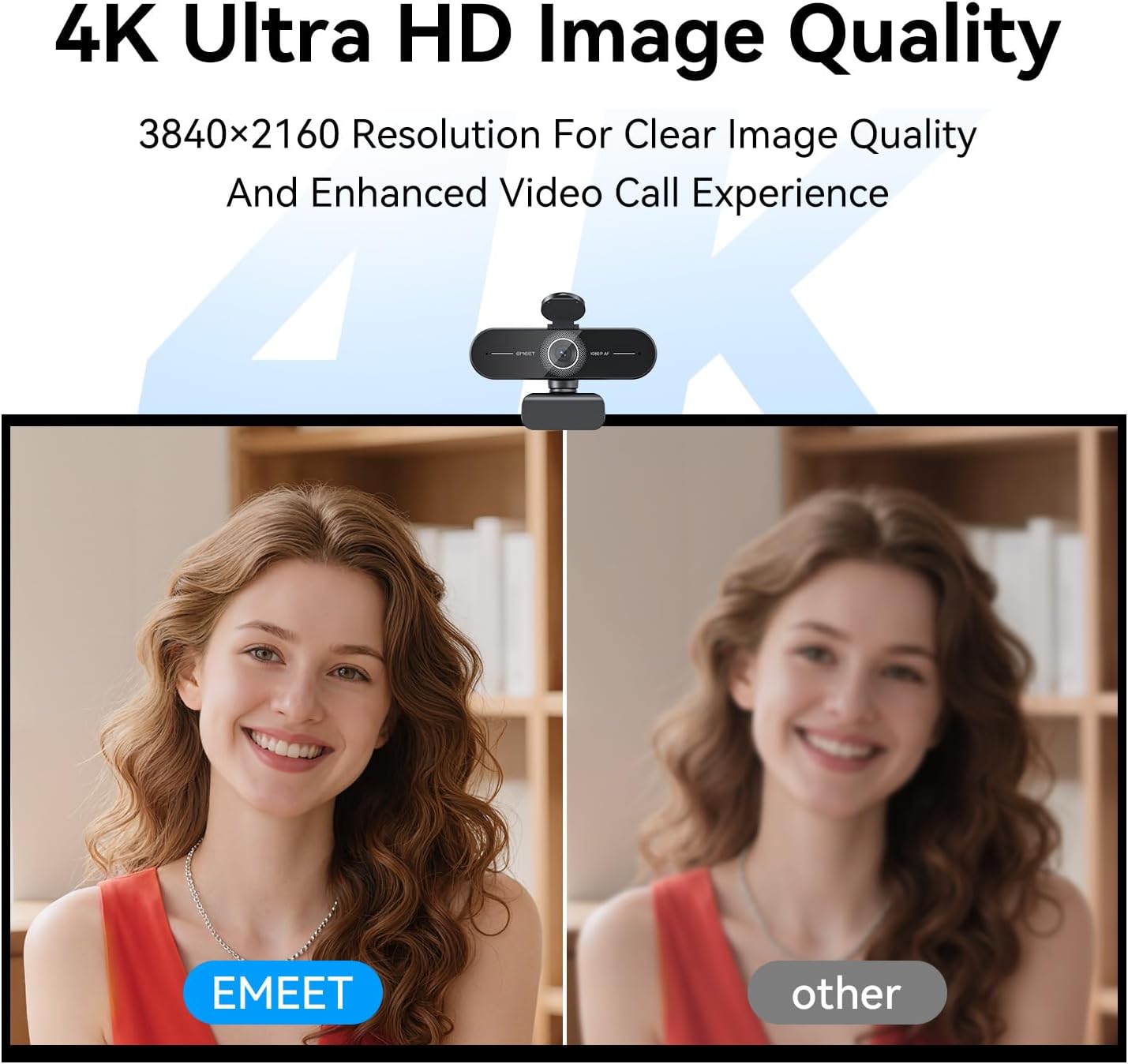
Image: Close-up of the EMEET HS50 headset's in-line control unit, showing buttons for microphone mute, volume up/down, and speaker on/off, along with LED indicators.
- Ses Kontrolü: Kullanın + Ve - buttons on the in-line control unit to adjust the speaker volume.
- Mikrofonun Sesini Kapatma: Basın mikrofon simgesi button to mute or unmute your microphone. An LED indicator will show the mute status.
- Speaker Mute/On-Off: Basın hoparlör simgesi button to turn the speaker audio on or off. An LED indicator will show the speaker status.
- Mikrofon Konumlandırması: Adjust the 270° flexible microphone boom to ensure the microphone is optimally positioned for your voice.
Bakım
- Temizlik: Use a soft, dry cloth to clean the exterior surfaces of both the webcam and headset. For the webcam lens, use a lens cleaning cloth.
- Sıvılardan Kaçının: Cihazların üzerine doğrudan sıvı temizleyiciler veya aerosoller kullanmayın.
- Depolamak: When not in use, store the devices in a clean, dry place away from extreme temperatures.
- Kablo Bakımı: Hasar görmesini önlemek için USB kablolarını keskin bükümlerden veya aşırı çekmeden kaçının.
Sorun giderme
Webcam Troubleshooting
- Webkamera Algılanamadı:
- USB kablosunun her iki tarafa da güvenli bir şekilde bağlı olduğundan emin olun. webKameranız ve bilgisayarınız.
- Fişini takmayı deneyin webfarklı bir USB bağlantı noktasına takın.
- Bilgisayarınızı yeniden başlatın.
- İşletim sisteminizin aygıt yöneticisini kontrol ederek sorunun çözülüp çözülmediğine bakın. webkamera listelenmiştir.
- No Video or Poor Video Quality:
- Gizlilik kapağının açık olduğundan emin olun.
- Check lighting conditions; ensure adequate front lighting.
- Doğru olduğunu doğrulayın webUygulamanızın ayarlarında kamera (cam) seçeneği işaretlidir.
- Use EMEETLINK software to adjust video settings like brightness and contrast.
- Ensure your computer meets the system requirements for 4K video streaming.
- No Audio from Webcam Microphones:
- Ensure the EMEET C60E is selected as the microphone input device in your computer's sound settings and your application.
- Check application-specific mute settings.
Headset Troubleshooting
- Headset Not Detected:
- Ensure the USB cable is securely connected to both the headset and your computer.
- Kulaklığı farklı bir USB bağlantı noktasına takmayı deneyin.
- Bilgisayarınızı yeniden başlatın.
- No Audio from Headset Speakers:
- Check the in-line control unit to ensure the speaker is not muted and volume is turned up.
- Verify that the EMEET HS50 is selected as the audio output device in your computer's sound settings and your application.
- Adjust the volume on your computer.
- Microphone Not Working on Headset:
- Check the in-line control unit to ensure the microphone is not muted.
- Verify that the EMEET HS50 is selected as the microphone input device in your computer's sound settings and your application.
- Mikrofon kolunun doğru konumlandırıldığından emin olun.
Özellikler
EMEET C60E 4K Webkam
| Çözünürlük | 4K Ultra HD (3840x2160) |
| Kare Hızı | 30 FPS |
| Sensör Tipi | CMOS |
| Odak Türü | PDAF Autofocus |
| Alanı View (Görüş açısı) | 73° |
| Mikrofonlar | Dual Noise-Cancelling Mics (up to 8 ft range) |
| Bağlantı | USB-A Plug & Play |
| Uyumluluk | Windows, macOS, Android TV, major conferencing platforms |
EMEET HS50 Wired Headset
| Ağırlık | Yaklaşık. 0.27 lb (122 gr) |
| Mikrofon | 270° Flexible Microphone |
| Kontroller | In-line: Volume +, Volume -, Mic Mute, Speaker Mute |
| Bağlantı | USB-A |
| Earpad Adjustment | 10° açı ayarı |
Garanti ve Destek
EMEET products are designed for reliability and performance. For detailed warranty information, please refer to the warranty card included with your product or visit the official EMEET website. If you encounter any issues or require technical assistance, please contact EMEET customer support through their official channels. You can typically find support contact information on the EMEET websitenizde veya ürün ambalajınızda.
Official EMEET Webalan: www.emeet.com


