giriiş
This manual provides detailed instructions for the setup, operation, and maintenance of your LIGE EF21-I Smartwatch. Please read this manual thoroughly before using the device to ensure proper function and to maximize its features.
Güvenlik Bilgileri
- Saati sökmeye veya üzerinde değişiklik yapmaya çalışmayın.
- Saatinizi aşırı sıcaklıklardan ve doğrudan güneş ışığından uzak tutun.
- Saati sert darbelere veya düşmelere maruz bırakmaktan kaçının.
- Do not use corrosive chemicals to clean the watch.
- This device is not a medical device. Health data is for reference only and should not be used for medical diagnosis or treatment.
- Şarj işlemine başlamadan önce şarj temas noktalarının temiz ve kuru olduğundan emin olun.
Paket İçeriği
Paketinizde tüm öğelerin mevcut olduğundan emin olun:
- LIGE EF21-I Smartwatch
- USB Manyetik Şarj Kablosu
- C Tipi Şarj Kablosu
- Kullanıcı Kılavuzu

Image: The package includes both a USB magnetic charging cable and a Type-C charging cable for versatile power options.
Kurulum Kılavuzu
1. İlk Şarj
Before first use, fully charge your smartwatch. Connect the magnetic charging cable to the charging contacts on the back of the watch and the USB end to a power adapter (not included) or a computer USB port. The watch display will show the charging status.

Image: The smartwatch connected to its magnetic charger, indicating its 800 mAh battery capacity.
2. Uygulama Kurulumu ve Eşleştirme
To unlock all features, download and install the "Fit CloudPro" app on your smartphone.
- Scan the QR code in the manual or on the watch (if available) or search for "Fit CloudPro" in your phone's app store (compatible with Android 8.0+ and iOS 12.0+).
- Uygulamayı açın ve bir hesap oluşturun veya giriş yapın.
- Akıllı telefonunuzda Bluetooth'un etkinleştirildiğinden emin olun.
- Uygulamada cihaz bölümüne gidin ve "Cihaz Ekle" veya benzeri bir seçeneği seçin.
- Select "EF21-I" from the list of available devices to pair.
- Eşleştirme işlemini tamamlamak için ekrandaki talimatları izleyin.
Eşleştirme işlemi tamamlandıktan sonra saatiniz telefonunuzla zamanı ve verileri senkronize edecektir.
Kullanım Talimatları
Temel Gezinme
- Dokunmatik Ekran: Menüler ve özellikler arasında gezinmek için sola/sağa, yukarı/aşağı kaydırın. Seçmek için dokunun.
- Yan Düğmeler: Typically, one button acts as a power/back button, while others may be customizable shortcuts. Refer to the on-screen prompts for specific functions.

Image: The 1.43-inch AMOLED display offers brilliant colors and a fluid, efficient user experience.
Bluetooth Çağrı İşlevi
The EF21-I Smartwatch supports Bluetooth calls, allowing you to make and receive calls directly from your wrist.
- Saatin Bluetooth aracılığıyla akıllı telefonunuza bağlı olduğundan emin olun.
- Access the "Call" or "Phone" function on your watch.
- You can use the dial pad, access your contacts, or view arama geçmişi.
- Advanced noise cancellation ensures clear audio during calls.
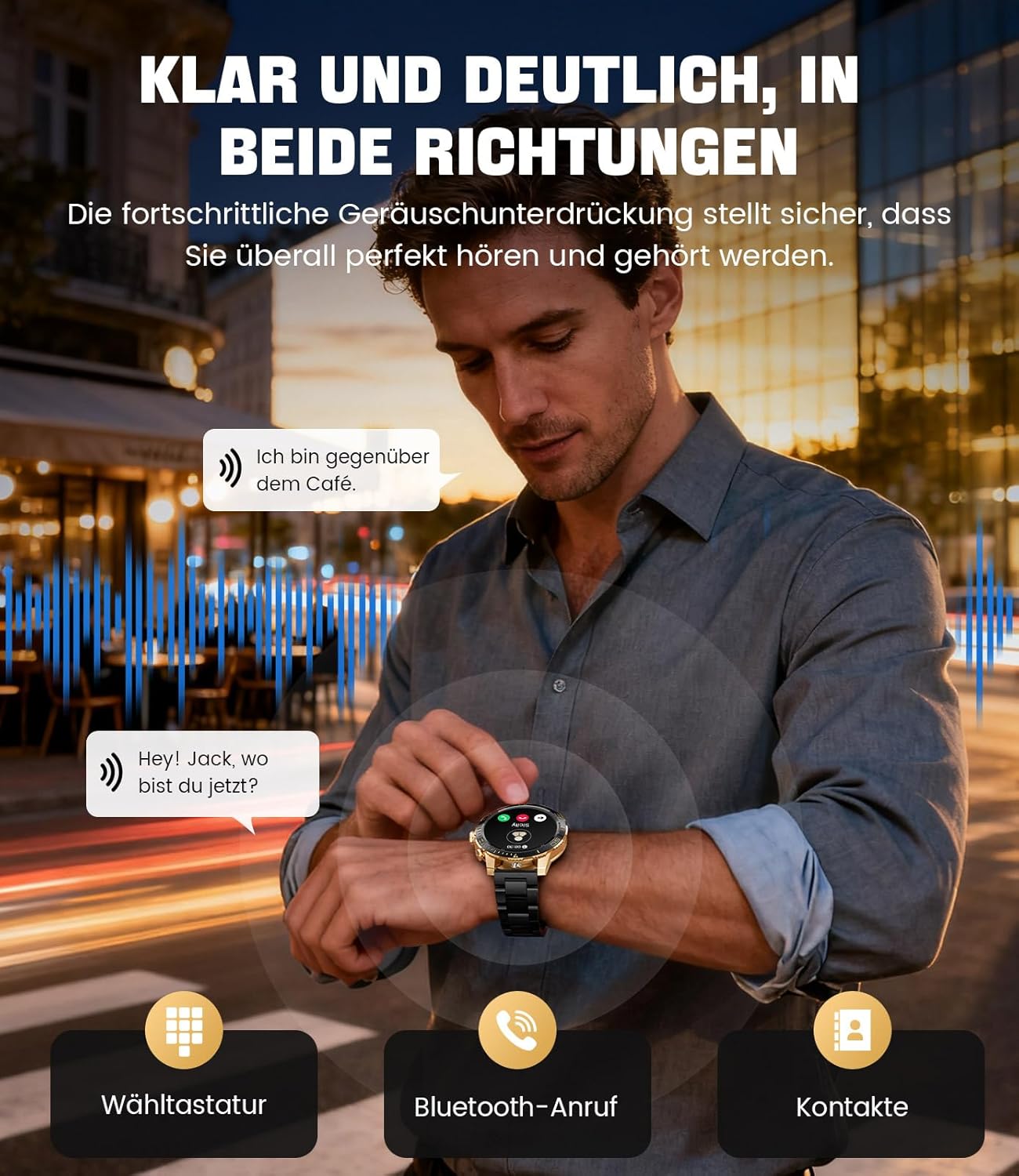
Image: The smartwatch allows clear two-way communication with advanced noise cancellation, featuring a dial pad, Bluetooth call option, and contacts access.
Bildirimler
Receive real-time notifications from your smartphone apps directly on your watch.
- Enable app notifications in the "Fit CloudPro" app settings.
- The watch will display incoming calls, SMS, and messages from social media apps (e.g., Facebook, Twitter, InstagRam, WhatsApp).
- A quick glance at your wrist allows you to stay informed discreetly.

Image: The smartwatch displays real-time notifications from various social media applications, keeping you informed discreetly.
Sağlık İzleme
The EF21-I Smartwatch acts as your 24/7 health guardian, providing continuous monitoring of key health metrics.
- Kalp Atış Hızı: Gün boyunca kalp atış hızınızı izler.
- Kan Oksijeni (SpO2): Kanınızdaki oksijen satürasyon seviyelerini ölçer.
- Uyku Takibi: Analyzes your sleep patterns, distinguishing between deep sleep, light sleep, and awake times.
- Stres İzleme: Stres seviyelerini takip eder.
- Hareketsiz Hatırlatmalar: Uzun süre hareketsiz kaldıktan sonra hareket etmeniz konusunda sizi uyarır.
View detailed health data and trends in the "Fit CloudPro" app.
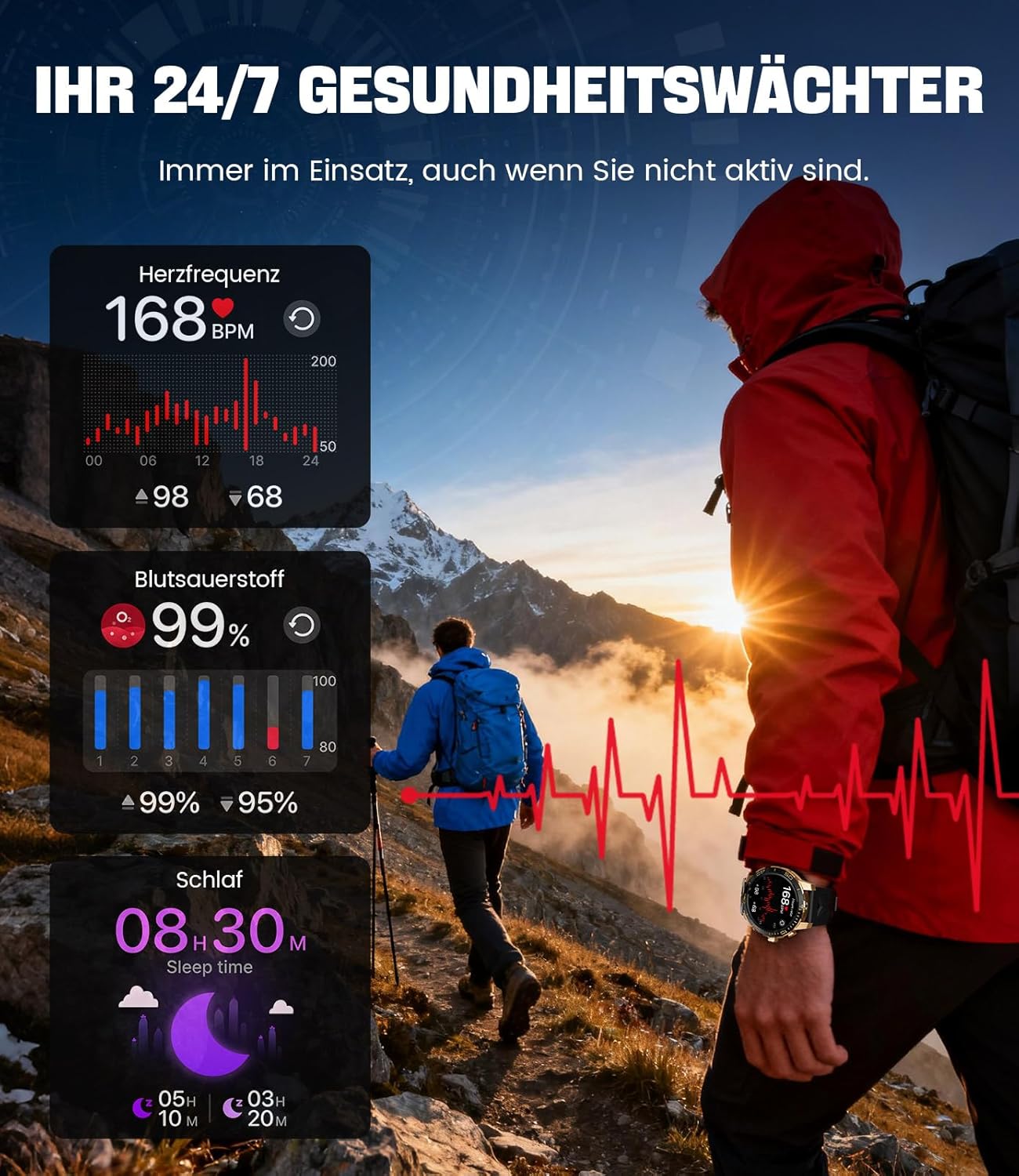
Image: The smartwatch functions as a 24/7 health guardian, monitoring heart rate, blood oxygen, and sleep patterns, even when you are not actively engaged in exercise.
Spor Modları
With over 200 sports modes, the watch helps you track your workouts and achieve your fitness goals.
- Saat menüsünden istediğiniz spor modunu seçin.
- The watch records data such as heart rate, calories burned, and steps taken.
- Automatic recognition for walking, running, and cycling is supported.
- Review your activity data in the "Fit CloudPro" app for performance analysis.

Image: The smartwatch supports over 200 training modes, tracking heart rate, calories, and steps for various activities.
Özelleştirilebilir Saat Yüzleri
Akıllı saatinizi çeşitli saat kadranlarıyla kişiselleştirin.
- The watch comes with several pre-installed classic watch faces.
- Access over 200 additional designs through the "Fit CloudPro" app.
- Ayrıca özel saat yüzleri oluşturmak için kendi fotoğraflarınızı da yükleyebilirsiniz.
Ek Özellikler
- Hava Durumu tahmini: Gerçek zamanlı hava durumu güncellemelerini alın.
- Çalar Saat: Alarmlarınızı doğrudan bileğinizden ayarlayın.
- Uzaktan Kamera Kontrolü: Use your watch to trigger your phone's camera.
- El feneri: Activate a flashlight function on your wrist.
- Phone Locator: Find your misplaced smartphone using the watch.

Image: The smartwatch features a wrist flashlight function, providing illumination for outdoor activities.
Bakım
Temizlik
- Saatinizin ekranını ve gövdesini yumuşak, tiftiksiz bir bezle silin.
- İnatçı lekeler için dampBezi hafifçe suyla nemlendirin.
- Avoid using harsh chemicals, abrasive materials, or ultrasonic cleaners.
- Şarj temas noktalarının temiz ve kalıntılardan arındırılmış olduğundan emin olun.
Suya Dayanıklılık (IP68)
The LIGE EF21-I Smartwatch is IP68 water-resistant, meaning it can withstand immersion in water up to 1.5 meters for up to 30 minutes. It is suitable for daily use, hand washing, and swimming.
- Saati sıcak suda, saunada veya buhar odasında kullanmayın.
- Su altında düğmelere basmaktan kaçının.
- After exposure to water, especially saltwater, dry the watch thoroughly.
Sorun giderme
İzle Açılmıyor
- Saatinizin tam şarjlı olduğundan emin olun. Saatinizi en az 30 dakika şarj cihazına takın.
- Güç düğmesini birkaç saniye basılı tutun.
Unable to Pair with App
- Akıllı telefonunuzda Bluetooth özelliğinin etkin olduğundan emin olun.
- Saatin yeterince şarj olduğundan emin olun.
- Hem akıllı telefonunuzu hem de akıllı saatinizi yeniden başlatın.
- Try unpairing and re-pairing the device through the "Fit CloudPro" app.
- Uygulamanın telefonunuzda gerekli izinlere sahip olup olmadığını kontrol edin.
Yanlış Sağlık Verileri
- Saatin bileğinize tam oturduğundan, çok gevşek veya çok sıkı olmadığından emin olun.
- Saatin arkasındaki sensörü temizleyin.
- Ölçüm sırasında aşırı hareketlerden kaçınınız.
- Remember that health data is for reference and not for medical use.
Notifications Not Received
- Saatin Bluetooth aracılığıyla telefonunuza bağlı olduğunu doğrulayın.
- Check notification settings in the "Fit CloudPro" app.
- Ensure your phone's notification settings allow the app to send notifications.
- Disable any battery optimization settings for the "Fit CloudPro" app on your phone.
Özellikler
| Özellik | Detay |
|---|---|
| Marka | LİGE |
| Model Numarası | EF21-I |
| Ekran Boyutu | 1.43 inç |
| Görüntü Türü | AMOLED |
| Pil Kapasitesi | 800 mAh (Lityum-polimer) |
| Bağlantı | Bluetooth |
| İşletim Sistemi Uyumluluğu | Android 8.0+ ve iOS 12.0+ |
| Suya Dayanıklılık Derecesi | IP68 |
| Bellek Depolama Kapasitesi | 256 MB |
| Özel Özellikler | Weather forecast, Sedentary reminder, Alarm clock, Touch screen, Always-on display, Bluetooth calling, Heart rate monitor, SpO2 monitor, Sleep monitor, 200+ sports modes, Phone locator |
| Küresel Konumlama Sistemi | Akıllı telefon üzerinden GPS |

Image: The smartwatch features impact resistance, indicated by a 'Military Grade Drop-Tested' badge.
Garanti ve Destek
Garanti Bilgileri
The product is supported by a 12-month warranty. Please retain your proof of purchase for warranty claims.
Müşteri Desteği
For technical assistance, troubleshooting, or warranty inquiries, please contact LIGE customer support. Refer to the contact information provided with your purchase or visit the official LIGE webalan.


