giriiş
This manual provides detailed instructions for the setup, operation, maintenance, and troubleshooting of your KOSPET Tank T4 Smartwatch. Please read this manual thoroughly before using the device to ensure proper functionality and longevity.
Kutuda Neler Var?
Upon opening the KOSPET Tank T4 Smartwatch package, you should find the following items:
- 1 x KOSPET Tank T4 Smartwatch
- 1 x Şarj Cihazı
- 1 x Silikon Kayış
- 1 x Kullanım Kılavuzu
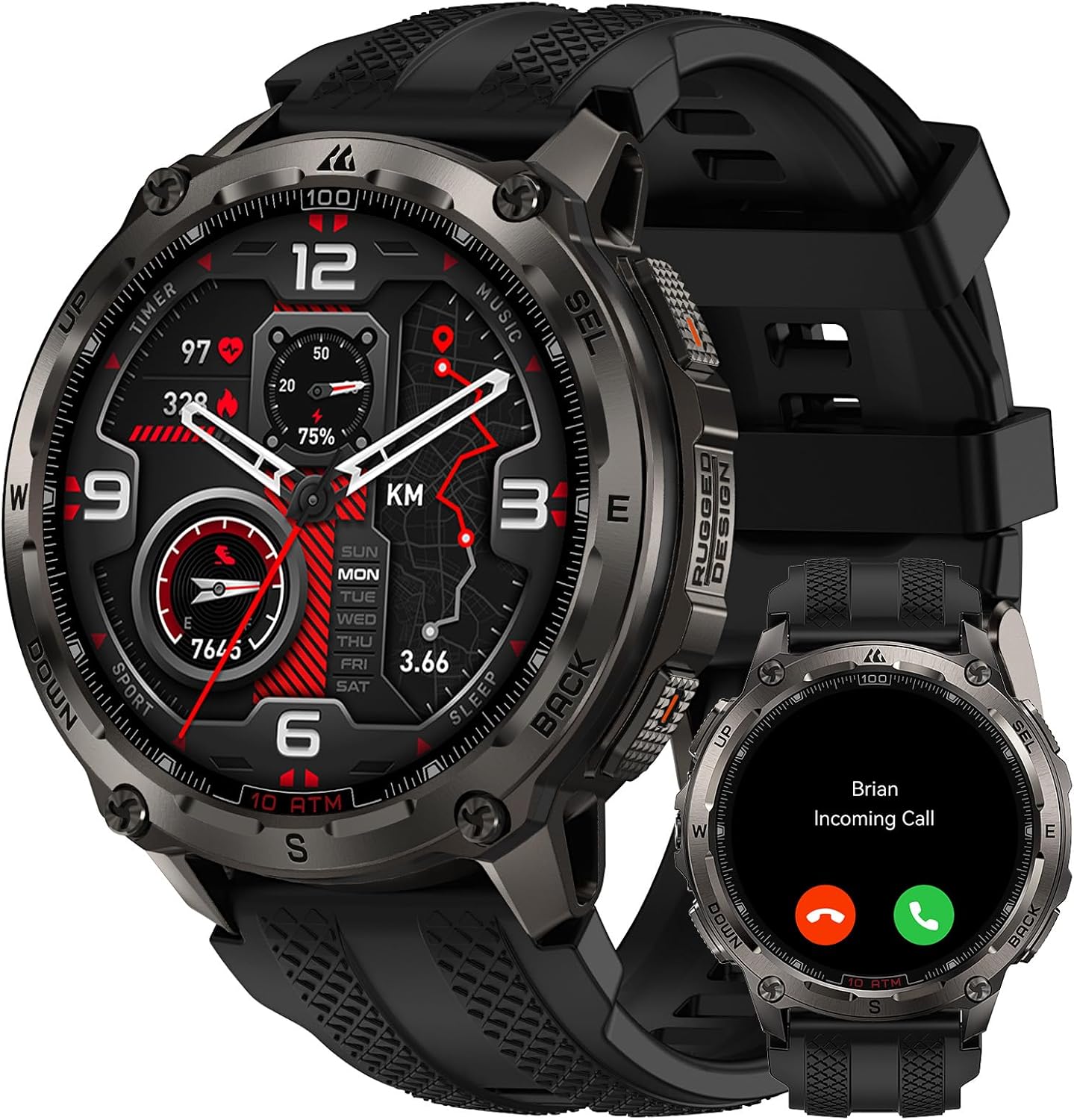
Image: KOSPET Tank T4 Smartwatch with its charger, silicone strap, and user manual.
Kurmak
1. Akıllı Saati Şarj Etme
Before initial use, fully charge your KOSPET Tank T4 Smartwatch. Connect the provided charger to a power source and attach the magnetic charging pins to the back of the smartwatch. The watch display will indicate charging status.

Image: The KOSPET Tank T4 Smartwatch connected to its magnetic charging base, illustrating the charging process and battery life infographic.
2. Uygulama Kurulumu ve Eşleştirme
To unlock the full functionality of your KOSPET Tank T4, you need to install the "APEXMOVE" app on your smartphone and pair the devices.
İOS Cihazları için:
- Install the APEXMOVE app from the Apple App Store.
- Open the app and navigate to "My Device".
- Click on "My Device" and select the "+" icon to add a new device.
- Select "KOSPET TANK T4" from the list and connect.
- Tap "Pair" when prompted and grant the watch permission to receive notifications from your phone.
Video: Instructions on how to connect the KOSPET Tank T4 Smartwatch to an iOS smartphone, showing the steps within the APEXMOVE app.
Android Cihazlar İçin:
- Install the APEXMOVE app from the Google Play Store.
- Open the app and navigate to "My Device".
- Click on "My Device" and select the "+" icon to add a new device.
- Select "KOSPET TANK T4" from the list and connect.
- Tap "Pair" when prompted and grant the watch permission to receive notifications from your phone.
Video: Instructions on how to connect the KOSPET Tank T4 Smartwatch to an Android smartphone, demonstrating the pairing process within the APEXMOVE app.
Kullanım Talimatları
1. Temel Gezinme
The KOSPET Tank T4 features a 1.43" AMOLED touchscreen display and physical buttons for navigation. Swipe across the screen to access different functions and menus. The side buttons provide quick access to specific features or can be customized.
Resim: Yakın çekim view of the KOSPET Tank T4 Smartwatch, highlighting its display and physical buttons for user interaction.
2. Arama Yapma ve Alma
The smartwatch supports Bluetooth calling. Once paired with your smartphone, you can answer incoming calls directly from your watch or dial numbers using the on-screen keypad.

Image: A person interacting with the KOSPET Tank T4 Smartwatch to answer an incoming call, demonstrating the call function.
3. Bildirimler
Receive notifications from your smartphone apps directly on your KOSPET Tank T4. Ensure the APEXMOVE app has the necessary permissions enabled on your phone for notifications to function correctly.

Image: The KOSPET Tank T4 Smartwatch screen showing notifications from various social media and messaging applications.
4. Sağlık İzleme
The KOSPET Tank T4 features an advanced 4PD sensor for 24/7 health monitoring, including heart rate, blood oxygen (SpO2), sleep patterns, and stress levels. Access these metrics through the watch interface or the APEXMOVE app for detailed analysis.
- Kalp Atış Hızı: Kalp atış hızınızın sürekli izlenmesi.
- Kan Oksijeni (SpO2): Kanınızdaki oksijen doygunluğunu ölçer.
- Uyku Takibi: Uyku analizleritages (deep, light, awake) to provide insights into sleep quality.
- Stres İzleme: Gün boyunca stres seviyenizi anlamanıza yardımcı olur.

Image: Displays the KOSPET Tank T4 Smartwatch showing heart rate, blood oxygen, and sleep tracking data on its screen.
5. Spor Modları ve GPS
The smartwatch offers 23 ApexMotion sports modes and over 160 free training modes. It features dual-band GNSS positioning with 6 satellite systems for accurate outdoor activity tracking and offline map support.
- Etkinlik Takibi: Records calories burned, heart rate, distance, and pace for various sports.
- GPS navigasyon: Utilizes dual-band GNSS for precise location tracking.
- Çevrimdışı Haritalar: Download maps to your watch for navigation without a network connection.
- Rota Planlaması: Plan and follow routes directly from your watch.

Image: The KOSPET Tank T4 Smartwatch displaying an offline map with a planned route, demonstrating its navigation capabilities.
Video: Demonstrates the KOSPET Tank T4 Smartwatch's GPS and offline map features, showing route tracking during outdoor activities.
6. Telsiz Fonksiyonu
The integrated walkie-talkie function allows for instant communication with a simple touch-and-hold, useful for outdoor group activities.
Image: A person using the KOSPET Tank T4 Smartwatch's walkie-talkie feature in an outdoor setting.
7. Özelleştirme
Personalize your KOSPET Tank T4 with various watch faces, icon themes, and customizable quick-access cards through the APEXMOVE app.

Image: A collage of different watch faces and icon themes available for customization on the KOSPET Tank T4 Smartwatch.
Bakım
1. Temizlik
Akıllı saatinizi ve kayışınızı düzenli olarak yumuşak bir bezle temizleyin.amp Bez. Cihaza zarar verebilecek sert kimyasallar veya aşındırıcı malzemeler kullanmaktan kaçının.
2. Suya Dayanıklılık
The KOSPET Tank T4 is rated 10 ATM and IP69K, making it suitable for swimming, snorkeling, and free diving up to 45 meters. Rinse the watch with fresh water after exposure to salt water or chlorine and dry thoroughly.

Image: A diver wearing the KOSPET Tank T4 Smartwatch underwater, demonstrating its 10 ATM water resistance for diving activities.
Video: The KOSPET Tank T4 Smartwatch being exposed to water, illustrating its IP69K and 10 ATM water resistance.
3. Pil Ömrü
The KOSPET Tank T4 features a 500 mAh battery. Typical usage provides up to 18 days of battery life, while continuous GPS use offers up to 22 hours. Actual battery performance may vary based on settings and usage.

Image: An infographic detailing the battery life of the KOSPET Tank T4 Smartwatch under different usage scenarios, including typical use, continuous GPS, intense use, and Always-On Display mode.
Sorun giderme
- Cihaz eşleşmiyor: Ensure Bluetooth is enabled on your smartphone and the smartwatch is discoverable. Restart both devices and try pairing again.
- Alınmayan bildirimler: Verify that the APEXMOVE app has notification permissions enabled in your phone's settings. Disable "Do Not Disturb" mode on your phone.
- GPS'in doğruluk hatası: Açık bir alanda olduğunuzdan emin olun ve view of the sky for optimal GPS signal reception. Allow the watch sufficient time to acquire a GPS signal before starting an activity.
- Ekran tepkisiz: Akıllı saati yeniden başlatmayı deneyin. Sorun devam ederse, ekranın temiz ve kuru olduğundan emin olun.
- Pilin çabuk bitmesi: Review your usage patterns. Frequent use of GPS, Always-On Display, and continuous health monitoring can reduce battery life. Adjust settings as needed.
- Yazılım sorunları: Ensure your APEXMOVE app and smartwatch firmware are updated to the latest versions. Check the app for available updates.
Özellikler
| Özellik | Detay |
|---|---|
| Marka | KOSPET |
| Örnek | TANK T4 |
| Görüntülemek | 1.43 inç AMOLED |
| Gövde Malzemesi | 360 Paslanmaz Çelik |
| Ekran Camı | Corning Gorilla Glass 3rd Generation 9H |
| Suya Dayanıklılık | 10 ATM, IP69K (up to 45m for free diving) |
| Küresel Konumlama Sistemi | Dual-band GNSS (6 satellite systems), Offline Maps |
| Pil Kapasitesi | 500 mAh Lityum Polimer |
| Tipik Pil Ömrü | 18 güne kadar |
| GPS Continuous Use | 22 saate kadar |
| Sağlık İzleme | Heart Rate, Blood Oxygen (SpO2), Sleep, Stress (24/7) |
| Spor Modları | 23 ApexMotion, 160+ Free Training Modes |
| Bağlantı | Bluetooth |
| Hafıza | 32 GB (storage), 16 MB (RAM) |
| İşletim Sistemi | Android ve iOS ile uyumludur |
| Ağırlık | 80 gram |
| Military Standard Certification | 20 MIL-STD-810H tests passed, SGS Certified |
Garanti ve Destek
Your KOSPET Tank T4 Smartwatch comes with a manufacturer's warranty. For specific warranty details, please refer to the warranty card included in your product packaging or visit the official KOSPET website. For technical support or further assistance, please contact KOSPET customer service or visit the KOSPET Marka Mağazası.
Güvenlik Bilgileri
- Cihazı sökmeye, onarmaya veya değiştirmeye çalışmayın.
- Cihazı aşırı sıcaklıklardan, doğrudan güneş ışığından ve açık alevlerden uzak tutun.
- Cihazı güçlü manyetik alanlara maruz bırakmaktan kaçının.
- Do not use the device while driving or in situations where it could distract you from important tasks.
- Herhangi bir yeni egzersiz programına başlamadan önce veya herhangi bir sağlık sorununuz varsa bir tıp uzmanına danışın.
- Cihazı ve pilini yerel yönetmeliklere uygun şekilde sorumlu bir şekilde atın.


