1. Giriş
Welcome to your new NIMO 15.6" IPS FHD Student Laptop, Model N154. This manual provides essential information to help you get started, operate, and maintain your device. Designed for both home and business use, this laptop combines performance with user-friendly features to enhance your productivity and entertainment experience.
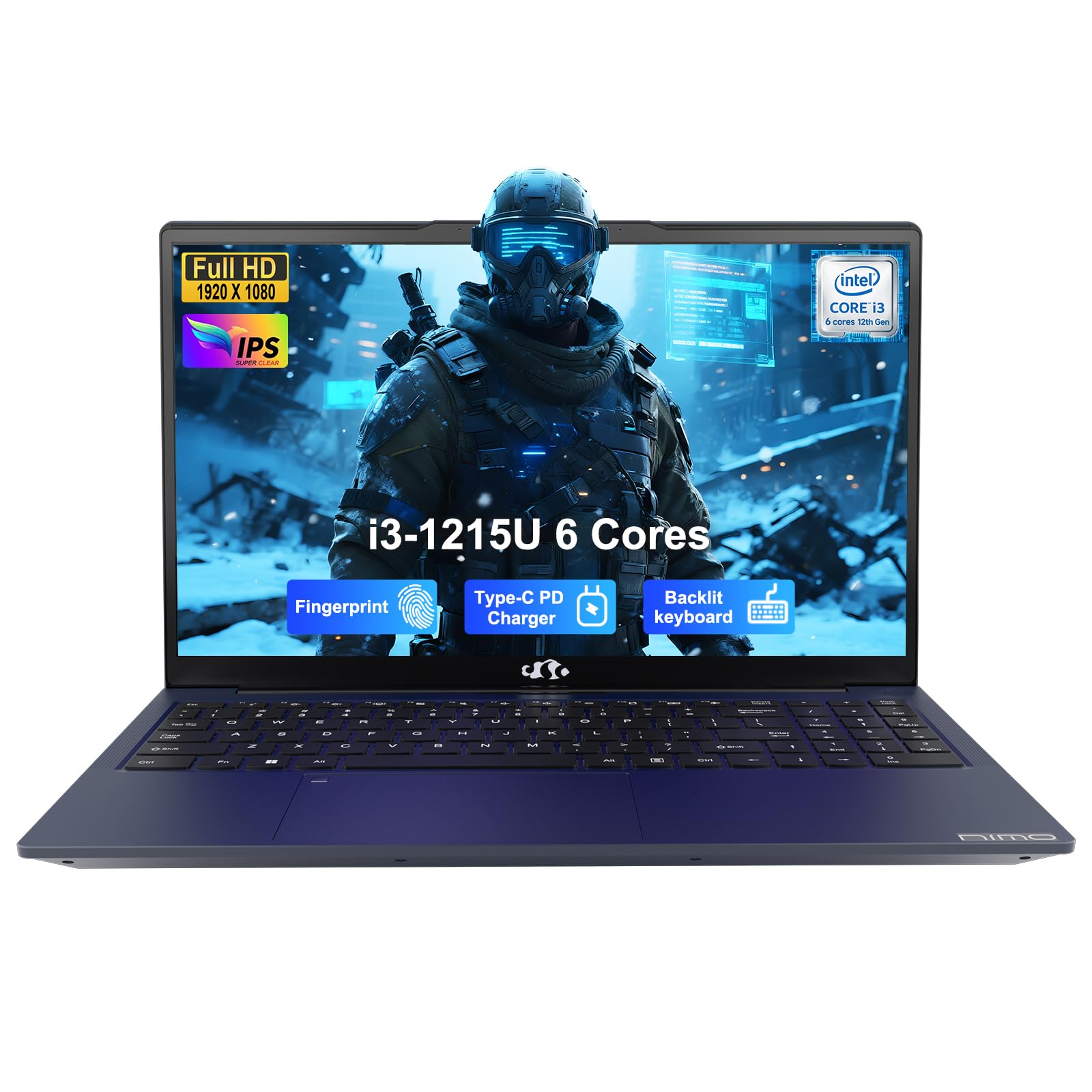
Image: The NIMO 15.6-inch IPS FHD Student Laptop, showcasinŞık tasarımıyla dikkat çekiyor.
2. Kutuda Neler Var?
Lütfen paket içeriğini kontrol ederek tüm öğelerin mevcut olduğundan emin olun:
- 1 x NIMO N154 Dizüstü Bilgisayar
- 1 x Type-C 65W PD Hızlı Şarj Cihazı
- 1 x Kullanım Kılavuzu (bu belge)
- Windows 11 Home (önceden yüklenmiş)
3. İlk Kurulum
3.1. Charging the Laptop
Before first use, fully charge your NIMO laptop using the included 65W USB-C PD Fast Charger. Connect the charger to the Type-C port on your laptop and a power outlet. The charging indicator light will illuminate.

Image: The 65W USB-C PD Fast Charger, capable of charging the laptop, tablet, and smartphone.
3.2. Güç Açma ve İlk Yapılandırma
Dizüstü bilgisayarınızı açmak için güç düğmesine basın. Dil seçimi, ağ bağlantısı ve kullanıcı hesabı oluşturma dahil olmak üzere Windows 11 Home kurulumunu tamamlamak için ekrandaki yönergeleri izleyin.
4. Dizüstü Bilgisayarınızı Çalıştırma
4.1. Ekran
Your laptop features a 15.6-inch Full HD (1920x1080) IPS anti-glare display. This screen provides clear visuals and reduces eye strain during extended use. The 180° open angle allows for flexible viewpozisyonları.
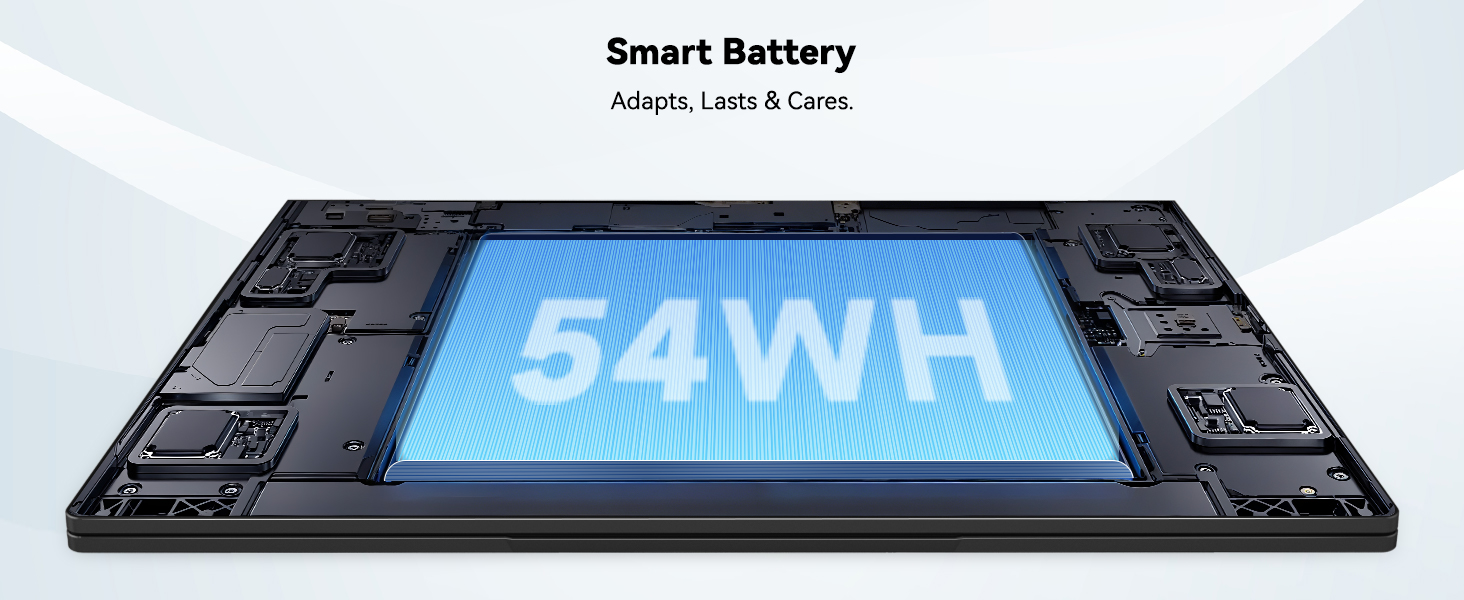
Image: The laptop's 15.6-inch Full HD IPS display with vibrant colors.
4.2. Klavye ve Dokunmatik Yüzey
The ergonomic backlit keyboard allows for comfortable typing in various lighting conditions, with adjustable brightness. The touchpad includes an integrated fingerprint sensor for secure, one-touch login.

Image: Features of the laptop's input, including backlit keyboard, webKamera siperliği, parmak izi sensörü ve sayısal tuş takımı.
4.3. Fingerprint Login
Utilize the fingerprint sensor on the touchpad for quick and secure access to your laptop. Configure your fingerprint in the Windows settings for enhanced security.

Image: Close-up of the integrated fingerprint scanner on the touchpad for secure login.
4.4. Bağlantı Noktaları ve Bağlantı
The NIMO N154 laptop offers a variety of ports for versatile connectivity:
- USB 2.0 Bağlantı Noktası: 1
- USB 3.0 Bağlantı Noktaları: 3
- HDMI Bağlantı Noktası: Harici ekran bağlantıları için.
- C Tipi Bağlantı Noktası: Supports 65W Power Delivery for charging and data transfer.
- Mikro SD Kart Yuvası: Depolama alanını genişletmek veya aktarmak için files.
- Kulaklık Kombine Girişi: Ses girişi/çıkışı için.
- Kensington Kilit Yuvası: Fiziksel güvenlik için.
The laptop also features Wi-Fi 6 for fast and reliable wireless internet access.

Image: Diagram illustrating the various ports available on the NIMO laptop, including USB, HDMI, Type-C, Micro SD, headphone jack, and Kensington lock.
4.5. Ses ve Webkam
Integrated speakers provide clear audio for video calls, online classes, and media consumption. The 2.0MP webcam is suitable for video conferencing, complemented by a privacy switch for enhanced security.

Image: Details on the 1080p FHD camera and privacy camera convenience features.
4.6. İşlemci ve Performans
Powered by the 6-Core Intel i3-1215U processor, your laptop is designed for efficient multitasking, handling numerous browser tabs, spreadsheets, and video calls without significant slowdowns.
Image: Visual representation of the 12th Gen Intel Core i3-1215U Processor, highlighting its 6 cores, 8 threads, 15W power consumption, and 3.7 GHz Turbo Boost.
5. Bakım
5.1. Temizlik
Regularly clean your laptop to ensure optimal performance and longevity. Use a soft, lint-free cloth for the screen and exterior. For stubborn marks, dampen the cloth with a small amount of water or a screen-safe cleaner. Avoid harsh chemicals.
5.2. Yazılım Güncellemeleri
Keep your operating system and drivers updated to benefit from the latest security patches and performance improvements. Windows Update can be accessed through the Settings menu.
5.3. Pil Bakımı
To maximize battery life, avoid extreme temperatures and fully discharging the battery frequently. For long-term storage, charge the battery to around 50-70%.

Image: An illustration of the laptop's internal battery, labeled 54WH, emphasizing smart battery management.
6. Sorun Giderme
6.1. Dizüstü Bilgisayar Açılmıyor
- Şarj cihazının hem dizüstü bilgisayara hem de çalışan bir elektrik prizine güvenli bir şekilde bağlı olduğundan emin olun.
- Güç adaptörünün düzgün çalışıp çalışmadığını kontrol edin.
- Sert sıfırlamayı gerçekleştirmek için güç düğmesini 10-15 saniye basılı tutmayı deneyin.
6.2. Wi-Fi Bağlantı Sorunları
- Windows ayarlarında Wi-Fi'nin etkinleştirilmiş olduğundan emin olun.
- Yönlendiricinizi ve modeminizi yeniden başlatın.
- Ensure your Wi-Fi drivers are up to date.
6.3. Yavaş Performans
- Arka planda çalışan gereksiz uygulamaları kapatın.
- Bekleyen Windows güncelleştirmelerini kontrol edin ve yükleyin.
- Ensure your storage (SSD) has sufficient free space.
Daha fazla yardım için lütfen Garanti ve Destek bölümüne bakın.
7. Özellikler
| Özellik | Şartname |
|---|---|
| Model Adı | NIMO N154 |
| Ekran Boyutu | 15.6 inç |
| Ekran Çözünürlüğü | 1920 x 1080 piksel (Tam HD) |
| İşlemci | Intel Core i3-1215U (6 Çekirdek, 4.4 GHz'e kadar) |
| Veri deposu | 8 GB DDR4 (3200 MHz) |
| Sabit Sürücü | 512 GB SSD |
| Grafik Eş İşlemcisi | Entegre Grafikler |
| İşletim Sistemi | Windows 11 Ev |
| Kablosuz Tip | Wi-Fi 6 (802.11a/b/g/n/ac) |
| USB 2.0 Bağlantı Noktaları | 1 |
| USB 3.0 Bağlantı Noktaları | 3 |
| Ortalama Pil Ömrü | 9 Saat |
| Ürün Ağırlığı | 3.75 pound |
| Ürün Boyutları | 14.07 x 8.98 x 0.76 inç |
| Özel Özellikler | Fingerprint Reader, HD Audio, Memory Card Slot, Numeric Keypad |
8. Garanti ve Destek
NIMO is committed to providing quality products and excellent customer service.
8.1. Garanti Bilgileri
Your NIMO N154 laptop comes with a comprehensive 2 yıllık garanti, covering manufacturing defects and hardware malfunctions under normal use. This warranty ensures your investment is protected.

Image: Text indicating '2-Year Support' for Nimo products.
8.2. İade Politikası
Biz bir teklif sunuyoruz 90 günlük iade politikası from the date of purchase. If you are not satisfied with your product, you may return it within this period according to the terms and conditions.

Image: Text indicating '90-Day Return' for Nimo products.
8.3. Destek ile İletişime Geçin
Our dedicated US-based support team is available to assist you with any questions or issues. You can reach us via email at service@nimopc.com. We aim to provide professional and high-quality customer service.

Image: A customer service representative wearing a headset, representing professional customer assistance.


