1. Giriş
This manual provides comprehensive instructions for the setup, operation, maintenance, and troubleshooting of your GMKtec Mini PC G3S. Please read this manual thoroughly before using the device to ensure optimal performance and longevity.

Figure 1: GMKtec Mini PC G3S, showcasinkompakt tasarımı ve çeşitli bağlantı noktaları sayesinde.
2. Paket İçeriği
Aşağıda listelenen tüm öğelerin ürün ambalajınızda mevcut olduğundan emin olun:
- GMKtec Nucbox G3 S Mini PC (16GB RAM, 512GB SSD)
- VESA Mount with Screws
- HDMI Kablosu
- Güç Adaptörü
- Kullanıcı Kılavuzu
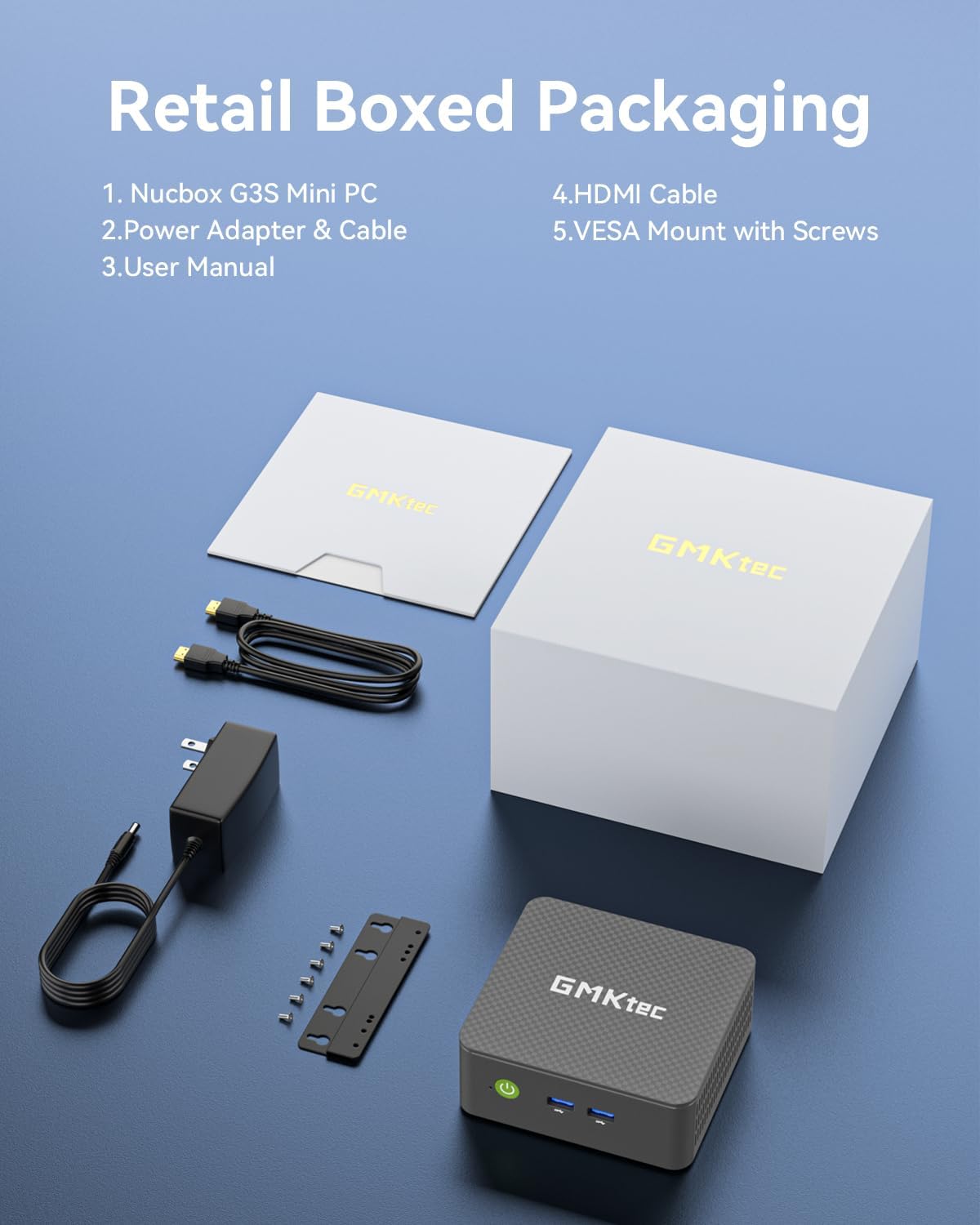
Figure 2: All components included in the GMKtec Mini PC G3S retail packaging.
3. Fiziksel Özellikler ve Bağlantı Noktaları
The GMKtec Mini PC G3S is designed with a variety of ports for versatile connectivity:
- Ön Panel: Power Button, 2x USB 3.2 (Gen 2) ports.
- Yan panel: Kensington Lock slot, Micro SD Card Reader.
- Arka panel: 2x HDMI 2.0 ports (4K@60Hz support), 1x USB 2.0 port, 1x USB 3.2 (Gen 2) port, 1x Gigabit Ethernet (RJ45 1000MbE) port, 1x 3.5mm Audio Jack, DC 12V 3A Power Input.

Şekil 3: Ayrıntılı view of the front and rear ports on the GMKtec Mini PC G3S.
4. Kurulum Kılavuzu
Follow these steps for initial setup of your Mini PC:
- Çevre Birimlerini Bağlayın: Connect your monitor(s) to the HDMI ports using the provided HDMI cable. Connect a USB keyboard and mouse to the available USB ports.
- Güç Bağlantısı: Connect the power adapter to the DC 12V 3A input port on the rear of the Mini PC, then plug the adapter into a power outlet.
- Güç Açık: Mini bilgisayarın ön panelinde bulunan güç düğmesine basın. Güç gösterge ışığı yanacaktır.
- İlk Önyükleme: The system will boot into Windows 11 Pro. Follow the on-screen instructions to complete the initial Windows setup, including language, region, network connection, and user account creation.
- VESA Mount Installation (Optional): If desired, attach the VESA mount to the back of a compatible monitor using the provided screws, then secure the Mini PC to the VESA mount. This allows for a clutter-free desktop setup.

Figure 4: The GMKtec Mini PC G3S demonstrating VESA mount compatibility and compact desk placement.
5. Operasyon
5.1. Dual 4K Display Support
The Mini PC G3S supports dual 4K@60Hz displays via its two HDMI 2.0 outputs. This allows for extended desktop environments, enhancing productivity for multitasking.
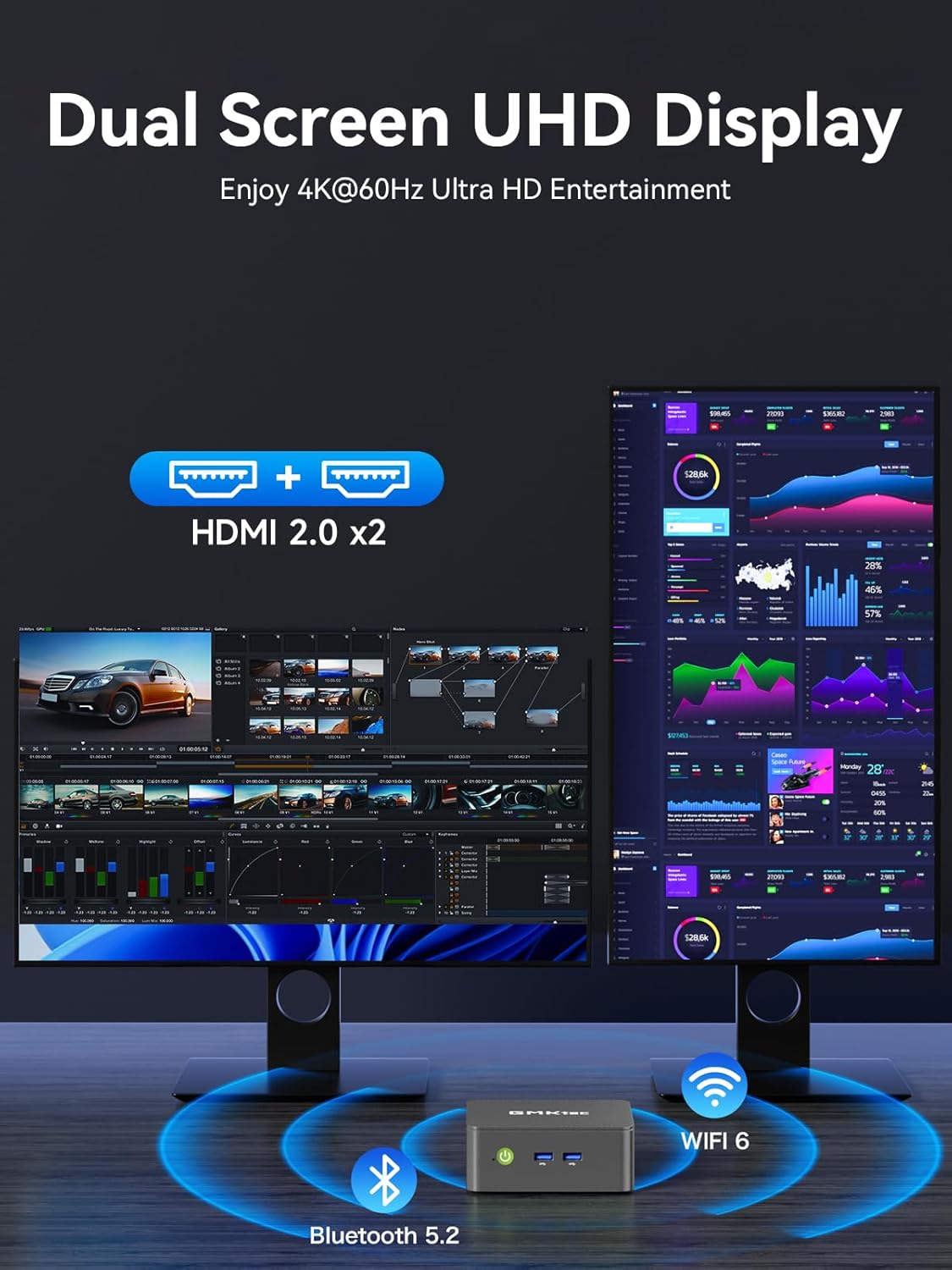
Figure 5: The Mini PC G3S powering a dual 4K display setup for enhanced workspace.
5.2. Network and Wireless Connectivity
Cihaz, güçlü bağlantı seçenekleri sunuyor:
- Kablolu: Gigabit Ethernet (RJ45 1000MbE) for stable and high-speed internet access.
- Kablosuz: Integrated WiFi 5 (802.11ac) for wireless internet and Bluetooth 5.0 for connecting wireless peripherals.
5.3. Performans Modları
The Mini PC G3S features adjustable performance modes to suit different usage scenarios. These modes can be accessed and configured via the BIOS settings:
- Sessiz Mod: Optimized for minimal fan noise, suitable for light tasks and quiet environments.
- Normal Mode (Default): Balanced performance for everyday computing.
- Performans Modu: Maximizes CPU and GPU performance for demanding applications.
To adjust modes, press the Esc key during boot-up to enter the BIOS page, then navigate to BIOS Setup to select your preferred mode.
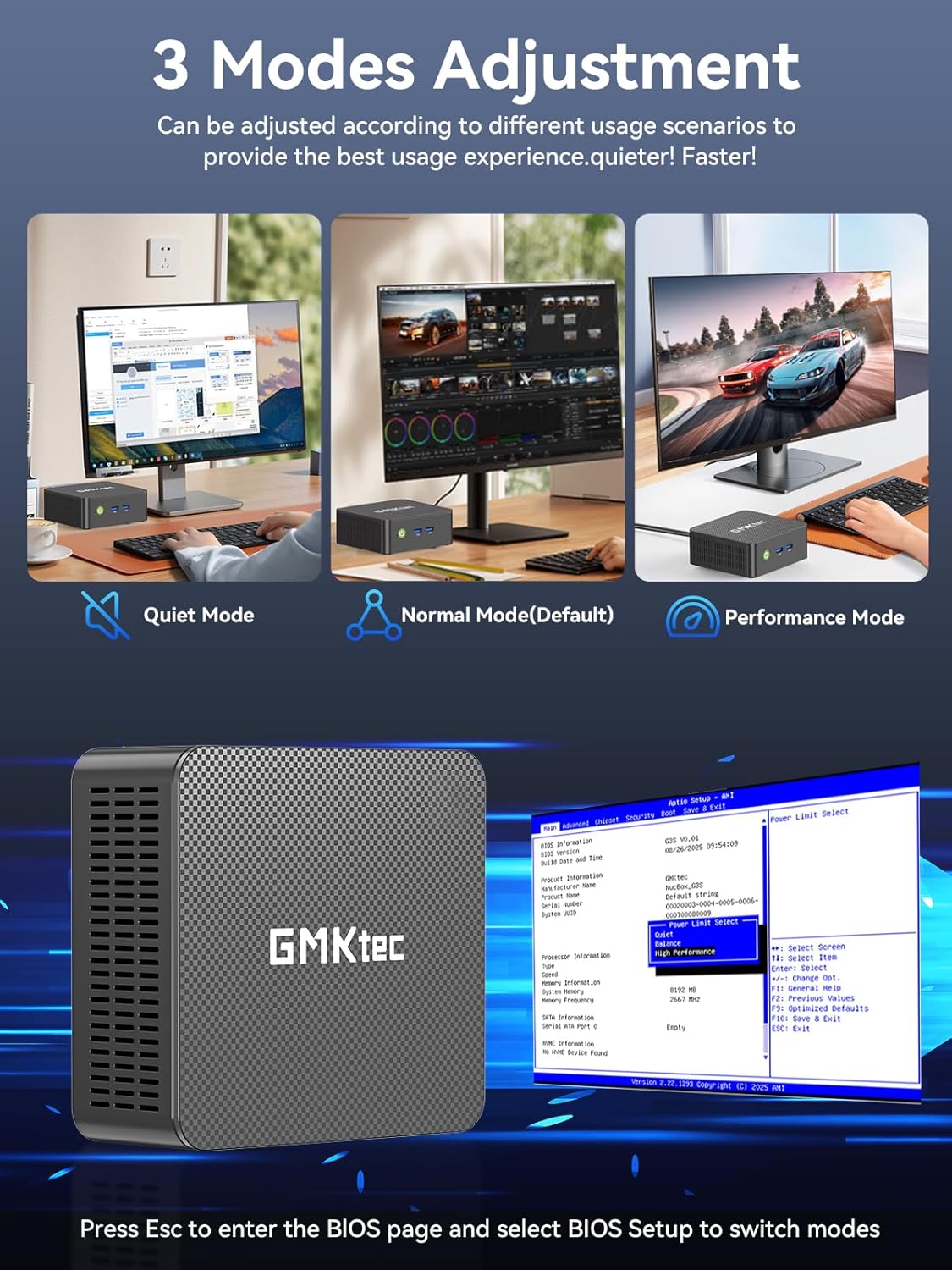
Figure 6: Illustration of the three performance modes and the BIOS entry screen.
6. Depolama Genişletme
The GMKtec Mini PC G3S comes with a 512GB M.2 2242 SSD and 16GB DDR4 RAM. For additional storage, the device supports expansion:
- M.2 2280 PCIe: Expandable up to 8TB.
- M.2 2242 SATA: Expandable up to 2TB.
Consult a qualified technician for storage upgrades to ensure proper installation and avoid damage to the device.

Şekil 7: Dahili view illustrating the RAM and dual SSD slots for storage expansion.
7. Teknik Özellikler
| Özellik | Şartname |
|---|---|
| İşlemci | 12th Gen Intel N95 (up to 3.4GHz, 4 Cores/4 Threads, 6MB Cache) |
| Grafikler | Intel UHD Grafikleri (1200MHz'e kadar) |
| Veri deposu | 16 GB DDR4 SO-DIMM |
| Depolamak | 512GB M.2 2242 SATA SSD |
| Depolama Genişletmesi | 1x M.2 2280 PCIe Gen3*2 (Max 8TB), 1x M.2 2242 SATA (Max 2TB) |
| Video Çıkışı | 2x HDMI 2.0 (4K@60Hz) |
| USB Bağlantı Noktaları | 3x USB 3.2 (Gen 2), 1x USB 2.0 |
| Ağ | Gigabit Ethernet (RJ45 1000MbE), WiFi 5 (802.11ac), Bluetooth 5.0 |
| İşletim Sistemi | Windows 11 Pro |
| Boyutlar | Yaklaşık 6.46 x 6.3 x 4.21 inç |
| Ağırlık | Yaklaşık 2.07 pound |
8. Bakım
To ensure the longevity and optimal performance of your GMKtec Mini PC G3S, follow these maintenance guidelines:
- Temizlik: Regularly clean the exterior of the Mini PC with a soft, dry cloth. Use compressed air to clear dust from ventilation grilles to prevent overheating. Ensure the device is powered off and unplugged before cleaning.
- Yazılım Güncellemeleri: Keep your operating system and drivers updated to the latest versions. This improves security, stability, and performance.
- Havalandırma: Ensure the Mini PC is placed in a well-ventilated area and that its vents are not obstructed. Proper airflow is crucial for heat dissipation.
- Güç Kaynağı: Yalnızca cihazla birlikte verilen orijinal güç adaptörünü kullanın.
9. Sorun Giderme
If you encounter issues with your Mini PC, refer to the following common solutions:
- Görüntü yok:
- Ensure the monitor is powered on and correctly connected to the Mini PC via HDMI.
- Monitörünüzde doğru giriş kaynağının seçildiğinden emin olun.
- Mümkünse farklı bir HDMI kablosu veya monitör deneyin.
- Güç Yok:
- Check that the power adapter is securely connected to both the Mini PC and a working power outlet.
- Güç düğmesine sıkıca basıldığından emin olun.
- Ağ Bağlantı Sorunları:
- For wired connections, ensure the Ethernet cable is properly connected and the router is functioning.
- For Wi-Fi, check that Wi-Fi is enabled in Windows settings and you are connected to the correct network with the correct password.
- Restart your router/modem and the Mini PC.
- Yavaş Performans:
- Arka planda çalışan gereksiz uygulamaları kapatın.
- Ensure the system is updated and free of malware.
- Consider switching to 'Performance Mode' in BIOS settings if sustained high performance is required.
If problems persist, please contact GMKtec customer support.
10. Garanti ve Destek
GMKtec offers a 1 yıllık sınırlı garanti for each Mini PC, effective from the date of purchase. This warranty covers defects due to design and workmanship. For any issues or inquiries, please utilize the following support channels:
- Amazon Müşteri Hizmetleri: Log in to your Amazon account, navigate to 'Your Orders', and select 'Ask Product Question' for assistance.
- GMKtec After-Sales Team: Contact support directly via email at destek@gmktec.com.
- 24/7 Client Support: GMKtec provides continuous client support for your convenience.

Şekil 8: Üzeriview of available customer support options for GMKtec products.
Resmi Ürün Videosu
Video 1: Resmi bir ürünview of the GMKtec Mini PC G3S, highlighting its features and capabilities.


