1. Giriş
Thank you for choosing the AMEIFU PC450A Dehumidifier. This manual provides essential information for the safe and efficient operation, maintenance, and troubleshooting of your new appliance. Please read it thoroughly before use and retain it for future reference.
The AMEIFU PC450A Dehumidifier is designed to reduce excess moisture in your home environment, covering areas up to 1100 sq.ft. It features a 135-ounce water tank, quiet operation, timer settings, LED lighting, and automatic safety functions.

Resim 1.1: Ön view of the AMEIFU PC450A Dehumidifier, showing its compact design and water level indicator.
2. Güvenlik Talimatları
Güvenli çalışma sağlamak için, her zaman şu temel önlemlere uyun:
- Cihazı kullanmadan önce tüm talimatları okuyun.
- Hasarlı bir güç kablosu veya fiş ile nem alma cihazını çalıştırmayın.
- Güç kaynağı hacmini sağlayıntage değeri, cihaz üzerindeki etikette belirtilen değerle eşleşir.
- Cihazı ısı kaynaklarından, doğrudan güneş ışığından ve yanıcı maddelerden uzak tutun.
- Hava giriş ve çıkışlarını engellemeyin. Ünitenin etrafında en az 20 cm (8 inç) boşluk bırakın.
- Su dökülmesini önlemek için nem alma cihazını daima sabit ve düz bir yüzeye yerleştirin.
- Temizlik, bakım öncesinde veya uzun süre kullanılmadığında cihazın fişini çekin.
- Üniteyi, güç kablosunu veya fişi suya veya diğer sıvılara batırmayın.
- Bu cihaz yalnızca iç mekanlarda kullanıma uygundur.
3. Ürün Bittiview ve Bileşenler
The AMEIFU PC450A Dehumidifier is designed for efficient moisture removal. Familiarize yourself with its main components:
- Ana Ünite: Houses the internal components, control panel, and air vents.
- Su Tankı: Removable tank for collecting condensed water. Capacity: 135 fluid ounces.
- Kontrol Paneli: Buttons for Power, Night Light, Timer, and Fan Speed.
- Güç Adaptörü: Üniteyi elektrik prizine bağlamak için.

Resim 3.1: Dahili view illustrating the dual semiconductor condensation technology and the 135-ounce water tank.
4. Kurulum
Nem gidericinizi kurmak için şu adımları izleyin:
- Paketi aç: Nem alma cihazını ve tüm aksesuarlarını ambalajından dikkatlice çıkarın. Ambalajı ileride saklama veya taşıma için muhafaza edin.
- Atama: Place the dehumidifier on a firm, level surface in the desired location. Ensure there is at least 8 inches (20 cm) of clear space around all sides for proper airflow. Avoid placing it directly against walls or furniture.
- Güç Bağlantısı: Connect the power adapter to the dehumidifier's power input port, then plug the adapter into a suitable electrical outlet.
5. Kullanım Talimatları
The AMEIFU PC450A Dehumidifier offers various functions for optimal moisture control.
5.1 Kontrol Paneli
The control panel features intuitive buttons:
- Güç Düğmesi: Üniteyi AÇMAK veya KAPATMAK için basın.
- Gece Işığı Düğmesi: Press to cycle through 7 LED colors or to lock a specific color. Long press to turn the lights OFF.
- Zamanlayıcı Düğmesi: Press to set the operating timer (1H, 2H, 4H, 8H, 12H, 24H, 48H, 72H).
- Hız Düğmesi: Press to adjust fan speed (Low, Medium, High).
5.2 Temel İşlemler
- Güç Açık: Press the Power button. The unit will start operating in its default mode.
- Fan Hızını Ayarlayın: Press the Speed button to select your desired fan speed (Low, Medium, High). Lower speeds result in quieter operation.
- Zamanlayıcıyı Kur: Press the Timer button repeatedly to select the desired operating duration. The unit will automatically turn off after the set time.
- Kontrol LED Işığı: Press the Night Light button to activate the ambient LED lights. Each press cycles through colors. Long press to turn off the lights.
- Uyku modu: The unit operates at a low 20dB in sleep mode, ideal for bedrooms. This mode is typically activated by selecting the lowest fan speed and turning off the LED lights.
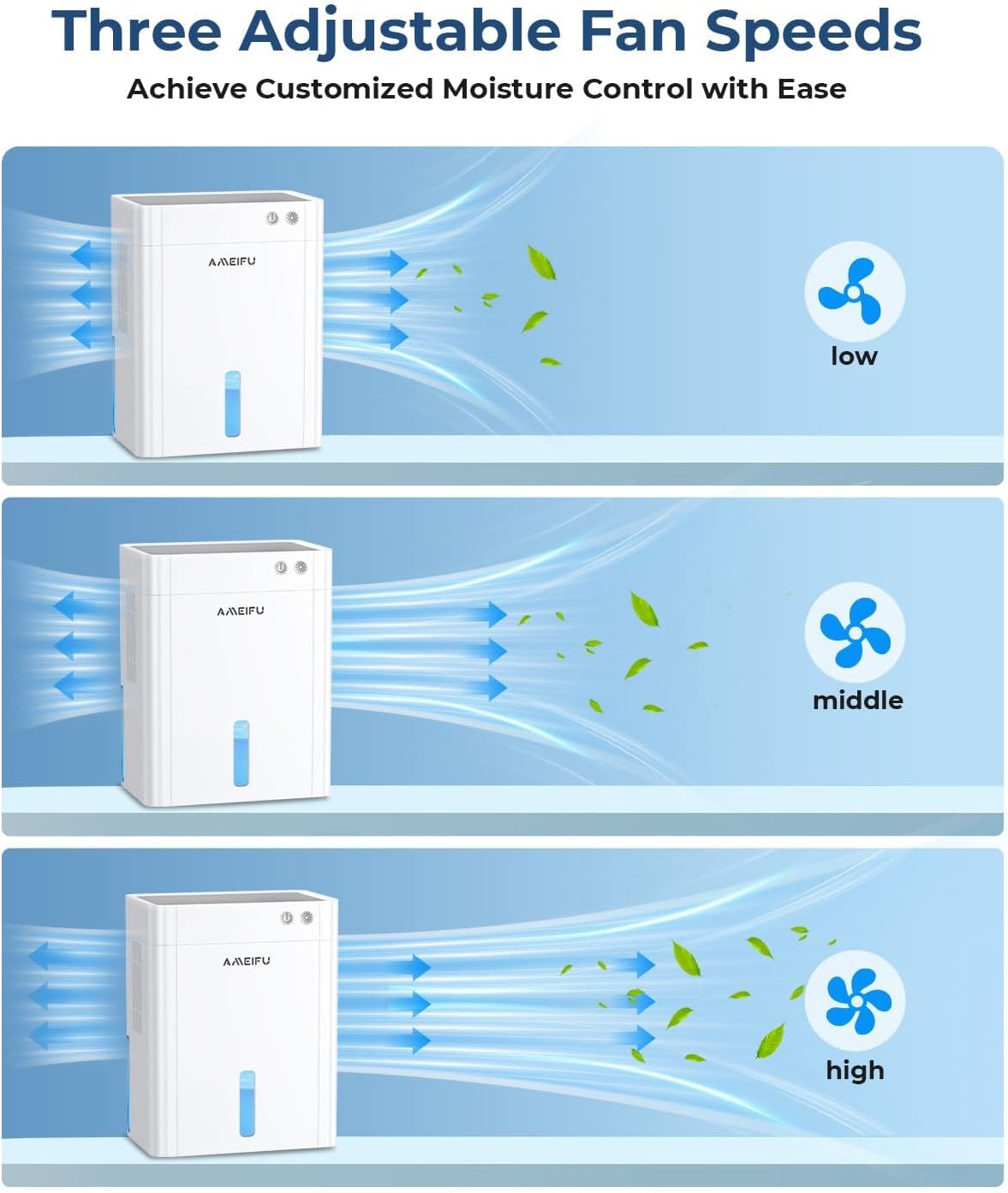
Image 5.1: Illustration of the three adjustable fan speeds for customized moisture control.

Image 5.2: The dehumidifier operating in a bedroom, emphasizing its quiet performance and suitability for sleep environments.
5.3 Otomatik Fonksiyonlar
- Otomatik kapanma: When the water tank is full, the dehumidifier will automatically shut off, and a red indicator light will flash. This prevents overflow and ensures safety.
- Otomatik Defrost: In low-temperature environments, if frost forms on the internal semiconductors, the unit will automatically activate defrost mode to maintain efficient operation.

Image 5.3: Visual representation of the auto shut-off protection when the water tank is full.
6. Bakım
Düzenli bakım, nem alma cihazınızın uzun ömürlü ve verimli olmasını sağlar.
6.1 Su Tankının Boşaltılması
- When the water tank is full, the unit will stop operating, and a red indicator light will flash.
- Su deposunu ünitenin arka tarafından dikkatlice çıkarın.
- Toplanan suyu dökün.
- Boş su deposunu yerine oturana kadar üniteye geri kaydırın. Nem alma cihazı çalışmaya devam edecektir.
6.2 Ünitenin Temizlenmesi
- Dış: Nem alma cihazının dış yüzeyini yumuşak bir bezle silin.amp bezle silin. Aşındırıcı temizleyiciler veya çözücüler kullanmayın.
- Su Tankı: Clean the water tank periodically with mild soap and water to prevent mold or mildew growth. Rinse thoroughly before reinserting.
- Hava Girişleri/Çıkışları: Use a soft brush or vacuum cleaner attachment to gently remove dust and debris from the air inlets and outlets. Ensure they are not blocked.
Not: Always unplug the dehumidifier from the power outlet before performing any cleaning or maintenance.
7. Sorun Giderme
Yaygın sorunlar ve çözümleri için bu bölüme bakın.
| Sorun | Olası Neden | Çözüm |
|---|---|---|
| Nem alma cihazı çalışmıyor. | Güç kaynağı yok. Güç düğmesine basılmamış. | Ensure the power adapter is securely plugged into the unit and a working electrical outlet. Güç düğmesine sıkıca basın. |
| Ünite çalışıyor ancak su toplamıyor. | Ortamdaki nem oranı çok düşük. Oda sıcaklığı çok düşük. Hava giriş/çıkışları tıkalı. | The unit will only collect water if humidity levels are above 40-50% RH. The unit's efficiency decreases in very cold environments. Check for obstructions and ensure proper clearance around the unit. |
| Red indicator light is flashing. | Su deposu dolu. | Su deposunu boşaltın ve doğru şekilde tekrar takın. |
| Birim gürültülü. | Fan speed is set to high. Ünite düz bir yüzeyde değil. | Fan hızını azaltın. Üniteyi sabit, düz bir yüzeye yerleştirin. |
Bu çözümleri denedikten sonra sorun devam ederse lütfen müşteri desteğiyle iletişime geçin.
8. Özellikler
| Özellik | Şartname |
|---|---|
| Marka | AMEIFU |
| Model Adı | PC450A |
| Su Tankı Kapasitesi | 135 Fluid Ounces (approx. 4 liters) |
| Nem Alma Kapasitesi | Up to 40 ounces (1,182 ml) per day |
| Kapsama Alanı | 1100 Metrekareye kadar |
| Ürün Boyutları (D x G x Y) | 6.3" x 9.84" x 12.6" (16 cm x 25 cm x 32 cm) |
| Ürün Ağırlığı | 6.69 pound |
| Özel Özellikler | Quiet Operation, Sleep Mode, Automatic Shutoff, Automatic Defrost, 8 Timing Settings, 7 Color LED Light |
| Çalışma Modu | Aralıklı |
| Dahil Bileşenler | Dehumidifier, Water Tank, Power Adapter, Manual |
9. Garanti ve Destek
AMEIFU provides a warranty of more than 1 year for this dehumidifier, along with lifetime technical support.
If you encounter any problems during use or require assistance, please contact our customer support team. We are committed to resolving your issues within 24 hours.
For support, please refer to the contact information provided with your purchase or visit the official AMEIFU webalan.


