
giriiş
This manual provides essential information for the setup, operation, and maintenance of your Hyperkin The Competitor Wired Controller. Designed for precision and performance, this controller is compatible with Xbox Series X|S, Xbox One, and Windows PC. Please read this manual thoroughly before use to ensure optimal performance and longevity of your device.
Paket İçeriği
Paketinizde tüm öğelerin mevcut olduğundan emin olun:
- Hyperkin The Competitor Wired Controller
- Ayrılabilir USB-C Kablosu
- Hızlı Başlangıç Kılavuzu
- Swappable Stick Caps (Domed & Concave)

Image: Contents of the Hyperkin The Competitor package, including the controller, cable, and documentation.
Kurmak
The Hyperkin The Competitor Wired Controller offers plug-and-play functionality for supported platforms.
Xbox Series X|S veya Xbox One'a bağlanma:
- Xbox konsolunuzun açık olduğundan emin olun.
- Connect the detachable USB-C cable to the USB-C port on the top of the controller.
- Plug the USB-A end of the cable into an available USB port on your Xbox console.
- Kontrol cihazı otomatik olarak bağlanacak ve kullanıma hazır olacaktır.
Connecting to PC (Windows):
- Bilgisayarınızın açık olduğundan emin olun.
- Connect the detachable USB-C cable to the USB-C port on the top of the controller.
- Plug the USB-A end of the cable into an available USB port on your PC.
- Windows will automatically detect and install the necessary drivers. The controller will be ready for use once the installation is complete.
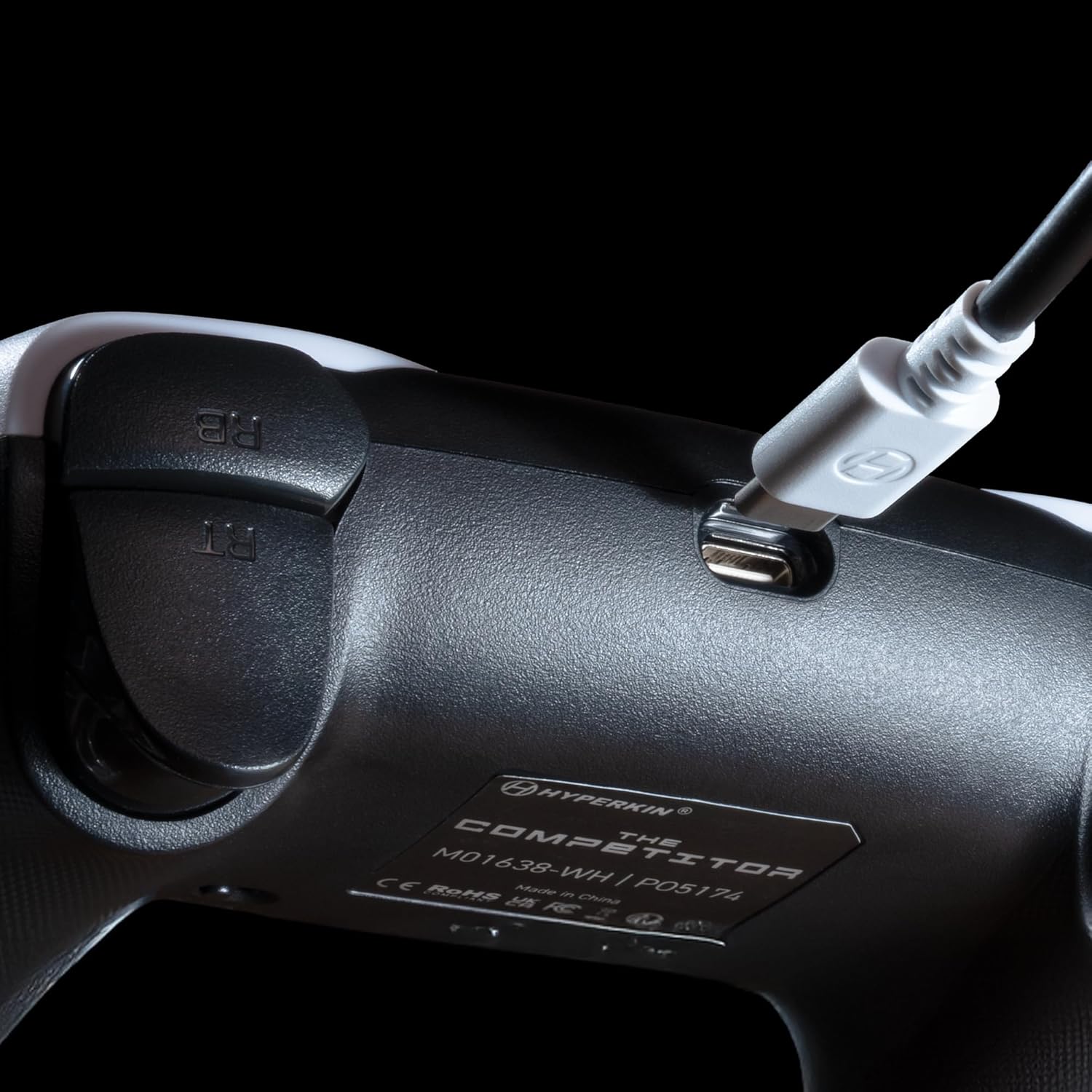
Resim: Yakın çekim view of the USB-C port on the Hyperkin The Competitor controller, illustrating the connection point for the detachable cable.
Denetleyiciyi Çalıştırma
Familiarize yourself with the key features and controls of your Hyperkin The Competitor controller.
Temel Özellikler:
- Hall Etkili Joystickler: Experience drift-free accuracy and magnetic precision for ultra-smooth movement and long-lasting durability.
- Dürtü Tetikleyicileri: Provides immersive and reliable haptic feedback for enhanced gameplay.
- Symmetrical Analog Stick Layout: Offers a balanced and comfortable design, supporting precision play.
- Segmented Traditional D-pad: Delivers ultra-responsive control and satisfying feedback for pinpoint accuracy.
- Programlanabilir Geri Düğmeleri: Two customizable rear buttons for on-the-fly remapping to suit your playstyle.
- Dedicated Mute Button: Quickly mute your microphone during gameplay.
- Swappable Stick Caps: Customize your feel with included Domed and Concave stick caps.
- Anti-Friction Gates & Metal Glide Rings: Engineered for ultra-smooth control and reduced wear.

Image: Diagram highlighting the Hall Effect Sticks and the Symmetrical Twin Stick Layout of the controller.

Image: Diagram illustrating the Hall Effect Impulse Triggers and the location of the programmable Back Buttons.

Resim: Ayrıntılı views of the Traditional Segmented D-Pad, the interchangeable Dome and Concave stick caps, and the Metal Glide Rings.
Geri Tuşlarının Programlanması:
Specific instructions for programming the back buttons are typically found in the Quick Start Guide included with your product or on the Hyperkin official support website. Generally, this involves a combination of holding a program button and pressing the desired back button and the button you wish to map.
Bakım
Kontrol cihazınızın uzun ömürlü ve optimum performans göstermesi için lütfen aşağıdaki bakım yönergelerini izleyin:
- Temizlik: Kumandayı silmek için yumuşak ve kuru bir bez kullanın. İnatçı kirler için hafifçe silin.ampBezi suyla yıkayın. Sert kimyasallar veya aşındırıcı temizleyiciler kullanmaktan kaçının.
- Depolamak: Kontrol cihazını serin, kuru ve doğrudan güneş ışığından ve aşırı sıcaklıklardan uzak bir yerde saklayın.
- Kablo Bakımı: USB-C kablosunu ani bükme veya döndürme hareketlerinden kaçının. Takıp çıkarırken daima kabloyu değil, konektörü tutun.
- Damlalardan Kaçının: Kumanda cihazını düşmelere ve darbelere karşı koruyun; bu tür önlemler iç bileşenlere zarar verebilir.
Sorun giderme
If you encounter issues with your Hyperkin The Competitor controller, try the following steps:
- Denetleyici Yanıt Vermiyor:
- USB-C kablosunun hem kumandaya hem de konsola/bilgisayara güvenli bir şekilde bağlı olduğundan emin olun.
- Kumandayı farklı bir USB portuna takmayı deneyin.
- Konsolunuzu veya bilgisayarınızı yeniden başlatın.
- Mümkünse kumandayı başka bir uyumlu cihazda test edin.
- Buttons/Joysticks Not Working Correctly:
- Düğmelerin veya kumanda kollarının etrafında herhangi bir kalıntı birikmediğinden emin olun.
- Perform a system update on your console or PC to ensure the latest drivers are installed.
- If using on PC, check controller calibration settings in your operating system.
- Audio Issues (Mic Mute Button):
- Ensure the dedicated mute button is not activated.
- Check your in-game or system audio settings.
If problems persist after attempting these steps, please contact Hyperkin customer support for further assistance.
Özellikler
| Model Numarası | M01638-WH |
| Uyumluluk | Xbox Series X|S, Xbox One, PC (Windows) |
| Bağlantı | Kablolu (Çıkarılabilir USB-C - USB-A kablosu) |
| Joystick'ler | Hall Etkisi |
| Tetikleyiciler | Dürtü Tetikleyicileri |
| Düzen | Symmetrical Analog Sticks |
| Yön Tuşu | Segmented Traditional D-pad |
| Düğmeler | ABXY, Menu, View, Share, Xbox Guide, 2 Programmable Back Buttons, Dedicated Mic Mute Button |
| Özelleştirme | Swappable Stick Caps (Domed & Concave) |
| Boyutlar | 6.25 x 2.5 x 5 inç |
| Ağırlık | 15.6 ons |
Garanti ve Destek
Garanti Bilgileri:
Warranty details for the Hyperkin The Competitor Wired Controller are typically provided with your product packaging or can be found on the official Hyperkin webLütfen garanti talepleriniz için satın alma belgenizi saklayın.
Müşteri Desteği:
For technical assistance, troubleshooting, or further inquiries, please visit the official Hyperkin support page or contact their customer service directly. Refer to the contact information provided in your product's Quick Start Guide or on the Hyperkin webalan.