giriiş
The TP-Link M8550 AXE3600 5G Mobile Hotspot provides ultra-fast internet connectivity wherever you go. This portable Wi-Fi router is designed for travel, business trips, and can even serve as a reliable home network replacement. Featuring advanced 5G technology, it delivers download speeds up to 3.4 Gbps and supports up to 32 devices simultaneously. With tri-band Wi-Fi 6E, a nano SIM card slot, and a powerful 4680 mAh battery offering up to 14 hours of use, the M8550 ensures seamless connectivity. Its intuitive touchscreen interface and TP-Link Tether App make setup and management effortless.
Neler Dahil?
Paketin içeriği şu şekildedir:
- 1 x 5G AXE3600 Mobile Router M8550
- 1 x Güç Adaptörü
- 1 x USB-C Kablosu
- 1 x 4680mAh Pil
- 1 x Hızlı Kurulum Kılavuzu
Ürün Bittiview

Şekil 1: The TP-Link M8550 5G Mobile Hotspot showcasing its cutting-edge 5G speeds, powerful tri-band Wi-Fi 6E, and unlocked compatibility with major carriers. It also highlights the external antenna interface, touchscreen, wired device connectivity, long battery life, and VPN security.

Şekil 2: The M8550's informative touchscreen interface, displaying options for Home, Device Info, Power Saving, VPN, Wi-Fi Band, Network Mode, Data Roaming, and App Download.
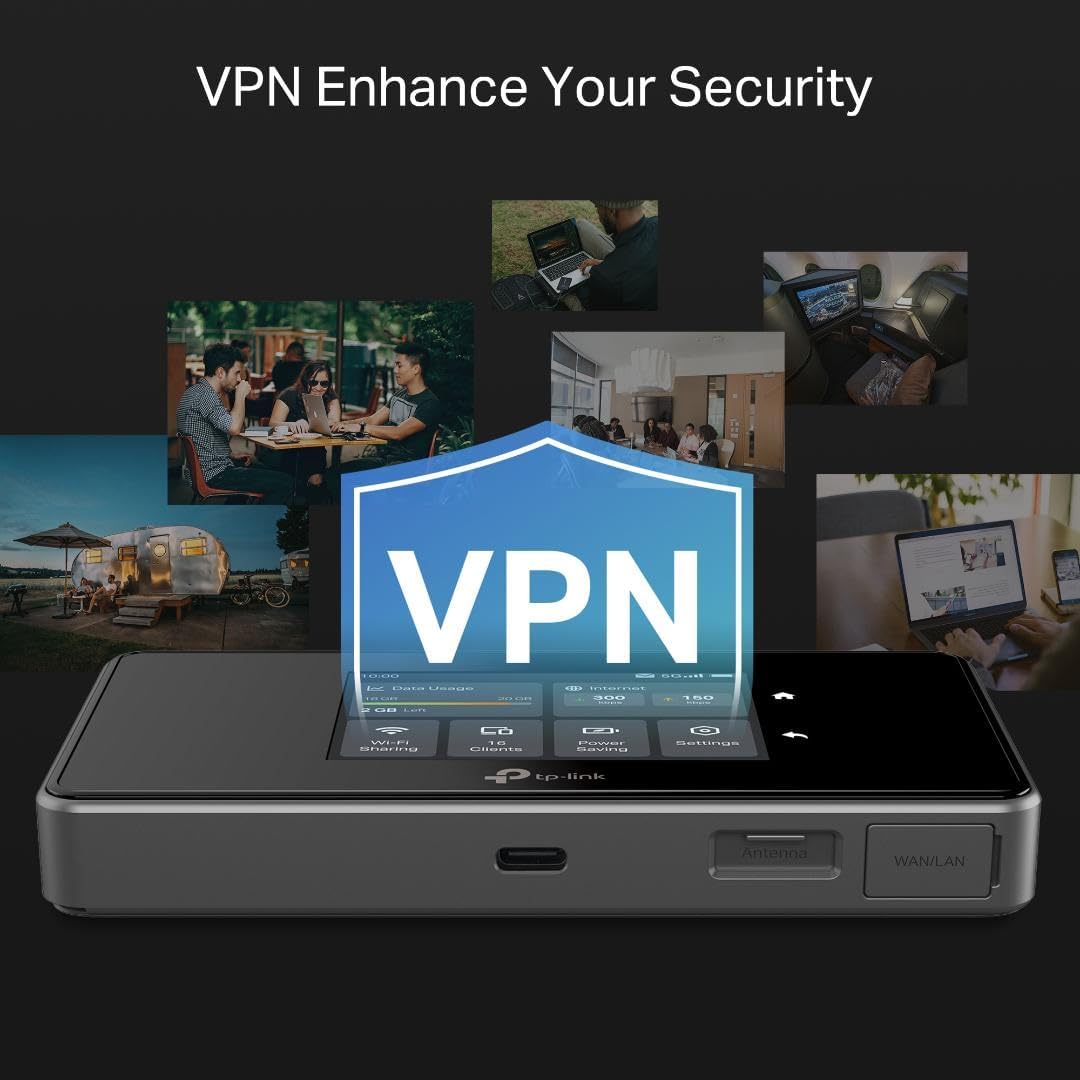
Şekil 3: The M8550 emphasizing its VPN capabilities for enhanced security, showing various usage scenarios in different environments.
Temel Özellikler
- Ultra-Fast 5G Wi-Fi: Enjoy download speeds up to 3.4 Gbps and upload speeds up to 900 Mbps on 5G networks.
- Tri-Band AXE3600 Wi-Fi 6E: Delivers up to 2,880 Mbps (6 GHz), 2,880 Mbps (5 GHz), and 688 Mbps (2.4 GHz) for optimal performance.
- Unlocked & Certified: Supports AT&T, T-Mobile, and Verizon, with international roaming capabilities.
- Two Internet Access Modes: Cellular Mode for 5G hotspot use with a SIM card and Ethernet Mode for Wi-Fi router use with a wired connection.
- Uzun Ömürlü Pil: 4680mAh rechargeable battery provides up to 14 hours of uninterrupted use.
- Birden Fazla Cihazı Bağlayın: Aynı anda 32 cihaza kadar destek sağlar.
- Informative Touchscreen: Intuitive interface for easy setup and management.
- VPN Desteği: Built-in WireGuard VPN for secure remote access.
- USB-C Bağlantı Noktası: For rapid charging and data transfer.
- External Antenna Support: Dual TS-9 connectors for optional external antennas (sold separately) to boost signal.
Kurmak
1. SIM Kartı ve Pili Takın
- Remove the back cover of the M8550 device.
- Insert your activated Nano SIM card into the designated slot. Ensure the SIM card is without a PIN lock.
- Align the 4680mAh battery with the connectors and gently press it into place.
- Arka kapağı yerine takın ve iyice yerine oturduğundan emin olun.
2. Cihazı Açın
- Ekran aydınlanana kadar cihaz üzerindeki güç düğmesine basılı tutun.
- Dil seçimi de dahil olmak üzere ilk kurulum için ekrandaki yönergeleri izleyin.
3. Download the TP-Link Tether App
- For easy management and customization, download the TP-Link Tether App from your device's app store (iOS or Android).
- Open the app and follow the instructions to connect to your M8550 hotspot.
Cihazın Çalıştırılması
Dokunmatik Ekran Arayüzü
The M8550 features an intuitive touchscreen display for direct control:
- Ev: View current status and data usage.
- Cihaz Bilgisi: Access device details and network information.
- Güç tasarrufu: Adjust settings to optimize battery life.
- VPN: Manage VPN connections for secure browsing.
- Wi-Fi Bandı: Select or manage Wi-Fi frequency bands (2.4 GHz, 5 GHz, 6 GHz).
- Ağ Modu: Switch between Cellular Mode (5G/4G) and Ethernet Mode.
- Veri dolaşımı: Enable or disable data roaming for international use.
- Uygulama İndirme: Access QR code to download the Tether App.
TP-Link Tether Uygulaması
The Tether App provides comprehensive control over your M8550 from your smartphone:
- View network status, connected clients, and data usage in real-time.
- Customize Wi-Fi settings, including network name (SSID) and password.
- Manage performance modes (Boost, Balance, Eco) to balance speed and battery life.
- Set connection priority for different internet sources (Ethernet, Hotspot, USB Internet).
- Configure parental controls, block websites, and set bedtime schedules for internet access.
- Access VPN client settings and manage USB drive file Paylaşım.
- Update device firmware for best performance.
Bağlantı
Wi-Fi Bağlantıları
The M8550 supports tri-band Wi-Fi 6E, allowing connection of up to 32 devices across 2.4 GHz, 5 GHz, and 6 GHz bands. Devices supporting Wi-Fi 7 can utilize Multi-Link Operation (MLO) for combined band speeds.
Kablolu Bağlantılar
The device includes a Gigabit WAN/LAN port for wired internet access or connecting wired devices. A USB-C port is available for rapid charging and data transfer, and a microSD card slot allows for wireless file Paylaşım.
Harici Anten Desteği
Two TS-9 connectors are available for attaching external antennas (sold separately). These can boost reception and improve 5G signal strength in areas with low coverage.
Güvenlik ve Gizlilik
The TP-Link M8550 is designed with advanced security as a core requirement, adhering to the U.S. Cybersecurity and Infrastructure Security Agency’s (CISA) Secure-by-Design pledge.
- Dahili VPN: Utilize WireGuard VPN to encrypt all traffic, providing secure access to corporate networks without additional software.
- Ağ Koruması: Access security features via the Tether App, including Security Scan, IoT Device Identification, Guest Network, and Wi-Fi Access Control.
Özellikler
| Özellik | Detay |
|---|---|
| Ürün Boyutları | 5.31 x 0.81 x 2.9 inç |
| Ürün Ağırlığı | 6.7 ons |
| Ürün Model Numarası | M8550 |
| Piller | 1 Lityum İyon pil gereklidir (dahil) |
| Marka | TP-Link |
| Model Adı | 5G Mobil WiFi |
| Özel Özellikler | 1-Tap Setup, Access Point Mode, Internet Security, MU-MIMO, Touch Screen |
| Frekans Bant Sınıfı | Üç Bant (2.4 GHz, 5 GHz, 6 GHz) |
| Kablosuz İletişim Standardı | 802.11ax (Wi-Fi 6E) |
| Uyumlu Cihazlar | Oyun Konsolu, Dizüstü Bilgisayar, Kişisel Bilgisayar, Akıllı Telefon, Tablet |
| Önerilen Kullanımlar | İş seyahati |
| Bağlantı Teknolojisi | 5G, Ethernet, Wi-Fi |
| Renk | Siyah |
Sorun giderme
- İnternet bağlantısı yok: Ensure your SIM card is active and has a valid data plan. Check signal strength on the device screen. Try restarting the device.
- Yavaş Hızlar: Performance can vary due to network configuration, signal strength, distance from the device, and obstacles. Try adjusting the performance mode in the Tether App.
- Cihaz Bağlanmıyor: Verify Wi-Fi password. Ensure the device is within range. Check for firmware updates via the Tether App.
- SIM Card Locked: If your SIM card is locked, consult the quick installation guide for unlocking instructions.
Destek
For further assistance, please contact TP-Link Customer Support:
- Telefon: 1-866-255-8139 (24/7 free support)
- Webalan: support.tp-link.com/us
- E-posta: support.usa@tp-link.com
Yasal Uyarı
The actual mobile broadband speeds vary due to network configuration, signal strength, subscription terms, etc. Maximum wireless signal rates are the physical rates derived from IEEE Standard 802.11 specifications. Actual wireless data throughput and connected devices vary due to network conditions, client limits, environment, etc. Actual battery time may vary due to different user environments. SIM card & SD card sold separately. This device requires an activated SIM card without a PIN lock. If the SIM card is locked, please consult the quick installation guide for unlocking instructions. Use of Wi-Fi 6 (802.11ax), Wi-Fi 6E and its features require clients to also support the corresponding features. External antenna sold separately.
Resmi Ürün Videosu
Video Açıklaması: This video provides an introduction to the TP-Link WR3002X Travel Router, highlighting its portable design and key features. While the video title mentions WR3002X, the content is relevant to the general functionality and benefits of TP-Link travel routers, including aspects like power options, port types, and network creation, which are applicable to the M8550.


