1. Giriş
This manual provides essential information for the proper use and maintenance of your HOTWAV R9 Ultra 5G Rugged Tablet. Please read it thoroughly before operating the device to ensure optimal performance and longevity. The HOTWAV R9 Ultra is designed for durability and high performance, featuring 5G connectivity, a large display, and robust construction.
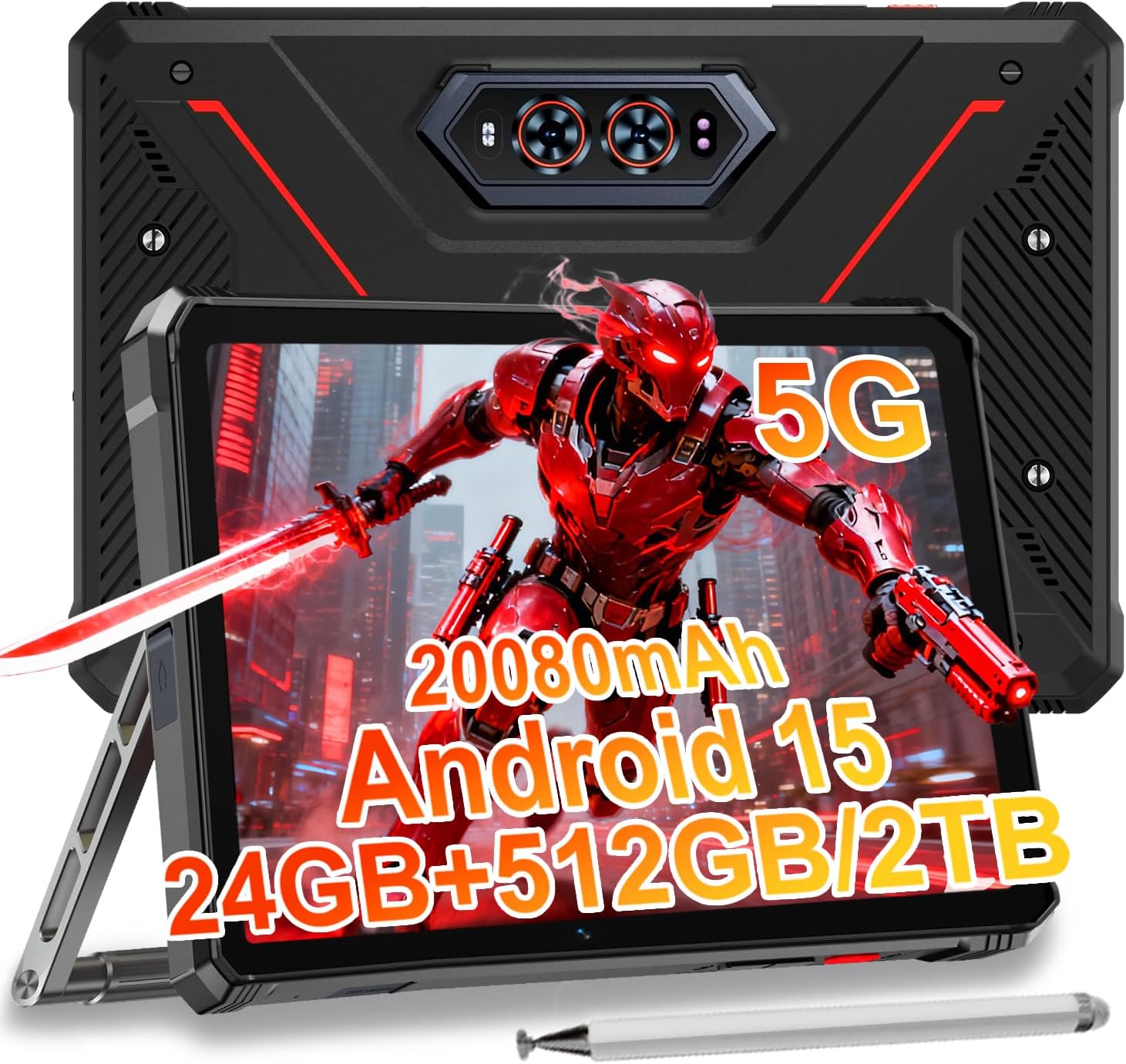
Image 1.1: The HOTWAV R9 Ultra 5G Rugged Tablet with its included stylus and stand.
2. Kutuda Neler Var?
Kutuyu açtığınızda tüm öğelerin mevcut olduğundan emin olun:
- 1 x R9 Ultra Tablet
- 1 x Kullanım Kılavuzu
- 1 x Tablet Protective Film (pre-installed or separate)
- 1 x Tablet Charger Accessory
- 1 x Tablet Stand + Strap + Electronic Pen
3. Cihaz Bittiview
Tabletinizin fiziksel bileşenlerini yakından tanıyın.
3.1 Fiziksel Bileşenler
- Görüntülemek: 11-inch FHD+ 2K screen.
- Ön Kamera: Video görüşmeleri ve selfie'ler için 16 MP.
- Arka Kameralar: 64MP main camera, 20MP night vision camera.
- Limanlar: USB-C charging/data port, Dual SIM/MicroSD card slot.
- Düğmeler: Güç düğmesi, Ses açma/kısma düğmeleri.
- Konuşmacılar: Entegre stereo hoparlörler.
- CampIşık: Integrated high-performance light on the rear.

Resim 3.1: Arka view of the tablet highlighting the camera system and integrated campışık.
4. Kurulum
4.1 SIM Kart ve MicroSD Kart Takılması
- Tabletin yan tarafında SIM/MicroSD kart yuvasını bulun.
- Tepsiyi açmak için verilen SIM çıkarma aracını kullanın.
- Carefully place your Nano-SIM cards (up to two) and/or a MicroSD card (up to 2TB) into the tray, ensuring correct orientation.
- Tepsiyi yerine oturana kadar tabletin içine geri yerleştirin.
Important Notice Before Purchase: HOTWAV rugged tablets are not compatible with AT&T, Cricket, or Verizon networks. They fully support T-Mobile, Mint, Boost, and Google Fi. Verify your carrier compatibility to ensure seamless connectivity.
4.2 İlk Açılış ve Android 15 Kurulumu
- Press and hold the Power button until the HOTWAV logo appears.
- Ekranda beliren yönergeleri izleyerek dil seçimi, Wi-Fi bağlantısı, Google hesabı oturum açma ve güvenlik ayarları da dahil olmak üzere ilk kurulumu tamamlayın.
- The tablet runs on Android 15, offering enhanced features and security.

Resim 4.1: Üzeriview of the Android 15 operating system interface.
5. Tabletin Çalıştırılması
5.1 Temel Gezinme
- Dokunma Hareketleri: Ekranla etkileşim kurmak için dokunma, kaydırma ve sıkıştırma hareketlerini kullanın.
- Ana Ekran: Access apps and widgets.
- Bildirimler: için ekranın üst kısmından aşağı doğru kaydırın. view bildirimler ve hızlı ayarlar.
5.2 Bağlantı
- 5G Ağı: Insert a compatible 5G SIM card for high-speed mobile data.
- Kablosuz 5: İnternet erişimi için kablosuz ağlara bağlanın.
- Bluetooth 5.0: Pair with Bluetooth devices such as headphones or speakers.
- KÜRESEL KONUMLAMA SİSTEMİ: Utilize multi-system navigation (Beidou, GPS, Galileo, Glonass) and a geomagnetic sensor for accurate positioning.

Image 5.1: The tablet's GPS functionality in use for navigation.
5.3 Kamera Kullanımı
The tablet features a versatile camera system:
- 64MP Ana Kamera: Yüksek çözünürlüklü fotoğraflar için.
- 20MP Gece Görüş Kamerası: Düşük ışık koşullarında net görüntüler için.
- 16MP Ön Kamera: For video calls and self-portraits.
Camera modes include Night Mode, Pro Mode, Panorama Mode, and Underwater Mode for diverse shooting scenarios.

Image 5.2: Demonstrating the tablet's underwater and night vision camera capabilities.
5.4 Pil Yönetimi
The tablet is equipped with a 20080mAh battery for extended use.
- Şarj: Use the included 20W fast charger for efficient power replenishment.
- OTG Ters Şarj: The tablet can act as a power bank to charge other devices.

Image 5.3: Visual representation of the 20080mAh battery and 20W fast charging.
5.5 Kalem Kullanımı
The included stylus allows for precise interaction with the screen, ideal for drawing, note-taking, or navigating with gloves on.

Image 5.4: The stylus pen, designed for precise input.
5.6 Özel Özellikler
- CampIşık: Activate the rear camping light for illumination in dark environments.
- Gemini Yapay Zekası: Utilize Gemini AI for advanced reasoning, creative solutions, and deeper conversations.
- Eldiven Modu: The display supports operation while wearing gloves.
- Yüz Kimliği: Unlock your tablet using facial recognition.
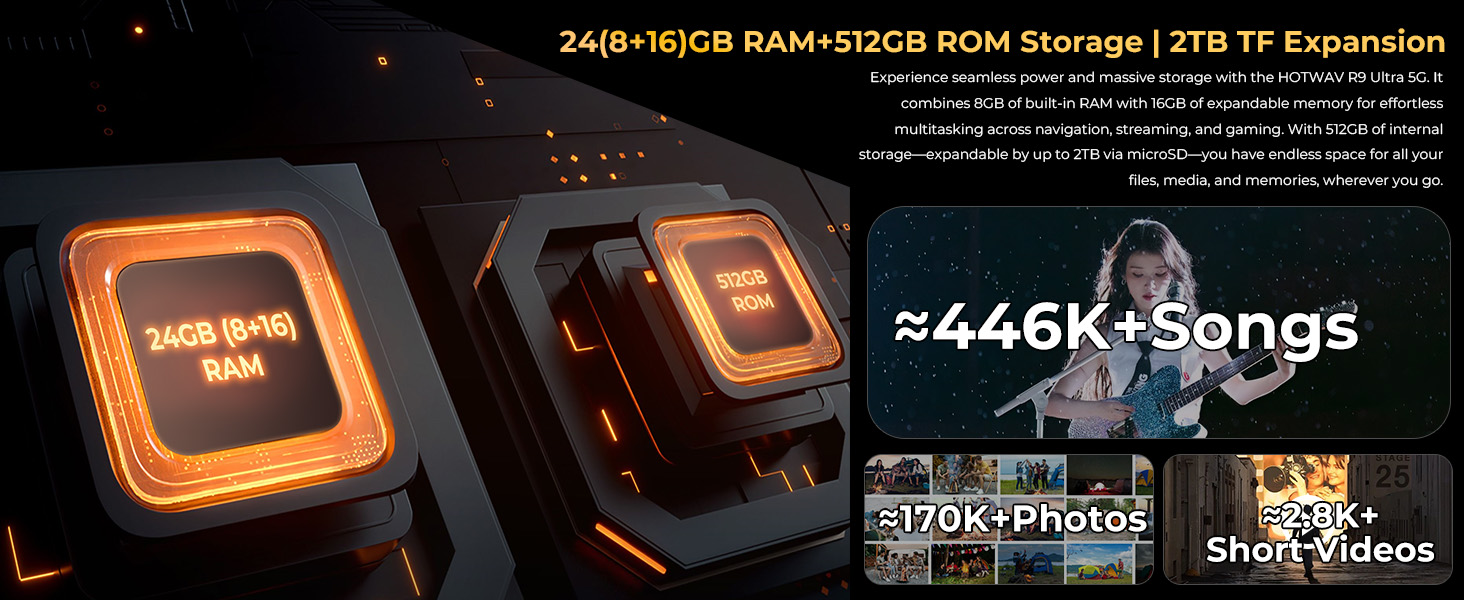
Image 5.5: The tablet's integrated camping light providing illumination.
5.7 Dayanıklılık Özellikleri
The HOTWAV R9 Ultra is built to withstand challenging conditions:
- IP68 ve IP69K derecelendirmesi: Fully dust-tight and protected against high-pressure, high-temperature water jets.
- MIL-STD-810H Sertifikalı: Meets military standards for shock and drop resistance.
- Corning Gorilla Glass 3: Provides enhanced screen protection against scratches and impacts.

Image 5.6: The tablet's robust design, highlighting its resistance to drops, water, and dust.
6. Bakım
6.1 Temizlik
Tabletinizi temizlemek için yumuşak, tüy bırakmayan bir bez kullanın. İnatçı kirler için hafifçe ovun.ampBezi suyla yıkayın. Sert kimyasallar veya aşındırıcı malzemeler kullanmaktan kaçının.
6.2 Yazılım Güncellemeleri
Regularly check for and install software updates to ensure your tablet has the latest features, security patches, and performance improvements. Navigate to Ayarlar > Sistem > Sistem güncellemesi Mevcut güncellemeleri kontrol etmek için.
6.3 Depolama Yönetimi
Periyodik olarak yenidenview Tabletinizin depolama alanını boşaltın. Gereksiz şeyleri silin. fileKullanılmayan uygulamaları kaldırın ve büyük medya dosyalarını aktarın. files to external storage or cloud services to maintain optimal performance. The tablet supports up to 2TB of expandable storage via MicroSD.
7. Sorun Giderme
Tabletinizle ilgili sorunlarla karşılaşırsanız, aşağıdaki yaygın çözümlere başvurabilirsiniz:
- Tablet açılmıyor: Pilinin dolu olduğundan emin olun. Tableti şarj cihazına bağlayın ve tekrar açmayı denemeden önce birkaç dakika bekleyin.
- Yavaş performans: Close unused applications, clear cache, or restart the tablet. Check for available software updates.
- Bağlantı sorunları (Wi-Fi/5G): Toggle Wi-Fi or mobile data off and on. Restart your router for Wi-Fi issues. Verify SIM card installation and carrier compatibility for 5G issues.
- Ekran tepkisiz: Güç düğmesini yaklaşık 10-15 saniye basılı tutarak zorunlu yeniden başlatma işlemi gerçekleştirin.
- Uygulamalar çöküyor: Uygulamanın önbelleğini ve verilerini temizle Ayarlar > Uygulamalar, or reinstall the app.
Kalıcı sorunlar için müşteri desteğiyle iletişime geçin.
8. Özellikler
| Özellik | Şartname |
|---|---|
| Marka | SICAK DALGA |
| Model Adı | R9 Ultra |
| İşletim Sistemi | Android 15 |
| Ekran Boyutu | 11 inç |
| Ekran Çözünürlüğü | 1200 x 1920 Pixels (2K FHD+) |
| İşlemci Markası | Unisoc |
| Grafik Eş İşlemcisi | Mali-G57 MC2 |
| Veri deposu | 24GB (8GB fiziksel + 16GB sanal) |
| Dahili Depolama | 512 GB |
| Genişletilebilir Depolama | MicroSD kart ile 2 TB'a kadar depolama alanı. |
| Arka Webkam Çözünürlüğü | 64 MP (Main) + 20 MP (Nightvision) |
| Ön Webkam Çözünürlüğü | 16 MP |
| Pil Kapasitesi | 20080mAh |
| Şarj etme | 20W Hızlı Şarj, OTG Ters Şarj |
| Dayanıklılık Derecelendirmeleri | IP68, IP69K, MIL-STD-810H |
| Bağlantı | 5G, Wi-Fi 5, Bluetooth 5.0, GPS (Beidou, Galileo, Glonass) |
| Ürün Ağırlığı | 2.64 pound |
| Ürün Boyutları | 10.6 x 7.1 x 0.7 inç |
9. Garanti ve Destek
9.1 Garanti Bilgileri
The HOTWAV R9 Ultra comes with a comprehensive 2-year hardware warranty. This warranty covers manufacturing defects and ensures the reliability of your device. Please retain your proof of purchase for warranty claims.
9.2 Müşteri Desteği
For technical assistance, troubleshooting, or warranty inquiries, please contact HOTWAV customer support. Support options typically include:
- 24/7 Çevrimiçi Destek
- Ömür Boyu Teknik Destek
Refer to the official HOTWAV webBelirli iletişim bilgileri için siteye veya satın alma belgelerinize bakın.

Image 9.1: Representation of HOTWAV's customer support services.


