giriiş
This manual provides detailed instructions for the setup, operation, and maintenance of your Parsonver Smart Watch PSSW8. Please read thoroughly to ensure optimal performance and longevity of your device.
Kutuda Neler Var:
- 1x Smartwatch
- 1x Şarj Kablosu
- 1x Kullanım Kılavuzu
Kurmak
1. İlk Ücret
Before first use, fully charge your smartwatch using the provided magnetic charging cable. Connect the USB end of the cable to a standard USB power adapter (not included) and align the magnetic end with the charging points on the back of the watch. A full charge typically takes approximately 2 hours.
Image: The smartwatch connected to its magnetic charging cable.
2. App Download & Pairing
Download the companion app (VeryFit) to your smartphone. The app can be found by scanning the QR code in the user manual or searching in your device's app store. Ensure Bluetooth is enabled on your smartphone. Open the app and follow the on-screen instructions to pair your smartwatch. You will need to set up your personal profile within the app for accurate data tracking.

Image: The companion app interface on a smartphone, displaying various watch face options.
3. Kayış Değişimi
The smartwatch bands are easily replaceable. To remove a band, locate the small pin on the underside where the band connects to the watch face. Pull the pin inwards and gently detach the band. To attach a new band, align the pin with the holes on the watch face and release the pin to secure it.
Image: A close-up of the smartwatch, demonstrating how to remove and attach the interchangeable bands using the quick-release pin.
Akıllı Saatin Çalıştırılması
1. Gezinme
- Aşagı kaydır: Erişim bildirimleri.
- Yukarı kaydırın: Access quick settings (e.g., brightness, battery status, do not disturb).
- Sola/Sağa Kaydır: Scroll through various widgets and features (e.g., heart rate, SpO2, stress, sleep, weather, music control, activity stats).
- En üstteki düğme: Ana ekrana dönmek için basın.
- Alt Düğme: Press to access the workout menu.
2. Saat Kadranı Özelleştirme
The smartwatch features a 1.27-inch (32mm) 360x360 Ultra HD display. You can customize your watch face through the companion app's 'Dial Center'. Choose from over 100 pre-installed watch faces or create your own DIY watch face using personal photos.
Image: The companion app interface on a smartphone, displaying various watch face options for customization.
Sağlık İzleme
The smartwatch offers 24/7 wellness monitoring, providing insights into your health data directly on your wrist and synced to the app.
- Nabız İzleme: Tracks your heart rate continuously. Customizable alerts can be set for exceeding specific thresholds.
- SpO2 İzleme: Kanınızdaki oksijen seviyesini ölçer.
- Stres İzleme: Gün boyunca stres seviyenizi izler.
- Uyku İzleme: Analyzes sleep patterns, recording deep, light, and REM stages, along with naps.
- Kadın Sağlığı Takibi: Supports data-driven cycle management.
- Guided Breathing Sessions: Offers guided breathing exercises for relaxation.
- Akıllı Uyarılar: Provides gentle reminders to stand up, drink water, take medication, or wash hands.
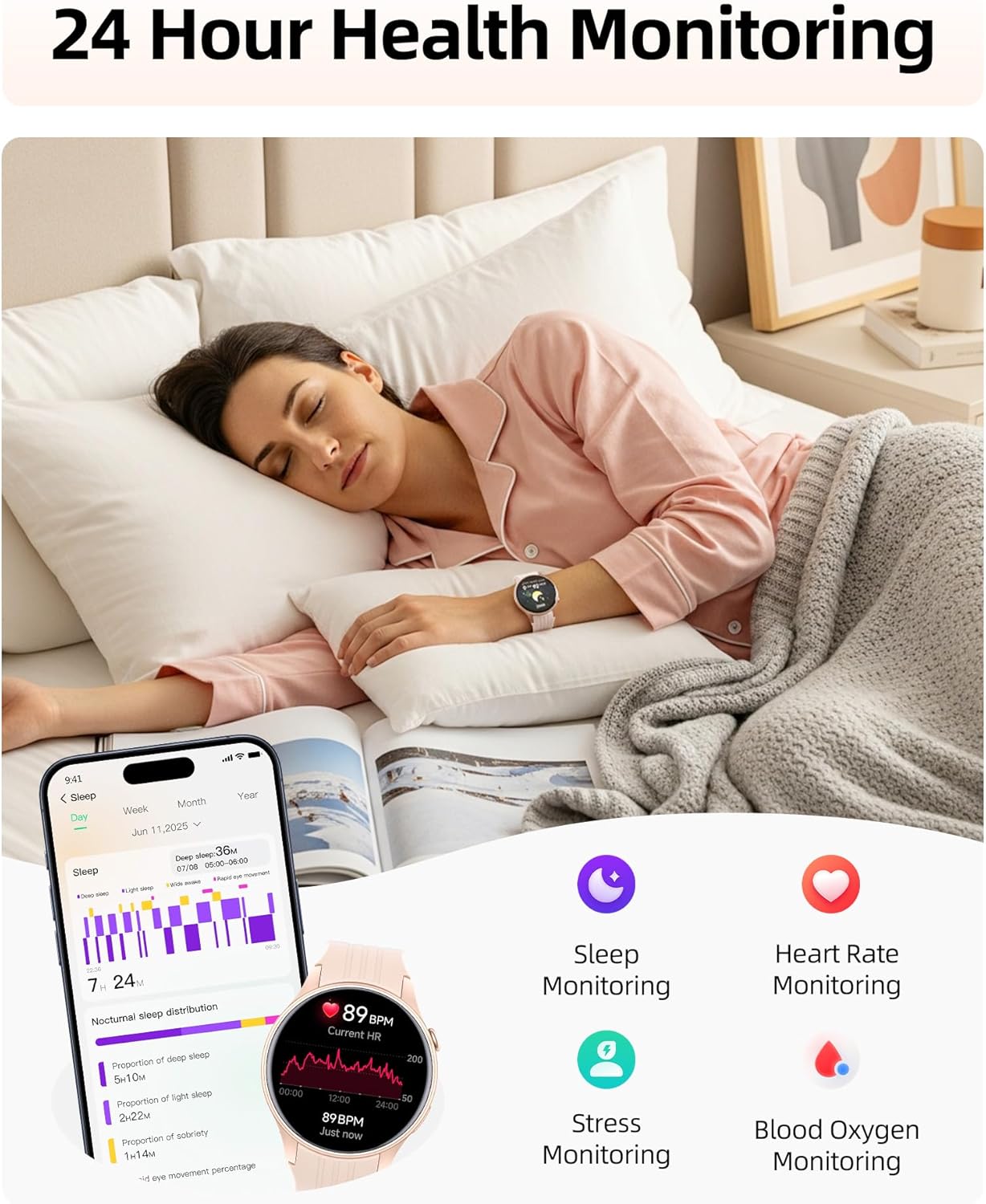
Image: A woman sleeping while wearing the smartwatch, with icons illustrating sleep, heart rate, stress, and blood oxygen monitoring features.
Fitness Takibi
1. 100+ Spor Modu
Choose from over 100 sports modes, including running, cycling, yoga, and strength training. The smartwatch automatically detects and records key metrics such as heart rate, calories, distance, and pace for each workout. Set goals and track your progress within the app.

Image: Illustrations of various sports activities, with the smartwatch displaying real-time metrics for different sports modes.
2. Dahili GPS
The high-precision built-in GPS chip accurately tracks your routes, distance, pace, and calories without requiring your phone. All journey data is automatically mapped and synced to the app for review.

Image: A woman running outdoors, with the smartwatch and a smartphone displaying GPS-tracked routes and fitness data.
3. 24/7 Activity Tracking
Track steps, calories, distance, and activity time around the clock to stay motivated towards your fitness goals. The app allows you to unlock achievement badges at every milestone.
Connectivity & Smart Features
1. Bluetooth 5.3 Calling & Smart Alerts
With dual Bluetooth support (BT 3.0 + BLE 5.3) and a premium microphone, you can make and receive crystal-clear calls directly from your wrist. Receive instant notifications for calls, texts, and popular apps like WhatsApp and Facebook. Simply raise your wrist to view uyarılar.

Image: A woman lifting weights, with the smartwatch on her wrist showing an incoming call and various app notification icons.
2. Quick Call Replies
For Android users, the smartwatch supports quick call replies, allowing you to respond instantly during meetings or cycling without reaching for your phone. This feature is not available for iPhone.
3. Smart Life Assistant
Beyond fitness, the smartwatch offers various smart assistant features:
- Weather tracking
- Müzik ve kamera kontrolü
- Alarmlar ve zamanlayıcılar
- Kılavuzlu nefes alma
- Find my phone function
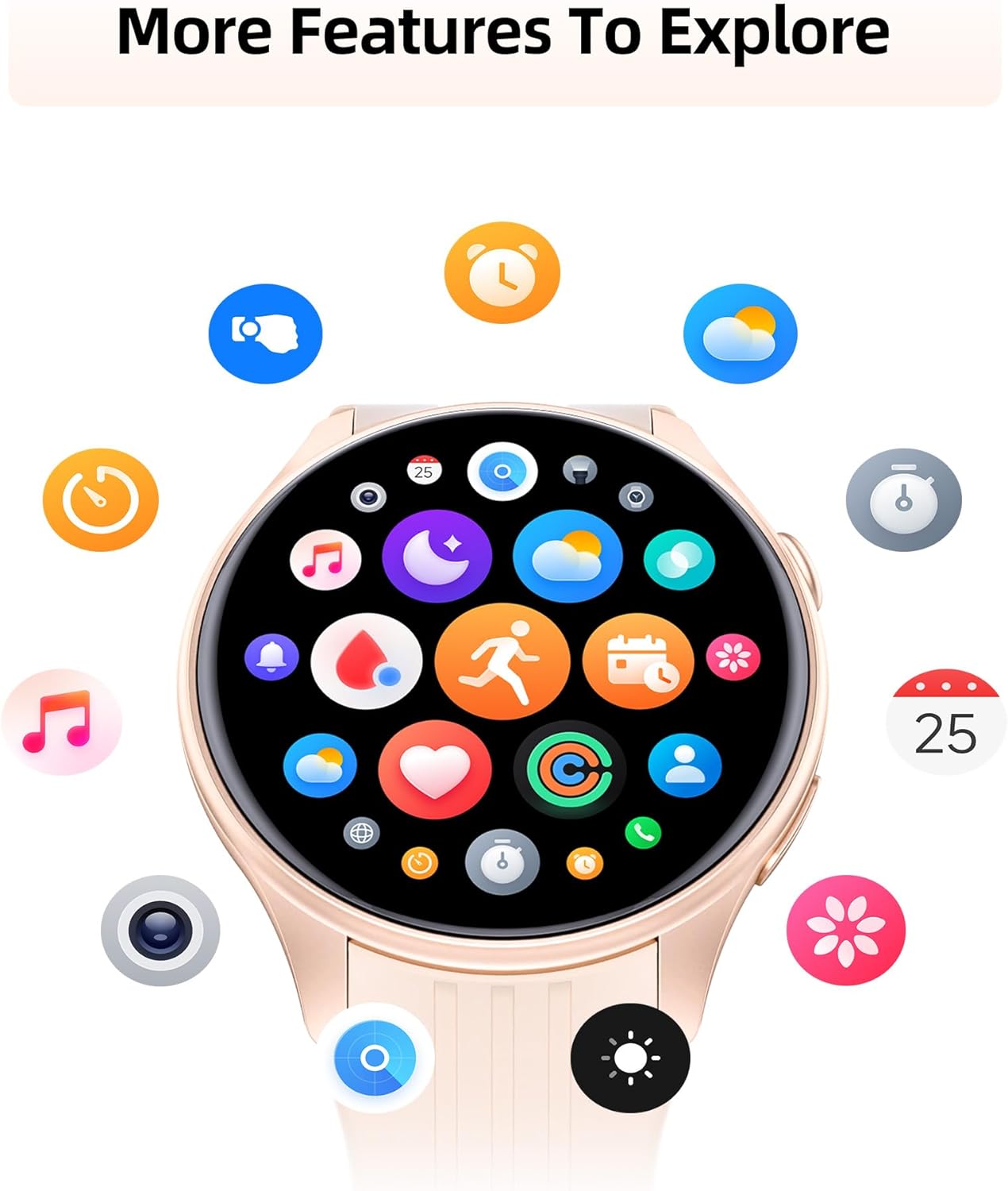
Resim: Akıllı saatin ekranıasing a variety of app icons, representing features such as music control, weather updates, camera remote, and alarm settings.
Suya Dayanıklılık
The smartwatch is IP68 water- and dust-resistant, rigorously tested to withstand splashes, hand washing, face washing, and intense sweat. This makes it suitable for daily wear and various activities. Not: It is not recommended for showering, swimming, or sauna use.
Video: A demonstration of the smartwatch's water resistance, showing it being submerged in water and functioning normally.
Battery Life & Compatibility
The smartwatch offers extended battery life, providing up to 7 days of typical use or 30 days of standby time on a quick 2-hour charge. It is compatible with Android (5.0+) and iOS (12.0+) smartphones.
Bakım
To ensure the longevity and proper functioning of your smartwatch, follow these maintenance guidelines:
- Temizlik: Regularly wipe the watch face and band with a soft, dry cloth. If necessary, use a slightly damp cloth for the silicone band.
- Şarj: Use only the provided magnetic charging cable. Avoid exposing the charging contacts to water or sweat.
- Depolamak: Akıllı saati kullanılmadığı zaman serin ve kuru bir yerde saklayın.
- Aşırı Koşullardan Kaçının: Saati aşırı sıcaklıklara, uzun süre doğrudan güneş ışığına veya sert kimyasallara maruz bırakmayın.
Sorun giderme
If you encounter any issues with your smartwatch, try the following steps:
- Açılmıyor: Saatin tamamen şarj olduğundan emin olun. Şarj cihazına bağlayın ve tekrar açmayı denemeden önce birkaç dakika bekleyin.
- Eşleştirme Sorunları: Make sure Bluetooth is enabled on your smartphone and the smartwatch is within range. Try restarting both devices and attempting the pairing process again.
- Hatalı Veri: Kişisel profesyonelliğinizi sağlayın.file information (height, weight, gender) in the app is accurate. For health monitoring, ensure the watch is worn snugly on your wrist.
- Alınmayan Bildirimler: Check the notification settings within the companion app and your smartphone's system settings to ensure app notifications are enabled and synced.
- Ekran yanıt vermiyor/donmuş: Try restarting the device by pressing and holding the power button. If unresponsive, allow the battery to fully drain and then recharge.
Özellikler
| Özellik | Detay |
|---|---|
| Ürün Boyutları | 11.02 x 3.35 x 0.71 inç |
| Ürün Ağırlığı | 40 Gram (1.41 ons) |
| Ürün Model Numarası | PSSW8 |
| Ayakta Ekran Görüntüleme Boyutu | 1.27 inç |
| Ekran Çözünürlüğü | 360x360 Ultra HD |
| Pil Kapasitesi | 270 Miliamp Saat |
| Pil Ömrü (Tipik Kullanım) | 7 güne kadar |
| Pil Ömrü (Bekleme) | 30 güne kadar |
| Şarj Süresi | Yaklaşık 2 saat |
| Suya Dayanıklılık | IP68 |
| Bağlantı Teknolojisi | Bluetooth 5.3 (BT 3.0 + BLE 5.3) |
| İşletim Sistemi Uyumluluğu | iOS 12.0/Android 5.0 veya üzeri |
| Özel Özellik | Dahili GPS |
Garanti ve Destek
Your Parsonver Smart Watch PSSW8 is supported by 24/7 customer service. For any inquiries or assistance, please refer to the contact information provided in your user manual or visit the official Parsonver support channels.


