giriiş
Satın aldığınız için teşekkür ederizasing the ROCAM Digital Radio Alarm Clock. This manual provides detailed instructions for setting up, operating, and maintaining your device. Please read this manual thoroughly before use to ensure proper function and longevity of the product.
Güvenlik Bilgileri
- Cihazın doğru voltajda bir güç kaynağına bağlı olduğundan emin olun.tage.
- Cihazı suya veya aşırı neme maruz bırakmayın.
- Cihazı ısı kaynaklarının yakınına veya doğrudan güneş ışığına maruz bırakmaktan kaçının.
- Cihazı kendiniz sökmeye veya onarmaya çalışmayın. Yetkili servis personeliyle iletişime geçin.
- Çocukların erişemeyeceği yerde saklayınız.
Ürün Bittiview
The ROCAM Digital Radio Alarm Clock features a clear display, intuitive controls, and multiple functions including FM radio, Bluetooth speaker, night light, and charging ports.

Ön view of the ROCAM Digital Radio Alarm Clock, showing the large digital display and speaker grille.
Temel Özellikler:
- FM Radio (87.5 MHz - 108.0 MHz) with 20 presets.
- Bluetooth 5.0 speaker with 10m wireless range.
- Adjustable night light.
- USB and Type-C charging ports.
- Large, dimmable LED display (5 brightness levels).
- Dual alarm modes with classic beep or radio sound.
- 12/24 hour format and DST function.
- Battery backup for time and settings during power outagee.
Kurmak
1. Güç Bağlantısı:
Connect the provided power adapter to the DC input port on the back of the alarm clock and plug it into a wall outlet. The clock requires plug power to operate. The internal battery serves as a backup for settings during power interruptions.
2. İlk Çalıştırma:
Once connected, the display will light up. You may need to set the time manually if it's the first use or after a prolonged power disconnection without battery backup.
Kullanım Talimatları
Saat ve Tarih Ayarı:
- Basılı tutun Zaman Ayarı button (or similar button, usually indicated by a clock icon). The hour digits will start flashing.
- Döndür Time/Volume knob Saati ayarlamak için
- Basın Zaman Ayarı Saati onaylamak ve dakikaya geçmek için tekrar düğmeye basın.
- Döndür Time/Volume knob Dakikaları ayarlamak için
- Basın Zaman Ayarı button once more to save the time.
- 12 saatlik ve 24 saatlik format arasında geçiş yapmak için tuşuna basın. 12/24H düğme.
Alarmların Ayarlanması:
Bu saat iki bağımsız alarmı desteklemektedir.
- Basılı tutun Alarm 1 or Alarm 2 Düğmeye basın. Alarm saati rakamları yanıp sönecektir.
- Döndür Time/Volume knob İstediğiniz alarm saatini ayarlamak için
- Karşılık gelen Alarm Saati onaylamak ve dakikaya geçmek için tekrar düğmeye basın.
- Döndür Time/Volume knob İstenilen alarm dakikasını ayarlamak için.
- Basın Alarm button again to select the alarm sound: classic beep or FM radio.
- Basın Alarm Alarm ayarını kaydetmek için düğmeye son bir kez basın.
- To activate/deactivate an alarm, short press the corresponding Alarm düğmesine basın. Ekranda bir alarm simgesi belirecek/kaybolacaktır.
The alarm clock display showing the time and an active alarm icon, indicating the alarm function is set.
Erteleme İşlevi:
Alarm çaldığında, tuşuna basın. Erteleme/Işık button to temporarily silence the alarm for a few minutes (default snooze time). The alarm will sound again after the snooze period.
FM Radyo Kullanımı:
- Basın Mod FM Radyo moduna geçmek için düğmeye basın.
- To perform an automatic scan for stations, press and hold the Tarama button. The radio will search for and save up to 20 available stations (87.5 MHz to 108.0 MHz).
- Manuel olarak ayarlamak için, düğmeye kısa süre basın. Önceki/Sonraki Frekansı ayarlamak için düğmeler.
- Döndür Time/Volume knob to adjust the radio volume (16 levels).

The alarm clock display showing an FM radio frequency, indicating it is in radio mode.
Bluetooth Eşleştirme:
- Basın Mod button to switch to Bluetooth mode. The display will show a Bluetooth icon, usually flashing to indicate pairing mode.
- On your mobile device or computer, enable Bluetooth and search for "ROCAM Alarm Clock" (or similar device name).
- Select the device to pair. Once connected, the Bluetooth icon on the clock's display will stop flashing.
- You can now stream audio from your device to the alarm clock.
- Döndür Time/Volume knob to adjust the playback volume.

Dahili view of the ROCAM alarm clock highlighting its Bluetooth 5.0 capabilities and speaker components, demonstrating its audio features.
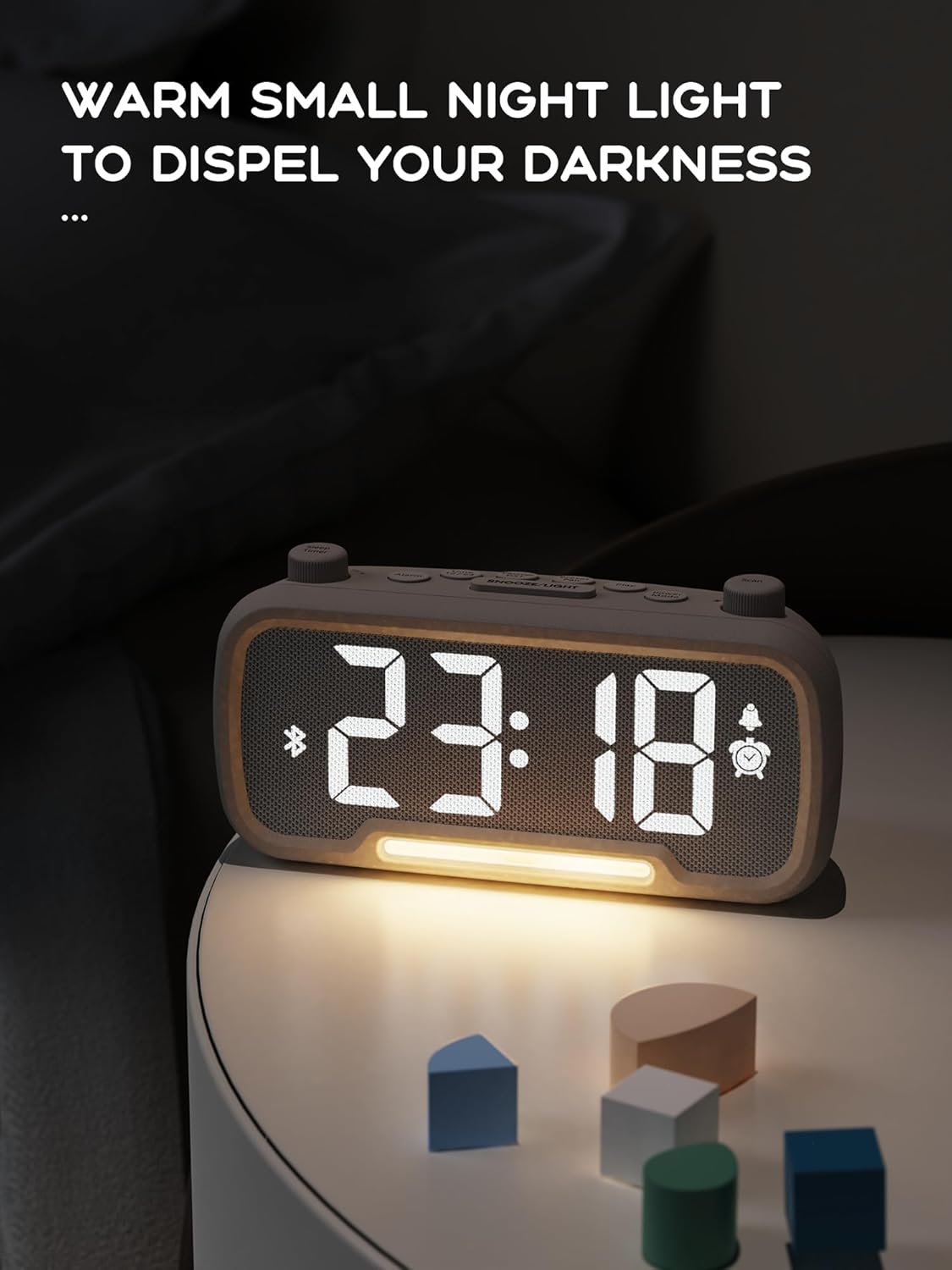
Gece Işığı İşlevi:
The alarm clock features an integrated night light.
- Kısa basın Erteleme/Işık Gece lambasını açıp kapatmak için kullanılan düğme.
- The night light has adjustable brightness levels. Press and hold the Erteleme/Işık button to cycle through the brightness options.

The ROCAM alarm clock on a bedside table, with its warm night light illuminated, providing ambient lighting.
Ekran Parlaklığı Ayarı:
The main display has 5 adjustable brightness levels.
- Basın Parlaklık button (or similar, often combined with Snooze/Light) to cycle through the display brightness levels.
- Select the level that is most comfortable for your environment.
Yaz Saati Uygulaması (DST) Fonksiyonu:
Yaz saati uygulamasına göre ayarlama yapmak için:
- Kısa basın Yaz saati uygulaması button (or similar, often indicated by a sun icon). The time will automatically adjust forward or backward by one hour.
- Press it again to revert the change.
USB and Type-C Charging Ports:
The alarm clock includes USB and Type-C ports for charging external devices.
- Connect your device's charging cable to the appropriate USB or Type-C port on the back of the alarm clock.
- Ensure the alarm clock is powered on for the charging ports to function.
Bakım
- Cihazı yumuşak, kuru bir bezle temizleyin. Sıvı temizleyiciler veya aşındırıcı malzemeler kullanmayın.
- Keep the device free from dust and debris to ensure proper ventilation.
- Cihaz uzun süre kullanılmayacaksa, fişini prizden çekin.
Sorun giderme
| Sorun | Olası Neden | Çözüm |
|---|---|---|
| Saat göstergesi kapalı. | Güç yok, güç vartage, or device is off. | Check power connection. Ensure the power adapter is securely plugged in. If there was a power outage, the battery backup should maintain settings, but the display requires main power. |
| Alarm çalmıyor. | Alarm is not activated, volume is too low, or incorrect time set. | Ensure the alarm icon is visible on the display. Increase alarm volume. Verify alarm time is set correctly. |
| FM radyo alımı zayıf. | Zayıf sinyal, antenin uzatılmamış olması veya parazit. | Adjust the position of the device. Extend the FM antenna fully. Try auto-scanning for stations again. Avoid placing near other electronic devices. |
| Bluetooth cihazı eşleştirilemiyor. | Clock not in Bluetooth mode, device too far, or already paired with another device. | Ensure the clock is in Bluetooth mode (flashing icon). Move your device closer to the clock. Disconnect from other Bluetooth devices. |
| USB/Type-C şarjı çalışmıyor. | Clock not powered, cable faulty, or device not compatible. | Ensure the alarm clock is plugged into a wall outlet. Try a different charging cable. Verify your device is compatible with standard USB charging. |
Özellikler
| Özellik | Detay |
|---|---|
| Marka | ROCAM |
| Örnek | B0FNWB172Z |
| Renk | Gri |
| Boyutlar | 16.8 x 3.81 x 8.4 cm (6.6 x 1.5 x 3.3 inç) |
| Ağırlık | 350 gr (0.77 lb) |
| Güç Kaynağı | Kablolu Elektrik |
| Pil | 1 Lithium-metal battery (included, for backup) |
| FM Frekans Aralığı | 87.5 MHz - 108.0 MHz |
| Bluetooth Sürümü | 5.0 |
| Ekran Parlaklığı | 5 seviye ayarlanabilir |
| Ses Seviyeleri | 16 seviye ayarlanabilir |
Garanti ve Destek
For warranty information or technical support, please refer to the contact details provided with your purchase or visit the official ROCAM webSite. Satın alma belgenizi garanti talepleriniz için saklayın.