1. Giriş
This manual provides essential information for the setup, operation, maintenance, and troubleshooting of your NIMO N159 15.6-inch IPS FHD Gaming Laptop. This device is equipped with an AMD Ryzen 7 7735HS processor, 32GB DDR5 RAM, and a 1TB PCIe SSD, designed for balanced performance in productivity and light gaming tasks. Please read this manual thoroughly to ensure proper usage and to maximize the lifespan of your laptop.
2. Kutuda Neler Var?
Tüm öğelerin ambalajda mevcut olduğunu doğrulayın:
- 1 x NIMO N159 Dizüstü Bilgisayar
- 1 x Type-C 100W PD Hızlı Şarj Cihazı
- 1 x Kullanım Kılavuzu (bu belge)
- Windows 11 Home (önceden yüklenmiş)
3. Ürün Bittiview
Familiarize yourself with the components and features of your NIMO N159 laptop.

Şekil 3.1: Ön view of the NIMO N159 laptop, showcasing its 15.6-inch display and overall design.
3.1 Temel Özellikler
- İşlemci: AMD Ryzen 7 7735HS with 8 Cores and 16 Threads, up to 4.75GHz.
- Grafikler: Integrated AMD Radeon 680M GPU.
- Hafıza: Verimli çoklu görev için 32GB DDR5 RAM.
- Depolamak: 1TB PCIe 4.0 SSD for fast boot times and data access.
- Görüntülemek: 15.6-inch Full HD (1920x1080) IPS Anti-Glare Display.
- Şarj: 100W Type-C PD Fast Charger.
- Güvenlik: Fingerprint Unlock integrated into the touchpad.
- Giriş: Backlit Keyboard with Numeric Keypad.

Şekil 3.2: Üzeriview of the AMD Ryzen 7 7735HS processor and its integrated Radeon 680M graphics.
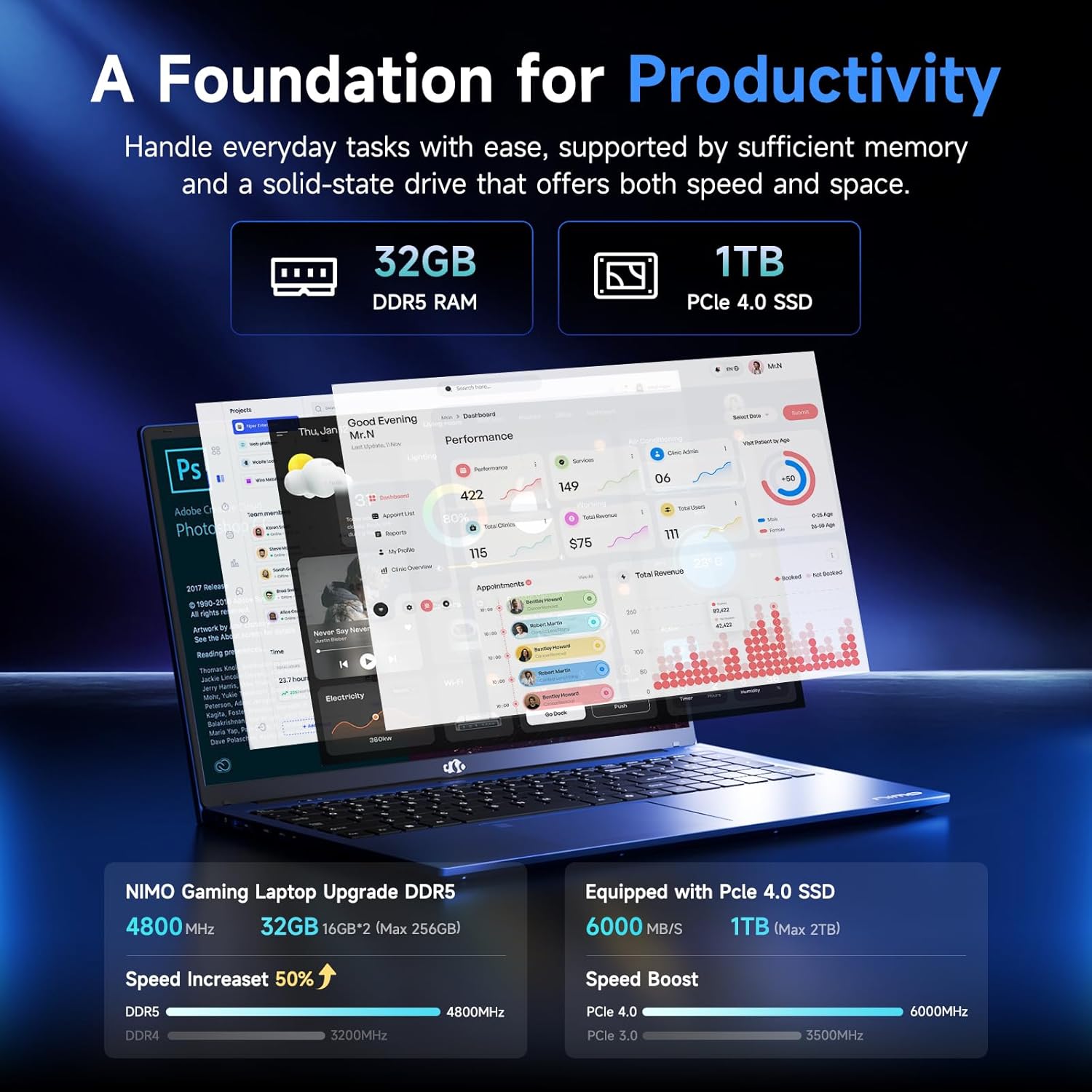
Figure 3.3: Illustration of the 32GB DDR5 RAM and 1TB PCIe 4.0 SSD, highlighting their speed and capacity.
3.2 Bağlantı Noktaları ve Konektörler
The NIMO N159 laptop provides a variety of ports for connectivity:

Şekil 3.4: Ayrıntılı view of the laptop's ports and their functions.
- Sol Taraf: Kensington Lock, Audio Jack, USB 3.2 Gen 1, USB 2.0, Micro SD Reader.
- Sağ Taraf: Type-C Gen2 (Multifunction), USB 3.2 Gen 1, HDMI 2.0, Type-C Gen2 (Multifunction).
3.3 Güç ve Pil

Figure 3.5: Battery and charging capabilities of the NIMO N159 laptop.
The laptop is equipped with a 54Wh smart battery. It supports fast charging via the included 100W Type-C PD charger, providing approximately 5 hours of usage from a 1-hour charge.
3.4 Keyboard and Fingerprint Unlock
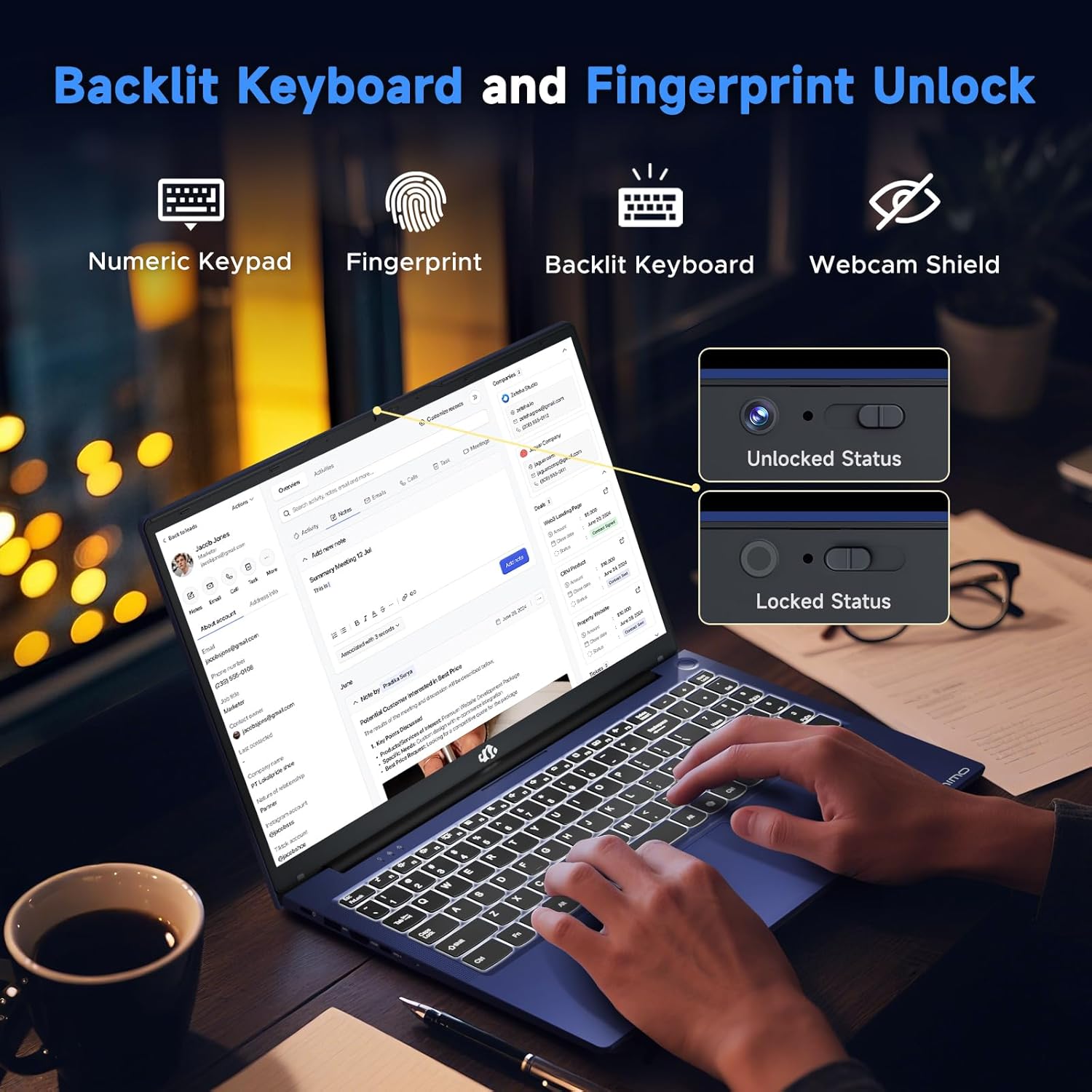
Figure 3.6: Features of the backlit keyboard, numeric keypad, fingerprint unlock, and webcam shield.
The keyboard features backlighting for use in low-light conditions and includes a numeric keypad. The fingerprint reader is integrated into the touchpad for secure and quick access.
3.5 Ekran
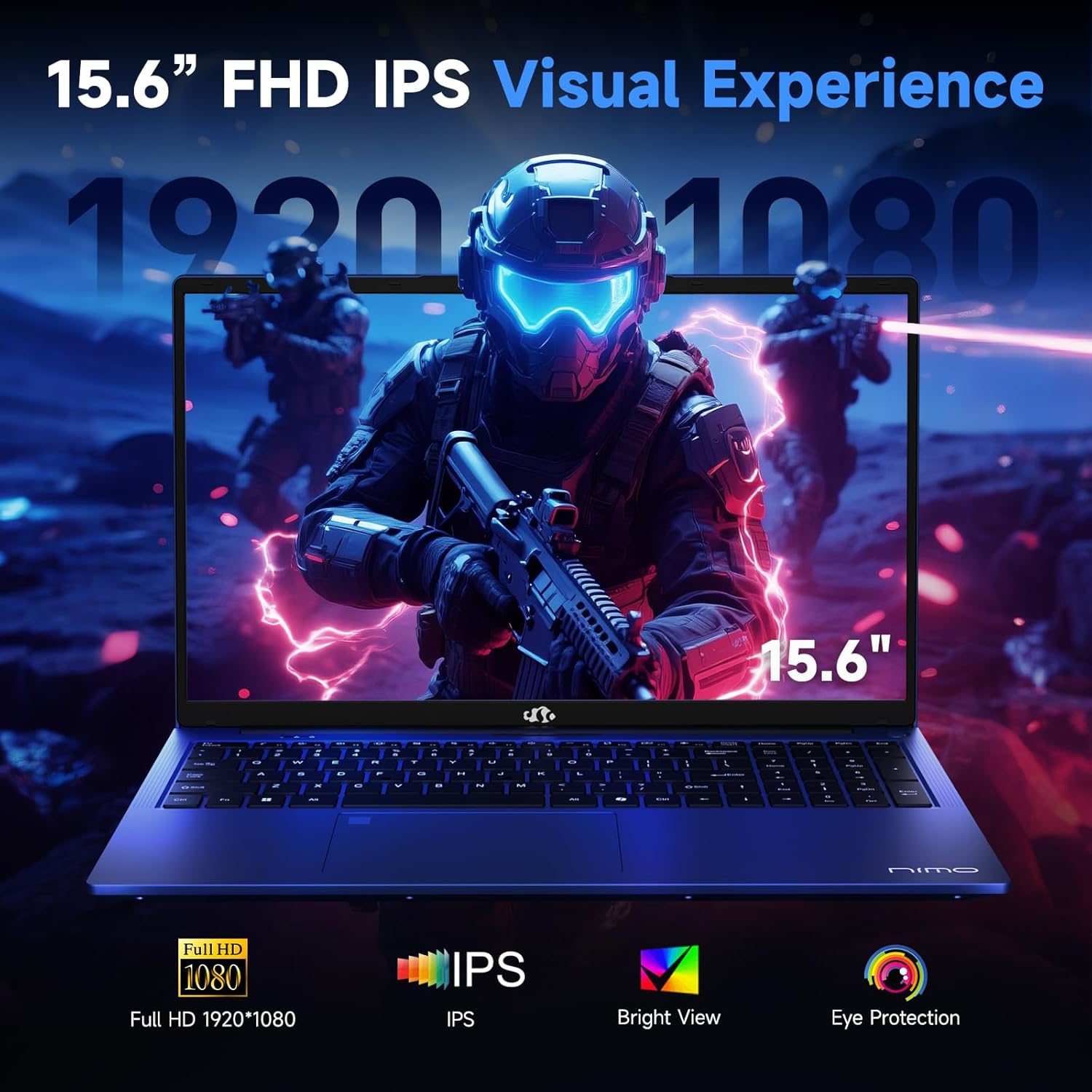
Figure 3.7: Visual representation of the 15.6-inch FHD IPS display quality.
The 15.6-inch Full HD (1920x1080) IPS Anti-Glare Display offers vibrant visuals and a wide viewing angle, suitable for various tasks from work to entertainment.
4. Kurulum
4.1 İlk Güç Açma
- Paketi aç: Dizüstü bilgisayarınızı ve tüm aksesuarlarını dikkatlice ambalajından çıkarın.
- Gücü bağlayın: Plug the Type-C 100W PD Fast Charger into a power outlet and connect the Type-C connector to one of the multifunction Type-C ports on the laptop.
- İlk Önyükleme: Dizüstü bilgisayarın kapağını açın ve genellikle klavyenin sağ üst köşesinde veya yan tarafında bulunan güç düğmesine basın.
- Windows Kurulumu: Dil, bölge, ağ bağlantısı ve kullanıcı hesabı oluşturma dahil olmak üzere Windows 11 Home kurulumunu tamamlamak için ekrandaki talimatları izleyin.
4.2 Bir Ağa Bağlanma
- Wifi: During Windows setup or later, select your Wi-Fi network from the available list and enter the password.
- Kablolu (İsteğe bağlı): If an Ethernet adapter (not included) is used with a USB port, connect an Ethernet cable to the adapter and then to your router/modem.
5. Kullanım Talimatları
5.1 Güç Açma/Kapatma
- Güç Açık: Güç düğmesine basın.
- Kapat: Windows'ta Başlat düğmesine tıklayın, ardından Güç > Kapat seçeneğine gidin.
- Uyumak: Kapağı kapatın veya Başlat düğmesine, ardından Güç > Uyku'ya tıklayın.
5.2 Klavyeyi Kullanmak
- Arka Işık Kontrolü: Press the designated function key (e.g., F9) to cycle through backlight brightness levels (off, low, medium, high).
- Fonksiyon Tuşları: Use the Fn key in combination with F1-F12 for various shortcuts (e.g., volume, brightness, Wi-Fi toggle).
5.3 Using the Touchpad and Fingerprint Sensor
- Dokunmatik yüzey: Gezinme için çoklu dokunmatik hareketleri destekler. Özelleştirme için Windows ayarlarına bakın.
- Parmak İzi Kilidi: Enroll your fingerprint through Windows Hello settings for secure login. Place your registered finger on the sensor located on the touchpad to unlock the device.
5.4 Harici Cihazların Bağlanması
Use the available USB-A, USB-C, and HDMI ports to connect peripherals such as external monitors, USB drives, mice, and keyboards. The Type-C Gen2 ports support multifunctionality, including data transfer and video output.
6. Bakım
6.1 Temizlik
- Ekran: Hafifçe yumuşak, tüy bırakmayan bir bez kullanın.ampSu veya ekran temizleyici ile temizleyin. Sıvıyı doğrudan ekrana püskürtmeyin.
- Klavye ve Şasi: Yumuşak ve kuru bir bez kullanın. İnatçı kirler için hafifçe kurulayın.amp Sıvının açıklıklara girmemesini sağlayarak bez kullanılabilir.
- Limanlar: Basınçlı hava kullanarak portlardaki tozu nazikçe temizleyin.
6.2 Pil Bakımı
- Pilin sık sık tamamen boşaltılmasından kaçının.
- Store the laptop in a cool, dry place if not used for extended periods, with the battery charged to around 50-60%.
- Use only the provided NIMO charger or a compatible 100W Type-C PD charger.
6.3 Yazılım Güncellemeleri
Regularly check for and install Windows updates and driver updates to ensure optimal performance and security. These can typically be found in Windows Settings > Windows Update.
7. Sorun Giderme
Bu bölümde, NIMO N159 dizüstü bilgisayarınızda karşılaşabileceğiniz yaygın sorunlar ele alınmaktadır.
| Sorun | Olası Neden | Çözüm |
|---|---|---|
| Dizüstü bilgisayar açılmıyor. | Low battery, power adapter issue, or hardware fault. | Ensure the charger is properly connected and the outlet is working. Try charging for at least 30 minutes. If the issue persists, contact support. |
| Ekran boş veya siyah. | Ekran ayarları, harici monitör çakışması veya sürücü sorunu. | Press Fn + F7 (or relevant display toggle key) to cycle display modes. Disconnect any external monitors. Restart the laptop. |
| Wi-Fi bağlantı sorunları. | Yanlış şifre, yönlendirici sorunu veya Wi-Fi bağdaştırıcısı devre dışı. | Verify Wi-Fi password. Restart your router. Check Windows settings to ensure Wi-Fi is enabled. |
| Dizüstü bilgisayar yavaş çalışıyor. | Too many applications open, low storage, or outdated drivers. | Close unnecessary applications. Check available storage. Update Windows and drivers. Run a malware scan. |
| Parmak izi sensörü çalışmıyor. | Finger not clean, sensor dirty, or software issue. | Ensure your finger and the sensor are clean and dry. Re-enroll your fingerprint in Windows Hello settings. |
8. Özellikler
NIMO N159 dizüstü bilgisayarının detaylı teknik özellikleri:
| Özellik | Detay |
|---|---|
| Marka | NIMO |
| Model Adı | NİMO N159B |
| Ekran Boyutu | 15.6 inç |
| Ekran Çözünürlüğü | 1920 x 1080 piksel (FHD IPS) |
| İşlemci | AMD Ryzen 7 7735HS (8 Cores, up to 4.75 GHz) |
| Veri deposu | 32 GB DDR5 (4800 MHz) |
| Sabit Sürücü | 1024 GB SSD (PCIe 4.0) |
| Grafik Eş İşlemcisi | AMD Radeon 680M (Entegre) |
| İşletim Sistemi | Windows 11 Ev |
| Kablosuz Tip | 802.11a/b/g/n/ac |
| USB 2.0 Bağlantı Noktaları | 1 |
| USB 3.0 Bağlantı Noktaları | 4 |
| Tip-C Bağlantı Noktaları | 2 (Gen2, Multifunction) |
| HDMI Bağlantı Noktası | 1 (HDMI 2.0) |
| Ortalama Pil Ömrü | 5 Saat (54 Wh) |
| Ürün Ağırlığı | 3.8 pound |
| Ürün Boyutları | 14.07 x 8.98 x 0.76 inç |
| Renk | Mavi |
| Özel Özellikler | Arkadan Aydınlatmalı Klavye, Parmak İzi Okuyucu, HD Ses, Sayısal Tuş Takımı |
9. Garanti ve Destek
NIMO is committed to providing quality products and customer satisfaction.
- Üretici Garantisi: Your NIMO N159 laptop is covered by a 2-Year Manufacturer's Warranty from Nimo Direct Inc. This warranty covers defects in materials and workmanship under normal use.
- İade politikasi: A 90-Day Hassle-Free Return Policy is offered by Nimo Direct Inc. from the date of purchase.
9.1 Destek Ekibiyle İletişime Geçin
For technical assistance, warranty claims, or product-related inquiries, please contact NIMO customer support:
- E-posta: service@nimopc.com
- Çevrimiçi: NIMO'nun resmi sitesini ziyaret edin. website for further support options and FAQs.
Our dedicated support team is available to assist you with any issues or replacements.


