1. Giriş
This manual provides detailed instructions for the GEEZER AK-96 Mechanical Gaming Keyboard. Designed for both gaming and office use, this compact 96-key keyboard features LED backlighting, blue mechanical switches, and a convenient volume knob. Please read this manual thoroughly to ensure proper setup and operation of your new keyboard.
Kutuda Neler Var?
- Mekanik klavye
- USB kablosu
- USB - Type-C Adaptörü
- Kullanıcı Kılavuzu
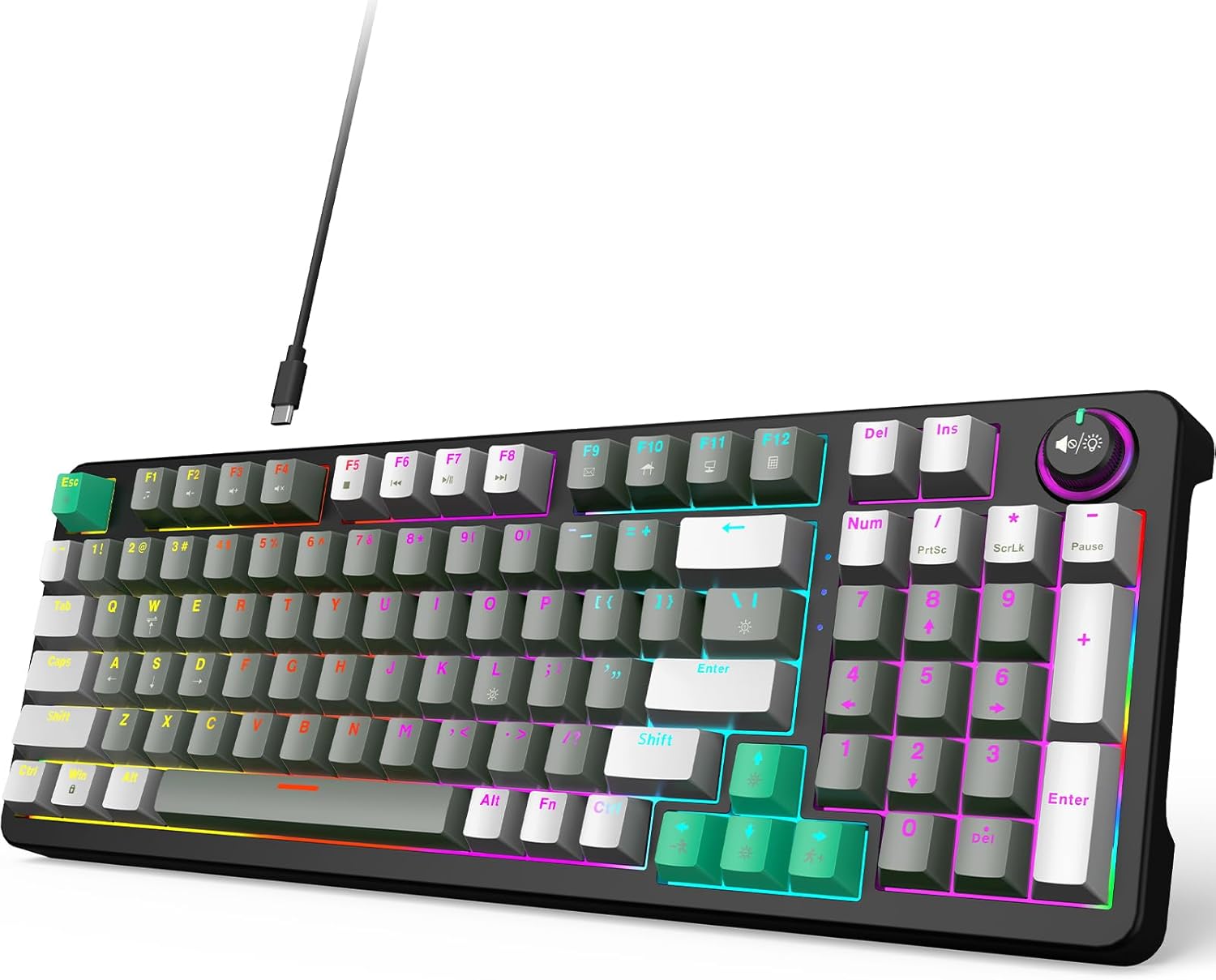
Figure 1: GEEZER AK-96 Mechanical Gaming Keyboard
2. Kurulum
2.1. Bağlantı
The GEEZER AK-96 keyboard offers plug-and-play functionality with multi-system compatibility. Connect the provided USB cable to the Type-C port on the keyboard and the USB-A end to your PC or Mac. An included USB to Type-C adapter allows for flexible connection options.

Şekil 2: Tak ve Çalıştır USB Bağlantısı
2.2. Ergonomik Ayarlama
For optimal comfort during extended use, the keyboard features two adjustable-height kickstands on the underside. These kickstands allow you to select from multiple typing angles. Non-slip rubber pads ensure stability and prevent unwanted movement.

Figure 3: Adjustable Kickstands for Ergonomic Typing
3. Operasyon
3.1. Key Layout and Switches
The AK-96 features a compact 96% layout, retaining essential arrow keys and a numeric keypad. It utilizes blue mechanical switches for responsive keystrokes and full key rollover technology. Keycaps are crafted from high-quality PBT material for durability and color retention.

Figure 4: Blue Mechanical Switches
3.2. LED Backlight and Side Lights
The keyboard features 17 built-in lighting modes with multiple colors, enhanced by side lights on both sides. Use the following key combinations to control the backlighting:
- Fn + |: Switch between 17 backlight modes.
- Fn + ENTER: Arka ışığı kapatın.
- Fn + ↑ / ↓: Control backlight brightness.
- Fn + ← / →: Change backlight speed.
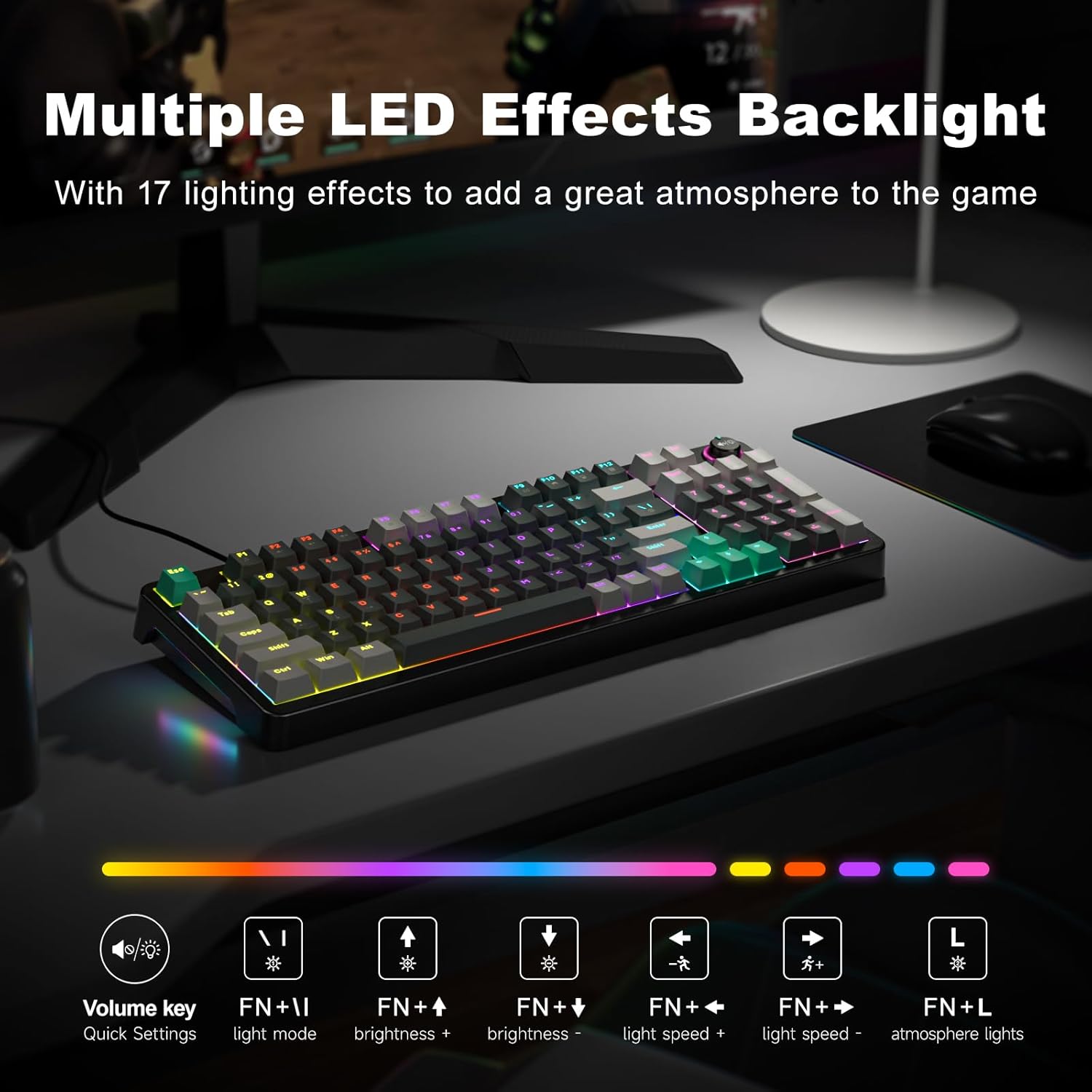
Figure 5: Multiple LED Backlight Effects
3.3. Media and Function Keys
The keyboard includes dedicated media control keys and a volume knob for quick access to various functions:
- Ses Düğmesi: Adjust media volume, change backlight effect, or control music play/pause/switch.
- Fn+F1: Medya Oynatıcısı
- Fn+F2: Sesi Azalt
- Fn+F3: Sesi Aç
- Fn+F4: Sesini kapatmak
- Fn+F5: Play to Suspend
- Fn+F6: Önceki Parça
- Fn+F7: Oynat / Duraklat
- Fn+F8: Sonraki Parça
- Fn+F9: E-posta
- Fn+F10: Web Ev
- Fn+F11: Bilgisayarım
- Fn+F12: Hesap makinesi

Figure 6: 96-Key Layout with Volume Knob and Function Keys
3.4. Resmi Ürün Videosu
Video 1: GEEZER Gaming Keyboard Overview (Seller-provided)
4. Bakım
To ensure the longevity and optimal performance of your GEEZER AK-96 keyboard, regular maintenance is recommended:
- Temizlik: Use a soft, dry cloth to wipe down the keyboard surface. For deeper cleaning, gently remove keycaps using a keycap puller (not included) and use compressed air to clear debris.
- Depolamak: Kullanmadığınız zaman klavyeyi temiz, kuru ve doğrudan güneş ışığından ve aşırı sıcaklıklardan uzak bir ortamda saklayın.
- Kablo Bakımı: USB kablosunun hasar görmesini önlemek için keskin bükümlerden veya aşırı çekmelerden kaçının.
5. Sorun Giderme
If you encounter any issues with your GEEZER AK-96 keyboard, please refer to the following common solutions:
- Klavye Yanıt Vermiyor: USB kablosunun hem klavyeye hem de bilgisayarınıza güvenli bir şekilde bağlı olduğundan emin olun. Farklı bir USB bağlantı noktasına bağlamayı deneyin.
- Arka Işık Çalışmıyor: Check if the backlight is turned off (Fn + ENTER). Adjust brightness using Fn + ↑ / ↓.
- Tuşlar Kayıt Olmuyor: Due to full key rollover, this is rare. Ensure no debris is lodged under the keycap.
- Aralıklı Bağlantı: Try using a different USB cable or connecting directly to a computer port rather than a USB hub.
If the problem persists, please contact GEEZER customer support for further assistance.
6. Özellikler
| Ürün Boyutları | 15.35 x 5.51 x 1.18 inç |
| Ürün Ağırlığı | 1.92 pound |
| Üretici | BAHAR |
| Ürün Model Numarası | AK-96 |
| Bağlantı Teknolojisi | USB-A |
| Uyumlu Cihazlar | Laptop, PC, Smart TV, Tablet |
| Özel Özellik | Backlit, Ergonomic, Hotkeys and Media Keys, Volume Roller |
| Renk | Gri-Siyah |
| Malzeme | Plastik |
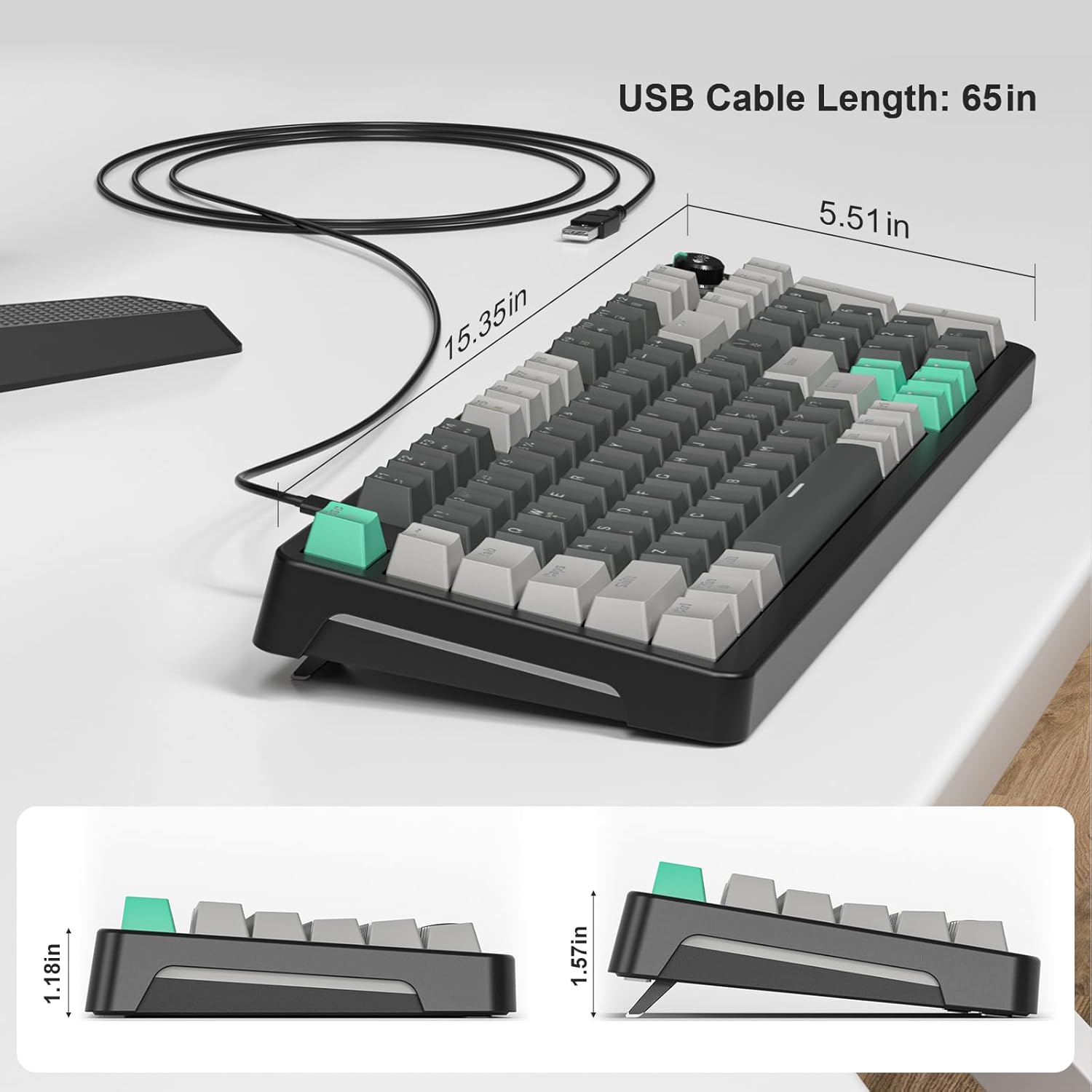
Şekil 7: Klavye Boyutları
7. Garanti ve Destek
For warranty information or technical support, please refer to the documentation included with your purchase or contact GEEZER customer service directly. Keep your proof of purchase for warranty claims.


