1. Giriş
This manual provides detailed instructions for the SWOFY M503Pro MP3 Player. Please read this guide thoroughly before using your device to ensure proper operation and to maximize its features. The M503Pro is a versatile multimedia player equipped with a 4-inch HD full touch screen, Bluetooth, and Wi-Fi connectivity, designed for music, video, and app usage.
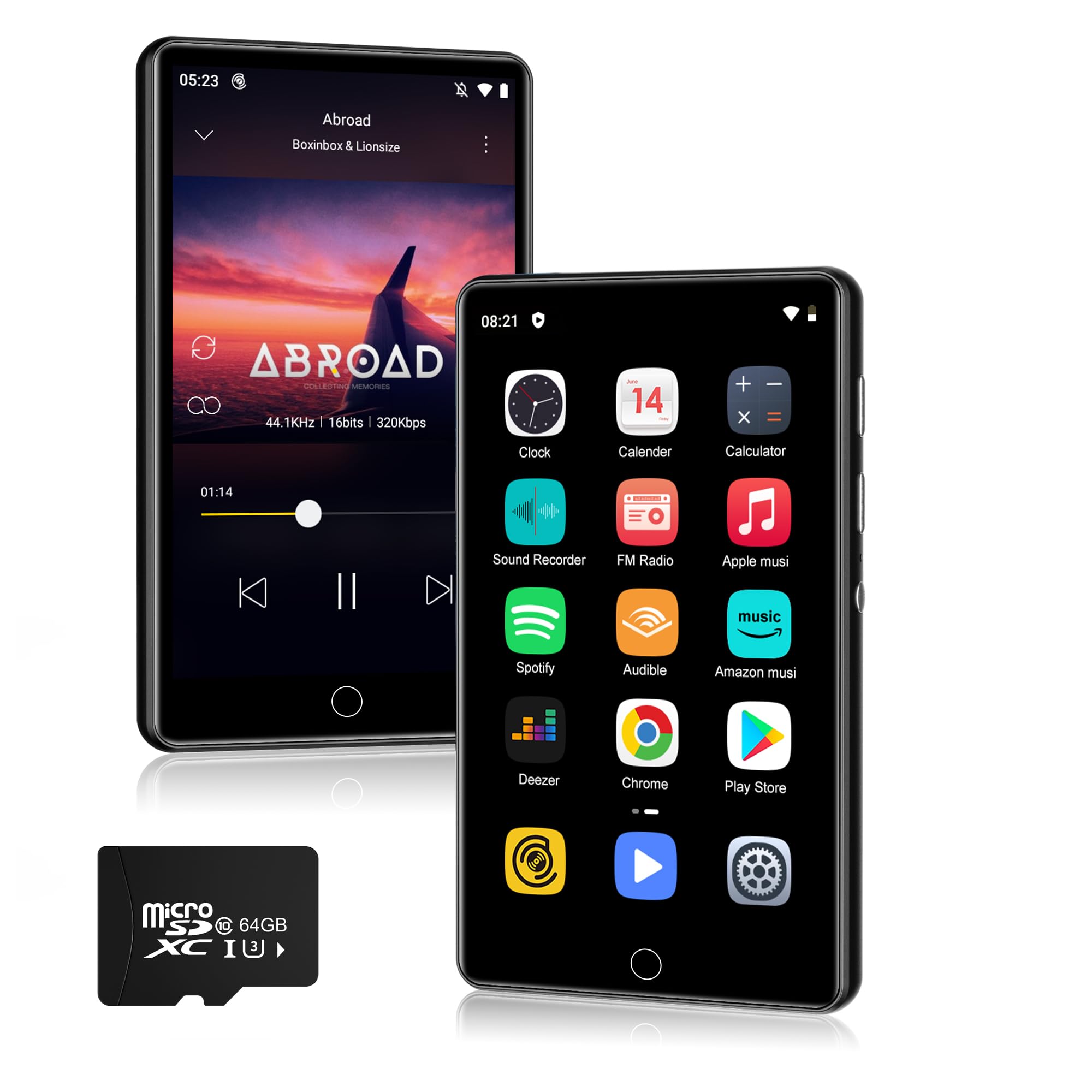
Resim 1.1: Ön view of the SWOFY M503Pro MP3 Player.
2. Kutuda Neler Var?
Paketinizde aşağıdaki tüm öğelerin bulunduğunu doğrulayın:
- 1 x SWOFY M503Pro MP3 Player
- 1 x USB Type-C Kablosu
- 1 x Wired Earbuds
- 1 x Kullanım Kılavuzu
3. Kurulum Kılavuzu
3.1. Cihazın Şarj Edilmesi
Before first use, fully charge the M503Pro. Connect the provided USB Type-C cable to the player's charging port and the other end to a USB power adapter (not included) or a computer's USB port. The battery indicator on the screen will show charging status.

Image 3.1: The M503Pro features a 2000mAh battery for extended use.
3.2. Açma/Kapama
- Açmak İçin: Press and hold the Power button on the side of the device until the screen lights up.
- Kapatmak İçin: Güç düğmesine basılı tutun, ardından ekranda beliren seçeneklerden 'Kapat'ı seçin.
- Ekranı Kilitlemek/Kilidi Açmak İçin: Güç düğmesine kısaca basın.
3.3. İlk Yapılandırma
Upon first power-on, you may be prompted to select your preferred language and connect to a Wi-Fi network. Follow the on-screen instructions.
3.4. Wi-Fi'ye Bağlanma
- Git Ayarlar > Ağ ve İnternet > Wifi.
- Wi-Fi'yi aç/kapat On.
- Listeden istediğiniz ağı seçin ve istendiğinde şifreyi girin.

Image 3.2: The M503Pro supports Wi-Fi for internet access and app downloads.
3.5. Connecting to Bluetooth Devices
- Ensure the Bluetooth device (headphones, speaker, car stereo) is in pairing mode.
- On the M503Pro, go to Ayarlar > Bağlı cihazlar > Bluetooth.
- Bluetooth'u aç/kapat On.
- Musluk Yeni cihazı eşleştir ve listeden cihazınızı seçin.
- İstenirse her iki cihazda da eşleştirmeyi onaylayın.

Image 3.3: Stable Bluetooth connectivity for audio accessories.
4. Kullanım Talimatları
4.1. Müzik Çalma
The M503Pro supports various music formats including MP3, OGG, FLAC, AAC, WAV, WMA, APE. You can play music offline using the built-in Larkplayer app or stream from pre-installed apps like Spotify and Amazon Music.
- Çevrimdışı Oynatma: Müzik transferi files from your PC to the player's internal storage or a microSD card. Open the Larkplayer app to browse and play your music library.
- Çevrimiçi Akış: Connect to Wi-Fi and open your preferred streaming app (e.g., Spotify, Amazon Music). Log in to your account to access online music.
- Özellikler: The player supports synchronized lyrics display, custom equalizer settings, and playlist creation.

Image 4.1: Hi-Fi MP3 player with speaker and wide format compatibility.
4.2. Video Oynatma
The 4-inch 1080P HD screen supports direct playback of 720P and 1080P videos without format conversion. Supported video formats include RM, RMVB, FLV, MP4, DAT, MKV, MPG, MOV, TS.
- Video aktar filecihaza.
- Open the Video Player app to browse and play your videos.

Image 4.2: The 4-inch 1080P HD screen provides a clear video experience.
4.3. Uygulama Yönetimi
The M503Pro runs on Android 9.0 and comes with pre-installed apps. You can download additional apps from the Google Play Store.
- Uygulamaları Yükle: Connect to Wi-Fi, open the Play Store app, search for your desired app, and tap 'Install'.
- Uygulamaları Kaldır: Git Ayarlar > Uygulamalar ve bildirimlerUygulamayı seçin ve 'Kaldır' seçeneğine dokunun.

Image 4.3: Access to Google Play Store for app installation.
4.4. File Aktarım
Aktarmak için files (music, videos, photos) from your computer to the M503Pro:
- Connect the M503Pro to your computer using the provided USB Type-C cable.
- On the player, swipe down from the top of the screen to open the notification panel.
- Tap the USB notification (e.g., "Charging this device via USB").
- Seçme File transfer (MTP) from the options.
- Your computer will recognize the M503Pro as a removable storage device. You can now drag and drop filecihaza ve cihazdan.
4.5. Diğer Fonksiyonlar
- One-key Lock Screen: Briefly press the Power button to lock the screen and prevent accidental touches.
- One-key Screenshot: Press and hold the Power button to capture a screenshot.
- FM Radyo: Access the FM Radio app. Wired earbuds must be connected to act as an antenna.
- Ses Kaydedici: Use the built-in recorder for audio notes.
5. Bakım
- Temizlik: Use a soft, dry cloth to clean the device. For the screen, a microfiber cloth is recommended. Avoid using harsh chemicals or abrasive materials.
- Depolamak: Cihazı serin, kuru ve doğrudan güneş ışığından ve aşırı sıcaklıklardan uzak bir yerde saklayın.
- Pil Bakım: Pil ömrünü uzatmak için, pili sık sık tamamen boşaltmaktan kaçının. Cihazı uzun süre kullanmasanız bile düzenli olarak şarj edin.
- Yazılım Güncellemeleri: Sistem güncellemelerini düzenli olarak kontrol edin. Ayarlar > Sistem > Sistem güncellemesi En iyi performansı ve güvenliği sağlamak için.
6. Sorun Giderme
6.1. Cihaz Açılmıyor
- Pilin şarjlı olduğundan emin olun. Cihazı bir güç kaynağına bağlayın ve tekrar açmayı denemeden önce en az 30 dakika şarj olmasını bekleyin.
- If the device is unresponsive, try a forced restart by pressing and holding the Power button for 10-15 seconds.
6.2. Bluetooth Bağlantı Sorunları
- Ensure both the M503Pro and the target Bluetooth device are in pairing mode and within range.
- Turn Bluetooth off and then on again on the M503Pro.
- Forget the device in Bluetooth settings and attempt to pair again.
- Restart both the M503Pro and the Bluetooth accessory.
6.3. Wi-Fi Bağlantı Sorunları
- Verify that Wi-Fi is enabled on the M503Pro and that you are within range of a known network.
- Girilen Wi-Fi şifresinin doğru olup olmadığını kontrol edin.
- Restart your Wi-Fi router and the M503Pro.
6.4. Apps Freezing or Not Responding
- Sorunlu uygulamayı kapatıp tekrar açın.
- Clear the app's cache: Go to Ayarlar > Uygulamalar ve bildirimlerUygulamayı seçin, ardından Depolama ve önbellek > Önbelleği temizle.
- Sorun devam ederse uygulamayı kaldırıp yeniden yüklemeyi düşünün.
- Cihazın yazılımının güncel olduğundan emin olun.
6.5. Poor Performance / Lag
- Gereksiz arka plan uygulamalarını kapatın.
- Uygulamaların önbelleğindeki verileri düzenli olarak temizleyin.
- Ensure sufficient free storage space. Delete old files or transfer them to a computer.
- Cihazı periyodik olarak yeniden başlatın.
7. Özellikler
| Özellik | Detay |
|---|---|
| Model Adı | M503Pro |
| Marka | SWIFTY |
| Bellek Depolama Kapasitesi | 80 GB (2GB RAM + 16GB ROM + 64GB card) |
| Ekran Boyutu | 4 inç |
| Bağlantı Teknolojisi | Bluetooth, USB2.0, Wi-Fi |
| Özel Özellikler | Built-In Speaker, Equalizer, FM Radio, Touch Screen, Video Playback, Voice Recorder |
| Pil | 2000mAh Lityum Polimer (dahil) |
| Müzik Çalma Süresi | 40 saate kadar |
| Bekleme Süresi | 3-5 ay |
| Desteklenen Müzik Formatları | MP3, OGG, FLAC, AAC, WAV, WMA, APE |
| Desteklenen Video Formatları | RM, RMVB, FLV, MP4, DAT, MKV, MPG, MOV, TS |
| İşletim Sistemi | Android 9.0 |
| Ürün Ağırlığı | 8.3 ons |
| Paket Boyutları | 5.83 x 5.83 x 0.74 inç |
8. Garanti ve Destek
For warranty information and technical support, please refer to the official SWOFY website or contact their customer service directly. Details are typically provided in the packaging or on the manufacturer's product page.
If you encounter any issues not covered in this manual, please reach out to SWOFY customer support for assistance.


