1. Giriş
Thank you for choosing the Diydeg 4G LTE Mobile Hotspot. This portable device provides high-speed 3G/4G internet access, allowing you to connect up to 10 devices simultaneously. Its compact design makes it ideal for travel, business, and home use. This manual will guide you through the setup, operation, and maintenance of your mobile hotspot.

Image: The Diydeg 4G LTE Mobile Hotspot providing internet connectivity to a user's laptop.
2. Ürün Bittiview
2.1 Temel Özellikler
- High-Speed 4G LTE Connectivity: Provides fast internet access for various online activities.
- Çoklu Kullanıcı Desteği: Aynı anda 10 adede kadar WiFi özellikli cihazı bağlayabilir.
- Uzun Ömürlü Pil: Equipped with a 2100mAh battery for extended standby time (up to 10 hours).
- Taşınabilir Tasarım: Lightweight, thin, and compact for easy carrying.
- Geniş Uyumluluk: Works with mobile phones, laptops, desktops, and tablets.
- LED Akıllı Ekran: Easy-to-read display for operational status.
2.2 Paket İçeriği
Lütfen paketi aşağıdaki öğeler açısından kontrol edin:
- Diydeg 4G LTE Mobile Hotspot Device
- Şarj edilebilir pil
- USB Şarj Kablosu
- Kullanım Kılavuzu (bu belge)

Image: The Diydeg Mobile Hotspot device shown alongside its USB charging cable.
3. Kurulum Talimatları
3.1 SIM Kartın ve Bataryanın Takılması
- Carefully remove the back cover of the mobile hotspot device.
- Insert your micro SIM card into the designated SIM card slot. Ensure the card is oriented correctly according to the diagram inside the device.
- Take out the battery and locate the yellow insulation tape. Gently tear off this insulation tape from the battery terminals.
- Insert the battery into the battery compartment, ensuring the contacts align properly.
- Arka kapağı yerine tam oturana kadar takın.

Image: A three-step visual guide showing how to remove the battery, peel off the insulation tape, and insert the battery into the device.
3.2 Cihazı Açma
Press and hold the power button (usually located on the side) for a few seconds until the LED display illuminates. The device will begin searching for a network signal.

Resim: Yan view of the Diydeg Mobile Hotspot, highlighting the power button location.
4. Kullanım Talimatları
4.1 WiFi Ağına Bağlanma
- Ensure your mobile hotspot is powered on and has established a network connection (indicated by the signal strength icon on the display).
- On your WiFi-enabled device (phone, laptop, tablet), open the WiFi settings.
- Look for the network name (SSID) displayed on your hotspot's screen or on a sticker inside the battery compartment.
- Select the hotspot's SSID from the list of available networks.
- Enter the WiFi password (Key) displayed on the hotspot's screen or sticker.
- Cihazınız artık internete bağlı olmalı.
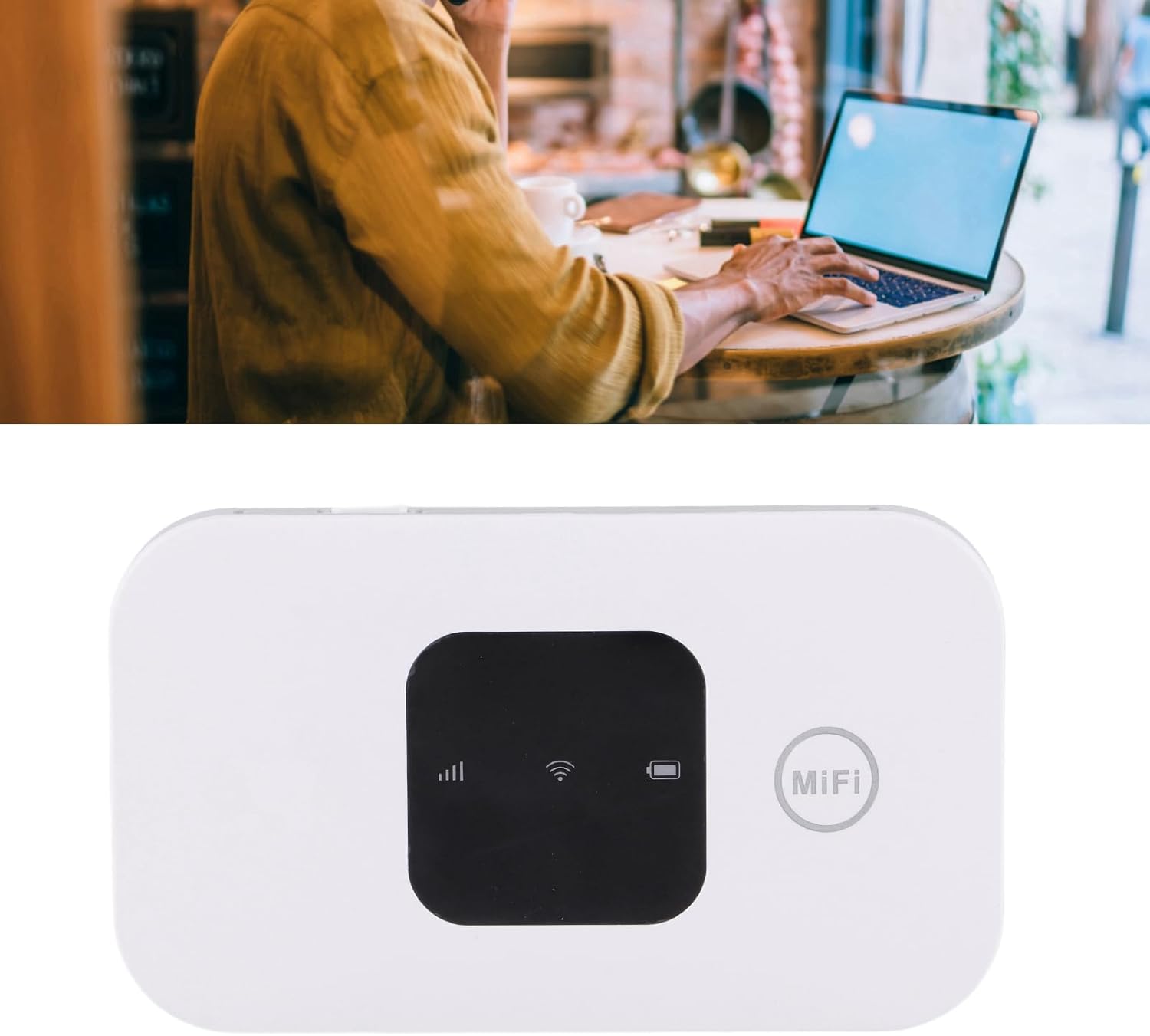
Image: A user working on a laptop, connected to the Diydeg Mobile Hotspot for internet access.
4.2 Cihazı Şarj Etme
Connect the provided USB charging cable to the hotspot's charging port and plug the other end into a USB power adapter or a computer's USB port. The battery indicator on the display will show charging status.
4.3 Powering Off the Device
Press and hold the power button for a few seconds until the LED display turns off, indicating the device has shut down.
5. Bakım
- Cihazınızı kuru ve nemden uzak tutunuz.
- Aşırı sıcaklıklardan kaçının.
- Cihazı yumuşak ve kuru bir bezle temizleyin. Sıvı temizleyiciler kullanmayın.
- Cihazı kendiniz sökmeye veya onarmaya çalışmayın.
- Pil ömrünün en iyi şekilde uzaması için, pili sık sık tamamen boşaltmaktan kaçının.
6. Sorun Giderme
6.1 No Network Signal
- SIM kartın doğru şekilde takıldığından ve etkinleştirildiğinden emin olun.
- Bulunduğunuz bölgenin 3G/4G şebeke kapsama alanı olup olmadığını kontrol edin.
- Cihazı yeniden başlatın.
- Verify that your SIM card plan supports data usage.
6.2 Cannot Connect to WiFi
- Confirm the WiFi password (Key) is entered correctly.
- Ensure the hotspot is powered on and broadcasting its WiFi signal.
- Check if too many devices are already connected (maximum 10).
- Restart both the hotspot and the device you are trying to connect.
6.3 Yavaş İnternet Hızı
- Daha iyi şebeke sinyali olan bir alana geçin.
- Bağlı cihaz sayısını azaltın.
- Check your data plan for any speed limitations or data caps.
- Cihazı yeniden başlatın.
7. Özellikler
| Özellik | Şartname |
|---|---|
| Model Numarası | Diydeghebi7gopvf |
| Pil Kapasitesi | 2100mAh |
| Maksimum WiFi Kullanıcıları | 10 |
| Wireless Connection Speed | 150Mbps'ye kadar |
| Ürün Ağırlığı | 3.88 ons |
| Paket Boyutları | 4.33 x 3.15 x 1.57 inç |
| Üretici | Diyarbakır |
Not: Teknik özellikler önceden haber verilmeksizin değiştirilebilir.
8. Garanti ve Destek
Diydeg is committed to providing quality products and customer satisfaction. This product comes with:
- 12 Saat Müdahale: Our support team aims to respond to inquiries within 12 hours.
- 365 Günlük Sınırlı Garanti: Satın alma tarihinden itibaren bir yıl boyunca üretim hatalarını kapsar.
- Lifelong Unlimited Technical Support: Assistance with product usage and troubleshooting for the lifetime of the product.
For technical support or warranty claims, please contact Diydeg customer service through your purchase platform or visit our official webalan.