1. Giriş
Welcome to the DOOGEE Note56 user manual. This guide provides essential information on setting up, operating, and maintaining your new smartphone. The DOOGEE Note56 is a SIM-free smartphone running on Android 16, featuring a 6.56-inch 90Hz HD+ display, a large 6150mAh battery, and an 8MP AI camera. Please read this manual carefully to ensure optimal performance and longevity of your device.
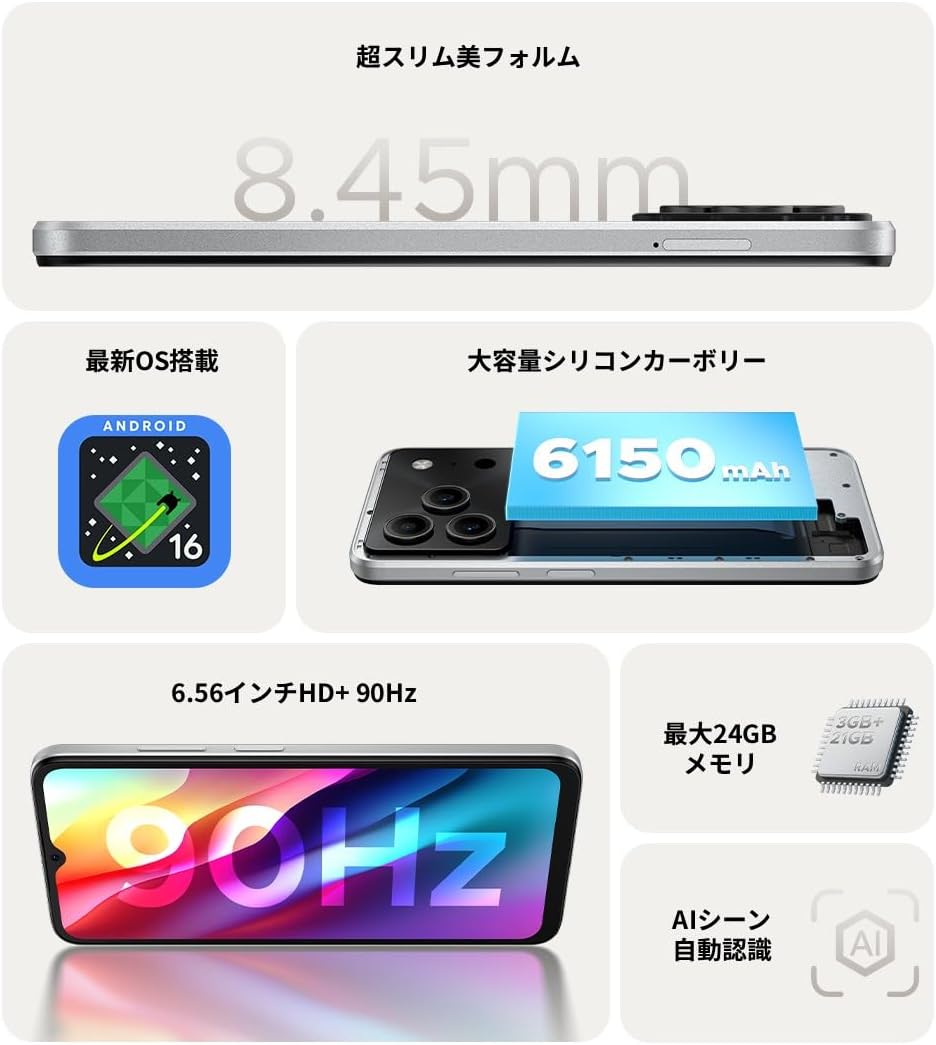
Şekil 1.1: Üzeriview of DOOGEE Note56 key features.
2. Cihaz Bittiview
The DOOGEE Note56 is designed with a sleek and lightweight profile, measuring 8.45mm thin and weighing 195g. It features a geometric lens module for its camera system and a durable build.

Figure 2.1: The ultra-slim and lightweight design of the DOOGEE Note56.
3. Başlarken
3.1 Paket İçeriği
Ürün paketinizde tüm öğelerin mevcut olduğundan emin olun:
- 1 x DOOGEE Note56 Smartphone
- 1 x Tip-C USB Kablosu
- 1 x Güç Adaptörü
- 1 x Önceden Uygulanmış Koruyucu Film
- 1 x SIM Tepsisi Çıkarma Pimi
- 1 x Telefon Kılıfı
- 1 x Paket Kutusu
- 1 x Kullanım Kılavuzu
- 1 x Garanti Kartı

Figure 3.1: Included accessories with your DOOGEE Note56.
3.2 SIM Kart Kurulumu
Your DOOGEE Note56 supports Dual SIM functionality. To install your SIM card(s):
- Cihazın yan tarafındaki SIM tepsisini bulun.
- SIM kart çıkarma pimini tepsinin yanındaki küçük deliğe yerleştirin ve tepsi dışarı çıkana kadar hafifçe bastırın.
- Nano-SIM kartınızı/kartlarınızı ve/veya microSD kartınızı tepsideki belirtilen yuvalara yerleştirin. Altın temas noktalarının aşağı baktığından emin olun.
- Tepsiyi cihazın yan tarafına tam oturana kadar dikkatlice geri itin.
3.3 İlk Güç Açma ve Kurulum
Cihazınızı ilk kez açmak için:
- DOOGEE logosu görünene kadar Güç düğmesini basılı tutun.
- Dilinizi seçmek, Wi-Fi'ye bağlanmak ve Google hesabınızı kurmak için ekrandaki talimatları izleyin.
- You can also set up security features like face recognition during this process.
3.4 Cihazı Şarj Etme
Connect the Type-C USB cable to the charging port at the bottom of the phone and the other end to the power adapter. Plug the adapter into a wall outlet. The battery indicator on the screen will show charging status. For optimal battery life, fully charge the device before first use.
4. Cihazınızın Çalıştırılması
4.1 Android 16 İşletim Sistemi
The DOOGEE Note56 runs on the latest Android 16 operating system, offering a faster, more secure, and intuitive user experience. Key features include:
- Gelişmiş Performans: Improved app launch speeds and overall system responsiveness.
- Simplified UI: An easy-to-navigate interface suitable for all users.
- Stronger Security: Advanced privacy protection features to keep your data safe.
- Akıllı Özellikler: Customize screen colors, Super Clipboard, Dual System Mode, Smart Body Sensing, Memory Expansion, and Screen Optimization.

Şekil 4.1: Android 16 işletim sisteminin temel özellikleri.
4.2 Ekran Özellikleri
Experience smooth visuals on the 6.56-inch HD+ IPS display with a 90Hz refresh rate. This ensures fluid scrolling and video playback, reducing eye strain. The display also includes dedicated Reading Mode and Night Mode for comfortable viewçeşitli aydınlatma koşullarında.

Figure 4.2: The 6.56-inch HD+ 90Hz display for a smooth visual experience.
4.3 Kamera Fonksiyonları
Capture vibrant and natural photos with the 8MP AI main camera and 5MP front camera. The AI correction automatically optimizes settings for various scenes, including people, landscapes, and food. Enjoy diverse shooting modes:
- Yüksek Dinamik Aralık (HDR): Zorlu ışık koşullarında dengeli pozlama için.
- Profesyonel Mod: Kamera ayarları üzerinde manuel kontrol.
- Gülümseme Yakalama: Gülümseme algılandığında otomatik olarak fotoğraf çeker.
- Panorama: Geniş manzarayı yakalayın views.
- Gece Modu: Improved low-light photography.
- Filtreler: Apply various effects to your photos.
- Beauty Mode (Front Camera): Enhance selfies.
- Portrait Effects (Front Camera): Add depth to your selfies.

Figure 4.3: AI scene recognition automatically adjusts camera settings for optimal results.

Figure 4.4: Capturing clear moments with the 8MP main camera.

Figure 4.5: Easy selfies with the 5MP front camera.
4.4 Pil Yönetimi
The DOOGEE Note56 is equipped with a large 6150mAh Silicon-Carbon battery, providing extended usage throughout the day. The convenient Type-C charging port ensures easy and smooth charging.
- Supports approximately 1000 charge/discharge cycles.
- 20% smaller in size for a lighter design.
- Estimated usage times: 7 hours web browsing, 49.5 hours music playing, 14 hours video watching, 28 hours calling.
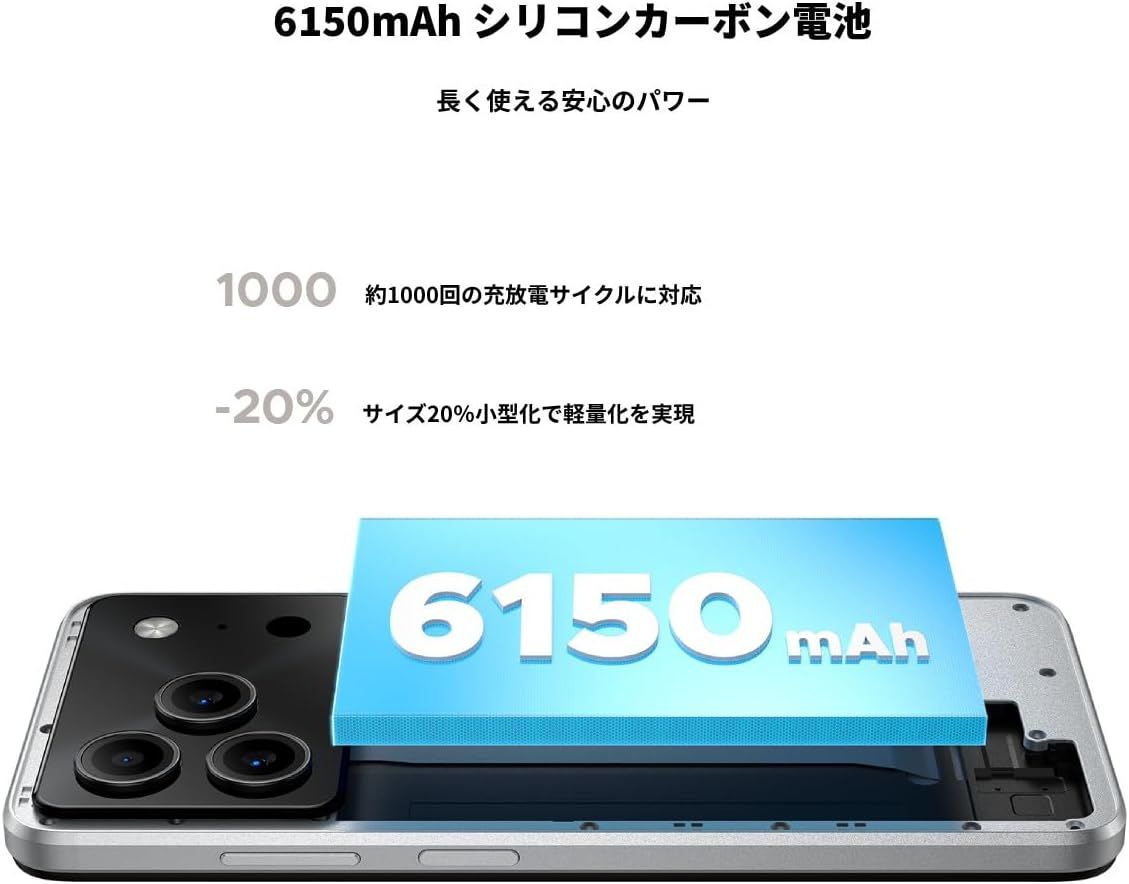
Figure 4.6: The 6150mAh Silicon-Carbon battery provides long-lasting power.

Figure 4.7: Slim design with powerful battery performance.
4.5 Performans ve Depolama
The DOOGEE Note56 is powered by a Unisoc SC9863A Octa-core processor for smooth and efficient operation. It comes with 24GB of RAM (including virtual expansion) and 64GB of internal storage, expandable up to 2TB with a microSD card, ensuring ampUygulamalarınız, fotoğraflarınız ve diğer içerikleriniz için alan. files.

Figure 4.8: Internal memory configuration for smooth multitasking.
4.6 Bağlantı ve Diğer Özellikler
The device supports 4G Dual SIM, allowing you to manage work and personal life separately. It includes standard connectivity options like Bluetooth and Wi-Fi. Additional features:
- USB OTG'si: Harici USB aygıtlarını bağlayın.
- KÜRESEL KONUMLAMA SİSTEMİ: Doğru navigasyon için.
- 3.5 mm Kulaklık Girişi: Enjoy music and calls with wired headphones.
- FM Radyo: Listen to your favorite radio stations anytime.

Figure 4.9: Face recognition, GPS navigation, and FM radio features.

Figure 4.10: Connect wired headphones via the 3.5mm jack.
4.7 Güvenlik Özellikleri
The DOOGEE Note56 offers convenient and secure unlocking methods:
- Yüz tanıma: Unlock your device quickly and securely using your face.
- Parmak İzi Tanıma: (If applicable, check device for sensor) Another secure method for unlocking and authenticating.
5. Bakım ve Özen
To ensure the longevity and optimal performance of your DOOGEE Note56, follow these maintenance guidelines:
- Temizlik: Ekranı ve gövdeyi temizlemek için yumuşak, tiftiksiz bir bez kullanın. Sert kimyasallardan veya aşındırıcı malzemelerden kaçının.
- Çevresel Koşullar: Cihazı aşırı sıcaklıklara, doğrudan güneş ışığına veya aşırı neme maruz bırakmaktan kaçının.
- Yazılım Güncellemeleri: En son özelliklerden, güvenlik yamalarından ve performans iyileştirmelerinden yararlanmak için sistem güncellemelerini düzenli olarak kontrol edin ve yükleyin.
- Pil Bakım: Avoid fully discharging the battery frequently. For long-term storage, keep the battery charged to around 50%.
- Koruma: Use the provided phone case and screen protector to guard against scratches and minor impacts.
6. Sorun Giderme
If you encounter issues with your DOOGEE Note56, try the following basic troubleshooting steps:
- Cihaz Açılmıyor: Pilin şarjlı olduğundan emin olun. Şarj cihazını bağlayın ve tekrar açmayı denemeden önce birkaç dakika bekleyin.
- Şarj Sorunları: Check the charging cable and adapter for damage. Try a different outlet or charging accessory.
- Ağ Bağlantı Sorunları: Ensure your SIM card is correctly inserted. Check if airplane mode is off. Restart the device.
- Uygulama Donuyor/Çöküyor: Sorunlu uygulamayı kapatıp yeniden açın. Sorun devam ederse telefonunuzu yeniden başlatın.
- Yavaş Performans: Close unnecessary background apps. Clear cache for frequently used apps. Consider freeing up storage space.
For more detailed troubleshooting or persistent issues, please refer to the FAQ section on the product page or contact customer support.
7. Özellikler
Key technical specifications for the DOOGEE Note56:
| Özellik | Şartname |
|---|---|
| Ekran Boyutu | 6.56 inç |
| Pil Kapasitesi | 6150 mAh |
| Renk | Beyaz |
| Marka Adı | DOOGEE |
| Üretici | DOOGEE |
| Yayın Yılı | 2025 |
| Dahil Bileşenler | SIM Tray Ejector, USB Cable, Power Adapter, Phone Case |
| Uyumlu işletim sistemi | Android 16 |
| Diğer Fonksiyonlar | USB OTG, Dual SIM, Expandable Memory |
| Bağlantı | Bluetooth, Wi-Fi |
| Görüntü Türü | LCD |
| Ürün Boyutları | 16.38 x 7.58 x 0.84 cm; 195 g |
| İşletim Sistemi | Android 16 |
| Kurulu RAM Boyutu | 24 GB |
| CPU Hızı | 1.6 GHz |
| Bellek Depolama Kapasitesi | 64 GB |
8. Garanti ve Destek
Your DOOGEE Note56 comes with a 12-month quality warranty (excluding human-caused damage) and a 30-day refund guarantee. The product is fully compatible with major Japanese carrier networks.
If you require support or have any questions, please contact our customer service. You can typically find contact information by clicking on the seller's name below the "Add to Cart" button on the product page and selecting "Ask a Question."


