giriiş
This user manual provides comprehensive instructions for the Bigme B6 Color E-reader. Please read this manual carefully before using the device to ensure proper operation and to maximize its features. Keep this manual for future reference.
Ürün Bittiview
Temel Özellikler
- Görüntülemek: 6-inch color E-paper display (1448 x 1072 pixels) designed for an eye-friendly reading experience. Features blue light zero and flicker-free technology, certified by TÜV Rheinland for comfortable reading.
- Bellek saklama alanı: Equipped with 4GB RAM and 64GB internal storage, allowing for the storage of numerous e-books and documents.
- İşletim Sistemi: Android 14 işletim sistemiyle çalışır ve çok çeşitli uygulamalara erişim sağlar.
- İşlemci: Features an Octa-core CPU for quick response and efficient performance.
- Tasarım: Slim, compact, and lightweight black body for easy portability.
- Ön Işık: 36-level adjustable front light for comfortable reading in various lighting conditions.
- Bağlantı: Supports Bluetooth and Wi-Fi for seamless data transfer and online access.
- File Uyumluluk: Supports over 19 e-book formats including PDF, TXT, EPUB, EPUB3, HTML, HTM, AZW3, FB2, DOC, DOCX, MOBI, OEB, CBR, RPC, RPC, RTF, DJVU, ZIP.
- Audiobook Support: Allows for audiobook playback.
Paket İçeriği
The Bigme B6 Color E-reader package includes the following items:
- Bigme B6 Color E-reader Main Unit
- Koruyucu Kılıf
- Kullanım Kılavuzu (bu belge)

Resim: Ön ve arka view of the Bigme B6 Color E-reader. The device is black and features a slim design.

Image: Illustration of the Bigme B6 Color E-reader package contents, including the device, protective case, and user manual.
Kurmak
İlk Ücret
Before first use, fully charge your Bigme B6 E-reader. Connect the device to a power source using the provided USB cable. The charging indicator will show the charging status.
Güç Açık/Kapalı
- Açmak İçin: Press and hold the power button located on the side/top of the device until the screen lights up.
- Kapatmak İçin: Press and hold the power button until a power-off menu appears on the screen. Select "Power Off".
- Uyumak/Uyanmak: Briefly press the power button to put the device into sleep mode or wake it up.
İlk Kurulum Sihirbazı
Upon first power-on, the device will guide you through an initial setup wizard. This typically includes:
- Dil seçimi
- Wi-Fi ağ bağlantısı
- Tarih ve saat ayarları
- Account login (optional, for app stores or cloud services)
Kurulumu tamamlamak için ekrandaki talimatları izleyin.
Kullanım Talimatları
Navigasyon ve Arayüz
The Bigme B6 features an intuitive touch interface. Navigate through menus and content by tapping, swiping, and pinching on the screen.
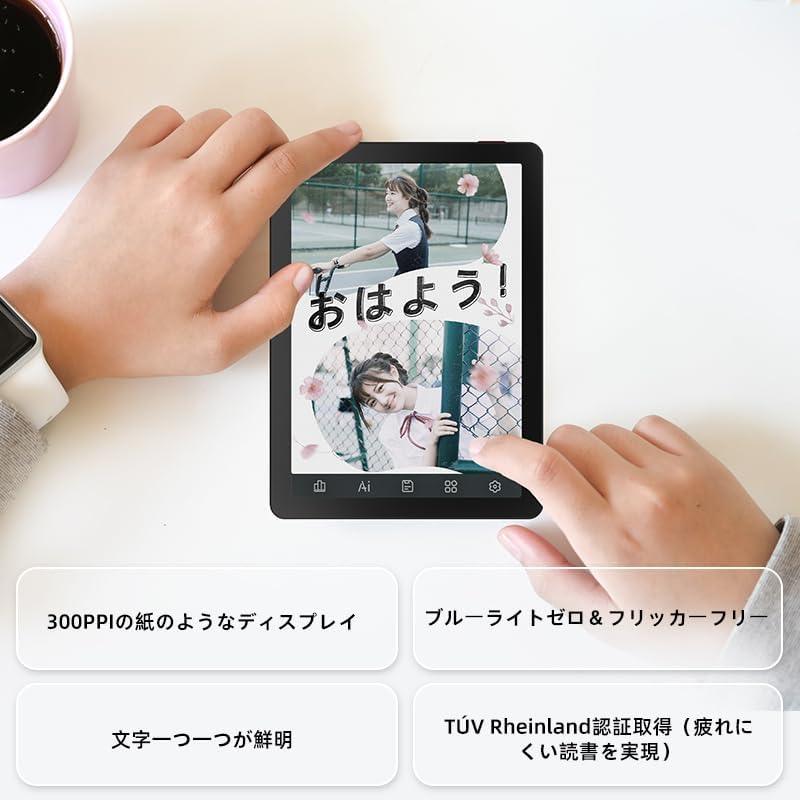
Image: A hand holding the Bigme B6 E-reader, highlighting its display features such as 300PPI, blue light zero, and clear text rendering.

Image: The Bigme B6 E-reader displaying its interface with customizable touch buttons at the bottom of the screen.
E-kitap okumak
- Opening Books: Tap on a book cover from your library to open it.
- Sayfaları Çevirmek: Tap the left or right side of the screen, or swipe horizontally, to turn pages.
- Adjusting Font/Light: Tap the center of the screen to bring up the reading menu. From here, you can adjust font size, font style, line spacing, and the 36-level front light.
- Vurgulamalar ve Notlar: Press and hold on text to select it. Options for highlighting, adding notes, or looking up definitions will appear.
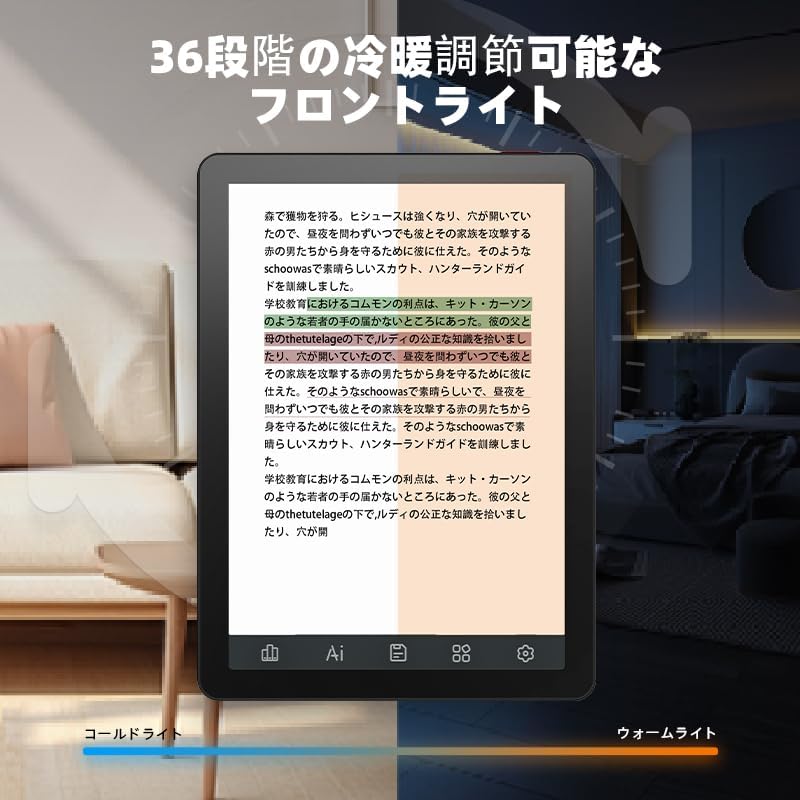
Image: The Bigme B6 E-reader displaying text with an illustration of adjustable front light levels, from cold light to warm light.

Image: The Bigme B6 E-reader displaying text with color elements, demonstrating the ability to read in color and highlight content.
Managing Your Library
The device supports various e-book formats, allowing you to expand your library without complex file dönüşümler.

Image: The Bigme B6 E-reader displaying its storage capacity of 4GB RAM and 64GB, indicating it can store tens of thousands of books.

Image: The Bigme B6 E-reader displaying a list of supported e-book formats, emphasizing its ability to expand the library without file dönüşüm.
Connectivity and Data Transfer
- Wifi: Connect to Wi-Fi networks for downloading books, browsing the internet, and syncing data. Go to Settings > Wi-Fi to manage connections.
- Bluetooth: Pair with Bluetooth headphones or speakers for listening to audiobooks. Go to Settings > Bluetooth to manage devices.
- USB Aktarımı: Connect the device to a computer using a USB cable to transfer filedoğrudan s.

Image: The Bigme B6 E-reader next to a pair of headphones, illustrating its audiobook functionality.

Image: The Bigme B6 E-reader shown alongside a laptop, demonstrating seamless data synchronization capabilities.
Bakım
Cihazın Temizlenmesi
- Cihazın ekranını ve gövdesini temizlemek için yumuşak, tüy bırakmayan bir bez kullanın.
- Do not use abrasive cleaners, alcohol, or chemical solvents, as these can damage the screen or finish.
- Avoid spraying cleaners directly onto the screen. Apply to the cloth first.
Depolamak
- Cihazı serin, kuru, doğrudan güneş ışığından ve aşırı sıcaklıklardan uzak bir yerde saklayın.
- When not in use for extended periods, ensure the device is charged to about 50% to preserve battery health.
Yazılım Güncellemeleri
Periodically check for software updates to ensure optimal performance and access to new features. Updates can usually be found in the device's settings menu under "System Update" or "About Device".
Sorun giderme
Yaygın Sorunlar ve Çözümleri
| Sorun | Olası Neden | Çözüm |
|---|---|---|
| Cihaz açılmıyor | Düşük pil; Sistem çökmesi | Cihazı en az 30 dakika şarj edin. Hala yanıt vermiyorsa, güç düğmesini 10-15 saniye basılı tutarak zorunlu yeniden başlatma işlemi gerçekleştirin. |
| Ekran tepkisiz | Geçici yazılım hatası | Cihazı yeniden başlatın. Ekranın temiz ve kuru olduğundan emin olun. |
| Wi-Fi'ye bağlanılamıyor | Incorrect password; Router issue; Device Wi-Fi off | Double-check the Wi-Fi password. Restart your router. Toggle Wi-Fi off and on in device settings. |
| Books not appearing in library | Unsupported format; Incorrect file konum | Ensure the book format is supported (refer to specifications). Verify files are in the correct folder on the device. |
If you encounter issues not listed here or if the suggested solutions do not resolve the problem, please contact Bigme customer support.
Özellikler
| Özellik | Detay |
|---|---|
| Model Adı | JP-B6 |
| Ekran Boyutu | 6 inç |
| Ekran Teknolojisi | E-Ink, Color E-paper |
| Ekran Çözünürlüğü | 1448 x 1072 piksel |
| Veri deposu | 4 GB |
| Dahili Depolama | 64 GB |
| İşletim Sistemi | Android 14 |
| İşlemci | Octa-core CPU (Mediatek) |
| Bağlantı | Bluetooth, Wi-Fi |
| Renk | Siyah |
| Ürün Boyutları | 15.66x13.86x0.58 cm |
| Ürün Ağırlığı | 215 gram |
| Dahil Bileşenler | User Manual, Protective Case, E-reader main unit |
Garanti ve Destek
For warranty information and customer support, please refer to the documentation included with your purchase or visit the official Bigme webSite. Satın alma belgenizi garanti talepleriniz için saklayın.
Çevrimiçi Kaynaklar:
- Bigme Official Webalan: www.bigme.com
- For further assistance, contact your retailer or the Bigme customer service team.


