1. Giriş
Satın aldığınız için teşekkür ederizasing the ZEBRONICS Zeb Vigor 100 Tower Speaker. This manual provides essential information for the safe and efficient operation of your device. Please read it thoroughly before use and retain it for future reference.
2. Güvenlik Talimatları
- Hoparlörü suya veya neme maruz bırakmayın.
- Hoparlörü açmayın.asing; tüm servis işlemlerini kalifiye personele yaptırın.
- Hoparlörü doğrudan güneş ışığından, ısı kaynaklarından ve açık alevlerden uzak tutun.
- Hoparlörün aşırı ısınmasını önlemek için çevresinde yeterli havalandırma olduğundan emin olun.
- Yalnızca cihazla birlikte verilen güç kablosunu kullanın.
- İşitme hasarını önlemek için uzun süre yüksek ses seviyesinde dinlemekten kaçının.
3. Paket İçeriği
Paketin içinde tüm öğelerin mevcut olduğundan emin olun:
- Trolley DJ Speaker: 1 Unit
- Uzaktan Kumanda: 1 Adet
- Wireless Microphone: 1 Unit
- Güç Kablosu: 1 Adet
- Input Cable (3.5mm): 1 Unit
- QR Kod Kılavuzu: 1 Ünite
4. Ürün Bittiview
The ZEBRONICS Zeb Vigor 100 is a versatile tower speaker designed for various audio applications, featuring multiple connectivity options and a robust sound output.
Temel Özellikler:
- Triple Full Range 20.32cm Drivers for comprehensive sound.
- 100W RMS Output for powerful audio delivery.
- TWS (True Wireless Stereo) Function for connecting two speakers.
- Karaoke & Mic Recording Function with included Wireless MIC.
- Multiconnectivity: Bluetooth v5.0, USB, mSD, AUX, FM.
- LED Display for easy navigation.
- Rahat çalışma için uzaktan kumanda.
- Carry Handle & Wheels for portability.
- RGB Lights for visual effects.
- Dual 6.3mm Microphone input.
- Dahili Şarj Edilebilir Pil.
- Dedicated Control Buttons for intuitive use.
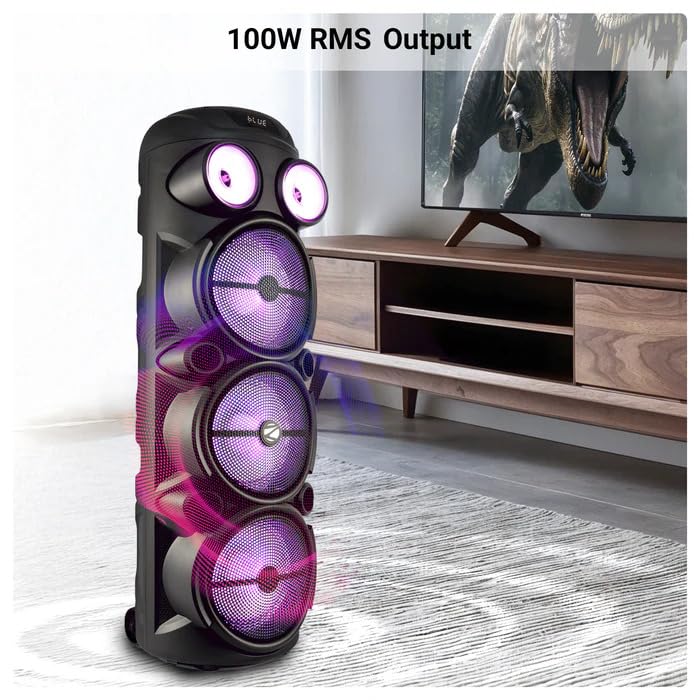
Image: The ZEBRONICS Zeb Vigor 100 Tower Speaker showcasing its 100W RMS output, positioned next to a television.
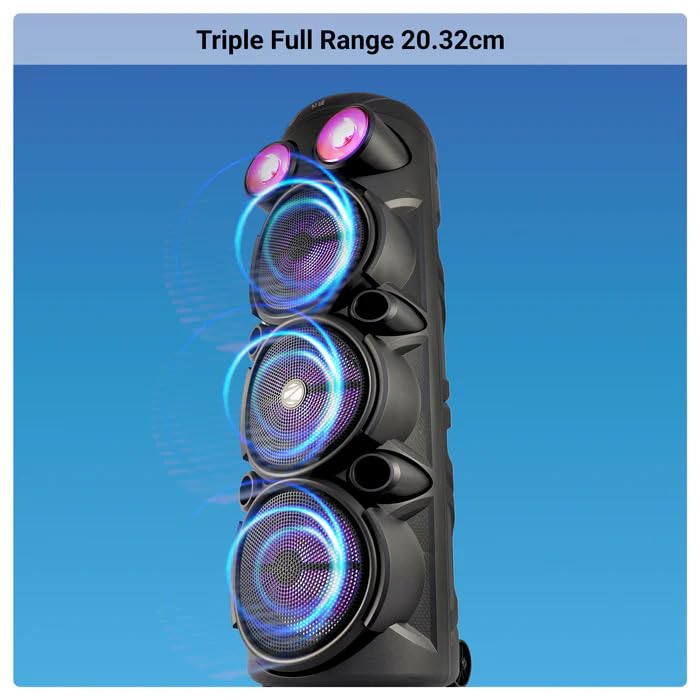
Resim: Yakın çekim view of the ZEBRONICS Zeb Vigor 100 highlighting its triple full-range 20.32cm drivers.
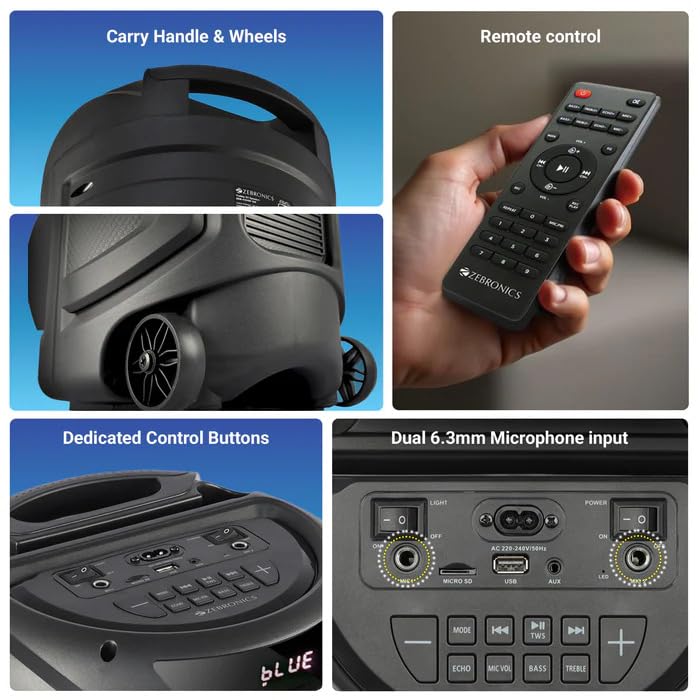
Image: A collage showing the speaker's carry handle and wheels for portability, the included remote control, the dedicated control buttons on the top panel, and the dual 6.3mm microphone inputs on the rear panel.
5. Kurulum
5.1 Hoparlörü Şarj Etme
Before initial use, fully charge the speaker. Connect the provided power cord to the speaker's AC input and a suitable power outlet. The charging time is approximately 9.8 hours. A full charge provides up to 5 hours of playback at 50% volume with LED lights off.
5.2 Açma/Kapatma
Locate the power switch on the speaker's control panel. Toggle the switch to the 'ON' position to power on the speaker. Toggle to 'OFF' to power off.
6. Kullanım Talimatları
6.1 Bluetooth Connection (BT v5.0)
- Power on the speaker. The speaker will automatically enter Bluetooth mode or you can select it using the 'MODE' button.
- Mobil cihazınızda veya bilgisayarınızda Bluetooth'u etkinleştirin.
- Arama available devices and select "ZEB-VIGOR 100" from the list.
- Eşleştirme işlemi tamamlandıktan sonra, hoparlör başarılı bir bağlantı olduğunu belirtecek ve ses çalmaya başlayabilirsiniz.
6.2 USB/mSD Playback
- Insert a USB flash drive or mSD card (up to 32GB) containing MP3 audio fileilgili limana.
- The speaker will automatically detect the storage device and begin playback. If not, press the 'MODE' button to select USB or mSD mode.
- Use the control buttons or remote to play, pause, skip tracks, or adjust volume.
6.3 AUX Girişi
- Connect one end of the 3.5mm input cable to the AUX port on the speaker.
- Connect the other end to the audio output jack of your external device (e.g., smartphone, MP3 player).
- Press the 'MODE' button to select AUX input.
- Control playback and volume from your external device or the speaker.
6.4 FM Radyo
- Press the 'MODE' button to select FM radio mode.
- Press the Play/Pause button to auto-scan and save available FM stations (frequency range 87.5 MHz - 108 MHz).
- Kaydedilmiş istasyonlar arasında gezinmek için Önceki/Sonraki parça düğmelerini kullanın.
6.5 Karaoke & Mic Recording Function
- Connect the wireless microphone or a wired microphone (not included) to one of the dual 6.3mm microphone inputs.
- Adjust the microphone volume and echo using the dedicated controls.
- To record, ensure a USB drive or mSD card is inserted. Press the 'REC' button (if available on the control panel/remote) to start recording. Press again to stop.
6.6 TWS (Gerçek Kablosuz Stereo) İşlevi
To connect two Zeb Vigor 100 speakers for a stereo experience:
- Her iki hoparlörün de açık ve Bluetooth modunda olduğundan emin olun.
- On one speaker (this will be the master), press and hold the 'TWS' button. The speaker will indicate it is searching for another TWS device.
- The two speakers will automatically pair. Once connected, they will function as a stereo pair.
- Connect your mobile device to the master speaker via Bluetooth as described in section 6.1.
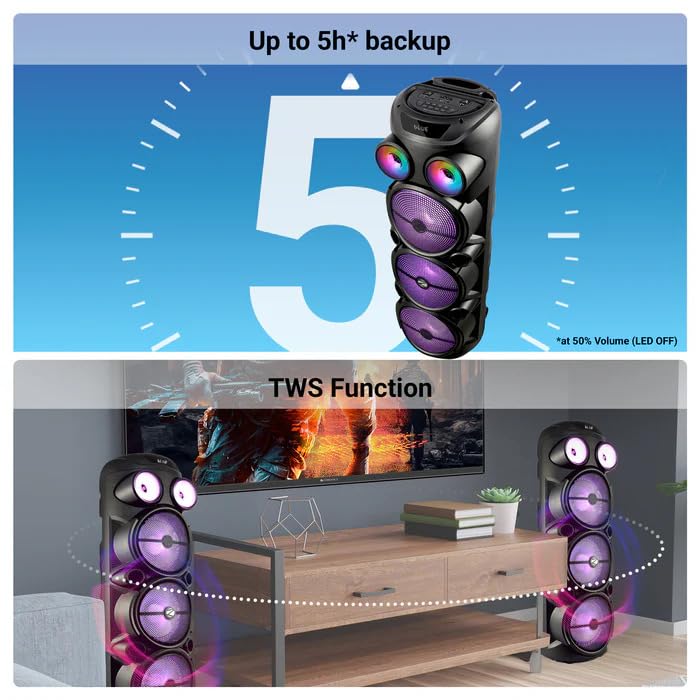
Image: The ZEBRONICS Zeb Vigor 100 speaker highlighting its up to 5-hour battery backup and the True Wireless Stereo (TWS) function, showing two speakers connected wirelessly.
6.7 RGB Işık
The speaker features dynamic RGB lights. Use the dedicated 'LIGHT' switch or button on the control panel or remote to cycle through different light modes or turn them off.
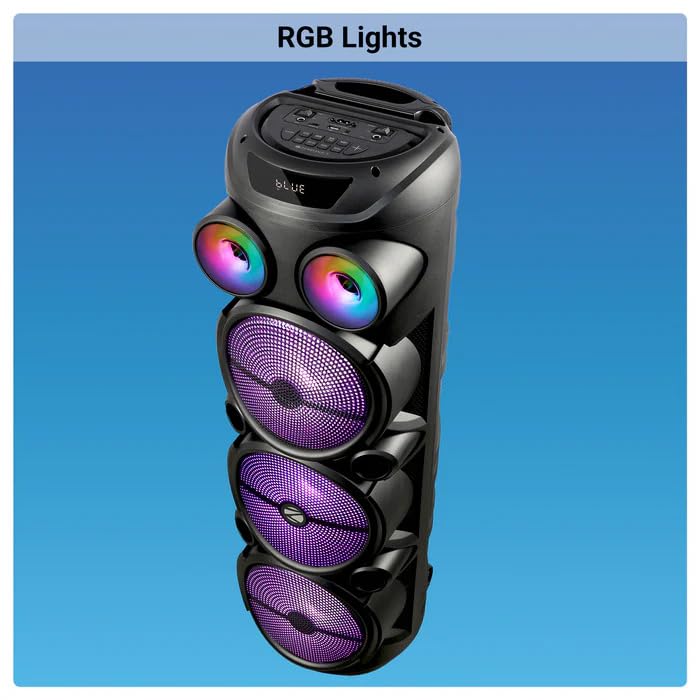
Image: The ZEBRONICS Zeb Vigor 100 Tower Speaker with its vibrant RGB lights illuminated.
6.8 Kontrol Paneli ve Uzaktan Kumanda
The speaker features a top-mounted control panel with buttons for mode selection, playback control, volume adjustment, microphone controls, and light control. A remote control is also provided for convenient operation from a distance.
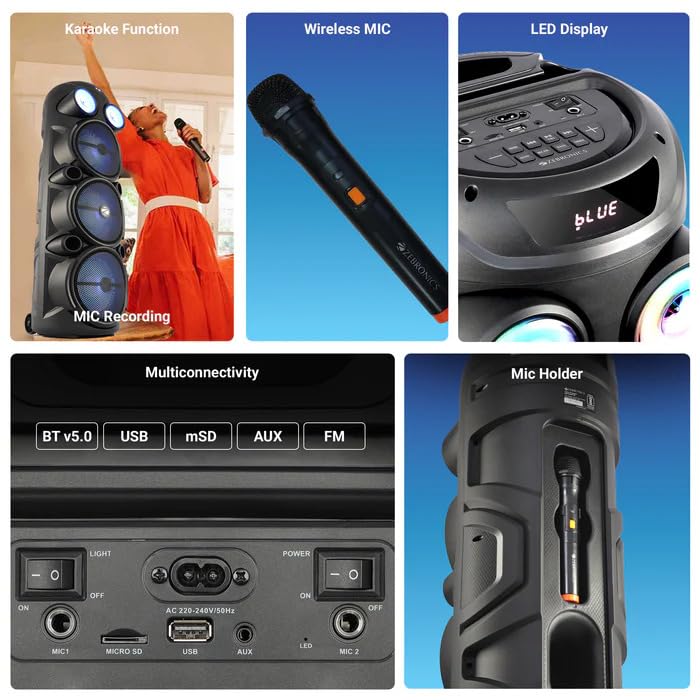
Resim: Ayrıntılı view of the ZEBRONICS Zeb Vigor 100's control panel, showing options for Bluetooth v5.0, USB, mSD, AUX, and FM connectivity, along with various control buttons.
7. Bakım
- Temizlik: Hoparlörün dış yüzeyini temizlemek için yumuşak ve kuru bir bez kullanın. Aşındırıcı temizleyiciler veya çözücüler kullanmayın.
- Depolamak: Uzun süre kullanılmayacaksa hoparlörü serin, kuru, doğrudan güneş ışığından ve aşırı sıcaklıklardan uzak bir yerde saklayın.
- Pil Bakım: Pil ömrünü uzatmak için pili sık sık tamamen boşaltmaktan kaçının. Hoparlörü, kullanılmasa bile düzenli olarak şarj edin.
8. Sorun Giderme
| Sorun | Olası Neden | Çözüm |
|---|---|---|
| Hoparlör açılmıyor. | Pil bitmiş veya güç kablosu bağlı değil. | Charge the speaker or ensure the power cord is securely connected. |
| Ses çıkışı yok. | Volume is too low, incorrect mode selected, or device not properly connected. | Increase volume, select the correct input mode (BT, USB, AUX, FM), or re-establish connection. |
| Bluetooth eşleştirme başarısız. | Hoparlör eşleştirme modunda değil veya cihaz çok uzakta. | Ensure speaker is in Bluetooth mode, move device closer, or clear previous pairings on your device. |
| Mikrofon çalışmıyor. | Microphone not powered on, or volume too low. | Ensure wireless mic has batteries and is powered on. Adjust mic volume. |
9. Özellikler
| Özellik | Şartname |
|---|---|
| Çıkış Gücü (RMS) | 100W |
| Sürücü Boyutu | Full range 20.32cm x 3, Tweeter 3.8cm |
| Empedans | Full range 4Ω x 1, 8Ω x 2; Tweeter 8Ω |
| Frekans Tepkisi | 65Hz-18kHz |
| S/N Oranı | ≥60dB |
| File Format Support (USB/SD) | MP3 |
| Satır Girişi | 3.5mm |
| Max Supported USB/SD Memory Size | 32 GB |
| FM Frekans Aralığı | 87.5 MHz - 108 MHz |
| Şarj Süresi | 9.8 saat |
| Oynatma Süresi | 5 hours* (at 50% Volume, LED OFF) |
| Bluetooth Adı | ZEB-VIGOR 100 |
| Bluetooth Sürümü | v5.0 |
| Ürün Ölçüsü (G x D x Y) | 28.6x28.5x90 cm |
| Net ağırlığı | 6.4 kilo |
| Bağlayıcı Türü | Aux, USB |
| Kanal Sayısı | 2 |
| Ses Girişi | Wired Microphone, Wireless Microphone, Line-Level Input |
| Renk | Siyah |
| Uyumlu Cihazlar | Audio Player, DJ Mixer, DVD Player, Drum, Guitar, Headphone, Headset, Karaoke System, Keyboard, Laptop, MP3 Player, Microphone, Piano, Smartphone, Tablet, Television |
10. Garanti ve Destek
10.1 Garanti Bilgileri
The ZEBRONICS Zeb Vigor 100 Tower Speaker comes with a 1 Yıl Garanti Satın alma tarihinden itibaren geçerlidir. Garanti talepleri için lütfen satın alma fişinizi saklayınız. Garanti, normal kullanım koşullarında üretim hatalarını kapsar.
10.2 Üretici
Zebronics India Pvt Ltd.
13/7 Smith Road, Royapettah, Chennai, Tamil Nadu - 600 002, India
10.3 Müşteri Desteği
For technical assistance, service, or warranty inquiries, please contact Zebronics customer support through their official website or the contact information provided in the QR code guide included in your package.


