1. Ürün Bittiview
The Acer 7-in-1 Wireless Charging Station is a versatile device designed to streamline your charging experience. It integrates multiple charging points for various Apple devices, an LED clock with Bluetooth time synchronization, and an adjustable night light, all within a compact design. This station provides up to 30W total output for fast charging compatible devices.
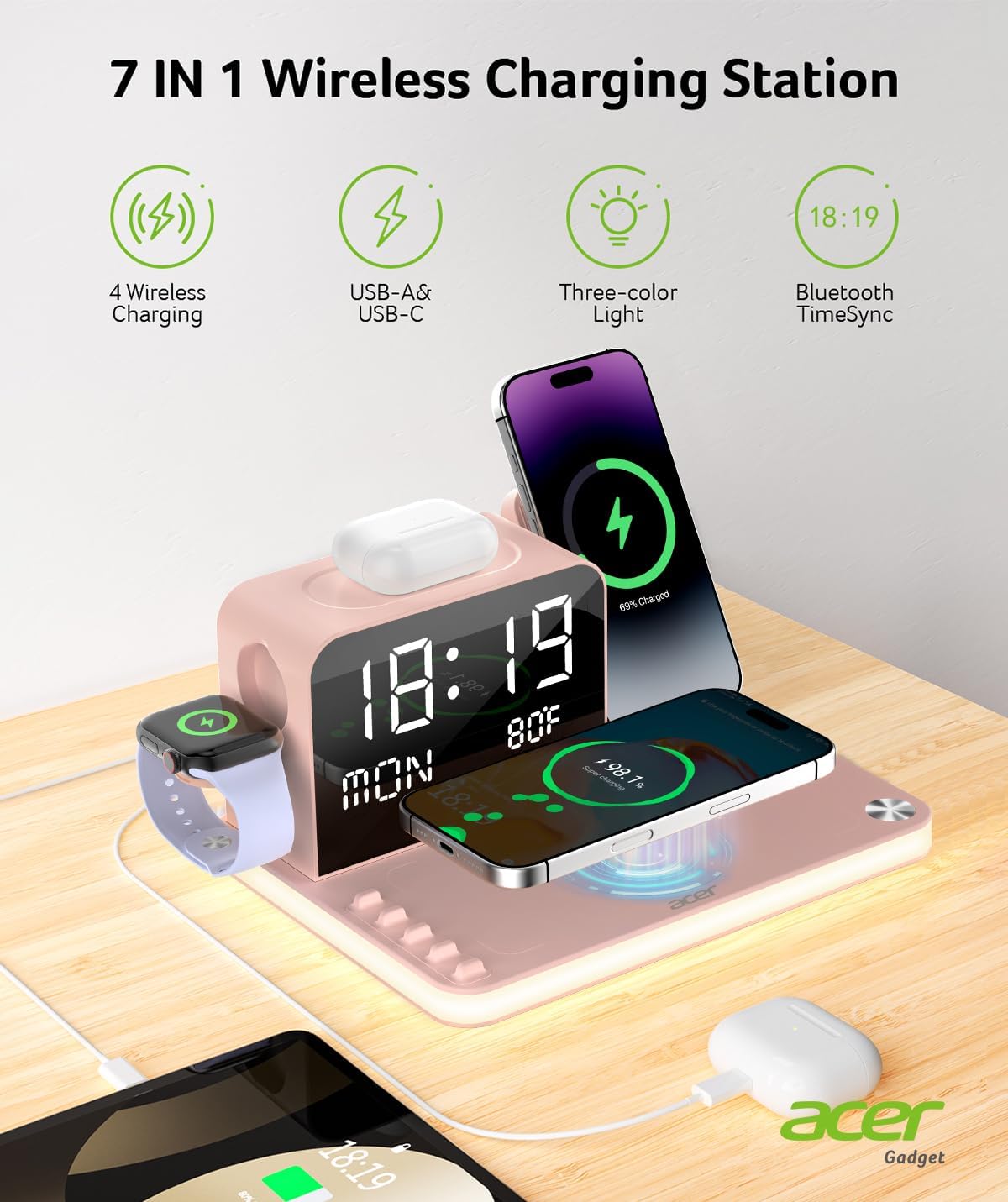
Resim: Üzeriview of the Acer 7-in-1 Wireless Charging Station highlighting its features including 4 wireless charging zones, USB-A & USB-C ports, three-color light, and Bluetooth TimeSync.
2. Kutuda Neler Var?
- Kullanıcı Kılavuzu
- Kablo
- Dava
- Kablosuz Şarj Cihazı
- Charging Station with LED Light, LED Clock, Stand
3. Kurulum
- Güç Bağlantısı: Connect the provided power cable to the charging station and plug it into a wall outlet.
- Initial Clock Setup: The LED clock will power on. For automatic time synchronization, enable Bluetooth on your smartphone and connect to the device named "S1". The time, weekday, and indoor temperature will update automatically.
- Manual Clock Adjustment: If Bluetooth sync is not desired or available, use the 'MIN', 'HOUR', 'WEEK', '12/24', and 'C/F' buttons located on the back of the unit to manually set the time, day, and temperature unit (Celsius/Fahrenheit).
- Atama: Place the charging station on a flat, stable surface, such as a nightstand or desk, ensuring adequate ventilation.
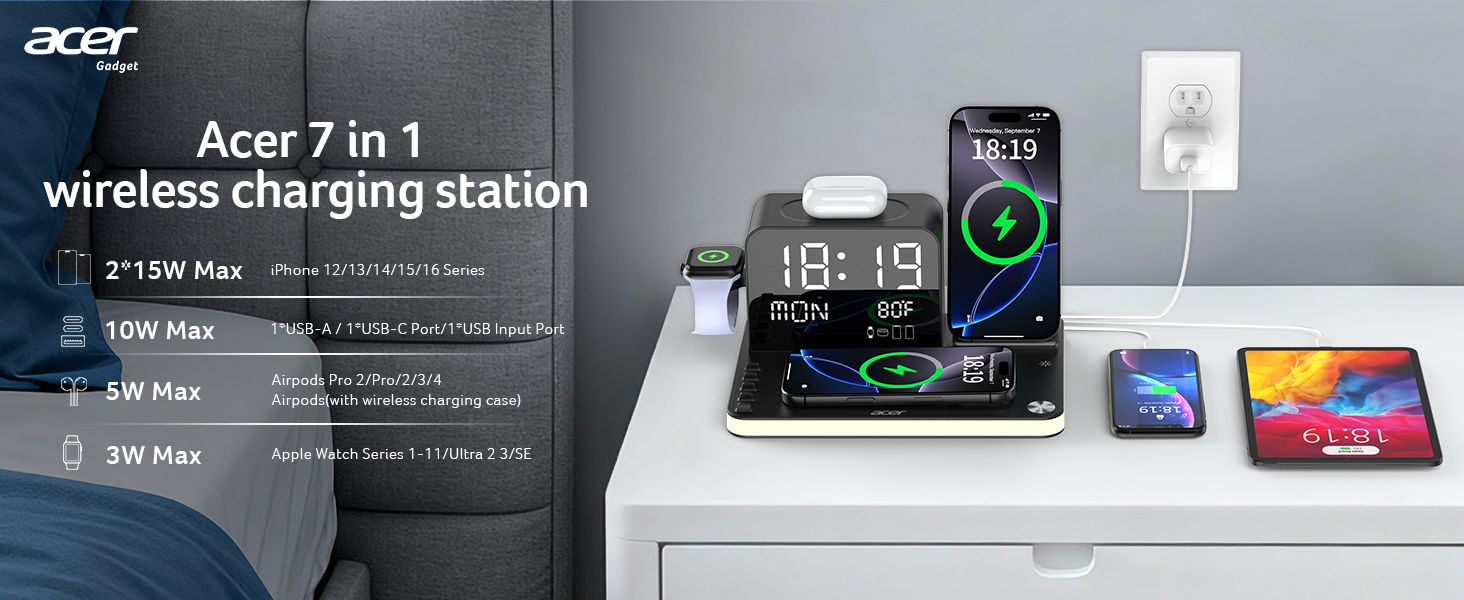
Image: The Acer 7-in-1 Wireless Charging Station set up on a nightstand, demonstrating its compact design and ability to charge multiple devices simultaneously, reducing cable clutter.
4. Kullanım Talimatları
4.1 Kablosuz Şarj
- Akıllı telefonlar: Place your iPhone (16/15/14/13/12/Pro Max Series) on the designated wireless charging pads. The station supports charging two phones simultaneously. For optimal wireless charging, ensure phone cases are under 2mm thick. Android phones require an additional magnetic compatible case for wireless charging on this device.
- Apple Watch: Place your Apple Watch (Series 1-10) on the integrated watch charging stand.
- AirPods: Place your wireless charging compatible AirPods case (AirPods 4, AirPods 3, AirPods Pro 2, AirPods Pro, AirPods (3rd generation), AirPods 2 Wireless Charging Case) on the designated AirPods charging area. Ensure the AirPods case is centered for proper charging.
4.2 USB'den Şarj Etme
The station includes USB-C and USB-A output ports for wired charging of additional devices. Connect your device's charging cable to the appropriate port on the back of the station.
4.3 LED Clock and Display
- Bluetooth Time Sync: As described in Setup, connect to "S1" via Bluetooth for automatic time, weekday, and indoor temperature updates.
- Manuel Ayarlama: Use the buttons on the back to set time, day, and temperature unit manually.
- Ekran Parlaklığı: The LED display features 4 adjustable brightness levels. Use the controls to set your preferred intensity. Note: The LED display will not show indoor temperature while your phone is charging wirelessly.
4.4 Night Light Functionality
- Ayarlanabilir Parlaklık: The night light offers 4 adjustable brightness levels.
- Renk Modları: Choose from three versatile modes: white, warm white, and warm yellow, to adapt to your preferred ambiance.
- Kontrol: Use the two front buttons to adjust brightness or turn off the lights entirely.
- Otomatik Aktivasyon: A built-in sensor automatically activates a soft, non-disruptive glow in low light conditions.
Video: A demonstration of the Acer 7-in-1 Wireless Charging Station, showcasing its various charging capabilities for phones, Apple Watch, and AirPods, along with the LED clock and night light features.
5. Özellikler
- 7'si 1 arada İşlevsellik: Combines dual wireless phone charging, Apple Watch charging, AirPods charging, USB-C output, USB-A output, an LED clock, and a night light.
- 30W Max Total Output: Provides efficient and fast charging for multiple devices simultaneously.
- Dual Wireless Charging: Power up two iPhones (16/15/14/13/12 Pro Max Series) simultaneously. The built-in stand supports landscape orientation for media viewIng.
- Smart LED Clock: Features Bluetooth-enabled automatic time, weekday, and indoor temperature synchronization. Manual adjustment options are also available.
- Thoughtful Night Light: Offers 4 adjustable brightness levels and three color modes (white, warm white, warm yellow). Includes an automatic sensor for low-light activation.
- Karışmayan Tasarım: Eliminates cable clutter, providing a neat and organized charging area.
- Kasa Uyumluluğu: Works with phone cases under 2mm thickness. Not compatible with cases containing credit cards or metal.
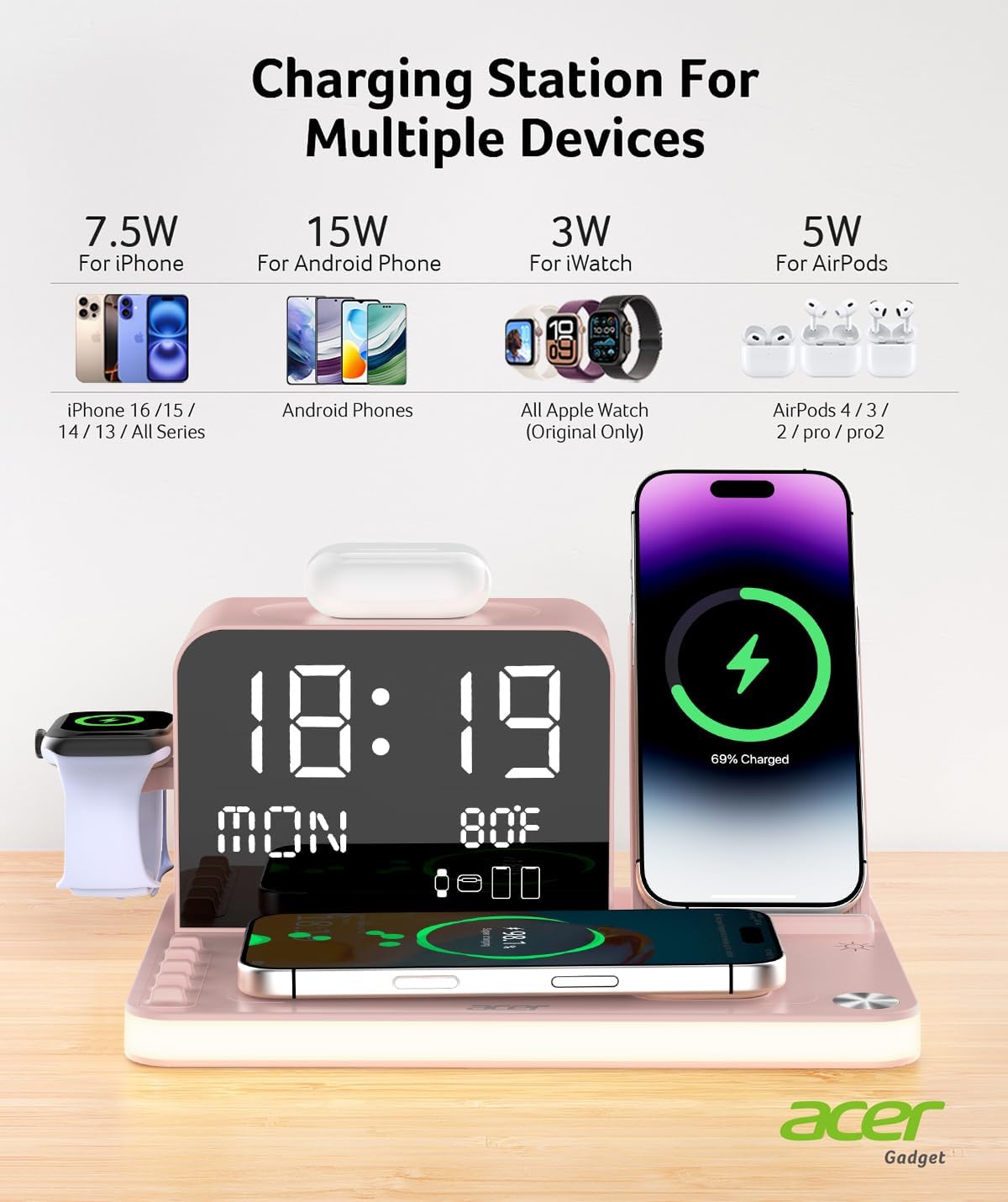
Image: Detailed breakdown of charging capabilities for various devices, including iPhones, Android phones (with magnetic case), Apple Watch, and AirPods.
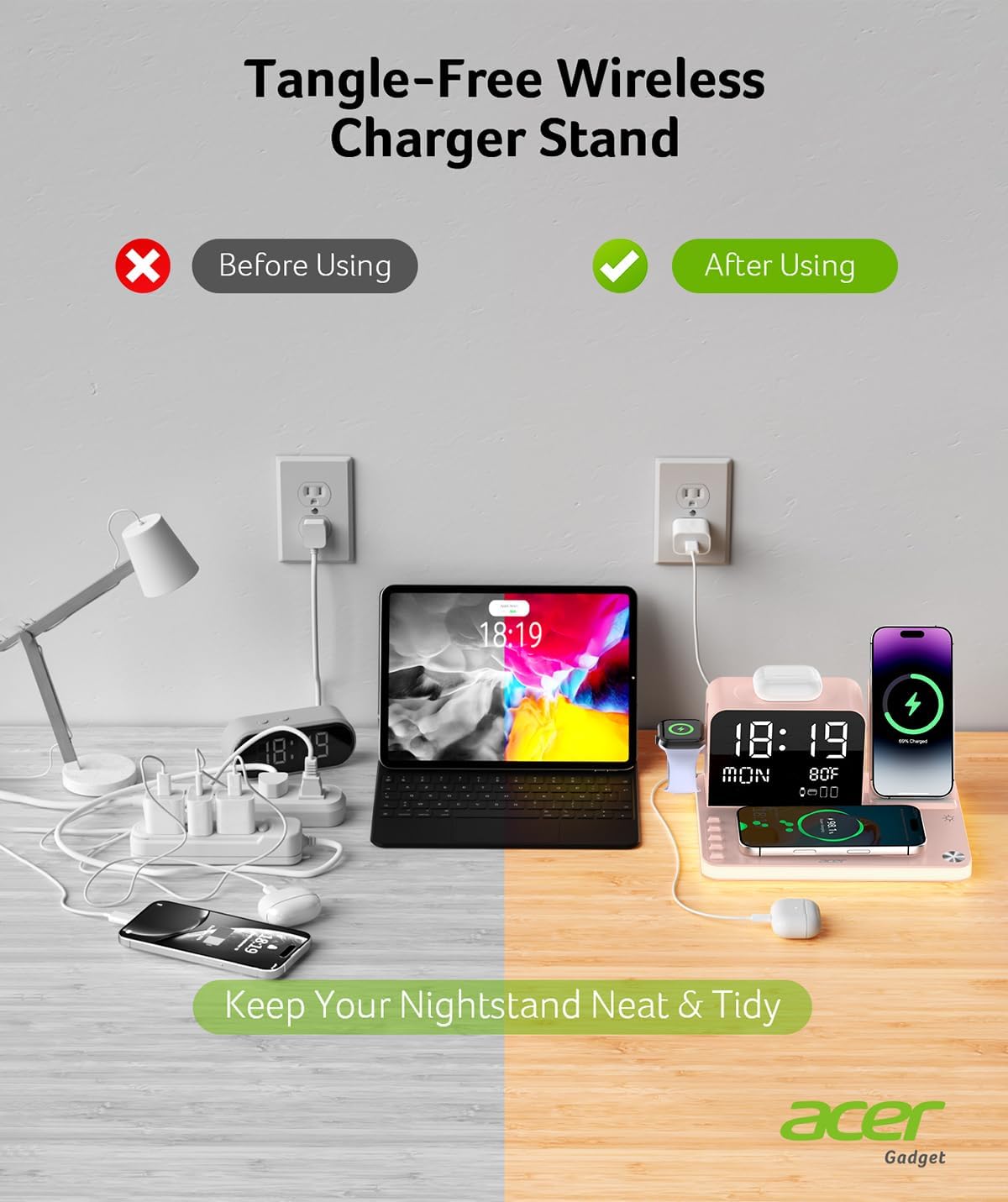
Image: Visual comparison illustrating how the Acer 7-in-1 Wireless Charging Station helps maintain a tidy and organized nightstand by consolidating multiple charging needs.
Video: A comprehensive look at the 7-in-1 Wireless Charging Station, demonstrating its ability to charge multiple devices simultaneously and its various features.
6. Güvenlik Bilgileri
The Acer wireless charging dock incorporates multiple safety features to ensure secure operation:
- Aşırı Akım Koruması: Aşırı akım geçişinden kaynaklanan hasarları önler.
- aşırı sestage Koruma: Cihazları volatil etkilere karşı korur.tage sivri.
- Sıcaklık Koruması: Monitors and regulates the device's temperature to prevent overheating.
- Yabancı Cisim Tespiti: Detects foreign objects on the charging surface to prevent hazards.
- Kısa Devre Koruması: Elektrik kısa devrelerine karşı koruma sağlar.
- AirPods Placement: Ensure AirPods are centered on the charging area for proper function.
- Kasa Kalınlığı: For optimal wireless charging, use phone cases under 2mm.
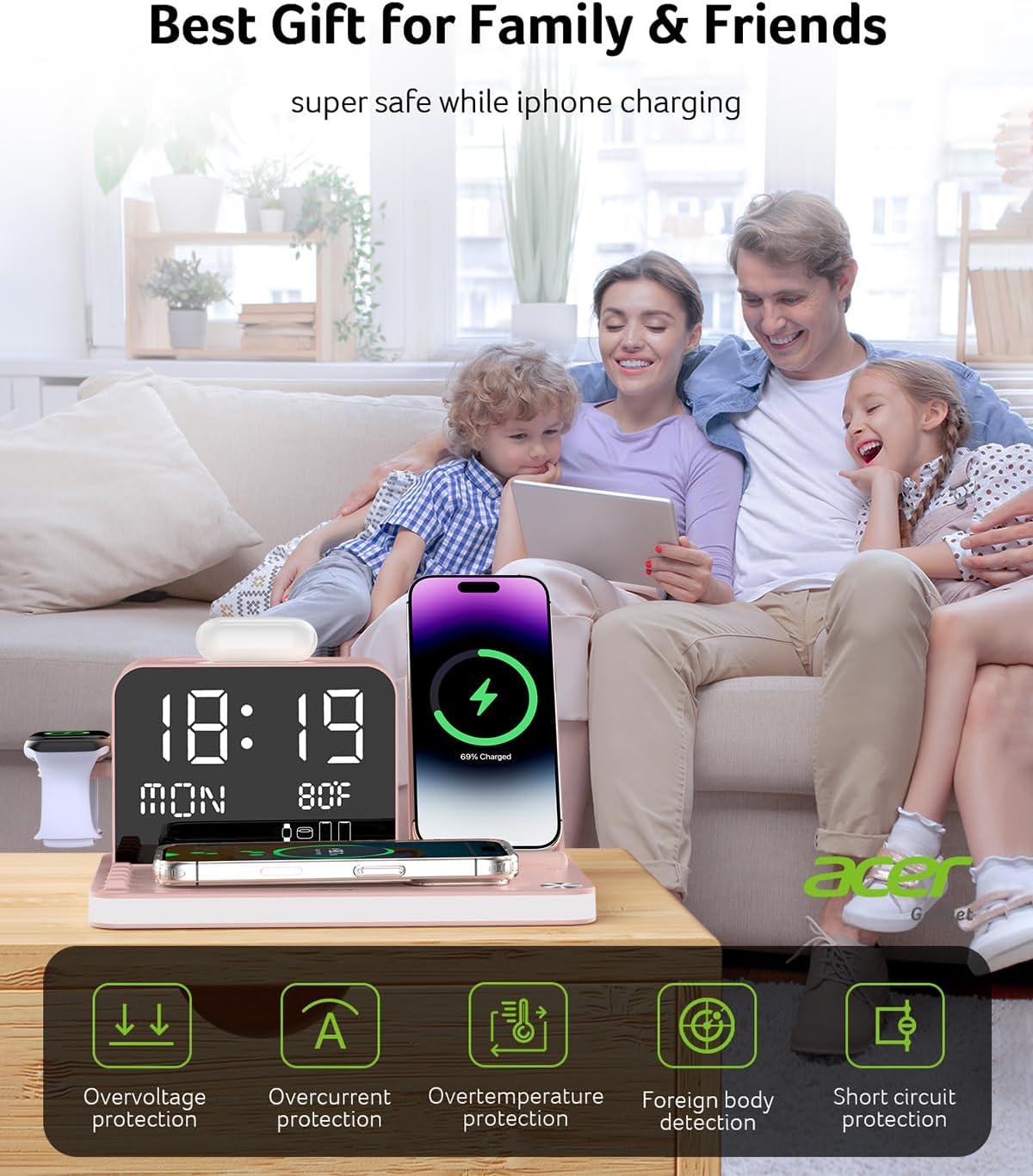
Image: Visual representation of the multiple protection mechanisms integrated into the Acer 7-in-1 Wireless Charging Station for safe device charging.
7. Bakım
- Temizlik: Şarj istasyonunun yüzeyini temizlemek için yumuşak ve kuru bir bez kullanın. Aşındırıcı temizleyiciler veya çözücüler kullanmaktan kaçının.
- Toz Giderimi: Regularly remove dust from charging ports and surfaces to ensure optimal performance.
- Depolamak: Uzun süre kullanılmayacaksa, cihazı serin ve kuru bir yerde saklayın.
8. Sorun Giderme
- Cihaz Şarj Olmuyor:
- Şarj istasyonunun güç kaynağına doğru şekilde bağlı olduğundan emin olun.
- Verify that your device is placed correctly on the wireless charging pad.
- Check if your phone case is thicker than 2mm or contains metal/credit cards. Remove the case if necessary.
- For AirPods, ensure the case is centered on the charging area.
- Confirm your device supports wireless charging.
- Clock Not Syncing via Bluetooth:
- Akıllı telefonunuzda Bluetooth'un etkinleştirildiğinden emin olun.
- Arama and connect to "S1" in your phone's Bluetooth settings.
- If issues persist, try restarting both your phone and the charging station.
- Night Light or Display Not Working:
- Güç bağlantısını kontrol edin.
- Use the front buttons to adjust brightness or toggle the light on/off.
- Indoor Temperature Not Displaying:
- The LED display will not show indoor temperature while a phone is charging wirelessly. Remove the phone to view Sıcaklık.
9. Özellikler
| Özellik | Detay |
|---|---|
| Marka | Acer |
| Örnek | B0FMF719C3 |
| Toplam Çıktı Wattage | 30 Watt |
| Giriş Voltage | 12 Volt |
| Toplam USB Bağlantı Noktaları | 3 (USB-C & USB-A output, USB-C input) |
| Uyumlu Cihazlar | Smartphones (iPhone 16/15/14/13/12/Pro Max Series, Huawei), Smartwatches (iWatch 10/9/8/7/6/5/4/3/2/1), AirPods (4/3/Pro 2/Pro/3rd Gen/2 Wireless Charging Case) |
| Ürün Ağırlığı | 1.9 pound |
| Paket Boyutları | 9.21 x 6.97 x 4.45 inç |
| Üretici | Acer Gadget A.Ş. |
10. Garanti ve Destek
The Acer 7-in-1 Wireless Charging Station comes with an 18-month warranty. For any inquiries or support needs, please contact Acer customer service. 24-hour customer service is available to assist you.


