1. Giriş
This manual provides essential information for the proper use and maintenance of your Baseus Inspire XH1 Adaptive Active Noise Cancelling Headphones. Please read this manual thoroughly before using the product to ensure optimal performance and longevity.

Image 1.1: Baseus Inspire XH1 Headphones
2. Paket İçeriği
Paketin içinde tüm öğelerin mevcut olduğundan emin olun:
- Baseus Inspire XH1 Active Noise Cancelling Headphones ×1
- Aux Cable ×1
- USB-C Kablosu ×1
- Taşıma Çantası ×1

Resim 2.1: Paket İçeriği
3. Ürün Şeması ve Kontrolleri
Familiarize yourself with the headphone's physical controls and ports.
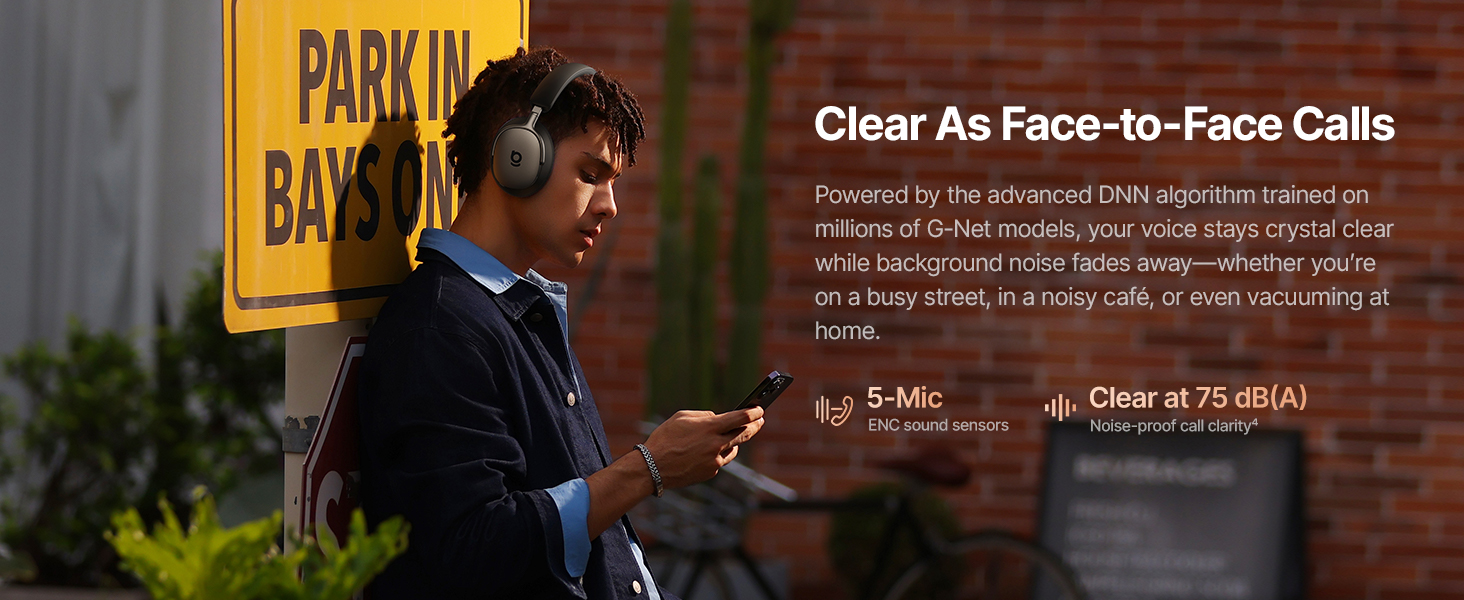
Image 3.1: Headphone Controls Overview
Düğme Fonksiyonları:
- ANC Düğmesi:
- Press once: Toggle ANC Mode (ANC On / ANC Off / Transparency).
- Press and hold for 2 seconds: Activate Quick Attention (one-press transparency and volume down).
- Çok İşlevli Düğme:
- Press once: Play or pause audio.
- Press once: Answer or end calls.
- Press twice: Toggle Dolby Audio off or on.
- Press twice: Reject calls.
- Press three times: Activate Low Latency mode.
- Ses Düğmeleri (+/-):
- Press once (+): Volume up.
- Press once (-): Volume down.
- Press and hold (+) for 2 seconds: Previous track.
- Press and hold (-) for 2 seconds: Next track.
4. Kurulum
4.1 İlk Şarj
Before first use, fully charge the headphones. Connect the supplied USB-C cable to the charging port on the headphones and to a compatible USB power source. The charging indicator will show the charging status.
4.2 Açma/Kapatma
- Güç Açık: Press and hold the Multifunction Button until the indicator light illuminates.
- Kapat: Press and hold the Multifunction Button until the indicator light turns off.
4.3 Bluetooth Eşleştirme
- Kulaklıkların kapalı olduğundan emin olun.
- Press and hold the Multifunction Button for approximately 5 seconds until the indicator light flashes rapidly, indicating pairing mode.
- Cihazınızda (akıllı telefon, dizüstü bilgisayar vb.) Bluetooth'u etkinleştirin ve kullanılabilir cihazları arayın.
- Select "Baseus Inspire XH1" from the list of devices.
- Bağlandıktan sonra gösterge ışığının yanıp sönmesi duracak ve sabit kalacaktır.
4.4 Baseus Uygulama Kurulumu
For full functionality, including SoundFit hearing personalization, advanced EQ settings, and noise reduction modes, download and install the Baseus App (V2.8.9+) from your device's app store. Ensure your headphone firmware (V1.1.07+) is updated via the app for the best experience.

Image 4.1: Baseus App Interface
5. Operasyon
5.1 Aktif Gürültü Önleme (ANC) Modları
The Baseus Inspire XH1 features Adaptive ANC. Press the ANC button to cycle through modes:
- ANC Açık: Reduces external noise by up to -48 dB. Ideal for noisy environments.
- Şeffaflık Modu: Ortam seslerinin geçmesine izin vererek çevrenizden haberdar olmanızı sağlar.
- ANC Kapalı: Gürültü engelleme özelliği olmayan standart ses çalma.

Image 5.1: Adaptive ANC in Action
5.2 Çağrı Yönetimi
The headphones feature 5-Mic ENC and AI-powered noise reduction for clear calls.
- Çağrıyı Cevapla/Sonlandır: Çok İşlevli Düğmeye bir kez basın.
- Çağrıyı Reddet: Press the Multifunction Button twice.

Image 5.2: Clear Call Functionality
5.3 Müzik Oynatma
Control your audio playback directly from the headphones:
- Oynat/Duraklat: Çok İşlevli Düğmeye bir kez basın.
- Sonraki Parça: Sesi Azaltma (-) tuşuna 2 saniye basılı tutun.
- Önceki parça: Sesi Açma (+) tuşuna 2 saniye basılı tutun.
- Sesi Aç/Kapat: Press the respective Volume button once.
5.4 Çok Noktalı Bağlantı
The headphones support simultaneous connection to two devices via Bluetooth 6.1. This allows for seamless switching between audio sources. Enable multipoint connection through the Baseus App.
5.5 Şarj ve Pil Ömrü
The Inspire XH1 offers extended battery life:
- Up to 100 hours of playtime with ANC off.
- Up to 65 hours of playtime with ANC on.
- 10 dakikalık hızlı şarj yaklaşık 12 saatlik kullanım süresi sağlar.
- Full charge time is approximately 1.5 hours.

Image 5.3: Battery Performance
6. Ses Özellikleri
The Baseus Inspire XH1 headphones are engineered for a premium audio experience.
- Sound by Bose: Delivers a signature premium audio experience.
- Dolby Spatial Audio: Provides immersive 360° sound. Can be toggled via the Multifunction Button or Baseus App.
- Yüksek Çözünürlüklü Ses ve LDAC: Certified for high-resolution audio, with LDAC support for 3 times the audio detail of standard Bluetooth.
- SuperBass 3.0 & SuperBalance 3.0: Optimized acoustic chambers and angled drivers provide deep bass and balanced sound.
- SoundFit Hearing Personalization: Available via the Baseus App, this feature customizes the sound profile based on your unique hearing.

Image 6.1: Sound by Bose Integration

Image 6.2: Internal Audio Components
7. Konfor ve Tasarım
The Inspire XH1 headphones are designed for extended wear.
- Velvet-Like CloudComfort: Ergonomic over-ear design with protein leather and resilient memory foam padding for comfort.
- Travel-Friendly Portability: Foldable design and included carrying case for easy transport.

Image 7.1: CloudComfort Earcup

Image 7.2: Travel-Friendly Carrying Case
8. Bakım
Kulaklığınızın uzun ömürlü ve optimum performans göstermesini sağlamak için aşağıdaki bakım yönergelerini izleyin:
- Temizlik: Use a soft, dry cloth to clean the exterior surfaces of the headphones. Do not use abrasive cleaners or solvents.
- Depolamak: When not in use, store the headphones in their protective carrying case to prevent damage from dust, scratches, and impacts.
- Nemden Kaçının: Do not expose the headphones to water or excessive moisture. If they get wet, dry them thoroughly before use or storage.
- Sıcaklık: Avoid exposing the headphones to extreme temperatures (hot or cold) as this can affect battery life and internal components.
- Kablo Bakımı: Handle the Aux and USB-C cables gently. Avoid sharp bends or excessive pulling to prevent damage.
9. Sorun Giderme
If you encounter issues with your Baseus Inspire XH1 headphones, refer to the following common solutions:
| Sorun | Olası Çözüm |
|---|---|
| Kulaklık açılmıyor. | Kulaklığın şarjlı olduğundan emin olun. USB-C kablosunu kullanarak bir güç kaynağına bağlayın. |
| Bluetooth üzerinden eşleştirme yapılamıyor. | Ensure headphones are in pairing mode (rapidly flashing indicator light). Turn off and on Bluetooth on your device. Forget the device in your Bluetooth settings and try pairing again. |
| Ses yok veya ses seviyesi düşük. | Kulaklık ve cihaz ses seviyelerini kontrol edin. Kulaklıkların doğru şekilde bağlı olduğundan emin olun. Her iki cihazı da yeniden başlatmayı deneyin. |
| ANC etkili bir şekilde çalışmıyor. | Ensure ANC mode is activated (not Transparency or Off). Check for proper fit of earcups to create a seal. Update headphone firmware via the Baseus App. |
| Çağrı kalitesi sorunları. | Ensure microphone is not obstructed. Check for strong Bluetooth connection. Move to a quieter environment if possible. |
| Baseus App not connecting or features not working. | Ensure Bluetooth is enabled and headphones are connected. Update the Baseus App to the latest version (V2.8.9+). Update headphone firmware (V1.1.07+) via the app. |
If the problem persists, please contact Baseus customer support for further assistance.
10. Özellikler
| Özellik | Detay |
|---|---|
| Model Adı | Baseus Inspire XH1 |
| Gürültü Kontrolü | Adaptive Active Noise Cancellation (-48dB) |
| Bağlantı Teknolojisi | Kablosuz (Bluetooth 6.1) |
| Ses Sürücüsü Türü | Dinamik Sürücü |
| Ses Sürücüsü Boyutu | 35 Milimetre |
| Frekans Aralığı | 20Hz - 40kHz |
| Empedans | 16 Ohm |
| Kontrol Türü | Button Control / APP Control |
| Malzeme | Leather, Foam, Plastic/Silicone |
| Pil Ömrü (ANC Kapalı) | 100 saate kadar |
| Pil Ömrü (ANC Açık) | 65 saate kadar |
| Hızlı Şarj | 10 saatlik oynatma süresi için 12 dakika |
| Tam Şarj Süresi | Yaklaşık 1.5 saat |
| Ürün Boyutları | 8.07 x 3.14 x 6.57 inç |
| Ürün Ağırlığı | 1.87 pound |
| Dahil Bileşenler | Headphones, Aux Cable, USB-C Cable, Carrying Case |
11. Garanti ve Destek
For warranty information and customer support, please refer to the warranty card included in your product packaging or visit the official Baseus webSite. Satın alma fişinizi, garanti talepleriniz için satın alma belgeniz olarak saklayın.
Üretici: Bazus
Resmi Webalan: Baseus Resmi Mağazası Amazon'da