1. Giriş
This manual provides essential instructions for the safe and efficient operation, maintenance, and troubleshooting of your Cecotec Conga Y80 X-Treme Robot Vacuum and Mop. Please read this manual thoroughly before using the product and retain it for future reference.
1.1 Güvenlik Talimatları
- İlk kullanımdan önce robotun tamamen şarj olduğundan emin olun.
- Robotu ıslak ortamlarda veya sıvıların yakınında çalıştırmayın.
- Robotun yoluna çıkabilecek kabloları, perdeleri ve küçük nesneleri, robotun dolanmasını önlemek için yoldan uzak tutun.
- Robot çalışırken çocukları ve evcil hayvanları gözetim altında tutun.
- Use only original accessories and replacement parts.
- Do not attempt to repair the robot yourself. Contact authorized service personnel.
2. Paket İçeriği
Paketin içinde tüm öğelerin mevcut olduğundan emin olun:
- 1 x Cecotec Conga Y80 X-Treme Robot Vacuum and Mop
- 1 x Kendiliğinden Boşaltma Tabanı
- 1 x Güç Adaptörü
- 1 x Side Brush Set
- 1 x Main Brush (Silicone)
- 1 x Paspas Bezi
- 1 x Su Deposu
- 1 x Temizleme Aracı
- 1 x Kullanım Kılavuzu
3. Ürün Bittiview
3.1 Robot Bileşenleri
The Conga Y80 X-Treme robot vacuum features advanced components for efficient cleaning and navigation.
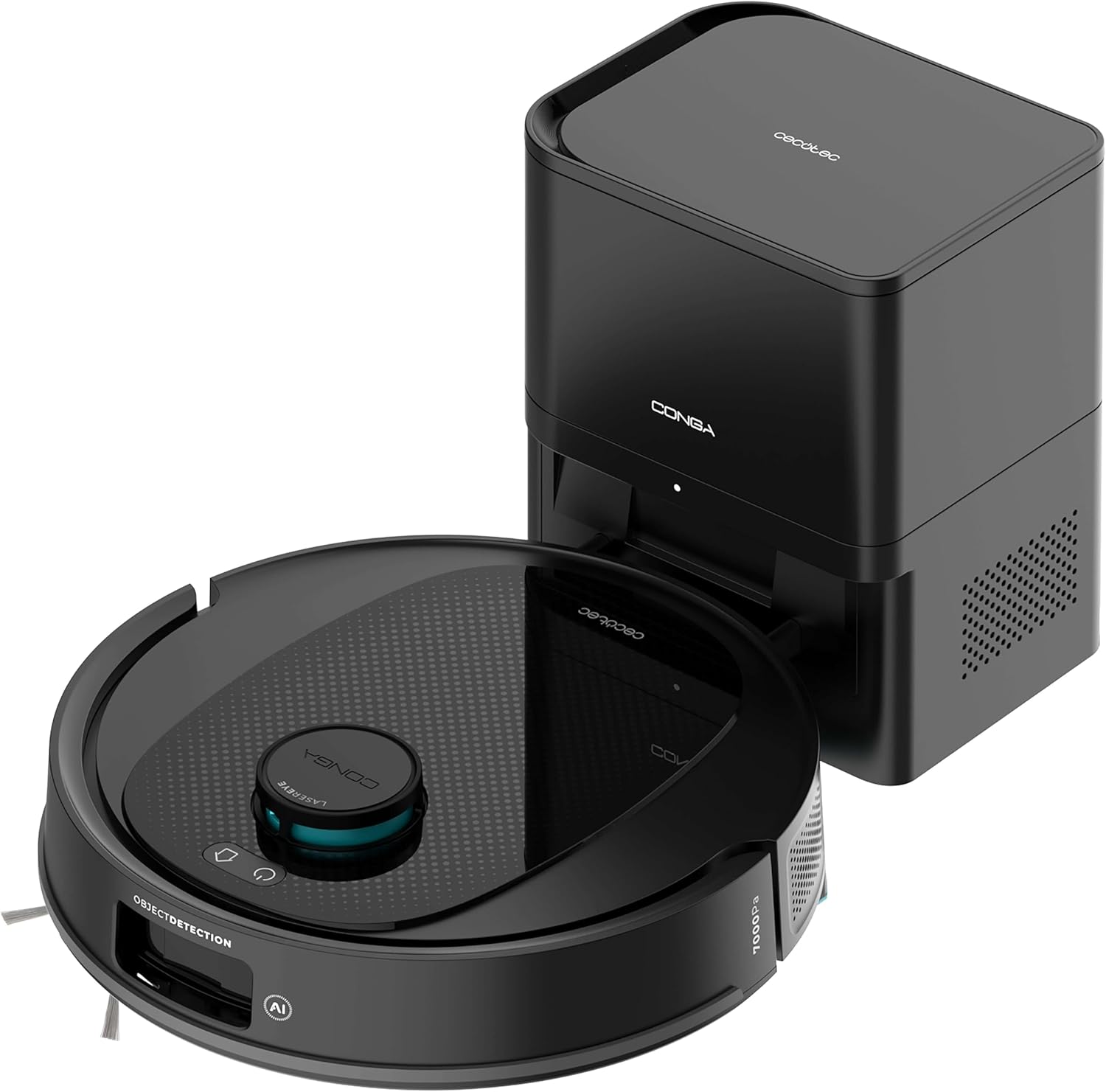
Resim 3.1: The Cecotec Conga Y80 X-Treme robot vacuum cleaner alongside its self-emptying base.
- AI Laser Eye Navigation: Located on top, this system enables precise mapping and object detection.
- Kontrol Düğmeleri: Power and Home buttons for basic operation.
- Yan Fırçalar: Two rotating brushes to sweep debris from edges and corners.
- Main Brush (PetStyle): A silicone anti-tangle brush designed for effective pet hair collection.
- Tekerlekler: Çeşitli zemin tiplerinde hareket için.
- Sensörler: Cliff sensors, anti-collision sensors for safe operation.
- Çöp kovası: Integrated within the robot, automatically emptied by the base.
- Su Tankı: For mopping functionality.

Resim 3.2: Alt view of the robot, highlighting the main silicone brush and side brushes.
3.2 Kendiliğinden Boşalan Taban
The self-emptying base automatically transfers collected dust and debris from the robot's internal bin into a larger 2.5L disposable bag, providing weeks of hands-free maintenance.

Resim 3.3: The self-emptying base, illustrating the dust transfer process.
4. Kurulum
4.1 Şarj Üssü Yerleşimi
- Place the self-emptying base against a wall in an open area, ensuring at least 0.5 meters of clear space on both sides and 1.5 meters in front.
- Ensure the area is free from obstacles, direct sunlight, and heat sources.
- Güç adaptörünü tabana bağlayın ve elektrik prizine takın.
4.2 İlk Şarj
- Place the robot onto the charging contacts of the self-emptying base.
- Ensure the robot is properly aligned and the charging indicator light on the base illuminates.
- Allow the robot to charge completely before its first use (approximately 4-6 hours).
4.3 Uygulama Kurulumu ve Bağlantısı
- Download the "Cecotec Conga" App 3.0 from your smartphone's app store (iOS or Android).
- Register an account and follow the in-app instructions to add your Conga Y80 X-Treme robot.
- Başarılı bir bağlantı için Wi-Fi ağınızın 2.4GHz olduğundan emin olun.
5. Kullanım Talimatları
5.1 Temizliğin Başlatılması ve Durdurulması
- Başlangıç: Press the Power button on the robot or use the App to initiate a cleaning cycle.
- Duraklama: Press the Power button during cleaning to pause.
- Sürdürmek: Press the Power button again to resume cleaning.
- Stop/Return to Base: Press the Home button on the robot or use the App to send the robot back to its charging base.
5.2 Temizleme Modu
The robot supports various cleaning modes:
- Oto Temizleme: Robot, haritalandırılmış alanın tamamında akıllıca gezinip temizlik yapıyor.
- Nokta Temizleme: Robotu belirli küçük bir alanı yoğun bir şekilde temizlemesi için yönlendirir.
- Kenar Temizleme: Duvar ve mobilya kenarlarının temizliğine odaklanır.
- Bölge Temizliği: Define specific areas on the map via the App for targeted cleaning.
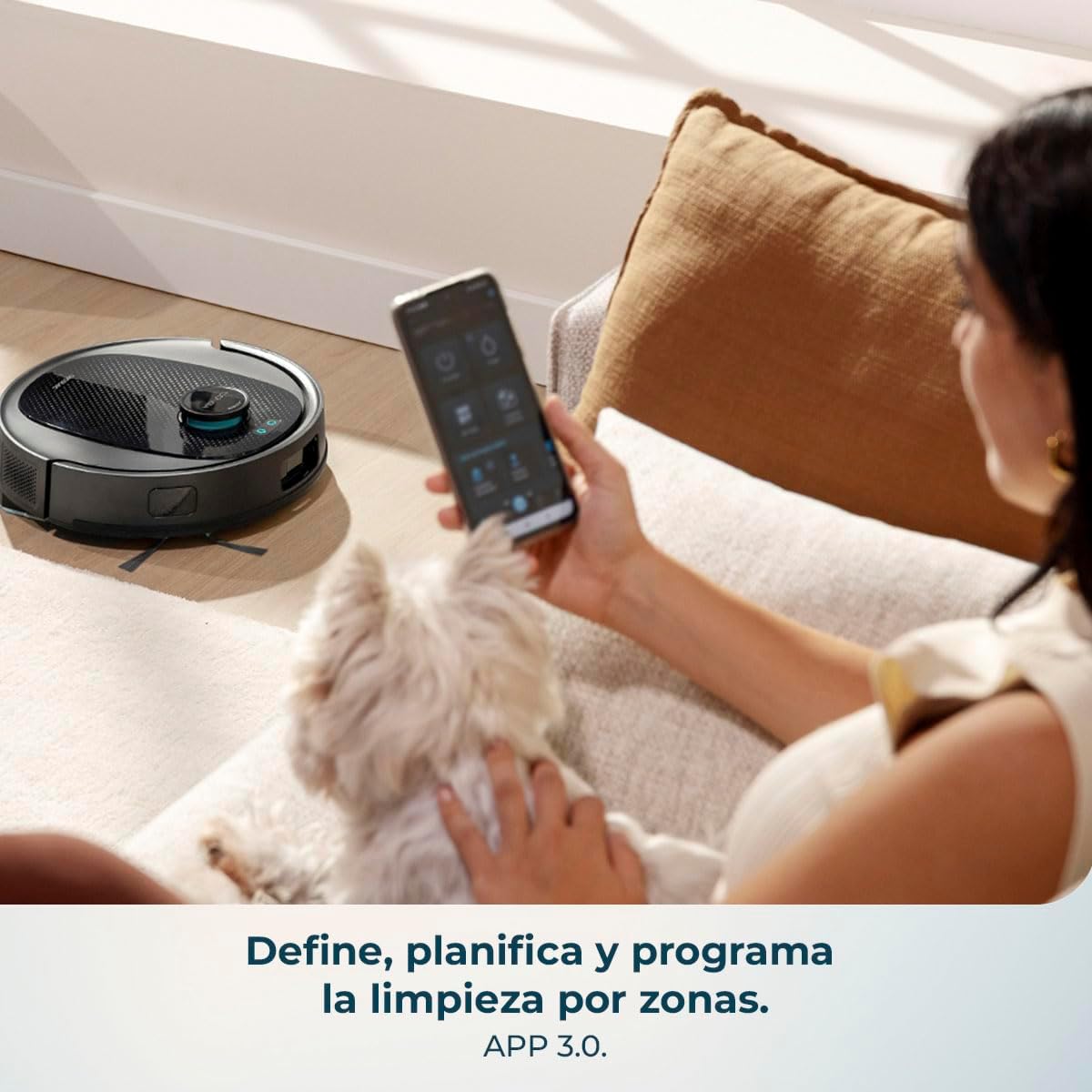
Resim 5.1: Using the mobile application to define and program cleaning by zones.
5.3 Paspaslama Fonksiyonu
- Su deposunu temiz suyla doldurun. Deterjan veya sert kimyasallar kullanmayın.
- Paspas bezini su deposuna sıkıca takın.
- Su tankını robota yerleştirin.
- Select the desired mopping mode and water flow level (low, medium, high) via the App.

Resim 5.2: The robot performing a combined vacuum and mop cleaning on various floor surfaces.
5.4 Akıllı Navigasyon ve Haritalama
The robot utilizes AI Laser Eye technology to create an interactive map of your home, allowing for efficient cleaning paths and object avoidance. You can view and manage this map through the App.

Resim 5.3: The robot's AI Laser Eye navigation system detecting and avoiding obstacles.

Resim 5.4: The mobile application displaying an interactive map for personalized cleaning.
6. Bakım
Düzenli bakım robot süpürgenizin optimum performansını sağlar ve kullanım ömrünü uzatır.
6.1 Self-Emptying Base Dust Bag Replacement
- The 2.5L dust bag in the self-emptying base should be replaced when full, typically every few weeks depending on usage.
- Tabanın üst kapağını açın, dolu torbayı çıkarın ve yenisini takın.
6.2 Cleaning the Main Brush (PetStyle)
- Robotu ters çevirin ve ana fırça kapağını çıkarın.
- Lift out the silicone brush.
- Verilen temizleme aletini kullanarak takılmış saçları veya kalıntıları temizleyin.
- Fırçayı tekrar yerine yerleştirin ve kapağı sıkıca kapatın.

Resim 6.1: The silicone anti-tangle brush, ideal for homes with pets.
6.3 Yan Fırçaların Temizlenmesi
- Yan fırçaları hafifçe çekerek çıkarın.
- Herhangi bir saç veya kalıntıyı temizleyin.
- Fırçaları yerine takın ve yerine oturduklarından emin olun.
6.4 Filtrelerin Temizlenmesi
- Open the robot's dust bin and remove the filter assembly.
- Tozu temizlemek için filtreye hafifçe vurun. HEPA filtreyi suyla yıkamayın.
- Replace filters regularly (every 3-6 months) for optimal performance.
6.5 Sensörlerin ve Şarj Kontaklarının Temizlenmesi
- Wipe all sensors (cliff sensors, anti-collision sensors) and charging contacts on both the robot and the base with a clean, dry cloth.
- This prevents navigation errors and ensures proper charging.
6.6 Su Deposunun ve Paspas Bezinin Temizlenmesi
- Her paspaslama işleminden sonra, tankta kalan suyu boşaltın.
- Remove the mop cloth and wash it by hand or machine. Allow it to air dry completely before reattaching.
7. Sorun Giderme
| Sorun | Olası Neden | Çözüm |
|---|---|---|
| Robot açılmıyor. | Pil zayıf veya şarj edilmemiş. | Robotu şarj tabanına yerleştirin ve tamamen şarj olduğundan emin olun. |
| Robot cannot find charging base. | Base is obstructed or too far. | Ensure the base is in an open area and free from obstacles. Manually place the robot on the base if necessary. |
| Zayıf emiş performansı. | Full dust bin, clogged filters, or tangled brushes. | Empty the dust bin, clean or replace filters, and clean the main and side brushes. |
| Robot sık sık takılıyor. | Loose cables, small objects, or uneven surfaces. | Clear the cleaning area of obstacles. Use virtual walls or no-go zones via the App if available. |
| Yer silme işlevi etkisizdir. | Empty water tank or dirty mop cloth. | Refill the water tank and clean or replace the mop cloth. Ensure correct water flow setting in the App. |
| Uygulama bağlantı sorunları. | Incorrect Wi-Fi, router issues, or app glitch. | Ensure 2.4GHz Wi-Fi. Restart router, robot, and app. Re-pair the device if necessary. |
8. Özellikler
| Özellik | Detay |
|---|---|
| Marka | Cecotec |
| Model Adı | Conga Y80 X-Treme |
| Model Numarası | A01_EU01_119668 |
| Renk | Siyah |
| Ürün Boyutları (Robot) | Yaklaşık 37.2x42x42 cm |
| Ürün Ağırlığı | 5.3 kilo |
| Toz Torbası Kapasitesi (Taban) | 2.5 Litre |
| Cilttage | 240 Volt |
| Güç Kaynağı | Pil |
| Pil Dahil | Evet |
| Özel Özellikler | Self-emptying, AI Laser Eye Navigation, Mopping Function |
| Uyumlu Cihazlar | Smartphones (via Cecotec Conga App 3.0) |
| Emiş Gücü | 13000 Pa |
| Maksimum Temizleme Alanı | 220 m²'ye kadar |
9. Garanti ve Destek
For warranty information, technical support, or service requests, please refer to the official Cecotec webSite üzerinden satın alabilir veya doğrudan müşteri hizmetleriyle iletişime geçebilirsiniz. Satın alma belgenizi saklayın.


