1. Üzeriview
Satın aldığınız için teşekkür ederizasing the Panasonic Men's Shaver Lamdash 3-Blade, model ES-L321D-A. This electric shaver is designed for a close and comfortable shave, featuring a powerful linear motor and a convenient water-through cleaning system. Please read this manual thoroughly before use to ensure safe and optimal performance.
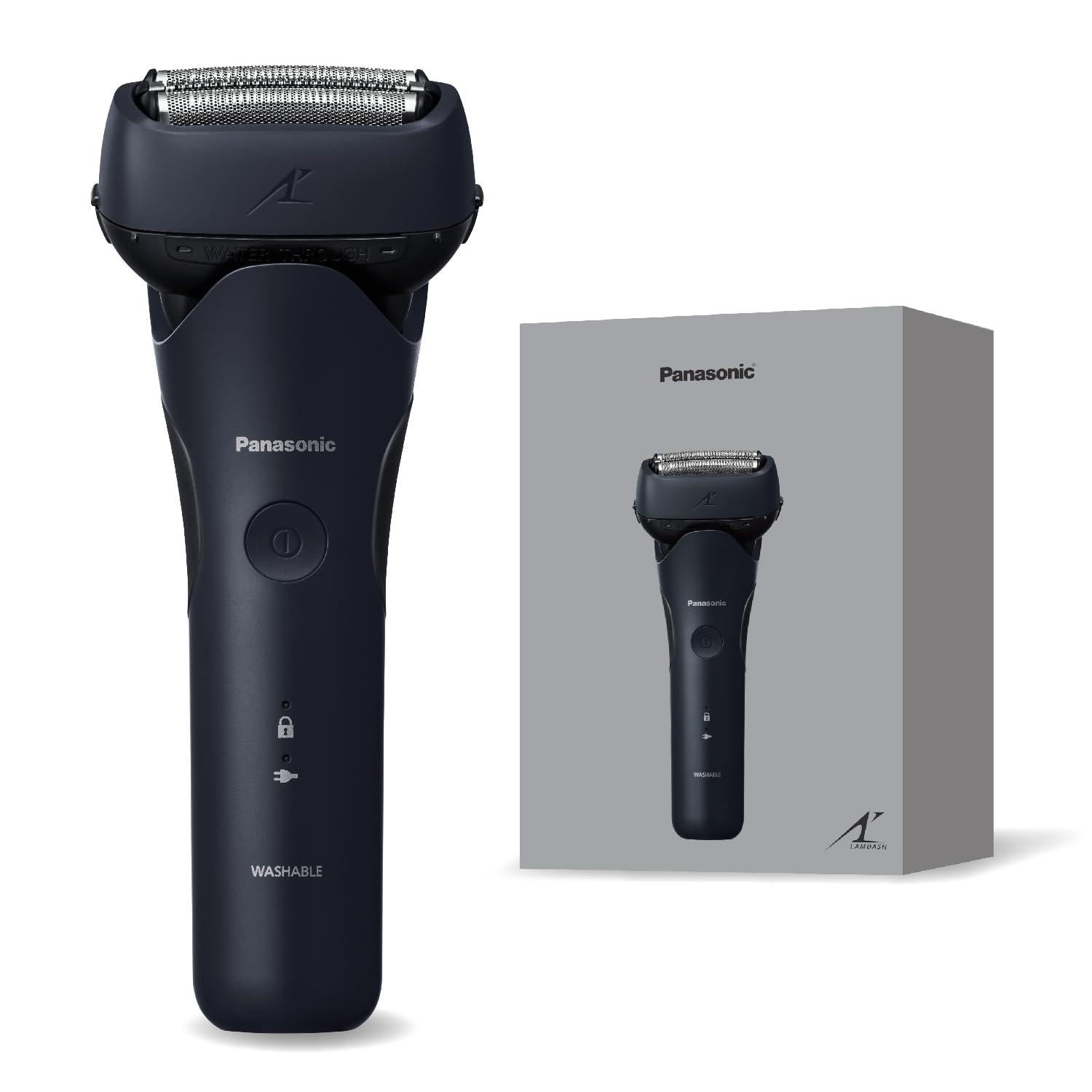
Image: Panasonic Lamdash 3-Blade Shaver ES-L321D-A in Dark Navy.
Temel Özellikler:
- Güçlü Doğrusal Motor: Delivers approximately 13,000 strokes/minute for a thorough shave, even on thick beards.
- 3 Bıçaklı Sistem: Designed for a close and deep shave.
- Suyla Temizleme: Allows for easy and hygienic cleaning without removing the outer foil.
- AC Adaptörle Şarj Etme: Convenient and fast 1-hour rapid charge.
- Açılır Düzeltici: Integrated trimmer for sideburns and pre-cutting longer hairs.
- Waterproof Design (IPX7 standard): The entire body is washable for easy maintenance.
2. Güvenlik Bilgileri
To prevent injury to yourself and others, and to avoid damage to the product, please observe the following safety precautions.
- Do not use the shaver if the outer foil or blades are damaged, as this may cause skin injury.
- Keep the AC adapter dry. Do not handle the AC adapter with wet hands or immerse it in water.
- Do not modify, disassemble, or repair the shaver yourself. Contact an authorized service center for repairs.
- Ses seviyesini garantileyintage specified on the AC adapter matches your local power supply.
- Çocukların erişemeyeceği yerde saklayınız.
- Unplug the AC adapter from the outlet before cleaning the shaver.
- Do not use the shaver in environments where it may be exposed to water while charging (e.g., bathtub, shower room).
3. Kurulum
3.1 Paket İçeriği
Paketin tüm öğeleri içerdiğinden emin olun:
- Panasonic Men's Shaver (ES-L321D-A)
- AC Adaptörü
- Specialized Oil
- Temizleme Fırçası

Image: Included accessories for the shaver, showing the AC adapter, specialized oil, and cleaning brush.
3.2 Tıraş Makinesinin Şarj Edilmesi
- Tıraş makinesinin kapalı olduğundan emin olun.
- AC adaptörünü tıraş makinesinin şarj portuna bağlayın.
- Plug the AC adapter into a household power outlet.
- The charging indicator will illuminate. A full charge takes approximately 1 hour.
- Once fully charged, unplug the AC adapter.
Not: The shaver can be used while charging. For overseas use, a separate plug adapter may be required depending on the country or region.

Image: The Panasonic Lamdash shaver, indicating it can be used while charging.
4. Kullanım Talimatları
4.1 Temel Tıraş
- Tıraş makinesini açmak için güç düğmesine basın.
- Tıraş makinesini cildinize dik açı (90 derece) tutarak kullanın.
- Gently press the shaver against your face and move it slowly against the direction of hair growth.
- Stretch your skin with your free hand to ensure a smooth shaving surface.
- Tıraştan sonra, tıraş makinesini kapatmak için güç düğmesine basın.

Image: Illustration of multi-fit arc blades adapting to facial contours for an effective shave.
4.2 Açılır Kapanır Budama Aletinin Kullanımı
The pop-up trimmer is useful for grooming sideburns or pre-cutting longer beard hairs before a full shave.
- Açılır kapanır düzelticiyi devreye sokmak için düzeltici düğmesini yukarı kaydırın.
- Tıraş makinesini çalıştırın.
- Hold the shaver with the trimmer perpendicular to your skin and trim as desired.
- Kullanımdan sonra, düzeltme başlığını geri çekmek için düzeltme düğmesini aşağı doğru kaydırın.
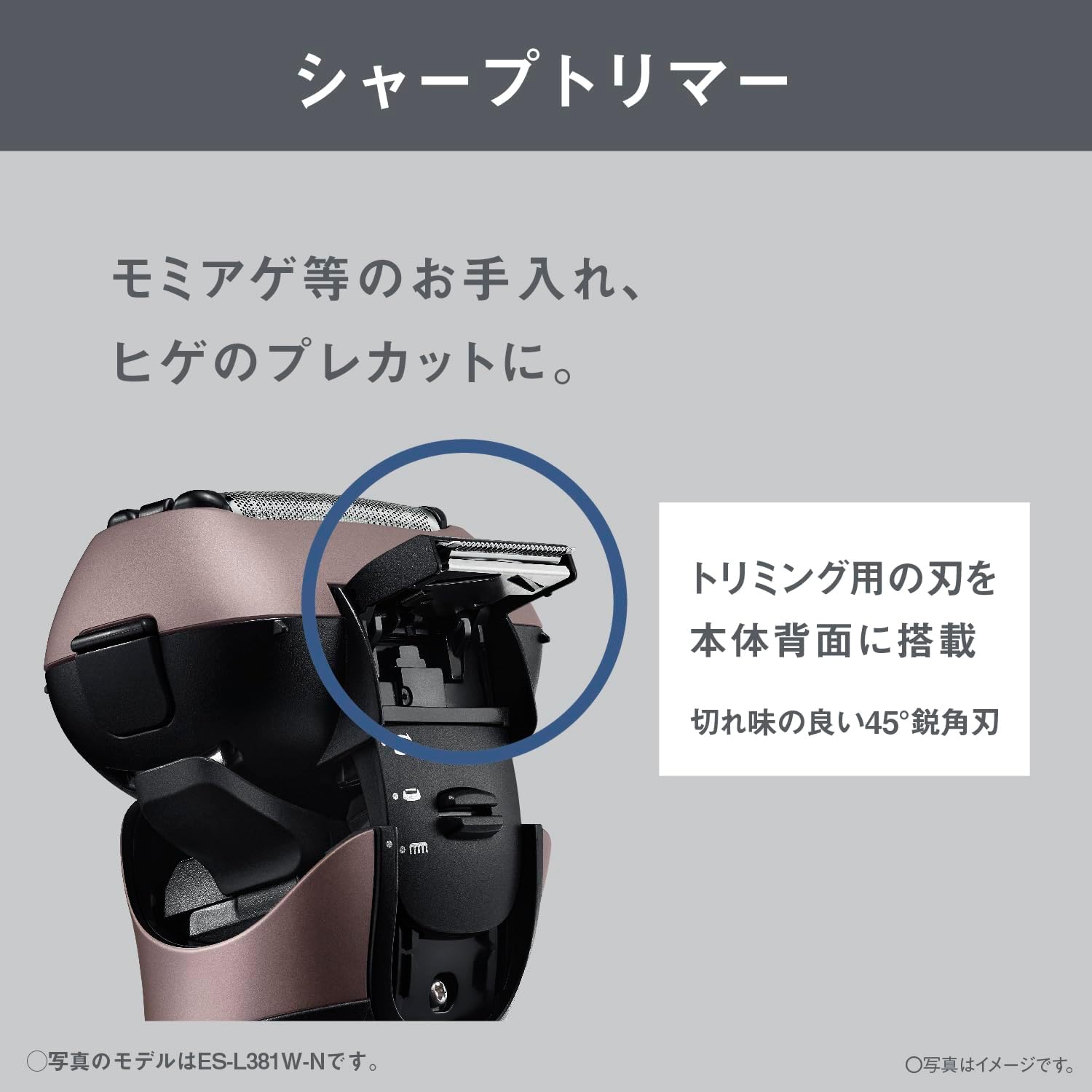
Image: Close-up of the shaver's pop-up trimmer, highlighting its 45-degree sharp edge blade for precise trimming.
5. Bakım
Regular cleaning and maintenance will ensure the longevity and performance of your shaver.
5.1 Water-Through Cleaning
The water-through cleaning feature allows for easy removal of beard clippings without disassembling the outer foil.
- Tıraş makinesini çalıştırın.
- Hold the shaver under running water, allowing water to flow through the blades.
- Shake the shaver gently to dislodge any remaining clippings.
- Turn off the shaver and gently tap it to remove excess water.
- Tıraş makinesini saklamadan önce tamamen kuruması için havalandırın.
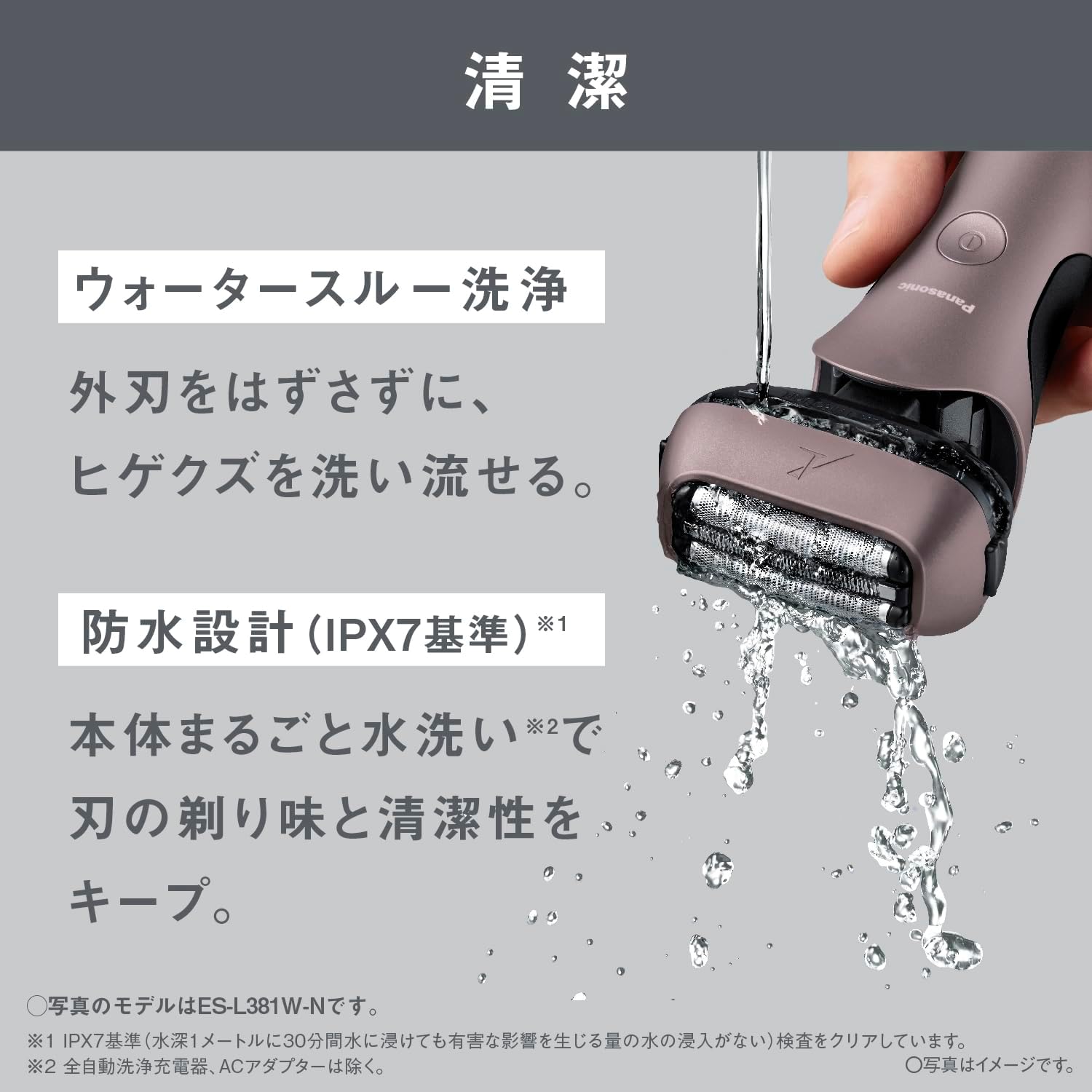
Image: The shaver being cleaned under running water, demonstrating the water-through wash feature. The entire body is washable (IPX7 standard).
5.2 Bıçak Değişimi
For optimal shaving performance, it is recommended to replace the outer foil and inner blades at regular intervals.
- Dış Folyo: Approximately every 1 year.
- İç Bıçaklar: Approximately every 2 years.
Replacement intervals may vary depending on usage. Refer to the product packaging or Panasonic's official webUyumlu yedek parçalar için site.
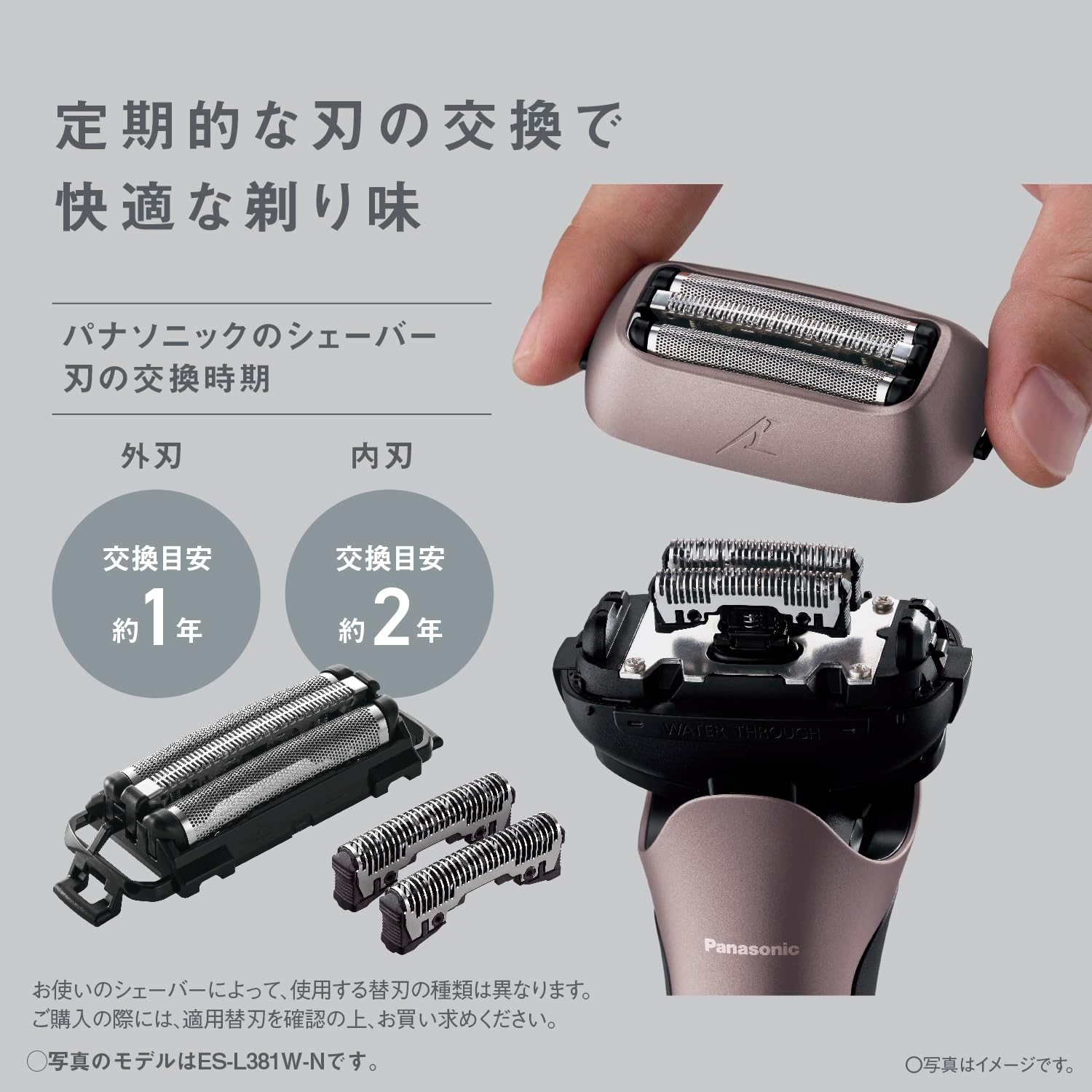
Image: Diagram showing the outer foil and inner blades of the shaver, with recommended replacement times of approximately 1 year for the outer foil and 2 years for the inner blades.
5.3 Yağlama
Apply a drop of the specialized oil to each outer foil section after cleaning, especially if the shaver feels less smooth during use. This helps maintain blade sharpness and reduces friction.
5.4 Depolama
Store the shaver in a cool, dry place away from direct sunlight and high humidity. Ensure it is completely dry before storing.
6. Sorun Giderme
| Sorun | Olası Neden | Çözüm |
|---|---|---|
| Tıraş makinesi açılmıyor. | Pil bitmiş. | Tıraş makinesini en az 1 saat şarj edin. |
| Tıraş makinesi etkili bir şekilde tıraş etmiyor. | Bıçaklar körelmiş veya kıllarla tıkanmış. | Clean the shaver thoroughly. Consider replacing the outer foil or inner blades if they are old. |
| Tıraş makinesi alışılmadık bir ses çıkarıyor. | Foreign object caught in blades or motor issue. | Clean the shaver. If the noise persists, discontinue use and contact customer support. |
| Tıraştan sonra cilt tahrişi. | Improper shaving technique or dull blades. | Ensure proper shaving technique. Replace blades if necessary. Use a pre-shave lotion or aftershave balm. |
7. Özellikler
| Özellik | Detay |
|---|---|
| Model Numarası | ES-L321D-A |
| Marka | Panasonic |
| Bıçak Sistemi | 3-Bıçaklı |
| Motor Tipi | Doğrusal Motor (yaklaşık 13,000 vuruş/dakika) |
| Güç Kaynağı | Rechargeable (AC Adapter) |
| Şarj Süresi | Approx. 1 hour (rapid charge) |
| Suya Dayanıklılık | IPX7 Standard (Water-through washable) |
| Boyutlar (Y x G x D) | 15.5 x 6.4 x 5.0 cm (yaklaşık 6.1 x 2.5 x 2.0 inç) |
| Ağırlık | Yaklaşık 145 g (kapak hariç) |
| Bıçak Malzemesi | Paslanmaz çelik |
| Kafa Tipi | Karşılıklı |
| Dahil Aksesuarlar | AC Adapter, Specialized Oil, Cleaning Brush |
| Üretici Garantisi | 12 ay |
8. Garanti ve Destek
8.1 Üretici Garantisi
This Panasonic shaver is covered by a manufacturer's warranty for 12 months from the date of purchase. Please retain your proof of purchase for warranty claims. The warranty covers defects in materials and workmanship under normal use. It does not cover damage caused by misuse, accidents, unauthorized repairs, or normal wear and tear of consumable parts like blades.
8.2 Müşteri Desteği
For product inquiries, technical assistance, or warranty service, please contact Panasonic customer support. Contact information can typically be found on the official Panasonic webBölgenize ait site veya ürün ambalajı üzerinde.
Ayrıca resmi Panasonic sitesini de ziyaret edebilirsiniz. webSıkça sorulan sorular ve ek ürün bilgileri için site: www.panasonic.com