giriiş
This manual provides comprehensive instructions for the setup, operation, maintenance, and troubleshooting of your Google Pixel Watch 4. Designed with precision craftsmanship, the Pixel Watch 4 features an Actua 360 domed display, extended battery life, and integrated Google AI for enhanced health, fitness, and safety functionalities. Please read this manual thoroughly to ensure optimal use and care of your device.
Kutuda Neler Var?
Upon opening your Google Pixel Watch 4 packaging, please verify that all components listed below are present:
- Google Pixel Watch 4 (45mm) Wifi Silver / Porcelain
- Watch Band (Porcelain Active Band, includes large and small sizes)
- USB-C Hızlı Şarj Kablosu
- Hızlı Başlangıç Kılavuzu
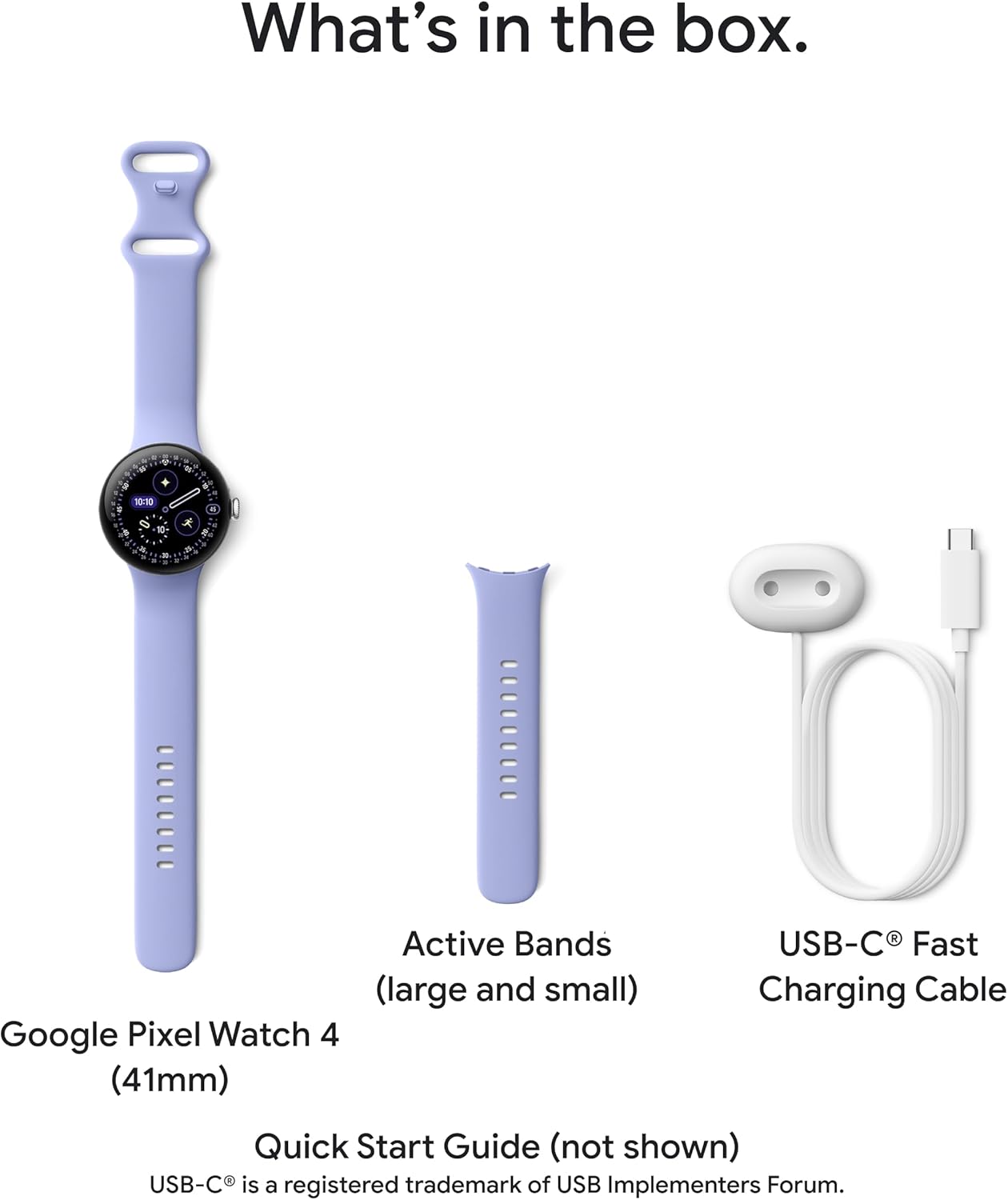
Şekil 1: Components included with the Google Pixel Watch 4. This image displays the Google Pixel Watch 4 (41mm version shown for illustration), two sizes of Active Bands, and the USB-C Fast Charging Cable. The Quick Start Guide is also included but not pictured.
Kurmak
- Saatinizi Şarj Edin: Before initial use, fully charge your Pixel Watch 4 using the provided USB-C Fast Charging Cable and a compatible power adapter. The new side charging dock can provide up to 15 hours of battery life in 15 minutes or less.
- Güç Açık: Press and hold the crown button on the side of the watch until the Google logo appears.
- Pair with Android Device: The Pixel Watch 4 is compatible with most Android devices running Android 11.0 or newer. Download the Google Pixel Watch app from the Google Play Store on your smartphone. Follow the on-screen instructions in the app to pair your watch. Ensure Bluetooth is enabled on your phone.
- Google Hesap Kurulumu: Sign in with your Google Account to enable full functionality, including access to Gemini AI Assistant, Google services, and app synchronization.
- Fitbit Premium Membership: Some advanced health and fitness features may require a Fitbit Premium membership. Follow prompts on your watch or in the app to activate or learn more.

Şekil 2: The Google Pixel Watch 4 is designed to work seamlessly with Android devices. This image illustrates the watch's compatibility with Google Pixel and other Android phones running Android 11.0 or newer, showcasing various app interfaces on companion devices.
Cihazın Çalıştırılması
Ekran ve Gezinme
The Pixel Watch 4 features an Actua 360 domed display, which is 10% larger and 50% brighter than previous models, offering enhanced visibility and durability with scratch-resistant Gorilla Glass. Navigate the interface using touch gestures and the rotating crown.
- Tokatlamak: Swipe left, right, up, or down to access different tiles, notifications, and quick settings.
- Musluk: Öğeleri seçmek, uygulamaları açmak veya eylemleri onaylamak için dokunun.
- Basın Tacı: Press the crown to return to the watch face or open the app drawer. Rotate the crown to scroll through lists or adjust settings.
- Yan Düğme: The side button can be customized for quick access to frequently used apps or features.

Şekil 3: The vibrant Actua 360 domed display of the Google Pixel Watch 4, showcasing a detailed watch face with various informational elements.
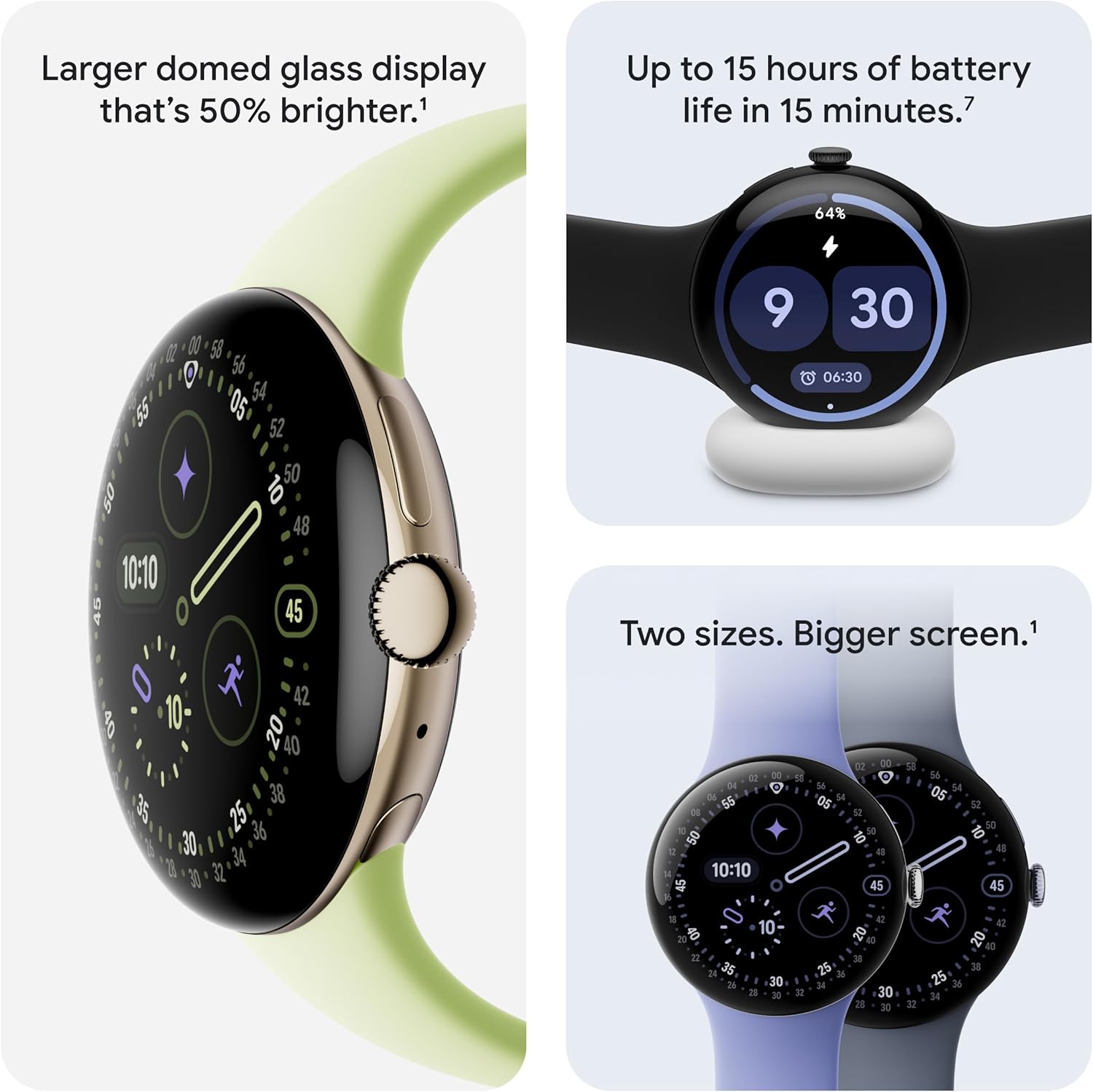
Şekil 4: Visual representation of the Pixel Watch 4's larger, brighter display and its fast charging capability. The image also highlights the availability of the watch in two sizes for a bigger screen experience.
Gemini Yapay Zeka Asistanı
The Google Pixel Watch 4 has Gemini built in, providing an ultra-capable AI assistant directly on your wrist. You can ask questions, receive quick responses, and get personalized help hands-free.
- Sesli Komutlar: Activate Gemini by saying "Hey Google" or by pressing and holding the crown.
- Hızlı Yanıtlar: Utilize AI-powered quick replies for texting, which are hyper-relevant to your conversations.
- Information Retrieval: Ask Gemini for information, set reminders, check your schedule, or control smart home devices.
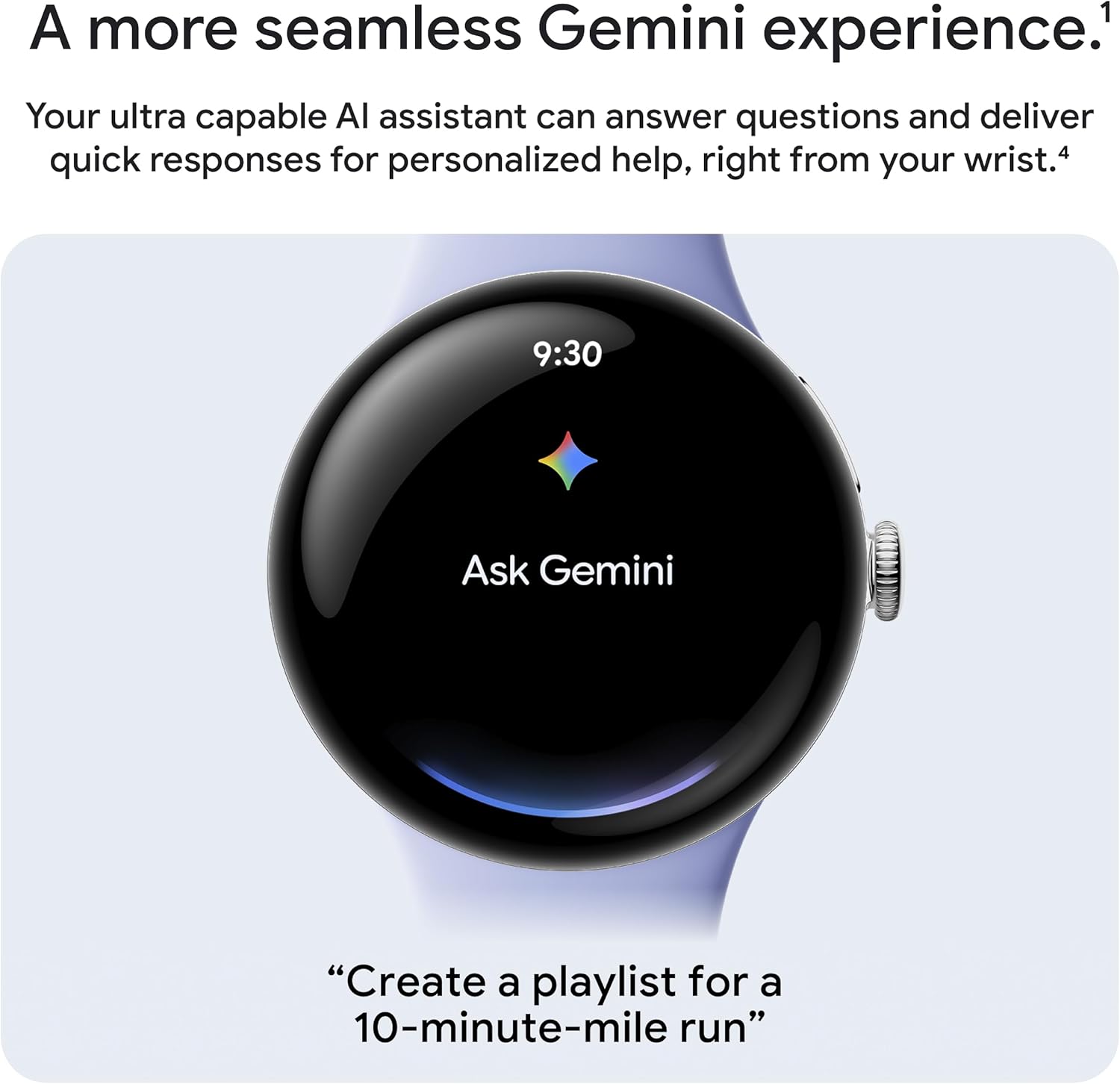
Şekil 5: The seamless Gemini experience on the Pixel Watch 4, allowing users to interact with the AI assistant directly from their wrist for quick responses and personalized help.
Sağlık ve Fitness Takibi
The Pixel Watch 4 offers comprehensive tools for next-level health and fitness performance, leveraging Google's most accurate heart rate tracking and detailed sleep insights.
Fitness Takibi
- Egzersiz Modları: Train smarter with over 40 exercise modes and real-time statistics displayed on your wrist.
- Çift Frekanslı GPS: High-precision dual-frequency GPS provides more accurate route tracking for activities like runs and hikes.
- Hazırlık Puanı: Understand if your body is ready for a workout or if it needs recovery, based on your readiness score.
- Performans Optimizasyonu: Optimize your performance with real-time guidance and insights during your workouts.

Şekil 6: The Pixel Watch 4's extensive exercise modes and accurate dual-frequency GPS for enhanced fitness tracking. The image shows a user engaging in physical activity while monitoring their progress.

Şekil 7: The Pixel Watch 4's ability to help users level up their workout routine by providing a readiness score and optimizing performance with real-time guidance and insights.
Sağlık İzleme
The Pixel Watch 4 helps you understand your health with continuous monitoring of key metrics.
- Kalp Atış Hızı Takibi: Benefit from Google's most accurate heart rate tracking technology.
- Uyku İçgörüleri: Gain detailed insights into your sleep patterns and quality.
- Başlıca Sağlık Ölçütleri: Monitor SpO2 (blood oxygen saturation), HRV (Heart Rate Variability), and other vital health metrics.
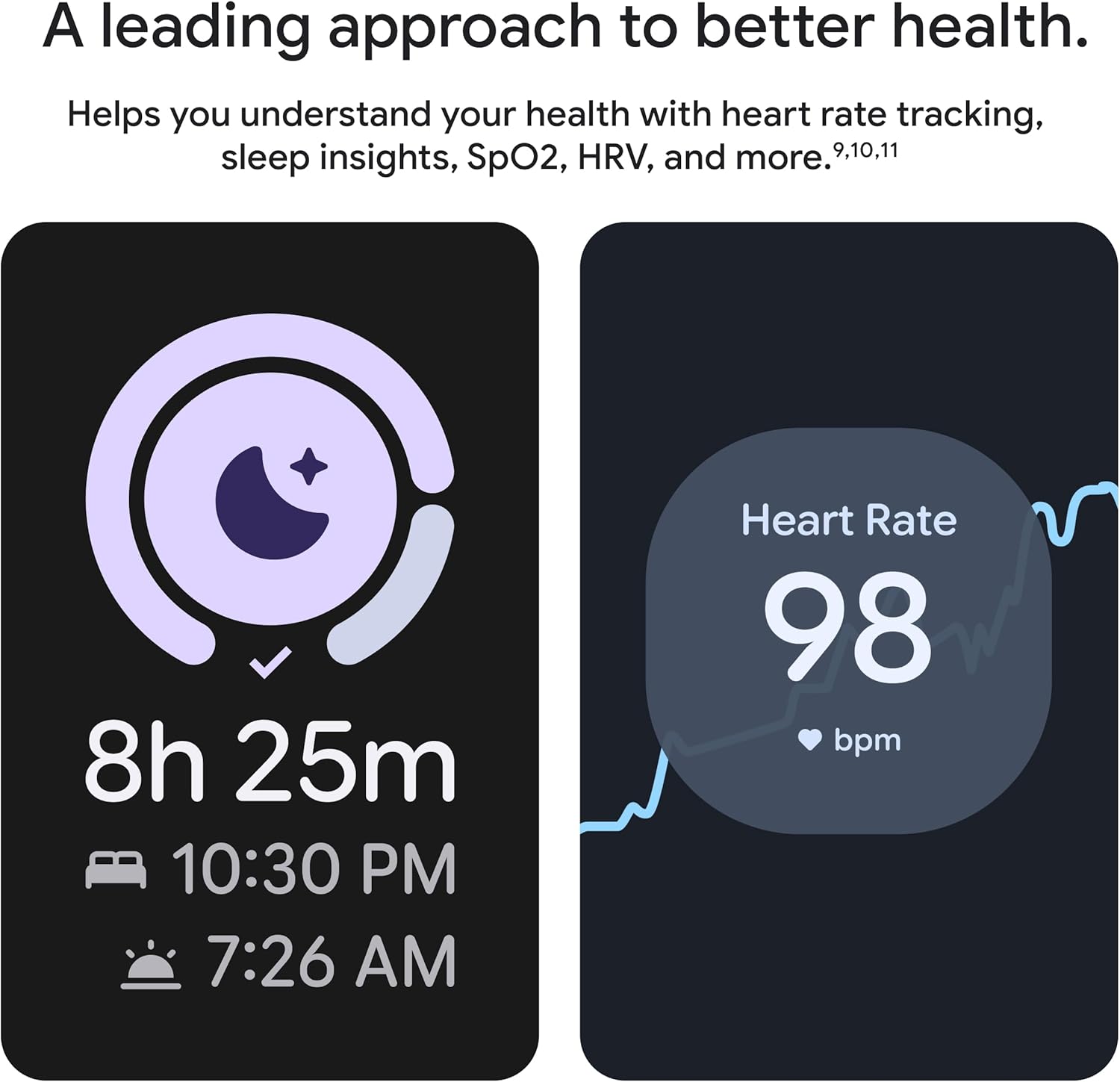
Şekil 8: The Pixel Watch 4's leading approach to better health, providing comprehensive heart rate tracking and sleep insights, along with other key health metrics.
Güvenlik Özellikleri
The Pixel Watch 4 includes advanced safety features designed to provide peace of mind in various situations.
- Nabız Algılama Kaybı: The watch can detect a loss of pulse event and automatically prompt a call to emergency services.
- Acil Servislerle Bağlantı: If you need help in a remote location, the Pixel Watch 4 can connect you to emergency services through geostationary satellites.
- Real-time Location and Battery Sharing: Send your real-time location and battery level to chosen contacts in urgent situations.
- Düşme Algılama: Helps connect you to emergency services if you've had a hard fall.
- Trusted Contacts Alert: You can alert your trusted contacts or 911 if you feel unsafe.
- Güvenlik Zamanlayıcısı: Set a safety timer if you're out for a run or alone at night.

Şekil 9: The Pixel Watch 4's Loss of Pulse Detection feature, which automatically detects a loss of pulse and prompts a call for emergency assistance.
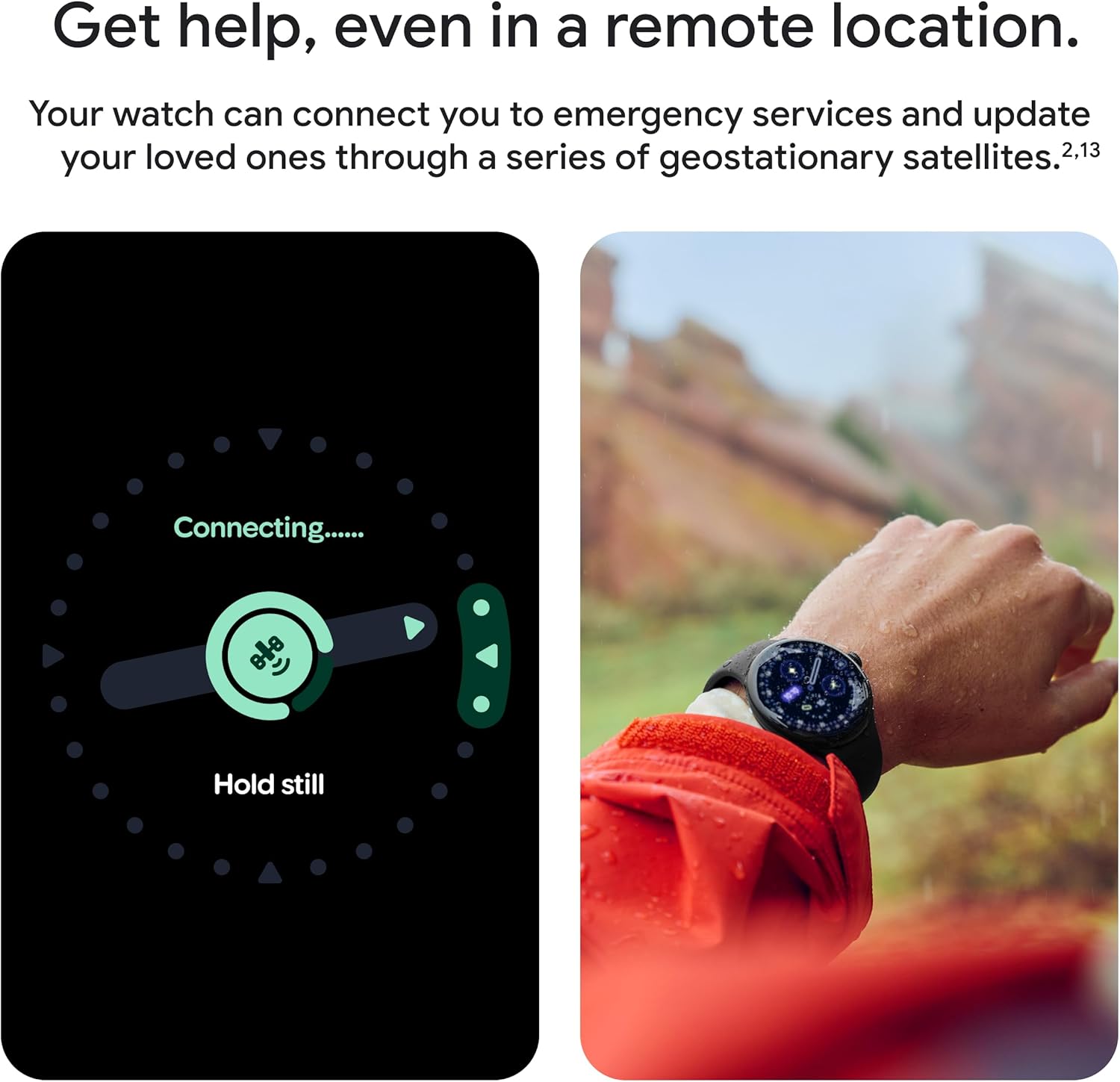
Şekil 10: The Pixel Watch 4's capability to connect to emergency services via geostationary satellites, providing assistance even in remote locations.
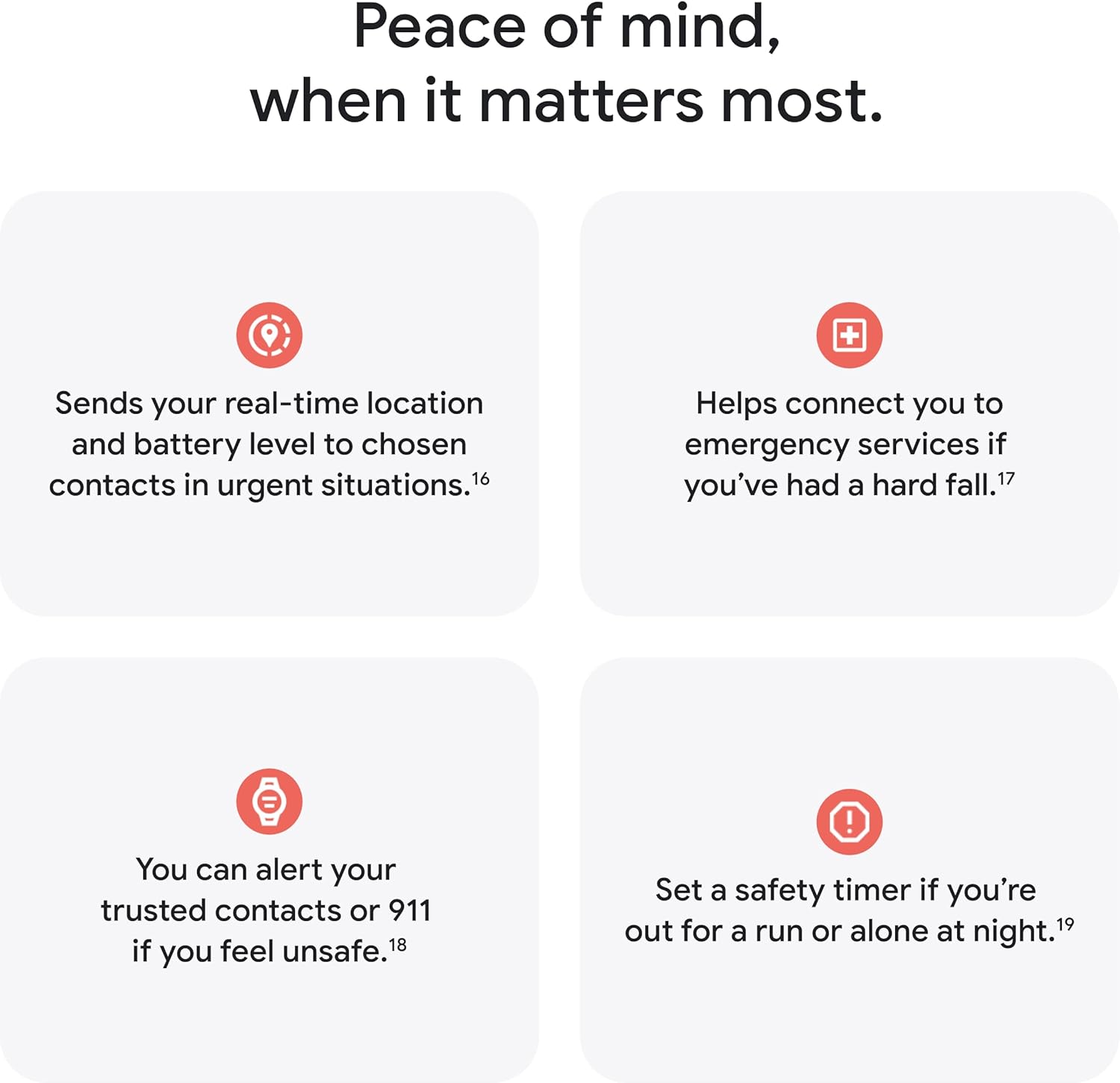
Şekil 11: Bir fazlaview of the Pixel Watch 4's comprehensive safety features, designed to offer peace of mind in critical situations.
Bakım
Şarj etme
To charge your Pixel Watch 4, place it on the included USB-C Fast Charging Cable's magnetic dock. Ensure the watch is properly aligned for optimal charging. The watch supports fast charging, providing significant battery life in a short period.
Temizlik
Regularly clean your Pixel Watch 4 and its band to maintain hygiene and performance. Use a soft, lint-free cloth. For stubborn dirt, slightly dampen the cloth with water. Avoid using abrasive materials or harsh chemicals, as these can damage the watch's finish or sensors.
Suya Dayanıklılık
The Pixel Watch 4 features aerospace-grade aluminum housing and is water resistant up to 50 meters. This makes it suitable for activities like swimming in a pool or shallow water. However, it is not recommended for scuba diving, waterskiing, or other activities involving high-velocity water or submersion below shallow depths. Avoid exposing the watch to soap, shampoo, conditioner, lotion, or perfume, as these can affect water seals and acoustic membranes.
Sorun giderme
If you encounter issues with your Google Pixel Watch 4, refer to the following common troubleshooting steps:
- Saat Açılmıyor: Ensure the watch is fully charged. Connect it to the charger for at least 30 minutes. If it still doesn't power on, try a different charging cable or power adapter.
- Eşleştirme Sorunları: Verify that Bluetooth is enabled on your Android phone and that the Pixel Watch app is installed and updated. Restart both your watch and phone, then attempt pairing again. Ensure your phone is running Android 11.0 or newer.
- Yanlış Sağlık Ölçümleri: Ensure the watch is worn snugly on your wrist, but not too tight. Clean the back of the watch and your wrist to ensure good sensor contact. Environmental factors and individual physiology can affect accuracy.
- Pil Hızla Boşalıyor: Reduce screen brightness, disable always-on display, limit background app refresh, and turn off unnecessary notifications. Ensure your watch software is up to date.
- GPS Sinyali Yok: Açık bir alanda olduğunuzdan emin olun ve view of the sky. Allow the watch a few moments to acquire a signal. Dual-frequency GPS improves accuracy but still requires satellite visibility.
- Gemini Not Responding: Check your internet connection on your paired phone. Ensure your Google Account is properly linked to the Pixel Watch app. Restart the watch and try again.
For persistent issues, visit the official Google Pixel Watch support page or contact Google customer service for further assistance.
Özellikler
| Özellik | Detay |
|---|---|
| Model Numarası | GA09308-ABD |
| Ekran Boyutu | 45 Millimeters (Actua 360 Display) |
| İşletim Sistemi | Android |
| Bağlantı | Wi-Fi, Bluetooth |
| Küresel Konumlama Sistemi | Dahili Çift Frekanslı GPS |
| Pil Ömrü | 40 saate kadar (tipik kullanım) |
| Şarj etme | USB-C Hızlı Şarj Kablosu |
| Suya Dayanıklılık | 50 metreye kadar |
| Dahili Depolama | 32 GB |
| Ağırlık | 9.2 ons |
| Boyutlar | 8.86 x 3.27 x 1.38 inç (Paket) |
| Renk | Porcelain Band with Polished Silver Case |

Şekil 12: A detailed comparison of key specifications between the Google Pixel Watch 4 and its predecessor, the Pixel Watch 3, highlighting improvements in display, battery life, and charging speed.
Garanti ve Destek
Your Google Pixel Watch 4 is covered by a limited manufacturer's warranty. For specific warranty terms, conditions, and duration, please refer to the warranty card included in your product packaging or visit the official Google support webSite. Satın alma belgenizi garanti talepleriniz için saklayın.
Teknik destek, sorun giderme yardımı veya onarımlar hakkında bilgi almak için lütfen şu adresi ziyaret edin: Google Pixel Watch Yardım Merkezi or contact Google customer service directly. Online resources include FAQs, user guides, and community forums.


