1. Giriş
Thank you for choosing the Transformers GM04 Lightweight Wireless Gaming Mouse. This manual provides essential information for setting up, operating, and maintaining your new gaming mouse. Designed for precision and comfort, the GM04 features a high-precision PAW3311 sensor, triple connection modes (2.4G wireless, Bluetooth 5.3, and USB-C wired), 5 programmable buttons, and up to 100 hours of battery life. Its ergonomic design and lightweight construction ensure a comfortable and responsive experience for gaming, work, and study.
2. Kutuda Neler Var?
- TF-GM04 Wireless Gaming Mouse x 1
- USB Wireless Dongle x 1
- USB-C Kablosu x 1
- Kullanıcı Kılavuzu x 1
3. Ürün Bittiview
Familiarize yourself with the key features and components of your Transformers GM04 gaming mouse.
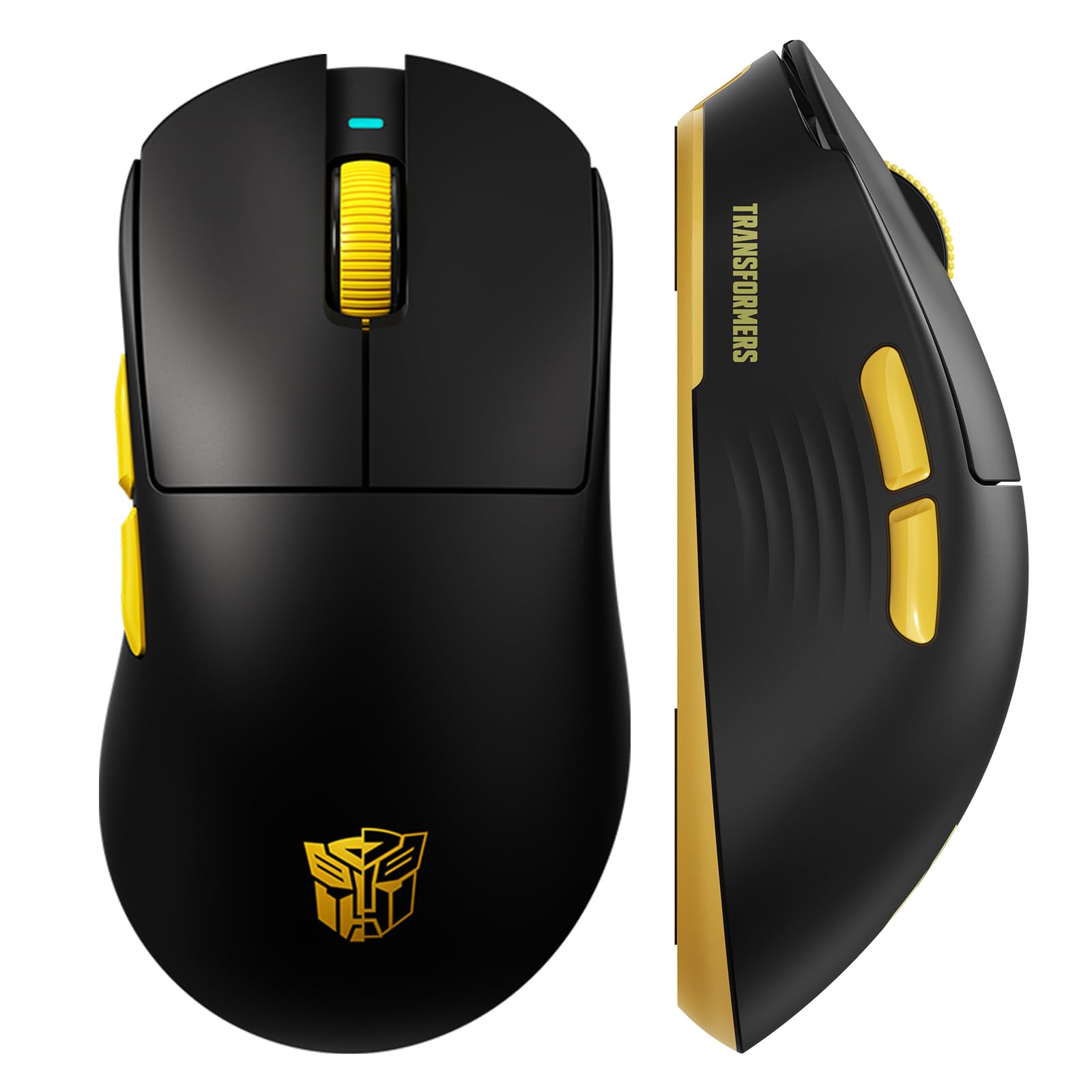
Resim 1: The Transformers GM04 Wireless Gaming Mouse, showcasing its sleek black and yellow design, along with icons highlighting its core features such as PixArt PAW3311 sensor, up to 12000 DPI, 1000Hz polling rate, 20 million clicks, Tri-Mode connectivity, custom macros, 63g lightweight design, and up to 100 hours of battery life. A USB wireless dongle is also visible next to the mouse.

Resim 2: A hand demonstrating the ergonomic design of the Transformers GM04 mouse. The image highlights how the mouse fits comfortably in the palm, promoting more comfort and less fatigue during extended use, thanks to its non-slip texture.

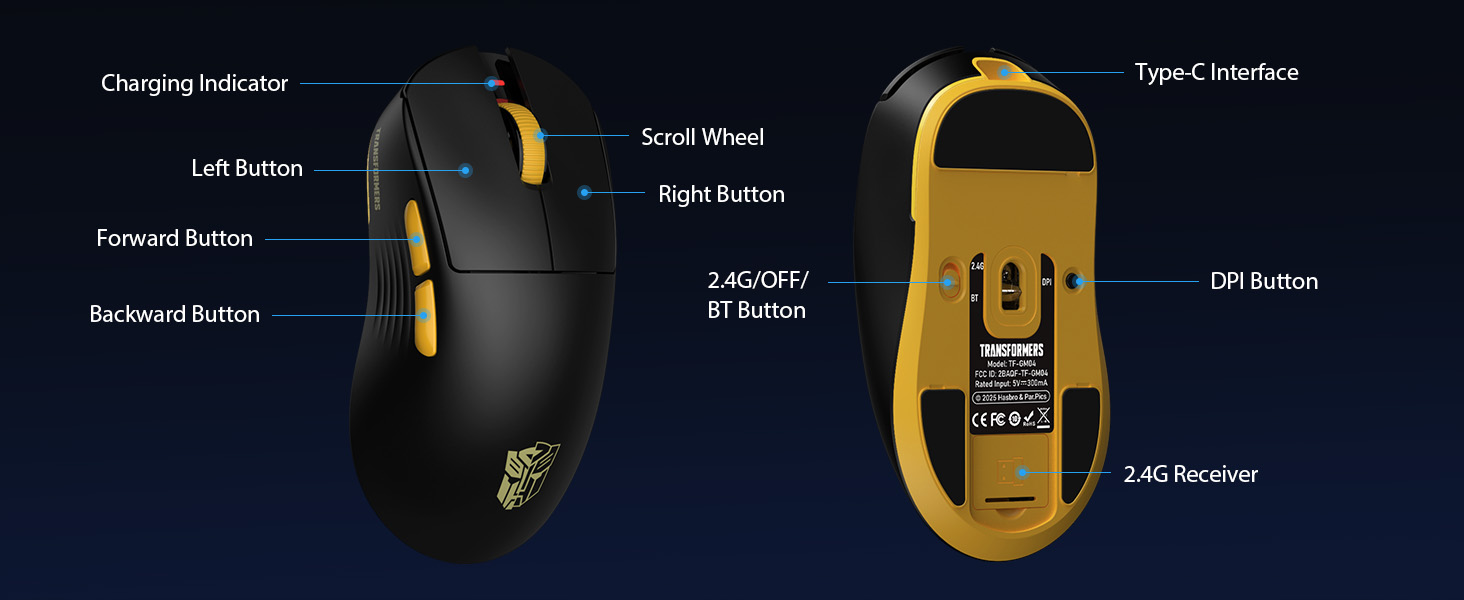
Resim 3: The underside of the Transformers GM04 mouse, detailing the 2.4G/OFF/BT switch for connection modes, the DPI button, and the storage compartment for the 2.4G wireless receiver. This view is crucial for understanding how to switch modes and adjust settings.

Resim 4: An illustration of the 6-level adjustable DPI settings for the Transformers GM04 mouse. It shows the DPI values (1200, 2400, 3200, 4800, 6400, 12000) and their corresponding LED indicator colors (Red, Green, Blue, Purple, Yellow, Cyan), which helps users identify the current DPI level.
Resim 5: bir patladı view diagram of the Transformers GM04 mouse, highlighting the HUANO micro switches. This image emphasizes the precision-engineered mechanical switches designed for crisp feedback and a lifespan of over 20 million clicks, ideal for rapid gaming actions.
Video 1: An official product video from Transformers Keyboard showcasing the GM04 Lightweight Wireless Gaming Mouse. This short video provides a dynamic overview of the mouse's design and features.
4. Kurulum
4.1. Fareyi Şarj Etme
Before first use, it is recommended to fully charge your GM04 mouse. Connect the provided USB-C cable to the mouse's front port and the other end to a USB power source (e.g., computer USB port, USB wall adapter). The LED indicator will show charging status.
4.2. Fareyi Bağlama
The GM04 mouse supports three connection modes: 2.4G Wireless, Bluetooth 5.3, and USB-C Wired. Use the switch on the bottom of the mouse to select your desired mode.
4.2.1. 2.4G Kablosuz Modu
- Remove the USB wireless dongle from its storage slot on the bottom of the mouse.
- Plug the USB wireless dongle into an available USB-A port on your computer.
- Farenin altındaki mod anahtarını "2.4G" konumuna getirin.
- Fare otomatik olarak bilgisayarınıza bağlanmalıdır.
4.2.2. Bluetooth Modu
- Farenin altındaki mod anahtarını "BT" konumuna getirin.
- Bilgisayarınızda veya cihazınızda Bluetooth ayarlarını açın ve yeni cihazları arayın.
- Select "TF-GM04 BT" from the list of available devices to pair.
- The mouse should connect and be ready for use.
4.2.3. USB-C Kablolu Mod
- Connect the provided USB-C cable to the mouse's front port and the other end to a USB-A port on your computer.
- Fare otomatik olarak kablolu moda geçecek ve şarj olmaya başlayacaktır.
5. Çalıştırma
5.1. DPI Ayarlaması
The GM04 mouse offers 6 default DPI settings. To cycle through these settings, press the DPI düğmesi located on the bottom of the mouse. The LED indicator will change color to reflect the current DPI level:
- Kırmızı: 1200 DPI
- Yeşil: 2400 DPI
- Mavi: 3200 DPI
- Mor: 4800 DPI
- Sarı: 6400 DPI
- Camgöbeği: 12000 DPI
5.2. Programlanabilir Düğmeler
The mouse features 5 programmable buttons. To customize these buttons with macro commands, shortcut keys, or other functions, you will need to use the dedicated driver software. This software is typically available for Windows systems under 2.4G wireless and wired modes. Bluetooth mode may not support full software customization.
5.3. Connection Mode Switching
Easily switch between 2.4G Wireless, Bluetooth, and Wired modes using the dedicated switch on the bottom of the mouse. This allows for seamless transitions between multiple devices.
5.4. LED Göstergeleri
- DPI Göstergesi: Changes color according to the current DPI setting (see 5.1).
- Şarj Göstergesi: A green LED near the scroll wheel indicates charging. It turns off when fully charged.
6. Bakım
6.1. Temizlik
En iyi performansı ve görünümü korumak için farenizi düzenli olarak temizleyin. Yüzeyi silmek için yumuşak, kuru bir bez kullanın. İnatçı kirler için, biraz daha ince bir bez yeterli olacaktır.amp İç bileşenlere nem girmemesini sağlayacak şekilde bez kullanılabilir. Sert kimyasallardan veya aşındırıcı malzemelerden kaçının.
6.2. Pil Bakımı
The GM04 mouse is equipped with a 500mAh high-capacity battery. To prolong battery life:
- Pilin sık sık tamamen boşaltılmasından kaçının.
- Uzun süre kullanılmayacaksa fareyi serin ve kuru bir yerde saklayın.
- If using wired mode, the mouse will charge automatically.
7. Sorun Giderme
7.1. Fare Yanıt Vermiyor
- Pili Kontrol Edin: Ensure the mouse is charged. Connect it via USB-C cable.
- Bağlantı Modunu Kontrol Edin: Verify the switch on the bottom is set to the correct mode (2.4G, BT, or Wired).
- Re-pair (2.4G/Bluetooth): For 2.4G, try plugging the dongle into a different USB port. For Bluetooth, unpair and re-pair the device in your computer's settings.
- Try Wired Mode: Connect the mouse directly via USB-C cable to see if it functions.
7.2. DPI Değişmiyor
- Farenin altındaki doğru DPI düğmesine bastığınızdan emin olun.
- Observe the LED indicator for color changes to confirm DPI cycles.
- Özel bir yazılım kullanıyorsanız, ayarların doğru şekilde uygulandığından emin olun.
7.3. Lag or Disconnection in Wireless Mode
- Girişimi Azaltın: Move the mouse closer to the receiver/device. Avoid obstacles or other wireless devices that may cause interference.
- Pili Kontrol Edin: Low battery can affect wireless performance.
- Sürücüleri Güncelle: Ensure your computer's Bluetooth or USB drivers are up to date.
8. Özellikler
| Özellik | Detay |
|---|---|
| Ürün Boyutları | 4.68 x 2.52 x 0.1 inç |
| Ürün Ağırlığı | 2.22 ons (yaklaşık 63g) |
| Ürün Model Numarası | TF-GM04 |
| Bağlantı Teknolojisi | 2.4G Kablosuz, Bluetooth 5.3, USB-C Kablolu |
| Hareket Algılama Teknolojisi | Optik (PAW3311 Sensörü) |
| DPI Ayarları | 1200/2400/3200/4800/6400/12000 (Adjustable) |
| Anket Oranı | 1000Hz (1ms latency) |
| İzleme Hızı | 300 IPS |
| Hızlanma | 35G |
| Düğmeler | 5 Programlanabilir Düğme |
| Anahtar Türü | HUANO Micro Switches (20 Million Clicks) |
| Pil Kapasitesi | 500mAh |
| Pil Ömrü | 100 saate kadar (Bluetooth modu) |
| Uyumluluk | Windows, Mac OS, and other systems |
9. Garanti ve Destek
9.1. Garanti Bilgileri
The Transformers GM04 Lightweight Wireless Gaming Mouse comes with a standard manufacturer's warranty. Please refer to the packaging or the official Transformers webAyrıntılı garanti şartları ve koşulları için lütfen siteyi ziyaret edin. Garanti taleplerinde bulunmak için satın alma fişinizi saklayın.
9.2. Müşteri Desteği
For technical assistance, troubleshooting, or any questions regarding your Transformers GM04 mouse, please contact Transformers customer support. Contact details can typically be found on the product packaging or the official brand webalan.


