giriiş
This manual provides detailed instructions for the setup, operation, and maintenance of your HyperGear FIT X2 Smartwatch + Fitness Tracker. Please read this manual thoroughly before using the device to ensure proper function and to maximize your user experience.
Kutuda Neler Var?
- HyperGear FIT X2 Smartwatch
- Manyetik Şarj Kablosu
- Kullanım Kılavuzu (bu belge)
Kurmak
1. Cihazın Şarj Edilmesi
Before initial use, fully charge your HyperGear FIT X2 Smartwatch. Connect the magnetic charging cable to the charging contacts on the back of the watch and plug the USB end into a power source (e.g., computer USB port or a 5V/1A USB wall adapter). The watch display will indicate charging status.

Image: The HyperGear FIT X2 Smartwatch connected to its magnetic charging cable, showing a 'Fully Charged' notification on its screen.
A full charge typically takes approximately 2.5 hours. The watch offers up to 5+ days of typical use and up to 15 days of basic use on a single charge.
2. Açma/Kapama
- Güç Açık: Press and hold the side button until the HyperGear logo appears on the screen.
- Kapat: From the watch face, swipe down to access the quick settings, then tap the power icon. Confirm power off. Alternatively, navigate to Settings > System > Power Off.
3. Uygulama Kurulumu ve Eşleştirme
The HyperGear FIT X2 requires the 'Da Fit' companion app for full functionality and data synchronization. The app is compatible with iOS 9.0+ and Android 5.0+ devices.
- Uygulamayı indirin: Arama 'Da Fit' in the Apple App Store (for iOS) or Google Play Store (for Android) and install it on your smartphone.
- Bluetooth'u etkinleştir: Akıllı telefonunuzda Bluetooth'un etkinleştirildiğinden emin olun.
- Da Fit uygulamasını açın: 'Da Fit' uygulamasını başlatın ve hesap oluşturmak veya giriş yapmak için ekrandaki talimatları izleyin.
- Cihaz Ekle: In the app, navigate to the 'Device' section and tap 'Add Device'. The app will search for nearby devices. Select 'FIT X2' from the list to pair.
- Eşleştirmeyi Onayla: Saatinizde ve telefonunuzda bir eşleştirme isteği görünebilir. Bağlantıyı tamamlamak için her iki cihazda da onaylayın.

Image: A smartphone screen showing the 'Da Fit' app download options and the HyperGear FIT X2 Smartwatch, illustrating the companion app integration.
Kullanım Talimatları
1. Arayüzde Gezinme
The FIT X2 features a 2-inch ultra-large touchscreen LCD display and a side button for navigation.
- Yukarı kaydırın: Erişim bildirimleri.
- Aşagı kaydır: Hızlı ayarlara erişin (örneğin, parlaklık, Rahatsız Etmeyin modu, pil tasarrufu).
- Sola/Sağa Kaydır: Cycle through widgets (e.g., activity, heart rate, weather, music control).
- Yan Düğmeye Basın: Return to the watch face from any screen, or open the app menu from the watch face.
- Musluk: Bir öğeyi seçin veya bir uygulamayı açın.
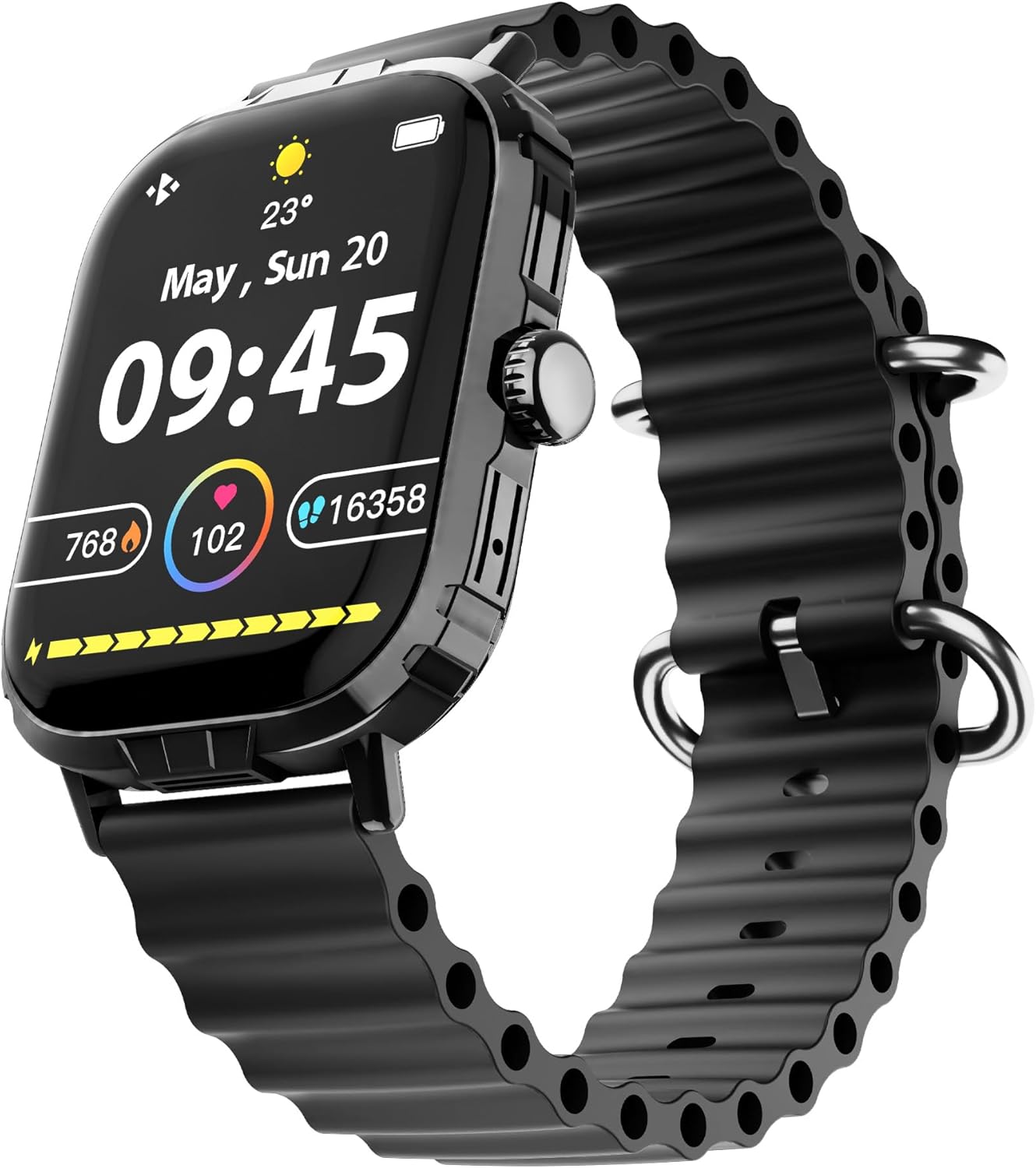
Image: The HyperGear FIT X2 Smartwatch showing its main watch face with current time, date, and various health metrics.
2. Sağlık İzleme Özellikleri
The FIT X2 provides 24-hour health monitoring capabilities.
- Kalp Atış Hızı: Access the Heart Rate app on the watch or swipe to the Heart Rate widget. The watch will automatically measure your heart rate. For continuous monitoring, enable it in the Da Fit app settings.
- Kan Oksijeni (SpO2): Open the SpO2 app on the watch. Keep your arm still during measurement.
- Tansiyon: Open the Blood Pressure app on the watch. Follow on-screen instructions for accurate readings.
- Stres Seviyeleri: The watch can estimate stress levels. Access this feature via the dedicated app.
All health metrics can be viewed in detail and tracked over time within the Da Fit companion app.

Image: A visual representation of the HyperGear FIT X2's 24-hour health monitoring features, including heart rate, blood pressure, blood oxygen, and stress levels.
3. Fitness Takibi
The FIT X2 supports over 100 exercise and sport modes.
- Etkinlik Takibi: The watch automatically records daily step count, calories burned, and total minutes of moderate or high physical activity. View these metrics on the watch or in the Da Fit app.
- Egzersiz Modları: From the app menu, select 'Exercise' to choose from various sport modes. The watch will track relevant data for your chosen activity.
- GPS Route Mapping: When connected to your smartphone, the Da Fit app can utilize your phone's GPS to map your outdoor exercise routes.

Image: The HyperGear FIT X2 Smartwatch displaying fitness tracking data, including step count, calories burned, and minutes exercised, with an individual engaged in physical activity.
4. Uyku Takibi
Wear your FIT X2 to bed to monitor your sleep patterns.
- Sleep Time & Quality: The watch tracks your total sleep duration and analyzes sleep stages (Awake, REM, Light, Restful).
- Guided Breathing Sessions: Access guided breathing exercises on the watch to help improve relaxation before sleep.
Detailed sleep analysis and scores are available in the Da Fit app.

Image: The HyperGear FIT X2 Smartwatch showing sleep tracking features, including sleep duration, quality, and guided breathing, with a person sleeping in the background.
5. İletişim Özellikleri
Stay connected with your smartphone via Bluetooth.
- On-Wrist Calls: With the built-in microphone and speaker, you can make and receive phone calls directly from your watch when connected to your phone.
- Akıllı bildirimler: Receive notifications for texts, social media apps, emails, and more directly on your watch. Manage notification settings in the Da Fit app.
- Müzik Kontrolü: Akıllı telefonunuzdaki müzik çalmayı (oynat, duraklat, parçaları atla) saatinizden kontrol edin.

Image: The HyperGear FIT X2 Smartwatch highlighting its connectivity features, including Bluetooth pairing, on-wrist call functionality, smart notifications, and music control.
6. Diğer Uygulamalar
The FIT X2 includes over 15 easy-to-use applications:
- Kronometre
- Zamanlayıcı
- Alarm
- Hava durumu
- Hesap makinesi
- Uzaktan Kamera Deklanşörü
- AI Ses Yardımcısı
- Telefon bul
- El feneri
- And more, accessible via the app menu.
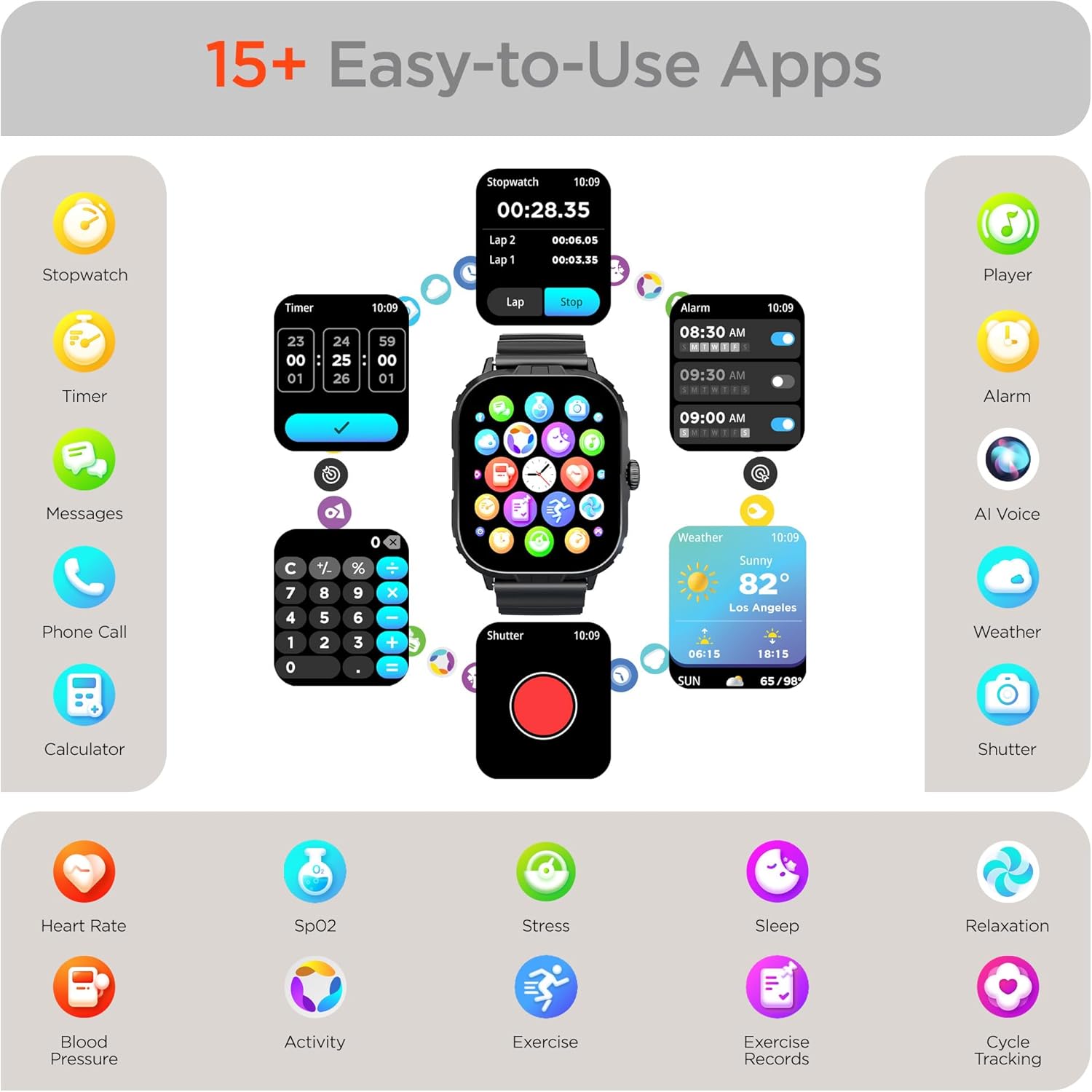
Image: The HyperGear FIT X2 Smartwatch showcasing its array of built-in applications, such as stopwatch, timer, alarm, weather, calculator, and various health monitoring tools.
Bakım
1. Temizlik
Cilt tahrişini önlemek ve cihaz performansını korumak için akıllı saatinizi ve kayışını düzenli olarak temizleyin.
- Wipe the screen and watch body with a soft, lint-free cloth. If necessary, slightly dampBezi suyla yıkayın.
- For the silicone strap, wash with mild soap and water, then rinse thoroughly and dry completely before reattaching to your wrist.
- Cihazınıza zarar verebilecek sert kimyasallar, aşındırıcı temizleyiciler veya çözücüler kullanmaktan kaçının.
2. Suya Dayanıklılık
The HyperGear FIT X2 is IP65 rated, meaning it is dustproof and water-resistant. It is certified sweatproof, splashproof, and rainproof. It is not recommended for swimming, showering, or submersion in water.
3. Kayış Değişimi
The FIT X2 uses universally compatible 22mm-wide watch straps with quick-release spring bars. To replace the strap:
- Locate the quick-release lever on the underside of the strap where it connects to the watch body.
- Pull the lever inward to release the spring bar and gently detach the strap.
- Align the new 22mm strap with the watch lugs, insert one end of the spring bar, then pull the quick-release lever to slide the other end into place. Release the lever to secure.
Sorun giderme
- Saat açılmıyor: Saatin tam şarjlı olduğundan emin olun. Saati manyetik şarj kablosuna ve bir güç kaynağına en az 10 dakika bağlayın.
- Akıllı telefonla eşleştirilemiyor:
- Akıllı telefonunuzda ve saatinizde Bluetooth'un etkin olduğundan emin olun.
- Make sure the watch is within Bluetooth range of your phone (typically 10 meters).
- Hem saatinizi hem de akıllı telefonunuzu yeniden başlatın.
- Check if the 'Da Fit' app has necessary permissions enabled on your phone.
- If previously paired, try unpairing from your phone's Bluetooth settings and the Da Fit app, then re-pair.
- Yanlış sağlık ölçümleri:
- Saatin bileğinize tam oturduğundan, bilek kemiğinizin yaklaşık bir parmak yukarısında olduğundan emin olun.
- Ölçümler sırasında kolunuzu sabit tutun.
- Saatin arkasındaki sensörü temizleyin.
- Bildirimler görünmüyor:
- Verify the watch is connected to your phone via Bluetooth.
- Check notification settings within the 'Da Fit' app to ensure desired apps are enabled.
- Ensure your phone's notification settings allow the 'Da Fit' app to display notifications.
- Kısa pil ömrü:
- Ekran parlaklığını azaltın.
- Gerekmiyorsa sürekli kalp atış hızı izlemeyi devre dışı bırakın.
- Limit frequent use of power-intensive features like calls or GPS tracking.
- Saatin her kullanımda tamamen şarj olduğundan emin olun.
Özellikler
| Özellik | Şartname |
|---|---|
| Örnek | FIT X2 |
| Ekran Boyutu | 2 inç IPS LCD |
| Bağlantı | Bluetooth 5.2 |
| Pil Kapasitesi | 250 Miliamp Saat |
| Tipik Pil Ömrü | 5+ Gün |
| Basic Battery Life | 15 Güne Kadar |
| Şarj Süresi | 2.5 Hours (Rapid Recharge) |
| Suya Dayanıklılık | IP65 (Dustproof, Sweatproof, Splashproof, Rainproof) |
| İşletim Sistemi Uyumluluğu | Android 5.0+ / iOS 9.0+ |
| Kasa Malzemesi | Zinc Alloy (11mm thick) |
| Strap Compatibility | 22mm Quick-Release |
| Ürün Ağırlığı | 4.8 ons |
Garanti Bilgileri
HyperGear products are designed and manufactured to the highest quality standards. For specific warranty details, including coverage period and terms, please refer to the warranty card included with your product or visit the official HyperGear webSite. Satın alma belgenizi garanti talepleriniz için saklayın.
Destek
If you encounter any issues or have questions not covered in this manual, please contact HyperGear customer support:
- Çevrimiçi destek: Visit the official HyperGear webSıkça sorulan sorular, sorun giderme kılavuzları ve iletişim formları için site.
- E-posta Desteği: Refer to your product packaging or the HyperGear webMüşteri hizmetleri e-posta adresi için site.


