1. Giriş
This manual provides essential information for the safe and efficient operation of your SWOFY M503Pro MP3 Player. Please read it thoroughly before using the device to ensure optimal performance and longevity.
2. Güvenlik Bilgileri
- Use ONLY the 5V/1A USB-C charger provided or a compatible charger. Fast chargers may cause overheating or permanent battery damage.
- Avoid charging in direct sunlight, humid environments, or near heat sources.
- If the device becomes hot during charging, unplug immediately and let it cool in a well-ventilated area.
- Operating Temperature: 0°C to 35°C. Storage Temperature: -10°C to 45°C.
- Do not expose to liquids, sand, or extreme pressure (e.g., sitting on the device).
3. Paket İçeriği
Paketin içinde tüm öğelerin mevcut olduğundan emin olun:
- SWOFY M503Pro MP3 Player
- USB-A - USB-C Şarj Kablosu
- Wired Earphones (3.5mm jack)
- Koruyucu Kılıf
- Ekran Koruyucu
- Kullanıcı Kılavuzu
- 64 GB Micro SD Kart (önceden yüklenmiş veya ayrı olarak dahil)
4. Cihaz Bittiview

Şekil 1: Ön ve arka view of the SWOFY M503Pro MP3 Player, showcasing its sleek design and 4-inch touch screen.
Physical Buttons and Ports
- Güç Düğmesi: Located on the side, press and hold to power on/off or short press to lock/unlock the screen.
- Ses Düğmeleri: Located on the side, use to adjust audio volume.
- Sıfırlama Deliği: A small pinhole for resetting the device if it becomes unresponsive.
- USB-C Bağlantı Noktası: Şarj ve veri aktarımı için.
- 3.5mm Ses Çıkışı: Kablolu kulaklıkları bağlamak için.
- Mikro SD Kart Yuvası: Depolama alanını 512 GB'a kadar genişletmek için.
- Konuşmacı: Built-in speaker for audio playback without headphones.

Şekil 2: Yan view of the MP3 player, highlighting the power button, volume controls, and Micro SD card slot.
Şekil 3: Alt view of the MP3 player, showing the USB-C port, 3.5mm audio jack, and speaker grille.
5. Kurulum
5.1 İlk Şarj
Before first use, fully charge the device. Connect the provided USB-C cable to the player and a 5V/1A USB charger. A full charge typically takes approximately 2.5 hours.
5.2 Güç Açma/Kapatma
- Güç Açık: Güç Düğmesini 3 saniye basılı tutun.
- Kapat: Press and hold the Power Button, then select 'Power Off' on the screen.
- Ekran Kilidi/Kilidi Açma: Güç Düğmesine kısa basın.
5.3 İlk Yapılandırma
Upon first power-on, follow the on-screen prompts to set up the device:
- Tercih ettiğiniz dili seçin.
- Set the time zone and date.
- Accept Google Terms of Service and Privacy Policy to activate Google Play services.
5.4 Wi-Fi'ye Bağlanma
- Git Ayarlar > Ağ ve İnternet > Wifi.
- Wi-Fi'yi açın.
- Listeden istediğiniz ağı seçin ve gerekirse şifreyi girin.
- The device supports dual-band Wi-Fi (2.4G/5G) for stable connectivity.
5.5 Bluetooth Cihazlarına Bağlanma
- Git Ayarlar > Bağlı cihazlar > Bluetooth.
- Bluetooth'u AÇIK konumuna getirin.
- The device will scan for available Bluetooth devices.
- Select your Bluetooth headphones, speaker, or other device to pair.
- The player automatically connects to the last paired device.
Video 1: Demonstrates the Bluetooth and Wi-Fi connectivity features of the SWOFY M503Pro MP3 Player, showing how to pair with external devices.
5.6 Inserting Micro SD Card
The device comes with 80GB of internal storage (2GB RAM + 16GB ROM + 64GB card). You can expand storage up to 512GB using a Micro SD card.
- Cihazın yan tarafında bulunan Micro SD kart yuvasını bulun.
- Mikro SD kartı yerine oturana kadar yavaşça yuvaya yerleştirin.
- Çıkarmak için kartı yavaşça itin ve dışarı fırlamasını bekleyin.

Figure 4: Illustrates the large capacity memory of the MP3 player, including the Micro SD card slot for expandable storage.
6. Kullanım Talimatları
6.1 Gezinme
The device features a 4-inch 1080P HD full-color touch screen for intuitive navigation. Swipe left/right to browse apps and tap to select.
6.2 Müzik Oynatma
The SWOFY M503Pro supports various music formats including MP3, OGG, FLAC, AAC, WAV, WMA, and APE. Use the pre-installed HiByMusic app for offline playback or streaming apps like Spotify and Amazon Music.
- HiFi Kayıpsız Ses: Enjoy premium audio quality.
- Dahili Hoparlör: Play music or videos without headphones.
- Özel Ekolayzır: Adjust sound settings to your preference.
- Playlist Creation: Organize your music into custom playlists.
- Synchronized Lyrics: View lyrics while music plays.
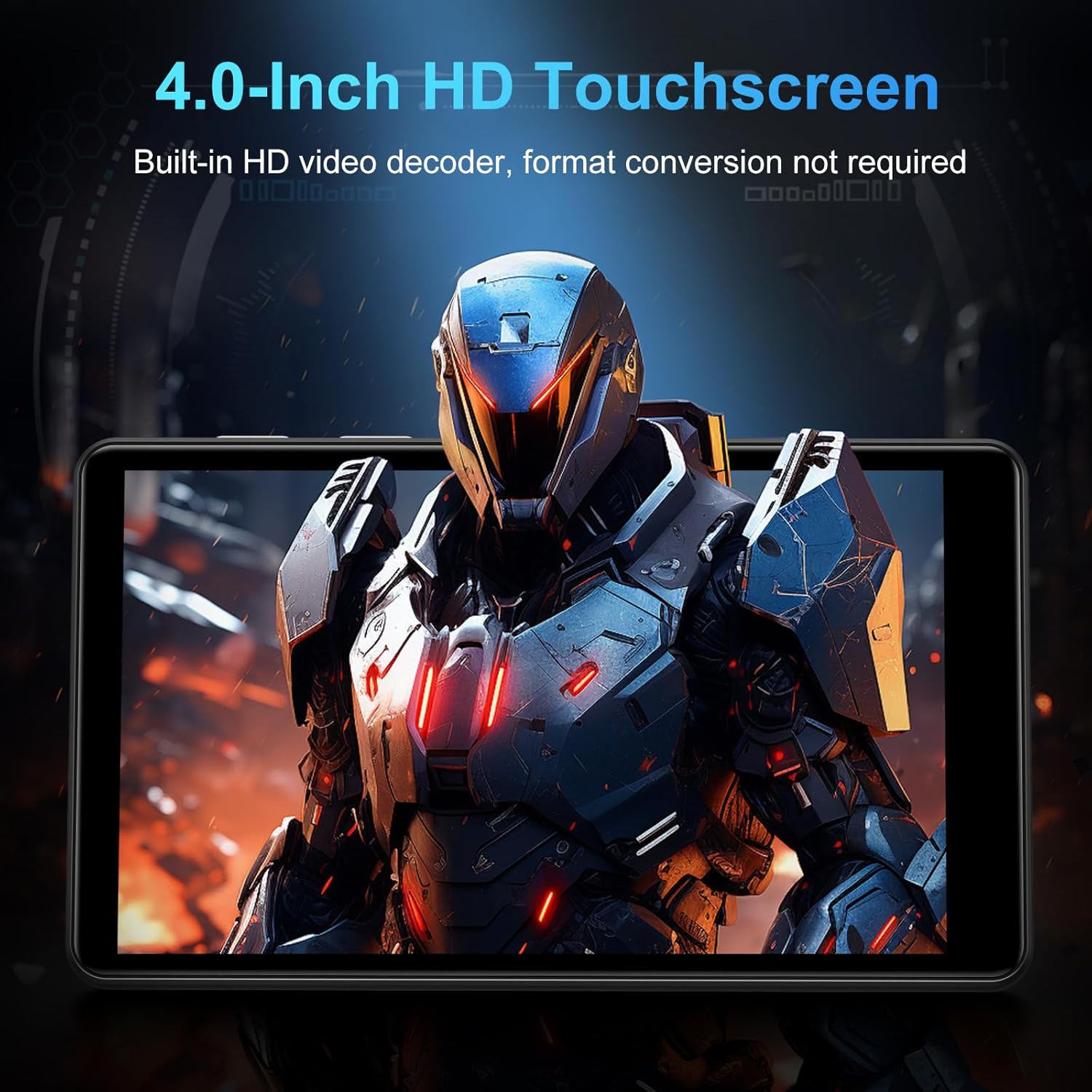
Figure 5: The MP3 player displaying music playback on its screen, with a user wearing headphones, emphasizing HiFi lossless sound quality.
6.3 Video Oynatma
The 4-inch 1080P HD screen allows direct online or offline playback of 720P and 1080P videos without format conversion. Supported video formats include RM, RMVB, FLV, MP4, DAT, MKV, MPG, MOV, and TS.

Figure 6: The MP3 player displaying a video on its 4-inch HD screen, demonstrating its video playback capabilities.
6.4 Önceden Yüklenmiş Uygulamalar
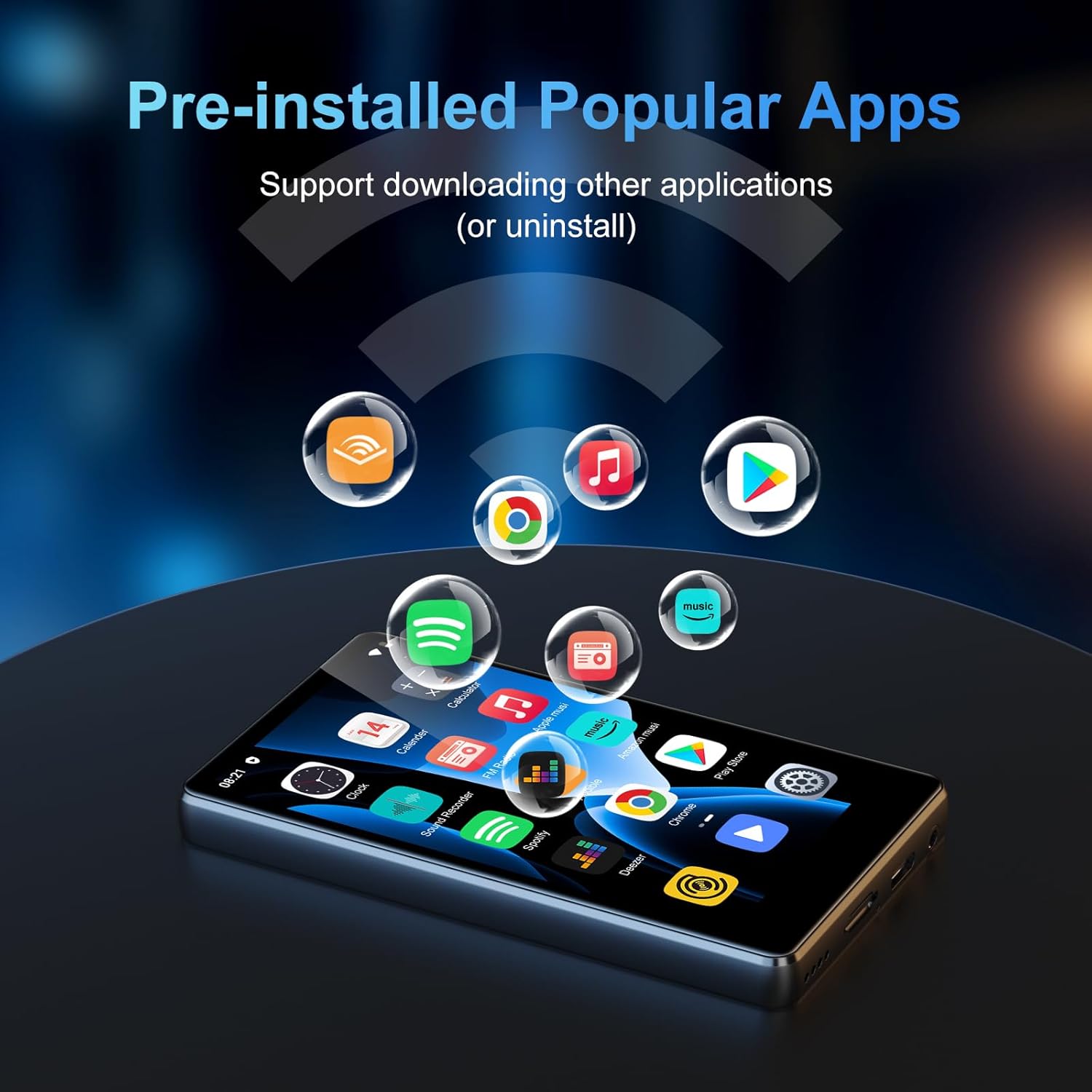
The device comes with a rich lineup of pre-installed mainstream media apps and practical tools:
- Apple Music, Spotify, Audible, Amazon Music, Deezer
- FM Radio, Video Player, Calendar, Sound Recorder
- Tarayıcı (Chrome)
- Google Play Store (for downloading additional apps)

Figure 7: The MP3 player's screen displaying various pre-installed applications like Spotify, Amazon Music, and Audible.
Video 2: A seller video showcasing the SWOFY M503Pro MP3 Player's interface and various pre-installed applications.
6.5 One-Key Lock Screen and Screenshot
- Kilit Ekranı: Short press the Power Button to prevent accidental touches.
- Ekran Görüntüsü: Press and hold the Power Button to capture a screenshot.
7. Özellikler
| Özellik | Detay |
|---|---|
| Model Adı | M503Pro |
| Ürün Model Numarası | M503 pro-80GB |
| Marka | SWIFTY |
| Bellek Depolama Kapasitesi | 80 GB (2GB RAM + 16GB ROM + 64GB card) |
| Genişletilebilir Depolama | Up to 512GB via Micro SD card |
| Ekran Boyutu | 4 inç |
| Ekran Teknolojisi | 1080P HD LCD Touch Screen |
| İşletim Sistemi | Android 9.0 |
| İşlemci | Advanced CPU (Octa-Core) |
| Bağlantı Teknolojisi | Bluetooth, Wi-Fi (Dual-band 2.4G/5G) |
| Pil Kapasitesi | 2000mAh |
| Müzik Çalma Süresi | 40 saate kadar |
| Bekleme Süresi | 3-5 Ay |
| Şarj Portu | USB-C |
| Ses Biçimleri | MP3, OGG, FLAC, AAC, WAV, WMA, APE |
| Video Formatları | RM, RMVB, FLV, MP4, DAT, MKV, MPG, MOV, TS |
| Ürün Ağırlığı | 8.4 ons |
8. Sorun Giderme
8.1 Device Won't Turn On/Is Unresponsive
- Ensure the device is fully charged. Connect to the charger for at least 30 minutes.
- Perform a soft reset: Use a thin pin to press the reset hole on the side of the device.
8.2 Ses Yok
- Check the volume level using the side buttons or on-screen controls.
- Ensure headphones are properly connected if using them. Try a different pair of headphones to rule out faulty earphones.
- If using Bluetooth, ensure the device is properly paired and connected. Try unpairing and re-pairing.
8.3 Uygulamaların Çökmesi veya Donması
- Clear the app's cache: Go to Ayarlar > Uygulamalar ve bildirimler, select the problematic app, then Depolama ve önbellek > Önbelleği temizle.
- Ensure sufficient storage space is available. Delete unnecessary files veya uygulamalar.
- Cihazı yeniden başlatın.
8.4 Bağlantı Sorunları (Wi-Fi/Bluetooth)
- Ensure Wi-Fi/Bluetooth is enabled in Ayarlar.
- Restart the device and your router/Bluetooth accessory.
- Ağı/cihazı unutun ve yeniden bağlanın.
9. Bakım
- Ekranı ve gövdeyi yumuşak, kuru bir bezle temizleyin. Aşındırıcı temizleyicilerden kaçının.
- Cihazı güçlü manyetik alanlardan uzak tutun.
- Kullanmadığınız zaman serin ve kuru bir yerde saklayınız.
10. Garanti ve Destek
Your SWOFY M503Pro MP3 Player comes with a standard manufacturer's warranty. For detailed warranty information, technical support, or service inquiries, please refer to the contact information provided in your product packaging or visit the official SWOFY webalan.


