giriiş
Welcome to your new Baseus EH10 NC Bluetooth Headphones. These over-ear headphones feature -45dB Hybrid Active Noise Cancellation, Hi-Res and LDAC audio support, 5 AI microphones for clear calls, and multi-point connectivity. This manual provides detailed instructions for setup, operation, and maintenance to ensure optimal performance and longevity of your device.
Paket İçeriği
- 1 x Baseus EH10 NC ANC Headphones
- 1 x Şarj Kablosu (USB-C)
- 1 x Kullanım Kılavuzu (bu belge)
Ürün Bittiview
The Baseus EH10 NC headphones are designed for comfort and superior audio quality. Familiarize yourself with the physical components for ease of use.
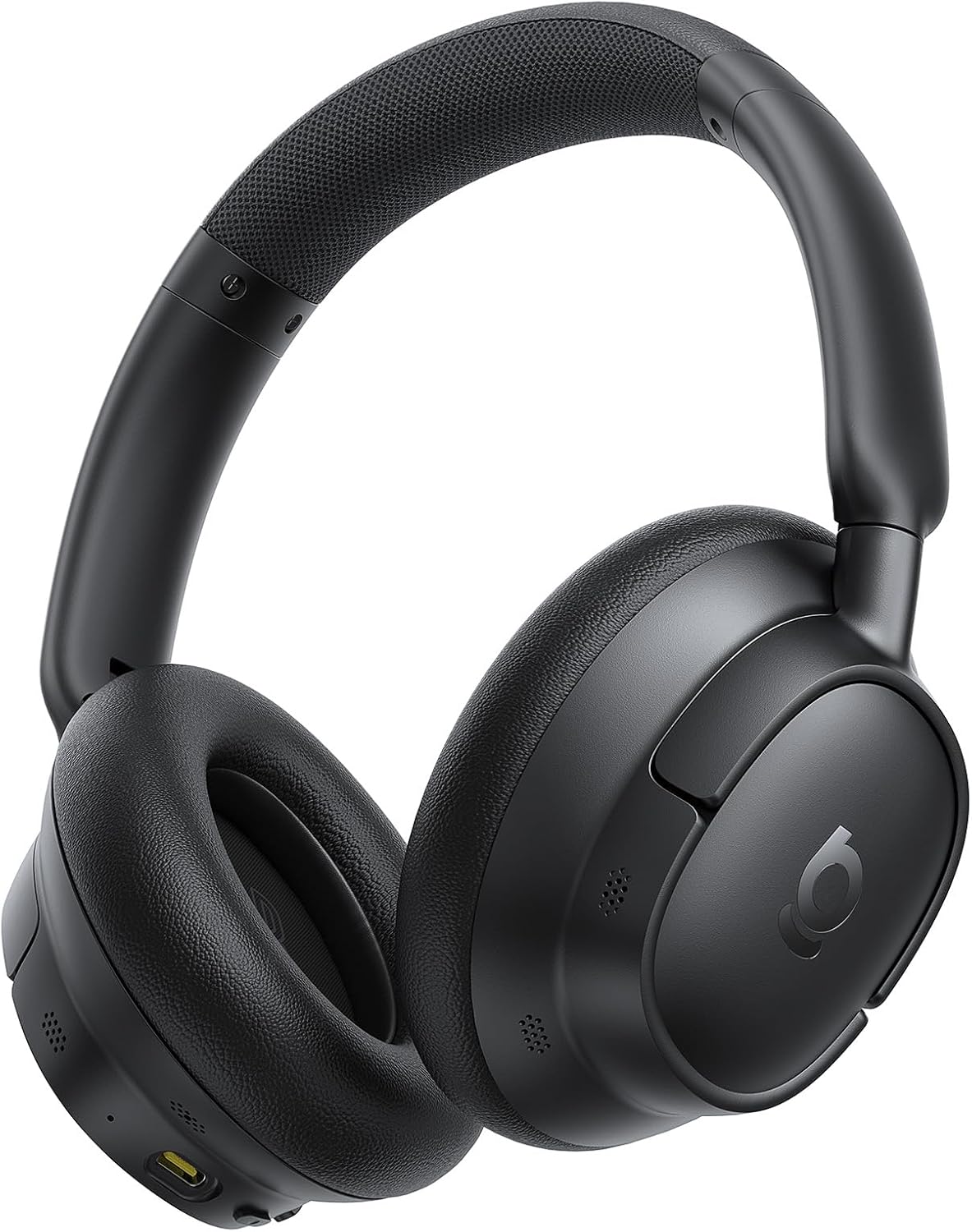
The image displays the Baseus EH10 NC over-ear headphones in black, showcasing the earcups, headband, and general design. The left earcup typically features control buttons and a charging port.

The front of the product packaging for the Baseus EH10 NC headphones, highlighting key features such as -45dB ANC, 40mm dynamic drivers, CloudComfort, 80-hour battery life, and Hi-Res Audio certification.

The back of the product packaging, illustrating features like SuperBass 2.0, long-lasting playtime, and CloudComfort. It also includes regulatory information and contact details for support.
Kurmak
Kulaklıkları Şarj Etme
The headphones come with a built-in rechargeable Lithium-Ion battery. Before first use, it is recommended to fully charge the headphones.
- Sağlanan USB-C şarj kablosunu kulaklığın şarj portuna bağlayın.
- Kablonun diğer ucunu uyumlu bir USB güç kaynağına (örneğin duvar adaptörü, bilgisayar USB portu) bağlayın.
- Gösterge ışığı şarj durumunu gösterecek ve tamamen şarj olduğunda sönecek veya renk değiştirecektir.
A full charge provides up to 80 hours of playtime with ANC disabled, or 55 hours with ANC enabled. A quick 10-minute charge can provide approximately 10 hours of playtime.
Bluetooth Eşleştirme
Kulaklıklarınızı Bluetooth üzerinden bir cihaza bağlamak için:
- Kulaklıkların kapalı olduğundan emin olun.
- Eşleştirme modunun aktif olduğunu gösteren gösterge ışığı hızlı bir şekilde yanıp sönene kadar güç düğmesini basılı tutun.
- Cihazınızda (akıllı telefon, tablet, bilgisayar) Bluetooth'u etkinleştirin ve kullanılabilir cihazları arayın.
- Select "Baseus EH10 NC" from the list of detected devices.
- Bağlantı kurulduktan sonra, modele bağlı olarak gösterge ışığı yanıp sönmeyi bırakacak ve sabit kalacak veya sönecektir.
The headphones support Bluetooth 6.0 for stable wireless communication.
Kullanım Talimatları
Aktif Gürültü İptal (ANC)
The Baseus EH10 NC headphones feature -45dB Hybrid Active Noise Cancellation to reduce ambient noise. This allows for a more focused listening experience.
- ANC Açık: Press the dedicated ANC button (or multi-function button, refer to specific button layout) to activate noise cancellation.
- Ortam Sesi Modu: Press the ANC button again to switch to Ambient Sound Mode, which allows you to hear your surroundings while audio plays.
- ANC Kapalı: Press the ANC button a third time to turn off all noise control modes.
Ses Oynatma
Use the control buttons on the earcup to manage your audio:
- Oynat/Duraklat: Çok fonksiyonlu düğmeye bir kez basın.
- Sonraki Parça: Çok fonksiyonlu düğmeye iki kez basın.
- Önceki parça: Çok fonksiyonlu düğmeye üç kez basın.
- Sesi Aç/Kapat: Ses seviyesi için özel olarak ayrılmış düğmeleri kullanın.
These headphones support Hi-Res and LDAC audio, providing high-fidelity sound. SuperBass 2.0 technology enhances low frequencies for a richer bass experience.
Yönetim Çağrı
The headphones are equipped with 5 AI microphones and an ENC system for clear calls, even in noisy environments.
- Çağrıyı Cevapla/Sonlandır: Çok fonksiyonlu düğmeye bir kez basın.
- Çağrıyı Reddet: Çok fonksiyonlu düğmeye yaklaşık 2 saniye basılı tutun.
Çok Noktalı Bağlantı
The Baseus EH10 NC supports multi-point connection, allowing you to connect to two devices simultaneously. This enables seamless switching between audio sources.
- Kulaklıkları, "Bluetooth Eşleştirme" bölümünde açıklandığı gibi ilk cihazla eşleştirin.
- Once connected, temporarily disconnect Bluetooth on the first device.
- Put the headphones back into pairing mode and pair them with the second device.
- Birinci cihazda Bluetooth bağlantısını yeniden kurun. Kulaklıklar artık her iki cihaza da bağlı olmalıdır.
Audio will switch automatically between devices based on active playback or incoming calls.
Bakım
Temizlik
- Kulaklığınızı yumuşak, kuru ve tiftiksiz bir bezle silin.
- Do not use abrasive cleaners, solvents, or strong chemicals, as these may damage the surface or internal components.
- Ensure no liquid enters the earcups, charging port, or microphone openings.
Depolamak
- Kulaklığınızı serin, kuru, doğrudan güneş ışığından ve aşırı sıcaklıklardan uzak bir yerde saklayın.
- When not in use for extended periods, charge the battery periodically (e.g., once every three months) to maintain its lifespan.
- Kulaklığınızın hasar görmesini önlemek için üzerine ağır nesneler koymaktan kaçının.
Sorun giderme
If you encounter issues with your Baseus EH10 NC headphones, refer to the following common solutions:
- Güç Yok: Kulaklıkların tamamen şarj olduğundan emin olun. Kulaklıkları bir güç kaynağına bağlayın ve şarj göstergesini kontrol edin.
- Eşleştirilemiyor: Make sure the headphones are in pairing mode (indicator flashing) and within 10 meters of your device. Turn off and on Bluetooth on your device, then try pairing again.
- Ses Yok: Check volume levels on both the headphones and your connected device. Ensure the headphones are correctly paired and selected as the audio output device.
- ANC Etkisiz: Ensure the earcups form a good seal around your ears. Check that ANC is enabled and that you are in a suitable environment for noise cancellation.
- Çağrı Kalitesi Sorunları: Ensure the microphones are not obstructed. Move to an area with less background noise. Check your device's call settings.
- Aralıklı Bağlantı: Ensure there are no significant obstacles between the headphones and your device. Avoid environments with strong electromagnetic interference.
If the problem persists, try resetting the headphones (refer to the full product manual for specific reset instructions, if available) or contact customer support.
Özellikler
| Özellik | Detay |
|---|---|
| Örnek | Baseus EH10 NC |
| Marka | Bazus |
| Bağlantı Teknolojisi | Kablosuz (Bluetooth 6.0) |
| Gürültü Kontrolü | Active Noise Cancellation (-45dB Hybrid ANC) |
| Form Faktörü | Kulak Üstü |
| Frekans Aralığı | 20Hz - 40kHz |
| Pil Ömrü | 80 saate kadar (ANC kapalı), 55 saat (ANC açık) |
| Şarj Portu | USB-C |
| Mikrofonlar | 5 AI Microphones with ENC |
| Ses Desteği | Hi-Res, LDAC |
| Maksimum Çalışma Mesafesi | 10 Metre |
| Su Direnç Seviyesi | Su İtici |
| Ürün Ağırlığı | 0.42 Kilogram |
| Paket Boyutları | 22.6x22.6x6.2 cm |
| Piller Dahil | Evet (1 Lityum İyon) |
Garanti ve Destek
For product support, warranty information, or technical assistance, please contact Baseus customer service using the details below. Please retain your proof of purchase for any warranty claims.
Küresel Destek:
- Telefon: +1 800 220 8056
- E-posta: care@baseus.com