1. Giriş
Welcome to the user manual for your DOOGEE Note58 Pro Android 16 Smartphone. This guide provides essential information to help you set up, operate, maintain, and troubleshoot your device. Please read this manual thoroughly to ensure optimal performance and longevity of your smartphone.
2. Temel Özellikler
- Android 16 İşletim Sistemi: Experience the latest Android 16 OS, optimized for 64-bit applications, offering enhanced startup and response times. Enjoy a user-friendly interface with features like Private Space for sensitive data and App Pair for efficient multitasking.
- Generous Memory & Storage: Equipped with 32GB RAM (8GB physical + 24GB expandable virtual RAM) and 256GB internal storage, expandable up to 2TB via a TF card. This configuration supports smooth multitasking and amptüm ihtiyaçlarınız için yeterli alan. files.
- Immersive 90Hz HD+ Display: Features a 6.75-inch HD+ IPS display with a 90Hz refresh rate and 1600x720 resolution for a fluid visual experience. Includes two eye-care modes to reduce strain during extended use.
- Yüksek Çözünürlüklü Kamera Sistemi: Capture vivid images with the 16MP main camera and natural selfies with the 8MP front camera. Additional depth and macro cameras enhance photographic capabilities.
- Uzun Ömürlü Pil: A large 6250mAh battery provides extended usage, allowing you to comfortably use your phone for photography, gaming, and work throughout the day without frequent recharging.
- Advanced Connectivity & Navigation: Supports Bluetooth 5.2 for stable, low-power connections and Wi-Fi 5 for fast data transfer. Integrated GPS, GLONASS, Galileo, and BeiDou systems ensure accurate navigation in diverse environments.
- Şık Tasarım: Boasts an ultra-thin 8.6mm profile with a dirt-resistant finish and a smooth sand-textured back cover for a stylish and comfortable grip.
3. Kurulum
3.1 SIM Kart ve TF Kart Takma
- Cihazınızın yan tarafında bulunan SIM kart tepsisini bulun.
- Verilen SIM kart çıkarma aletini tepsinin yanındaki küçük deliğe yerleştirin ve tepsi çıkana kadar hafifçe itin.
- Place your Nano-SIM cards and/or TF card into the designated slots on the tray. Ensure the gold contacts face downwards.
- Tepsiyi, tamamen oturana kadar dikkatlice cihazın içine geri itin.
3.2 Açma/Kapatma
- To power on: Press and hold the Power button (located on the right side) until the DOOGEE logo appears.
- Kapatmak için: Güç düğmesine basılı tutun, ardından ekrandaki seçeneklerden "Kapat" seçeneğini seçin.
- To restart: Press and hold the Power button, then select "Restart" from the options on the screen.
3.3 İlk Kurulum Sihirbazı
Cihazı ilk açtığınızda, dil seçimi, Wi-Fi bağlantısı, Google hesabı oturum açma ve güvenlik ayarları dahil olmak üzere ilk kurulumu tamamlamak için ekrandaki yönergeleri izleyin.
4. Kullanım Talimatları
4.1 Dokunmatik Ekran Hareketleri
- Musluk: Bir öğe seçmek, bir uygulamayı açmak veya bir düğmeye basmak için ekrana bir kez dokunun.
- Dokun ve tut: Touch and hold an item to access contextual menus or drag items.
- Tokatlamak: Ekranda kaydırmak, ekranlar arasında geçiş yapmak veya bildirimleri kapatmak için parmağınızı ekran üzerinde sürükleyin.
- Tutam: Fotoğrafları yakınlaştırmak veya uzaklaştırmak için iki parmağınızı kullanın ve web sayfalar.
4.2 Gezinme Çubuğu
Ekranın altındaki gezinme çubuğu genellikle şunları içerir:
- Geri tuşu: Önceki ekrana döner.
- Ana sayfa düğmesi: Ana ekrana döner.
- Recents button: Son kullanılan uygulamaları görüntüler.
4.3 Güvenlik Özellikleri
The Note58 Pro supports multiple security options:
- Parmak İzi Kilidi: Register your fingerprint for quick and secure unlocking. The fingerprint sensor is typically integrated into the power button.
- Yüz Tanıma Kilidi: Yüz tanıma özelliğiyle cihazınızın kilidini açmak için ön kamerayı kullanın.
- Desen, PIN, Şifre: Standard Android security options.

Image: Face Unlock and Fingerprint Sensor
5. Kamera Kullanımı
The DOOGEE Note58 Pro features a versatile camera system to capture your moments.
5.1 Main Camera (16MP)
The 16MP main camera captures clear and detailed photos. Open the Camera app and select "Photo" mode for standard shots.

Image: Rear Camera Setup
5.2 Ön Kamera (8MP)
The 8MP front camera is ideal for natural-looking selfies and video calls. Switch to the front camera within the Camera app.

Görüntü: 8MP Ön Kamera
5.3 AI Camera Features
Utilize Google AI Camera features for enhanced photography, including object recognition, text extraction, and scene analysis.

Image: Google AI Camera Features
6. Bağlantı
6.1 Wi-Fi Bağlantısı
Bir Wi-Fi ağına bağlanmak için:
- Git Ayarlar > Ağ ve internet > Wifi.
- Wi-Fi'yi açın.
- Listeden istediğiniz ağı seçin ve gerekirse şifreyi girin.

Image: High-Speed Wi-Fi 5
6.2 Bluetooth Eşleştirme
Bir Bluetooth cihazıyla eşleştirmek için:
- Git Ayarlar > Bağlı cihazlar > Bluetooth.
- Bluetooth'u açın.
- Make sure your other device is in pairing mode.
- Select the device from the list and follow any on-screen prompts.
6.3 NFC İşlevselliği
The Note58 Pro supports NFC for contactless payments and data transfer. Ensure NFC is enabled in settings to use this feature.

Image: Multifunctional NFC
*Note: Mobile payment services like Google Pay may not be supported in all regions.
7. Pil Yönetimi
The DOOGEE Note58 Pro is equipped with a 6250mAh large-capacity battery for extended use.
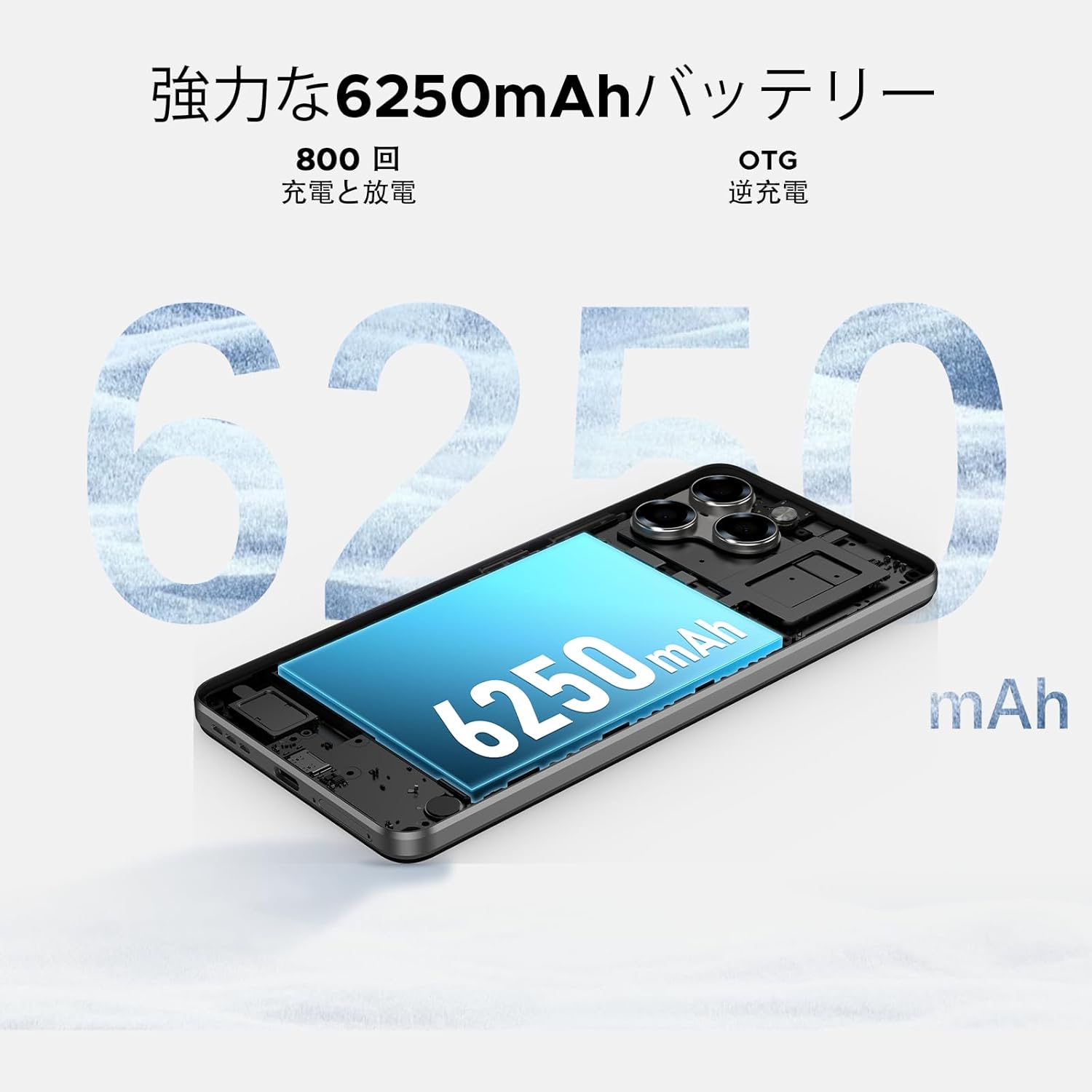
Image: 6250mAh Large Capacity Battery
7.1 Cihazınızı Şarj Etme
Use the provided Type-C cable and charger to charge your smartphone. Connect the Type-C end to the phone's charging port and the adapter to a power outlet. The battery icon on the screen will indicate charging status.
7.2 Pil Optimizasyonu
To maximize battery life, consider the following:
- Ekran parlaklığını azaltın.
- Kullanılmadığı zaman Wi-Fi, Bluetooth ve GPS'yi kapatın.
- Arka plan uygulamalarını kapatın.
- Enable battery saver mode in Settings.
8. Storage & Performance
The Note58 Pro offers robust performance and ampİhtiyaçlarınıza uygun depolama alanı.
8.1 Memory (RAM)
With 32GB of RAM (8GB physical + 24GB expandable virtual RAM), the device ensures smooth multitasking and efficient app handling, even under heavy usage.
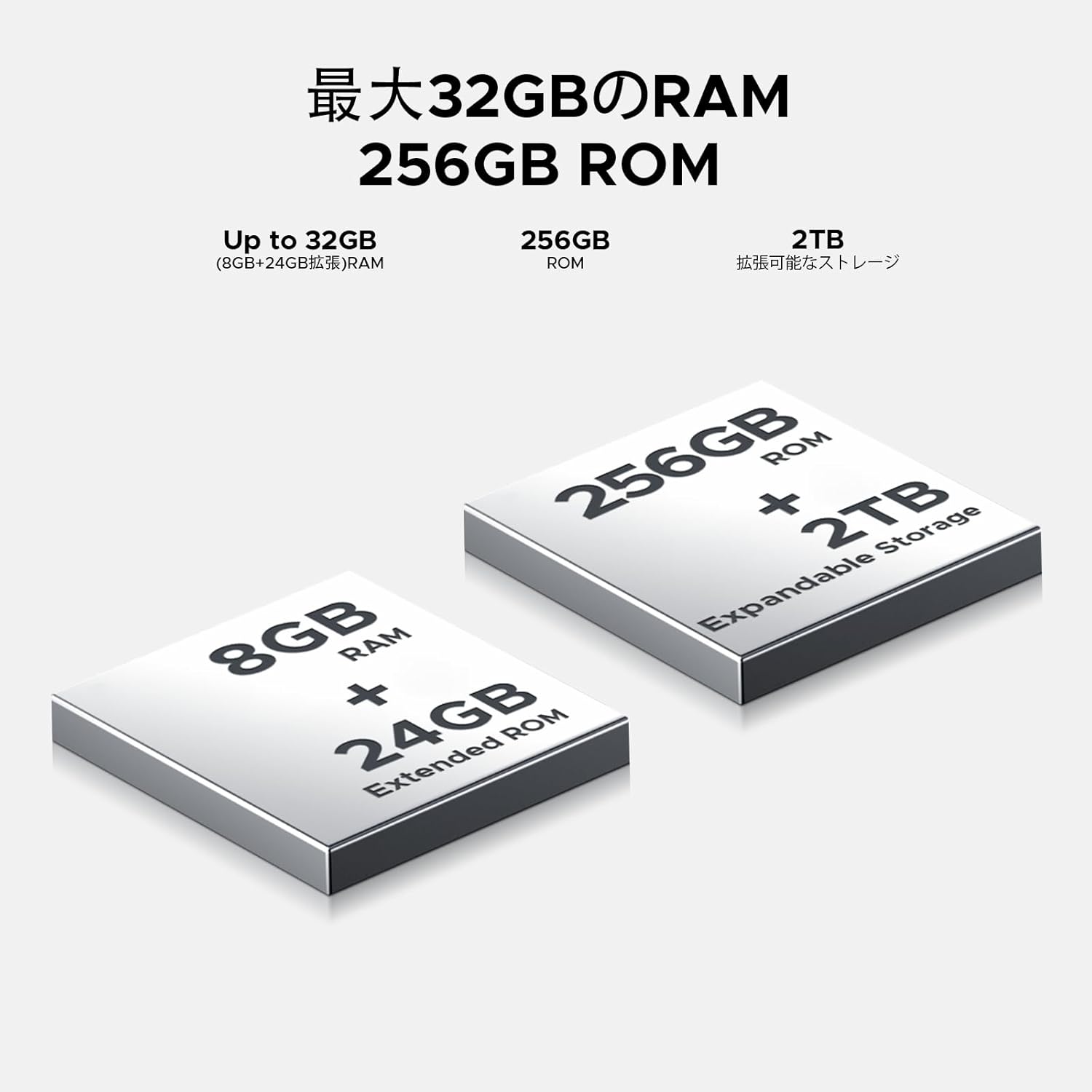
Image: 32GB RAM + 256GB ROM
8.2 Internal Storage (ROM)
The 256GB internal storage provides sufficient space for your apps, photos, and videos. For additional storage, you can expand it up to 2TB using a TF (microSD) card.

Image: 256GB ROM with 2TB Expandable Storage
8.3 İşlemci
Powered by the Unisoc T7250 Octa-core processor, the device delivers reliable performance for daily tasks, gaming, and multimedia consumption.

Image: Powerful T7250 Octa-core Processor
9. Ekran
The DOOGEE Note58 Pro features a 6.75-inch HD+ IPS display with a 90Hz refresh rate, providing a smooth and vibrant visual experience.
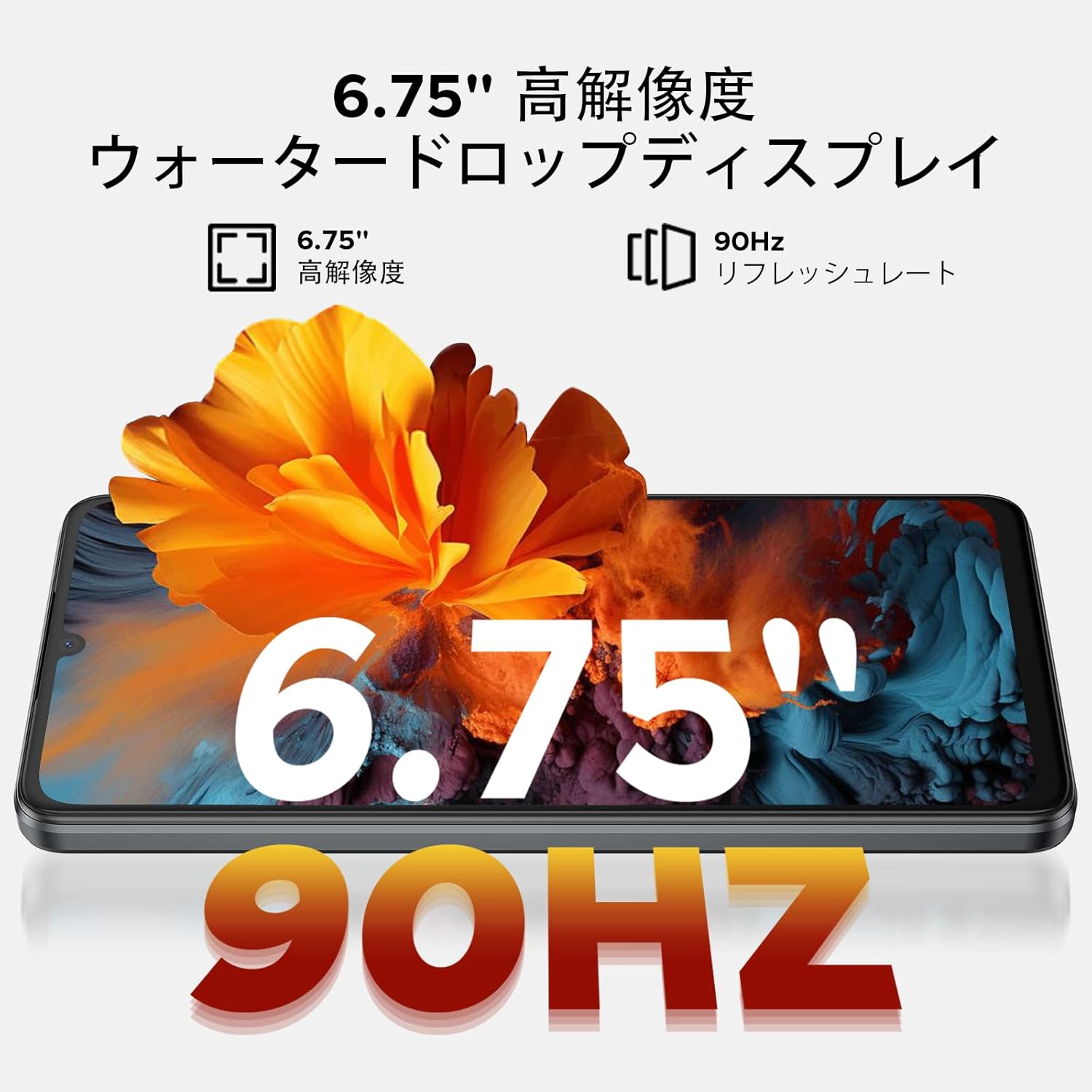
Image: 6.75-inch 90Hz HD+ Display
9.1 Eye-Care Modes
To reduce eye strain, activate the eye-care modes available in the display settings. These modes adjust color temperature to provide a more comfortable viewing experience, especially in low light.
9.2 Widevine L1 Desteği
The device supports Widevine L1, allowing you to stream high-definition content from popular platforms like Hulu, Amazon Prime Video, and HBO Max.

Image: Seamless Visual Experience with Widevine L1
10. Gezinme
The DOOGEE Note58 Pro integrates four major global positioning systems for accurate navigation.

Image: Precise Navigation System
10.1 Supported Systems
- KÜRESEL KONUMLAMA SİSTEMİ: Küresel Konumlandırma Sistemi
- Hayır. Globalnaya Navigatsionnaya Sputnikovaya Sistema
- Galileo: European satellite navigation system
- Beidou: Chinese satellite navigation system
These systems ensure reliable location tracking and navigation whether you are in urban areas, mountainous regions, or remote locations.
11. Bakım
11.1 Cihazınızı Temizleme
To clean your smartphone, use a soft, lint-free cloth. Avoid using harsh chemicals or abrasive materials, as these can damage the screen and finish. For stubborn smudges, lightly dampBezi suyla veya elektronik cihazlar için tasarlanmış bir ekran temizleyiciyle silin.
11.2 Yazılım Güncellemeleri
Cihazınızın en son özelliklere, güvenlik yamalarına ve performans iyileştirmelerine sahip olduğundan emin olmak için yazılım güncellemelerini düzenli olarak kontrol edin ve yükleyin. Ayarlar > Sistem > Sistem güncellemesi güncellemeleri kontrol etmek için.
11.3 Depolama Yönetimi
Periyodik olarak yenidenview saklanan files and applications. Delete unnecessary items to free up space and maintain optimal device performance. You can also offload large fileBulut depolama alanına veya harici bir TF kartına.
12. Sorun Giderme
DOOGEE Note58 Pro cihazınızda sorun yaşıyorsanız, aşağıdaki yaygın sorun giderme adımlarını deneyin:
- Cihaz açılmıyor: Pilin şarjlı olduğundan emin olun. Şarj cihazını bağlayın ve tekrar açmayı denemeden önce birkaç dakika bekleyin.
- Uygulamaların çökmesi veya donması: Close the problematic app and reopen it. If the issue persists, restart your device. Clear the app's cache and data in Ayarlar > Uygulamalar > [Uygulama Adı] > Depolama ve önbellek.
- Zayıf Wi-Fi/Bluetooth bağlantısı: Ensure Wi-Fi/Bluetooth is enabled and you are within range of the network/device. Try forgetting the network/device and reconnecting. Restart your router if it's a Wi-Fi issue.
- Yavaş performans: Close unnecessary background apps. Clear cached data. Check for available software updates. Consider performing a factory reset as a last resort (back up your data first).
- SIM kart algılanmadı: Ensure the SIM card is correctly inserted and that your carrier's frequency bands are supported by the device. Restart the phone.
- Pilin çabuk bitmesi: Review pil kullanımı Ayarlar > Pil to identify power-hungry apps. Reduce screen brightness, disable unnecessary features (GPS, Bluetooth, Wi-Fi), and enable battery saver mode.
Bu adımlar sorununuzu çözmezse, daha fazla yardım için lütfen Garanti ve Destek bölümüne bakın.
13. Özellikler
| Özellik | Şartname |
|---|---|
| Marka | DOOGEE |
| Model Numarası | N58 Profesyonel |
| İşletim Sistemi | Android 16 |
| Ekran Boyutu | 6.75 inç |
| Görüntü Türü | LCD |
| Kurulu RAM Bellek Boyutu | 32 GB |
| Bellek Depolama Kapasitesi | 256 GB (TF kartı ile 2 TB'a kadar genişletilebilir) |
| Pil Kapasitesi | 6250 mAh |
| Ana Kamera | 16 MP |
| Ön Kamera | 8 MP |
| Bağlantı Teknolojisi | Bluetooth 5.2, Wi-Fi 5, 4G Dual SIM, NFC |
| Navigasyon Sistemleri | GPS, GLONASS, Galileo, BeiDou |
| Ürün Ağırlığı | 199 gram |
| Paket Boyutları | 19.2x10.4x5.2 cm |
| Yayın Yılı | 2025 |
14. Garanti ve Destek
The DOOGEE Note58 Pro comes with a one-year warranty from the date of purchase.
14.1 Frequency Band Compatibility
Before purchase, please verify that the device's supported frequency bands are compatible with your local carrier. Supported bands include:
- GSM: B2/3/5/8
- WCDMAB: 1/2/4/5/8
- TDD: 38/40/41
- FDD: B1/2/3/4/5/7/8/18/19/20/25/26/28A/28B/66
14.2 Teknik Destek
Should you encounter any issues or require technical assistance, please contact our customer support. Our technical specialists are committed to responding within 48 hours.

Image: Customer Service Information
15. Paket İçeriği
The following items are included in your DOOGEE Note58 Pro package:
- 1x DOOGEE Note58 Pro Smartphone
- 1x Tip-C Kablo
- 1x Şarj Cihazı
- 1x SIM Kart PIN'i
- 1 adet Ambalaj Kutusu
- 1x Telefon Kılıfı

Resim: Paket İçeriği
16. Renk Seçenekleri
The DOOGEE Note58 Pro is available in the following colors:
- Inkstone Black
- Amber Gold
- Silver (as seen in product videos)

Image: Color Options
17. Ürün Videoları
17.1 DOOGEE Note58 Pro Overview
Video: This video provides a quick overview of the DOOGEE Note58 Pro, showcasing its unboxing, design, camera features, and multimedia capabilities. It highlights the phone's sleek appearance and user experience.


