1. Giriş
Thank you for choosing the Maxcom Comfort MM834 4G Senior Flip Phone. This manual provides essential information for setting up, operating, and maintaining your device. Please read it carefully to ensure proper use and to maximize the phone's features.
2. Paket İçeriği
Lütfen paketi aşağıdaki öğeler açısından kontrol edin:
- Maxcom Comfort MM834L 4G Senior Flip Phone
- Battery (1000 mAh Li-ion)
- Şarj kablosu
- Kullanıcı Kılavuzu
3. Cihaz Bittiview
Familiarize yourself with the physical features of your Maxcom MM834L phone.
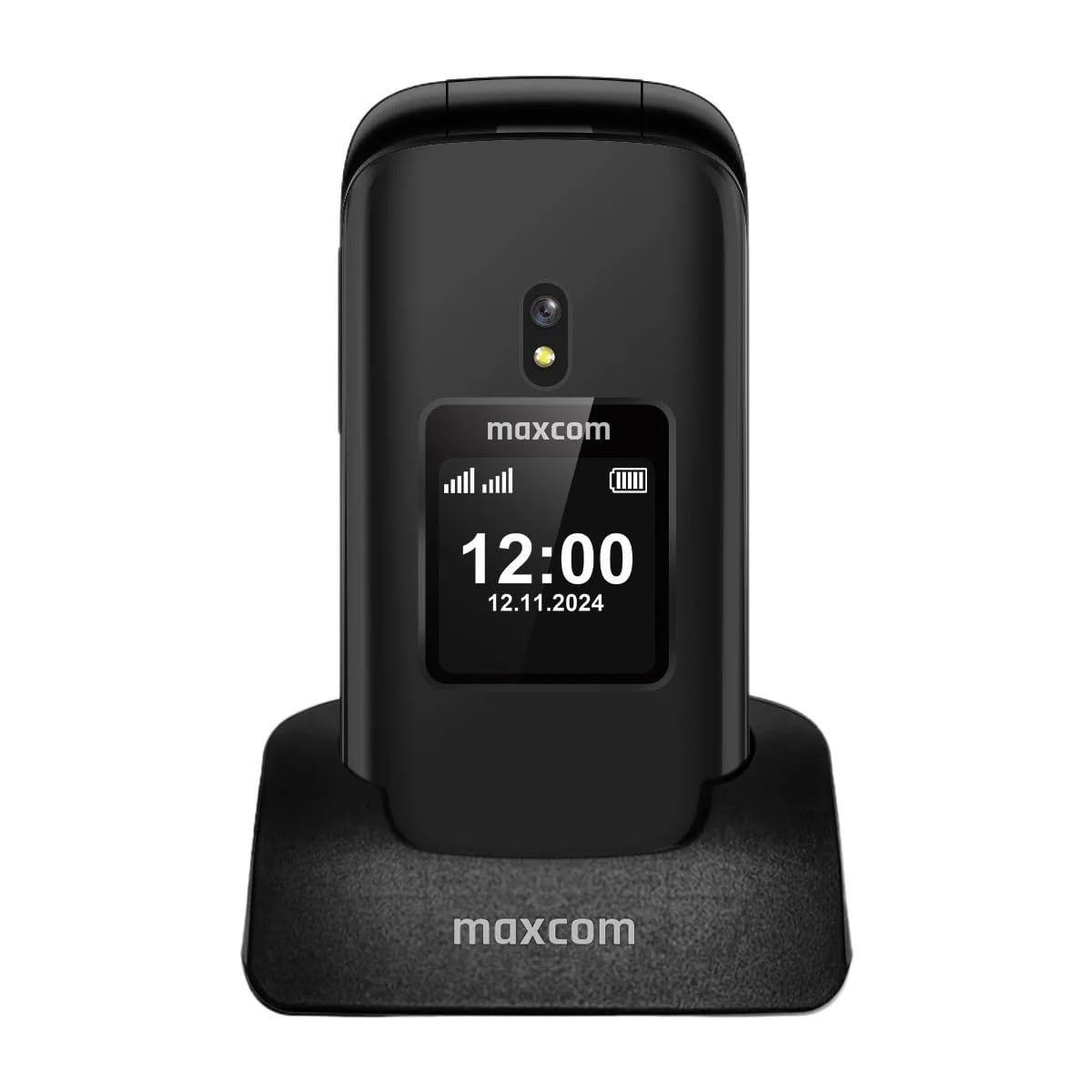
Şekil 3.1: Ön view of the Maxcom MM834L phone when open, displaying the main screen and the large, easy-to-use keypad.
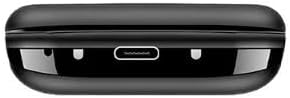
Şekil 3.2: Alt view of the phone, highlighting the USB-C charging port for convenient power connection.
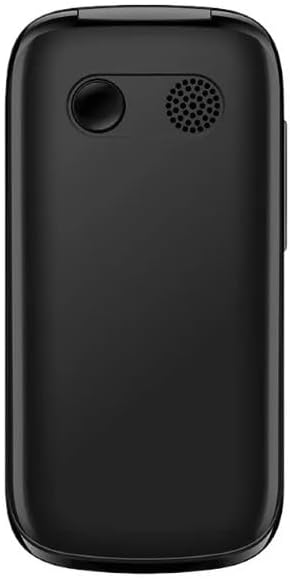
Şekil 3.3: Arka view of the phone, featuring the integrated camera and the external speaker for clear audio output.

Şekil 3.4: Taraf view of the phone, indicating the location of the volume control buttons.

Şekil 3.5: The phone features two displays: a 2.4-inch main internal screen and a 1.44-inch external screen. The external display shows time, battery status, and caller information without needing to open the phone.
4. Kurulum
4.1. SIM Kart(lar)ın ve Bataryanın Takılması
- Telefonun arka kapağını açın.
- Insert your SIM card(s) into the designated slot(s). The MM834L supports Dual SIM functionality. Ensure the gold contacts face downwards and the card is correctly oriented.
- Pili, kontaklarını hizalayarak yuvasına yerleştirin.
- Arka kapağı yerine takın ve iyice oturduğundan emin olun.

Şekil 4.1: The Maxcom MM834L supports Dual SIM, allowing the use of two separate telephone numbers.
4.2. Pilin Şarj Edilmesi
Before first use, fully charge the phone's battery. Connect the charging cable to the phone's USB-C port and plug the other end into a power adapter. The battery indicator on the screen will show charging status. A full charge typically takes a few hours.

Şekil 4.2: The 1000 mAh battery provides extended usage time for the MM834L phone.
4.3. Açma/Kapama
- Açmak için: tuşuna basın ve basılı tutun Çağrıyı Sonlandır/Güç Ekran ışığı yanana kadar düğmeye (kırmızı düğmeye) basılı tutun.
- Kapatmak için: tuşuna basın ve basılı tutun Çağrıyı Sonlandır/Güç button until the power off options appear, then select 'Power off'.
5. Kullanım Talimatları
5.1. Arama Yapma
- Open the flip to activate the main screen.
- Tuş takımını kullanarak istediğiniz telefon numarasını çevirin.
- Basın Arama Aramayı başlatmak için (yeşil) düğmeye basın.
- Bir aramayı bitirmek için tuşuna basın. Çağrı Sonu düğme (kırmızı düğme).
5.2. Aramaları Cevaplama
- When the phone rings, open the flip to answer the call automatically, or press the Arama düğme.
- Bir aramayı reddetmek için, tuşuna basın. Çağrı Sonu düğme.
5.3. Mesaj Gönderme ve Alma
- From the main menu, navigate to 'Messages'.
- 'Mesaj yaz' veya 'Yeni SMS' seçeneğini seçin.
- Mesajınızı tuş takımını kullanarak girin.
- Alıcının telefon numarasını girin veya rehberinizden seçin.
- 'Gönder'i seçin.
5.4. SOS Fonksiyonu
The MM834L features a dedicated SOS button for emergencies.
- Etkinleştirmek için: tuşuna basın ve basılı tutun SOS düğmesi on the back of the phone for a few seconds.
- The phone will automatically call and send an emergency SMS to pre-set contacts.
- Ensure emergency contacts are set up in the phone's settings under the SOS menu.

Şekil 5.1: Key features include 4G VoLTE for clear calls, dual screens, a dedicated SOS button, and large, easy-to-press buttons.
6. Bakım
- Temizlik: Telefonun yüzeyini temizlemek için yumuşak, kuru bir bez kullanın. Sıvı temizleyicilerden veya aşındırıcı malzemelerden kaçının.
- Depolamak: Telefonu serin, kuru ve doğrudan güneş ışığından ve aşırı sıcaklıklardan uzak bir yerde saklayın.
- Pil Bakım: Do not expose the battery to high temperatures or dispose of it in fire. Recycle batteries according to local regulations.
- Suya Dayanıklılık: This phone is not waterproof. Avoid exposure to water or high humidity.
7. Sorun Giderme
| Sorun | Olası Neden | Çözüm |
|---|---|---|
| Telefon açılmıyor | Pil bitmiş veya doğru takılmamış. | Pili şarj edin. Pilin doğru takıldığından emin olun. |
| Arama yapılamıyor veya alınamıyor. | SIM kart yok, SIM kart aktif değil veya şebeke kapsama alanı dışında. | SIM kartın takılı ve aktif olduğundan emin olun. Şebeke sinyal gücünü kontrol edin. Servis sağlayıcınızla iletişime geçin. |
| Kötü çağrı kalitesi | Zayıf ağ sinyali veya parazit. | Move to an area with better network coverage. Avoid sources of interference. |
| Pil çabuk bitiyor | High usage, background applications, or old battery. | Reduce screen brightness. Close unnecessary applications. Consider replacing the battery if it's old. |
8. Özellikler
| Özellik | Şartname |
|---|---|
| Örnek | MM834L |
| Boyutlar | 10x5x8 cm |
| Ağırlık | 210 gram |
| Ana Ekran Boyutu | 2.4 inç |
| Harici Ekran Boyutu | 1.44 inches (implied from A+ content) |
| Görüntü Türü | LCD |
| Çözünürlük | 240x320 |
| Pil Kapasitesi | 1000 mAh (Lityum iyon) |
| Hücresel Teknoloji | 4G (LTE, VoLTE) |
| SIM Kart Yuvaları | Çift SIM |
| Flaş Bellek | 1 MB |
| Form Faktörü | Flip (Pieghevole) |
9. Garanti ve Destek
Your Maxcom Comfort MM834L phone is covered by a manufacturer's warranty. Please refer to the warranty card included in your package for details on coverage and duration. For technical support, service, or further inquiries, please contact Maxcom customer service through their official webSiteye veya satın alma işleminizle birlikte verilen iletişim bilgilerine.


