giriiş
This manual provides detailed instructions for setting up, operating, maintaining, and troubleshooting your DOOGEE U11 Pro Android 16 Tablet. Please read this manual thoroughly before using your device to ensure optimal performance and longevity.
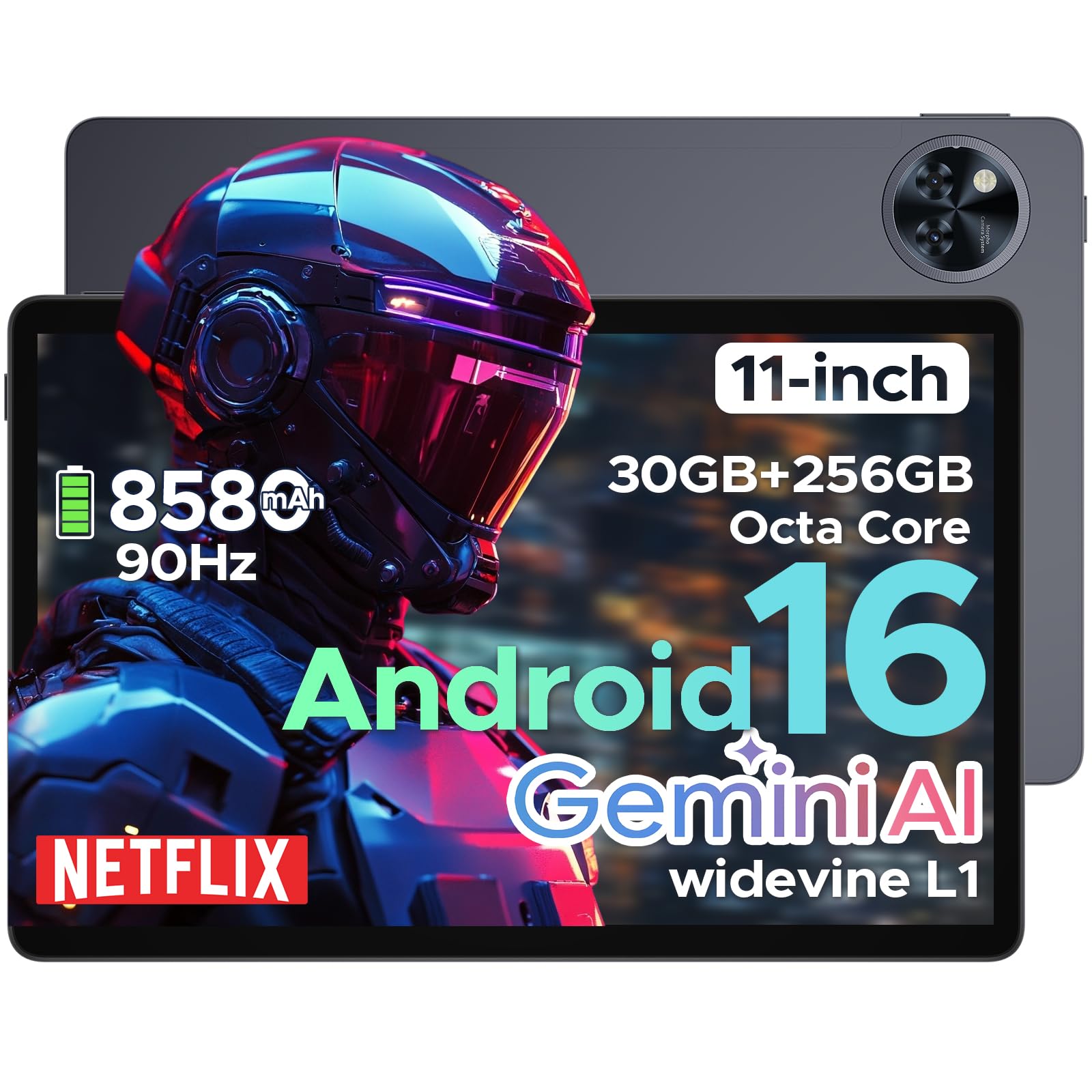
The DOOGEE U11 Pro is an 11-inch tablet featuring the Android 16 operating system with Gemini AI integration. It is powered by a MediaTek Unisoc T7200 octa-core processor, offers 30GB RAM (6GB physical + 24GB expansion) and 256GB internal storage (expandable up to 2TB via MicroSD/TF card). Key features include a 90Hz display, an 8580mAh battery, 13MP rear and 5MP front cameras, Face ID, Bluetooth 5.0, 5G WiFi, and Widevine L1 support for high-definition streaming.
Kurmak
1. Paket İçeriği
Paketin içinde tüm öğelerin mevcut olduğundan emin olun:
- DOOGEE U11 Pro Tablet
- Şarj Adaptörü
- USB-C Kablosu
- SIM İtici Aracı
- Hızlı Başlangıç Kılavuzu
- Garanti Kartı
2. Tableti Şarj Etme
Before first use, fully charge the tablet. Connect the USB-C cable to the tablet's charging port and the adapter to a power outlet.
Resim: The DOOGEE U11 Pro tablet connected to a charger, illustrating the charging process.
3. Açma/Kapama
- Açmak İçin: DOOGEE logosu görünene kadar Güç düğmesini basılı tutun.
- Kapatmak İçin: Press and hold the Power button, then select "Power Off" from the options.
- Yeniden başlatmak: Güç tuşuna basılı tutun, ardından seçeneklerden "Yeniden Başlat"ı seçin.
4. SIM/MicroSD Kartın Takılması
Use the provided SIM ejector tool to open the SIM/MicroSD card tray. Insert your SIM card (if applicable) and/or MicroSD card into the designated slots, ensuring correct orientation. Close the tray securely.

Resim: A close-up of the tablet's side, indicating the location of the SIM/MicroSD card tray.
Kullanım Talimatları
1. Android 16 System and Gemini AI
The DOOGEE U11 Pro runs on Android 16, offering enhanced app permission control and privacy features. Integrated Gemini AI intelligently manages system resources for tasks like photo editing and real-time translation, providing a smarter and faster user experience.

Resim: Visual representation of the Android 16 system interface and Gemini AI capabilities.

Resim: A comparison chart highlighting improvements in Android 16 over Android 15, including privacy, performance, and user interface enhancements.
2. Ekran ve Görseller
The 11-inch HD IPS display features a 90Hz refresh rate for smooth scrolling and vibrant colors. It supports a resolution of 1280x800 pixels and offers Widevine L1 certification for 1080p HD content streaming on platforms like Prime Video and Netflix.

Resim: Bir illüstrasyon sergisiasing the 11-inch 90Hz HD IPS display with its key specifications like resolution and refresh rate.

Resim: A graphic indicating Widevine L1 support for various streaming platforms, ensuring high-quality video playback.
Video: This video demonstrates the immersive visual experience of the DOOGEE U11 Pro tablet, highlighting its display quality and smooth operation.
3. Performans ve Depolama
The tablet is equipped with a MediaTek Unisoc T7200 octa-core processor, 30GB RAM (6GB physical + 24GB virtual), and 256GB internal storage. Storage can be expanded up to 2TB using a MicroSD/TF card (sold separately). The built-in Memory Manager helps optimize performance by clearing unnecessary files.

Resim: Dahili view highlighting the Unisoc T7200 Octa-core Processor, 256GB ROM, and 30GB RAM (6GB+24GB virtual).
4. Pil Ömrü ve Şarj
The 8580mAh battery provides extended usage times. AI battery management helps reduce standby power drain. The tablet also supports OTG reverse charging, allowing it to function as a power bank for other devices.

Resim: A graphic illustrating the 8580mAh battery and estimated usage times for standby, music, video, and web Tarama.
Video: This video demonstrates the extended power capabilities of the DOOGEE U11 Pro, including its large battery and reverse charging feature.
5. Cameras and Security
The tablet features a 13MP rear camera for capturing documents and photos, and a 5MP front camera optimized with AI for video calls and selfies. Face Unlock provides quick and secure access to your device.

Resim: A close-up of the tablet's rear camera module, highlighting its design.

Resim: An image showing the tablet's front camera in use for video calls.
6. Ses ve Bağlantı
Experience clear sound with HD dual speakers. The tablet supports Bluetooth 5.0 for wireless audio and includes a 3.5mm headphone jack. Connectivity options include 5G WiFi and built-in GPS for accurate navigation. It also features an FM Radio function.

Resim: A visual summary of the tablet's audio features (dual speakers, 3.5mm jack) and connectivity (GPS, WiFi 5).
Video: This video highlights the smart, smooth, and safe features of the DOOGEE U11 Pro, including its PC-level WPS Office and FM Radio functions.
Bakım
- Temizlik: Ekranı ve gövdeyi temizlemek için yumuşak, tiftiksiz bir bez kullanın. Sert kimyasallardan kaçının.
- Yazılım Güncellemeleri: En iyi performansı ve güvenliği sağlamak için sistem güncellemelerini düzenli olarak kontrol edin ve yükleyin.
- Pil Bakım: Aşırı sıcaklıklardan kaçının. Pilin sık sık tamamen boşalmasına izin vermeyin.
- Depolama Yönetimi: Gereksiz olanları periyodik olarak temizleyin fileDepolama alanını boşaltmak ve performansı korumak için uygulamalar ve uygulamalar.
Sorun giderme
1. Tablet Açılmıyor
- Ensure the tablet is sufficiently charged. Connect it to a charger for at least 30 minutes.
- Yeniden başlatmayı zorlamak için Güç düğmesini 10-15 saniye basılı tutun.
2. Uygulamaların Çökmesi veya Donması
- Uygulamayı kapatıp yeniden açın.
- Ayarlar > Uygulamalar'dan uygulamanın önbelleğini ve verilerini temizleyin.
- Uygulamanın en son sürüme güncellendiğinden emin olun.
- Tableti yeniden başlatın.
3. Zayıf Wi-Fi Bağlantısı
- Ensure you are within range of the Wi-Fi router.
- Wi-Fi yönlendiricinizi ve tabletinizi yeniden başlatın.
- Wi-Fi ayarlarından ağı unutun ve yeniden bağlanın.
4. Yavaş Performans
- Kullanılmayan arka plan uygulamalarını kapatın.
- Önbelleği ve geçiciyi temizle files using the built-in Memory Manager.
- Yeterli depolama alanının mevcut olduğundan emin olun.
- Perform a factory reset as a last resort (Not: This will erase all data. Back up important file(ilk önce).
Özellikler
| Özellik | Şartname |
|---|---|
| Model Adı | U11 Profesyonel |
| İşletim Sistemi | Android 16 |
| İşlemci | MediaTek Unisoc T7200 Octa-Core |
| Veri deposu | 30 GB (6 GB fiziksel + 24 GB genişletme) |
| Dahili Depolama | 256 GB |
| Genişletilebilir Depolama | MicroSD/TF kart ile 2 TB'a kadar depolama alanı. |
| Ekran Boyutu | 11 inç |
| Ekran Çözünürlüğü | 1280 x 800 piksel |
| Yenileme Hızı | 90Hz |
| Pil Kapasitesi | 8580mAh |
| Arka Kamera | 13 MP |
| Ön Kamera | 5 MP |
| Kablosuz Tip | 802.11ax (5G WiFi) |
| Bluetooth | Bluetooth 5.0 |
| Boyutlar (UxGxY) | 10.13 x 6.65 x 0.31 inç |
| Renk | Gray (variant specific) |
| Özel Özellikler | Gemini AI, Widevine L1, Face ID, OTG Reverse Charging, HD Dual Speakers, GPS, FM Radio, Built-in PC-level WPS Office |
Garanti ve Destek
DOOGEE offers comprehensive support for its products:
- 30 Günlük Para İade Garantisi: Satın aldığınız üründen memnun kalmazsanız, 30 gün içinde iade ederek tam para iadesi alabilirsiniz.
- 2 Yıllık Sınırlı Garanti: The DOOGEE U11 Pro Tablet comes with a 2-year limited warranty covering manufacturing defects.
- 24/7 Çevrimiçi Destek: For any technical assistance or inquiries, please contact DOOGEE customer service available 24/7.
For more information, please visit the official DOOGEE webGaranti belgesi için lütfen web sitesini ziyaret edin veya paketinizde bulunan garanti kartına bakın.


