1. Giriş
Thank you for choosing the Cillso IDW26 Smart Watch. This device is designed to enhance your daily life with smart features, health monitoring, and fitness tracking capabilities. This manual provides essential information for setup, operation, and maintenance to ensure optimal performance and user experience.
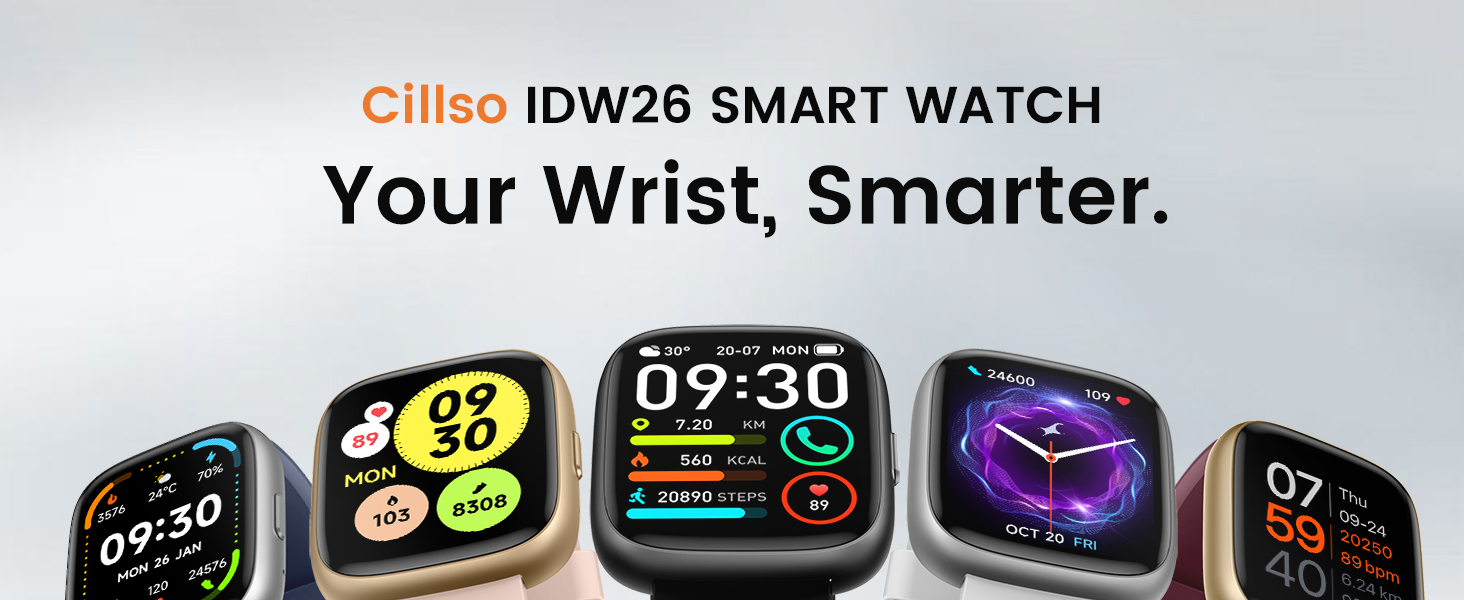
Image: The Cillso IDW26 Smart Watch displaying different watch faces, highlighting its versatility.
2. Kutuda Neler Var?
Lütfen paketinizde tüm öğelerin mevcut olduğundan emin olun:
- 1x Cillso IDW26 Smart Watch
- 1x Type-C Magnetic Charging Cable
- 1x Kullanım Kılavuzu

Image: A visual representation of the smart watch, charging cable, and user manual included in the product packaging.
3. Kurulum Kılavuzu
3.1 İlk Şarj
Before first use, fully charge your Cillso IDW26 Smart Watch. Connect the magnetic charging cable to the charging contacts on the back of the watch and plug the USB-A end into a standard USB power adapter (not included). A full charge typically takes approximately 1.5 to 2 hours.
3.2 Uygulama Kurulumu
Akıllı saatinizin tüm işlevlerini kullanabilmek için, aşağıdaki uygulamayı indirip yükleyin. Çok Uygun application on your smartphone. The app is compatible with iOS 9.0+ and Android 5.0+ devices.
- Scan the QR code provided in the manual or on the watch screen, or search for "VeryFit" in your phone's app store (App Store for iOS, Google Play Store for Android).
- Uygulamayı indirin ve yükleyin.
- VeryFit uygulamasını açın ve hesap oluşturmak veya giriş yapmak için ekrandaki yönergeleri izleyin.
3.3 Cihaz Eşleştirme
Follow these steps to pair your smart watch with your smartphone via the VeryFit app:
- Telefonunuzun Bluetooth özelliğinin etkin olduğundan emin olun.
- Open the VeryFit app. Navigate to the 'Device' section and select 'Add Device'.
- The app will search for nearby devices. Select 'IDW26' from the list.
- Hem telefonunuzda hem de akıllı saatinizde eşleştirme isteğini onaylayın.
- Allow the app to receive notifications when prompted to ensure message alerts are displayed on your watch.

Image: A visual guide demonstrating the pairing process between the smart watch and a smartphone through the VeryFit application.
For further assistance with app installation or pairing, you can visit the official support page: https://t.ido.ink/eAriqu
4. Kullanım Talimatları
4.1 Görüntüleme ve Özelleştirme
The Cillso IDW26 features a 1.83-inch HD touchscreen with a resolution of 320x385 pixels. Swipe across the screen to navigate through menus and functions. The brightness can be adjusted to four levels for optimal visibility in various lighting conditions.

Image: The 1.83-inch HD screen of the smart watch, showcasing its clarity and vibrant display.
You can personalize your watch face through the VeryFit app, choosing from over 130 stylish designs or creating custom ones using your own photos.
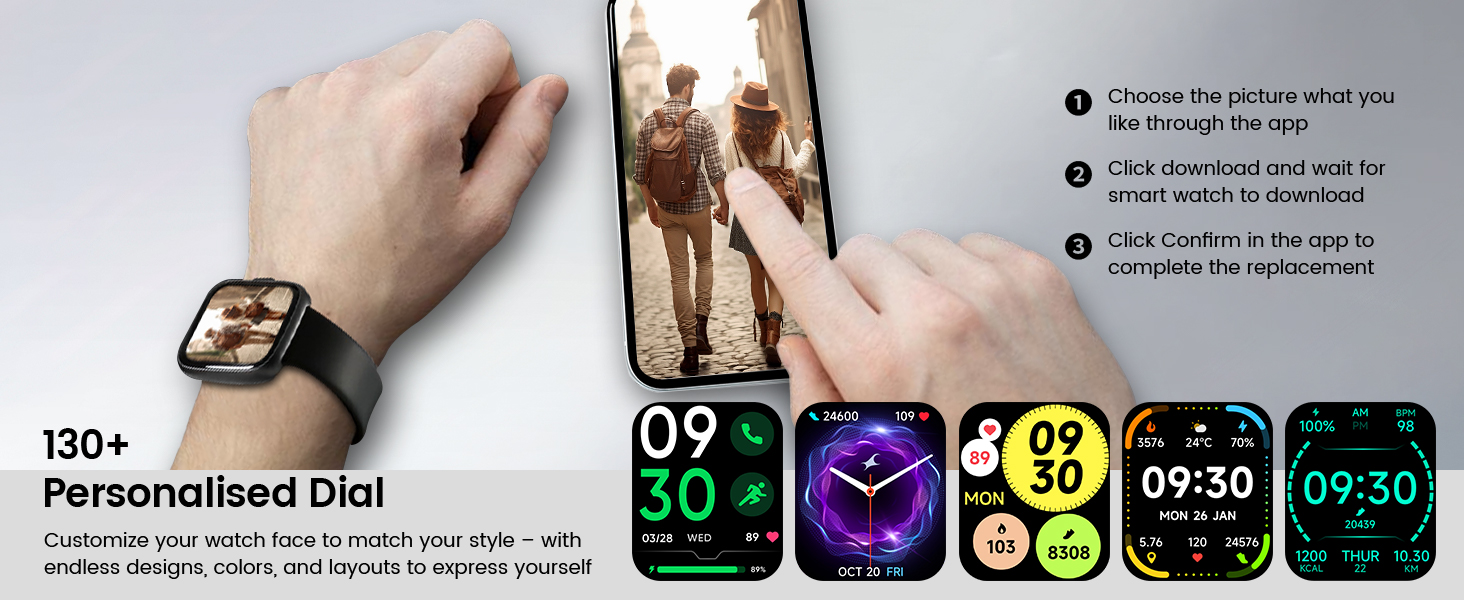
Resim: Eskiamples of personalized watch faces and the app interface for customization.
4.2 Bluetooth Calling and Message Notifications
With its built-in microphone and speaker, the IDW26 allows you to make and answer calls directly from your wrist when connected to your smartphone via Bluetooth 5.3. You can also view call history and access contacts.

Image: Demonstrating the Bluetooth call function on the smart watch.
Enable message notifications in the VeryFit app to receive alerts from various social media platforms (e.g., Facebook, Twitter, WhatsApp, Instagram) directly on your watch. The watch will vibrate to notify you of incoming messages.

Image: The smart watch showing a message notification and icons of supported social media applications.
4.3 Built-in Alexa Voice Control
The IDW26 integrates Amazon Alexa, allowing for hands-free voice commands. Speak to your watch to get news, weather updates, set reminders, control smart home devices, and manage music playback.

Image: A user utilizing the built-in Alexa voice assistant on the smart watch.
4.4 Sağlık İzleme
The smart watch is equipped with a high-precision optical sensor (LC10A) for continuous health tracking:
- Nabız İzleme: 24-hour real-time heart rate tracking to help you monitor your cardiovascular health.
- Uyku İzleme: Analyzes sleep patterns, identifying deep sleep, light sleep, and awake phases to provide insights for improving sleep habits.
- Blood Oxygen (SpO2) Tracking: Monitors blood oxygen levels for wellness insights.
- Nefes Eğitimi: Guides you through breathing exercises with gentle vibrations and visual cues to promote relaxation.

Resim: Üzeriview of the 24/7 health monitoring features including heart rate, sleep, blood oxygen, and breath training.
4.5 Spor Modları ve Aktivite Takibi
The IDW26 supports over 120 professional sports modes, covering a wide range of indoor and outdoor activities. It accurately tracks steps, distance, calories burned, and workout duration, providing detailed exercise data to help you analyze performance and optimize training plans.

Image: Visuals demonstrating the 120+ sports modes and comprehensive activity tracking features.
4.6 Diğer Fonksiyonlar
The smart watch includes several practical features:
- Çalar saat
- Kronometre
- Zamanlayıcı
- Telefon Bulucu
- Kamera Kontrolü (uzaktan deklanşör)
- Music Control (play/pause, skip tracks)
- Hava tahmini

Image: The smart watch's multi-functionality, including battery life and various utility features.
5. Bakım
5.1 Suya Dayanıklılık
The Cillso IDW26 Smart Watch has an IP68 water resistance rating. This means it is resistant to sweat, rain, and can be worn during handwashing. It is not suitable for swimming, diving, or hot showers, as steam and high water pressure can damage the device.

Image: The smart watch demonstrating its IP68 water resistance for daily activities.
5.2 Temizlik ve Bakım
To maintain your smart watch, regularly clean the screen and strap with a soft, dry cloth. Avoid using harsh chemicals or abrasive materials. Ensure the charging contacts are clean and dry before charging.
6. Sorun Giderme
If you encounter issues with your Cillso IDW26 Smart Watch, please refer to the following common solutions:
- Saat açılmıyor: Saatin tamamen şarj olduğundan emin olun. Şarj kablosuna bağlayın ve açmayı denemeden önce en az 30 dakika şarj olmasına izin verin.
- Telefonla eşleştirilemiyor: Ensure Bluetooth is enabled on your phone and the watch is within range. Restart both your phone and the watch, then try the pairing process again through the VeryFit app.
- Alınmayan bildirimler: Check the notification settings within the VeryFit app and your phone's system settings to ensure permissions are granted for the app to display notifications.
- Yanlış fitness verileri: Ensure the watch is worn snugly on your wrist, about one finger's width above your wrist bone. Calibrate the watch with the app if available. Note that environmental factors and individual movement patterns can affect accuracy.
- Alexa yanıt vermiyor: Ensure the watch is properly connected to your phone and has an active internet connection through your phone. Check Alexa settings within the VeryFit app.
If problems persist, please contact customer support as described in Section 8.
7. Özellikler
| Özellik | Şartname |
|---|---|
| Model Numarası | IDW26 |
| Ekran Boyutu | 1.83 İnç HD Dokunmatik Ekran |
| Pil Kapasitesi | 300 mAh |
| Şarj Süresi | Yaklaşık 1.5 - 2 saat |
| Pil Ömrü (Normal Kullanım) | 5-7 gün |
| Bekleme Süresi | 30 güne kadar |
| Bağlantı | Bluetooth 5.3 |
| Suya Dayanıklılık | IP68 |
| İşletim Sistemi Uyumluluğu | Android 5.0+ / iOS 9.0+ |
| Ürün Ağırlığı | 10 Gram (0.353 ons) |
| Özel Özellikler | Alexa Built-in, Bluetooth Calling, Heart Rate Monitor, Sleep Monitor, SpO2, 120+ Sports Modes, Message Notifications, Camera Control, Music Control, Weather Forecast |
8. Garanti ve Destek
Cillso is committed to providing quality products and customer satisfaction. If you experience any issues with your smart watch, such as product defects, missing items, or difficulties with functionality, please contact our customer service team.

Image: Information on how to seek assistance for product-related issues.
You can reach us through the Amazon platform where you purchased the product. Our customer service is available to assist you and resolve any problems within 24 hours.


