giriiş
Welcome to the Google Pixel 10 Pro XL. This manual provides essential information to help you set up, operate, and maintain your new smartphone. The Pixel 10 Pro XL combines advanced AI capabilities with a powerful camera system and robust performance, designed to enhance your daily mobile experience.
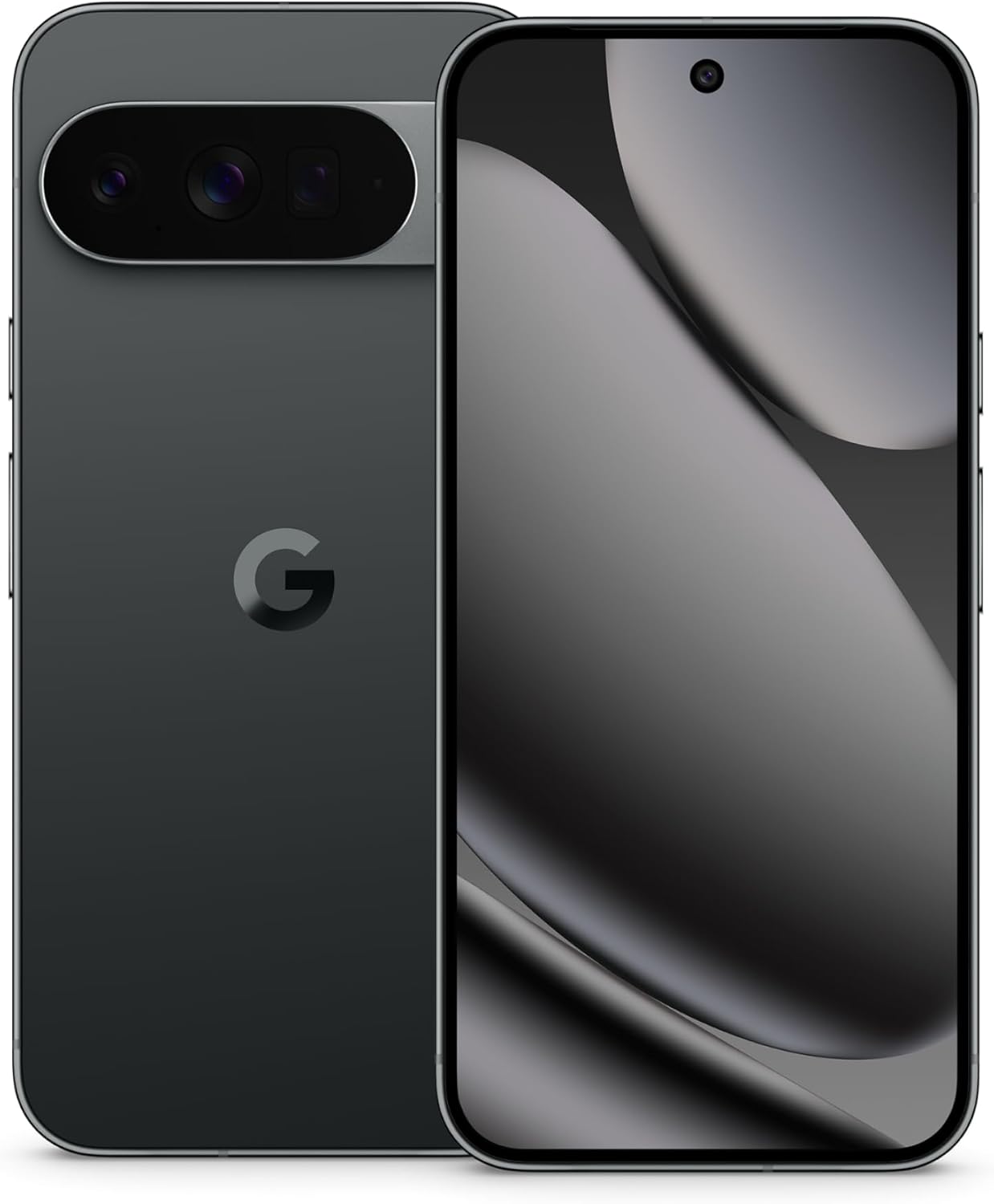
Resim: Ön ve arka view of the Google Pixel 10 Pro XL in Obsidian. The back features the camera bar and Google logo, while the front displays the Super Actua screen.
Neler Dahil?
Your Google Pixel 10 Pro XL package contains the following items:
- Google Pixel 10 Pro XL Cep Telefonu
- USB-C Cable (1 meter, USB 2.0)
- Support, Safety & Warranty Booklet (not shown)

Image: The Google Pixel 10 Pro XL phone next to its included 1-meter USB-C to USB-C cable.
Kurulum Kılavuzu
1. İlk Güç Açma
- Cihazın yan tarafındaki Güç düğmesine Google logosu görünene kadar basılı tutun.
- Follow the on-screen prompts to select your language, connect to Wi-Fi, and accept terms and conditions.
2. eSIM Aktivasyonu
The Pixel 10 Pro XL is an eSIM-only device. This allows for digital plan switching and storage of multiple numbers without a physical SIM card.
- During initial setup, you will be guided through the eSIM activation process.
- Alternatively, navigate to Ayarlar > Ağ ve internet > SIM'ler to add or manage your eSIM profiles.
- Contact your carrier for specific instructions or QR codes for eSIM activation.
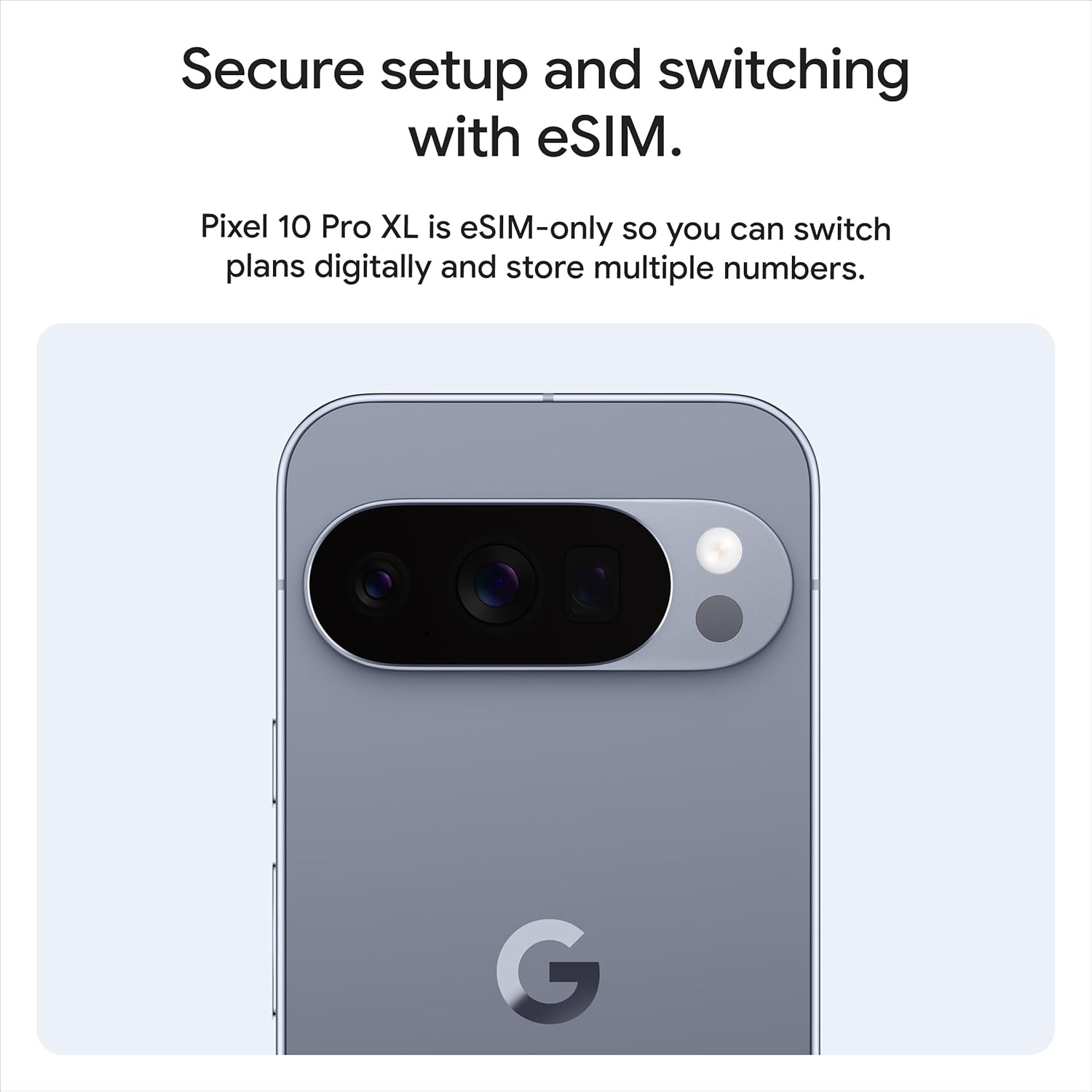
Resim: Arka view of the Pixel 10 Pro XL, highlighting its design and the concept of secure setup and switching with eSIM.
3. Data Transfer from Previous Device
You can easily transfer data from your old phone to your new Pixel 10 Pro XL. This process typically takes about 20 minutes.
- Use the provided USB-C cable and an adapter (if necessary) to connect your old phone to the Pixel 10 Pro XL.
- Follow the on-screen instructions to select the data you wish to transfer (contacts, photos, apps, etc.).

Image: A visual representation of transferring data and messaging capabilities, including high-resolution image sharing with iPhone users.
Operating Your Pixel 10 Pro XL
Görüntüleme ve Etkileşim
The Pixel 10 Pro XL features a 6.8-inch Super Actua display with a 120 Hz refresh rate and 3300-nit peak brightness, ensuring clear visibility even in direct sunlight. Interaction is primarily via the responsive touchscreen.

Image: Details of the Pixel 10 Pro XL's construction, showcasing the spacecraft-grade aluminum, Corning Gorilla Glass Victus 2, and the bright Super Actua display.
Performance and Battery
Powered by the next-gen Google Tensor G5 chip and 16 GB of RAM, the Pixel 10 Pro XL delivers exceptional performance for all tasks. The 5200 mAh battery provides over 24 hours of usage, with fast-charging capabilities.

Image: Visuals depicting the next-gen Google Tensor G5 chip, wireless charging, and the phone's 16 GB RAM and up to 1 TB storage capacity.
Kamera Sistemi
The Pixel 10 Pro XL features a pro triple rear camera system, including a 50 MP wide lens, 48 MP ultrawide, and 48 MP telephoto lens. It offers advanced features like 100x Pro Res Zoom and super steady 8K video recording.

Image: A demonstration of the 100x Pro Res Zoom, showing a landscape view, a 50x zoom, and a 100x zoom on a distant blue car.

Image: A still from a video demonstrating the super steady video capabilities, showing a person in motion with clear, stable footage.

Image: A visual demonstrating the camera's ability to reframe and zoom, showing a kayaking scene from a wider and a closer perspective.
Gemini AI Assistant
The integrated Gemini AI Assistant provides a natural, conversational interface. Use Gemini Live to interact with your surroundings by pointing your camera at objects or to brainstorm ideas and complete tasks across applications.

Image: A user interacting with Gemini Live, pointing the phone's camera at a shark in an aquarium and receiving information about it.

Image: The Gemini AI interface on the Pixel 10 Pro XL, demonstrating its capability to describe videos and interact with various media types.
Security and Updates
Google Pixel 10 Pro XL is designed with robust security features and receives 7 years of regular security and software updates, ensuring your device remains protected and up-to-date.
- Spam and Phishing Protection: Pixel helps protect you against unwanted spam, scams, and phishing attempts.
- Automatic Device Lock: Your phone will automatically lock if it is lost or stolen, safeguarding your data.
- Acil Durum Özellikleri: Pixel includes features to assist you in emergency situations, even when offline.

Image: Visual representation of Pixel's security and data protection features, including spam protection, 7 years of updates, automatic locking, and emergency capabilities.
Bakım ve Özen
- Temizlik: Cihazınızı temizlemek için yumuşak, tüy bırakmayan bir bez kullanın. Aşındırıcı malzemelerden veya sert kimyasallardan kaçının.
- Su ve Toz Direnci: The Pixel 10 Pro XL is designed with IP68 water and dust resistance. However, this is not permanent and resistance may decrease over time with normal wear. Avoid intentional submersion.
- Yazılım Güncellemeleri: Ensure your device is connected to Wi-Fi and has sufficient battery life before performing software updates.
- Pil Bakım: To prolong battery lifespan, avoid extreme temperatures. The phone may limit charging to 80% after a certain number of charge cycles to protect battery health.

Resim: Ayrıntılı views of the Pixel 10 Pro XL's design, emphasizing its durable aluminum frame, Gorilla Glass Victus 2, and water resistance.
Sorun giderme
Yaygın Sorunlar ve Çözümleri
- Cihaz Yanıt Vermiyor: Press and hold the Power button for approximately 30 seconds to force a restart.
- Bağlantı Sorunları (Wi-Fi/Bluetooth):
- Toggle Wi-Fi or Bluetooth off and on from Quick Settings.
- Cihazınızı yeniden başlatın.
- Git Ayarlar > Sistem > Sıfırlama seçenekleri > Wi-Fi, mobil ve Bluetooth'u sıfırla.
- Pil Hızla Boşalıyor:
- Pil kullanımını kontrol edin Ayarlar > Pil güç tüketen uygulamaları belirlemek için.
- Reduce screen brightness or enable Adaptive Battery.
- Ensure all apps are updated.
- Kamera Sorunları:
- Clear the cache and data for the Camera app in Settings > Apps > Camera > Storage & cache.
- Telefonu yeniden başlatın.
For further assistance, refer to the official Google Pixel support website veya müşteri hizmetleriyle iletişime geçin.
Özellikler
| Özellik | Detay |
|---|---|
| Model Adı | Pixel 10 Pro XL |
| İşletim Sistemi | Android 16 |
| İşlemci | Google Tensor G5 (3.78 GHz) |
| Veri deposu | 16 GB |
| Depolama Kapasitesi | 256 GB (diğer yapılandırmalarda da mevcuttur) |
| Ekran Boyutu | 6.8 Inches Super Actua |
| Ekran Çözünürlüğü | 3292x3292 |
| Yenileme Hızı | 120 Hz |
| Arka Kamera | Pro Triple (50 MP Wide, 48 MP Ultrawide, 48 MP Telephoto) |
| Yakınlaştır | 100x'e kadar |
| Ön Kamera | Evet |
| Pil Kapasitesi | 5200 mAh |
| Bağlantı | Bluetooth, NFC, Wi-Fi, GPS |
| Boyutlar | 6.4 x 3 x 0.3 inç |
| Ağırlık | 12.3 ons (0.35 Kilogram) |
| Renk | Obsidian (other colors available) |
| Ürün Model Numarası | GUL82 |
For a detailed comparison with other Pixel models, refer to the table below:

Image: A table comparing key specifications like display size, battery life, RAM, chip, and camera features across Pixel 10 Pro, Pixel 10 Pro Fold, and Pixel 10 models.
Garanti ve Destek
Your Google Pixel 10 Pro XL comes with a commitment to long-term support, including 7 years of security and software updates (Pixel Drops).
- Yazılım desteği: Expect regular updates for 7 years from the device's release date.
- Donanım Garantisi: Refer to the included Support, Safety & Warranty Booklet for detailed warranty terms and conditions specific to your region.
- Çevrimiçi destek: Visit the official Google Pixel support webSSS, sorun giderme kılavuzları ve iletişim seçenekleri için site.

Image: A graphic promoting "Pixel Drop" features, indicating that the phone improves over time with 7 years of updates.
Additional Features and Ecosystem
Google Hizmetleri
Enjoy premium Google services that complement your Pixel experience:
- Google AI Pro: 1 year of enhanced access to new and powerful AI features.
- Fitbit Premium: 6 months of personalized fitness guidance.
- YouTube Premium: 3 months of ad-free videos and music.

Image: A visual summary of included premium Google services: Google AI Pro, Fitbit Premium, and YouTube Premium, with their respective trial durations.
Pixel Ecosystem Integration
The Pixel 10 Pro XL seamlessly integrates with other Google Pixel devices for a cohesive experience.
- Pixel Watch: Unlock your full potential by connecting with the Pixel Watch.
- Pixel Buds: Enhance audio clarity and focus with Pixel Buds.

Image: The Pixel Watch and Pixel Buds shown alongside the Pixel phone, illustrating how they work together for a complete user experience.


